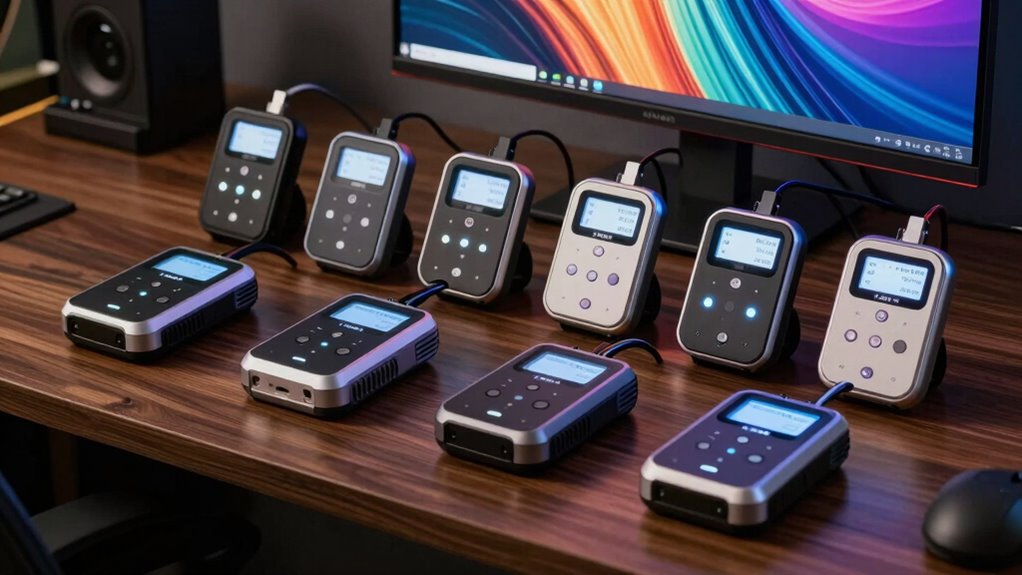

A hardware calibrator for monitors for artists helps bring screen color closer to a chosen standard, which can make editing and print preparation more predictable. My best overall pick is the Calibrite Display Pro HL for artists who want a dedicated monitor tool with support for high-luminance displays. The Calibrite Display 123 is a simpler fit for beginners, while the Datacolor SpyderPro suits artists who want a more advanced calibration tool. The main tradeoffs are workflow simplicity, display compatibility, and whether bundled camera or photo targets will be useful in your process. Read on for the full breakdown and a guide to matching a calibrator to your setup.

Prime made for students and young adults
- Fast, free delivery for dorm and study essentials
- Prime Video and Amazon Music included
- Member-only deals
Key Takeaways
- Display Pro HL is the strongest dedicated monitor choice in this group for artists working with brighter modern displays.
- Display 123 prioritizes straightforward monitor calibration, while the Creator Kit adds a video color target that only pays off in a camera-to-screen workflow.
- SpyderPro is the more advanced Datacolor option here; the older Spyder5PRO may appeal to owners of compatible older setups, but buyers should check software and operating-system support.
- The ASUS ProArt CaliControl MCA02 stands apart as a 3-in-1 colorimeter, making it most relevant to artists already invested in a compatible ProArt workflow.
- The Photo Kit and Creator Kit add physical color targets for photo and video work, but those extras do not replace monitor calibration or help every digital artist.
| Calibrite Creator Kit – Display 123 Colorimeter & ColorChecker Passport Video 2 (CC123-PPV2) |  | Best for Photo and Video Workflows | Model: CC123-PPV2 | Included colorimeter: Calibrite Display 123 | Included capture tool: ColorChecker Passport Video 2 | VIEW ON AMAZON | See Our Full Breakdown |
| Datacolor Spyder5PRO Monitor Calibration Tool |  | Best for Quick Routine Calibration | Model: S5P100 | Compatible displays: Laptop and desktop displays | Calibration time: About 5 minutes | VIEW ON AMAZON | See Our Full Breakdown |
| Calibrite Display 123 Monitor Calibration Colorimeter |  | Best for Beginners | Connection: USB-C | Display support: Up to 2 displays | Dimensions: Approximately 34 mm tall × 37 mm diameter | VIEW ON AMAZON | See Our Full Breakdown |
| ASUS ProArt CaliControl MCA02 3-in-1 Colorimeter |  | Best for ASUS ProArt HDR Studios | Model: MCA02 | Functions: Colorimeter, display OSD control, and ASUS Dial | Maximum measured brightness: 10,000 nits | VIEW ON AMAZON | See Our Full Breakdown |
| Datacolor SpyderPro Monitor Calibrator |  | Best for Multi-Display Studios | Model: SP2024PRO | Dimensions: 2.99 × 2.99 × 0.5 inches | Weight: 5 ounces | VIEW ON AMAZON | See Our Full Breakdown |
| Calibrite Display Pro HL Monitor Calibration Colorimeter |  | Best for HDR and High-Brightness Displays | Maximum brightness measurement: 3000 nits | Compatible display types: LCD, mini-LED, OLED, Apple XDR, and compatible projectors | Software: Calibrite PROFILER for Mac and Windows | VIEW ON AMAZON | See Our Full Breakdown |
| Calibrite Photo Kit with Display Pro HL and ColorChecker Passport Photo 2 |  | Best for Camera-to-Screen Color Workflows | Included components: Display Pro HL monitor calibration colorimeter and ColorChecker Passport Photo 2 | Software: Calibrite PROFILER | Display support: Mini-LED, OLED, and Apple XDR | VIEW ON AMAZON | See Our Full Breakdown |
| hardware calibrator for monitors for artist | Model |
|---|---|
| Calibrite Creator Kit | CC123-PPV2 |
| Datacolor Spyder5PRO Monitor C | S5P100 |
| Calibrite Display 123 Monitor | — |
| ASUS ProArt CaliControl MCA02 | MCA02 |
| Datacolor SpyderPro Monitor Ca | SP2024PRO |
| Calibrite Display Pro HL Monit | — |
| Calibrite Photo Kit with Displ | — |
More Details on Our Top Picks
Calibrite Creator Kit – Display 123 Colorimeter & ColorChecker Passport Video 2 (CC123-PPV2)
Capture-to-edit color consistency gives this kit a different purpose from a standalone monitor calibrator. The Display 123 handles monitor profiling, while the ColorChecker Passport Video 2 helps filmmakers set white balance, check exposure, and match cameras on set. That makes it a broader fit for artists who also shoot or grade footage than the Calibrite Display 123 alone, which focuses on display calibration. The tradeoff is that buyers pay in workflow complexity: if you only need a calibrated screen, the camera chart adds little value. The supplied details also leave questions about the kit’s reported weight, so its listing information is sparse. I’d choose it when color consistency needs to follow images from capture through post, rather than for monitor-only work.
Pros:- Combines monitor calibration with an on-set color chart
- Supports white balance and exposure checks during capture
- Helps match color across multiple cameras
- Covers more of the capture-to-edit workflow than the standalone Display 123
Cons:- The video chart adds little value for monitor-only artists
- Sparse listing details, including a questionable stated item weight
Best for: Photographers and video artists who need to coordinate monitor color with white balance, exposure, and multiple cameras.
Not ideal for: Digital artists who only need to profile one or two monitors and have no on-set camera workflow.
- Model:CC123-PPV2
- Included colorimeter:Calibrite Display 123
- Included capture tool:ColorChecker Passport Video 2
- Monitor calibration:Supported by the Display 123
- Capture workflow:White balance, exposure checks, and camera matching
- Package dimensions:7.4 × 5.63 × 2.83 inches
- Manufacturer:Calibrite
- Date first available:November 15, 2024
Our verdict“Choose this kit when your color workflow spans camera capture and monitor editing; choose the Display 123 alone for simpler screen calibration.”
Datacolor Spyder5PRO Monitor Calibration Tool
The Spyder5PRO’s main appeal is speed: its stated calibration process takes about five minutes, making regular screen checks easier to fit into an editing routine. Room light monitoring can help guide brightness choices, while before-and-after comparisons and display analysis give artists a way to inspect the change. Compared with the Calibrite Display 123, which emphasizes a guided workflow and supports two displays, this Datacolor listing focuses on quick laptop and desktop calibration. Its details do not specify display count or newer backlight support, so I’d be cautious about choosing it for a mixed-display studio. Direct light on the screen can also interfere with calibration. This pick suits artists who want a fast desktop or laptop tune-up and can control their room lighting.
Pros:- Calibration process is stated to take about five minutes
- Room light monitoring can inform brightness setup
- Before-and-after evaluation helps show the calibration change
- Display analysis adds a check beyond profile creation
Cons:- Direct light on the display can adversely affect calibration
- Provided specs do not state display count or supported backlight types
Best for: Artists editing on a laptop or desktop who want a short calibration routine and can keep direct light off the screen.
Not ideal for: Artists calibrating several different display technologies or seeking clearly specified multi-display support.
- Model:S5P100
- Compatible displays:Laptop and desktop displays
- Calibration time:About 5 minutes
- Profiles:RGB monitor profiles
- Ambient light feature:Room light monitoring
- Evaluation:Before-and-after comparison
- Additional feature:Display analysis
Our verdict“Pick the Spyder5PRO for a quick routine on a laptop or desktop when room lighting is controlled and advanced display support is not a priority.”
Calibrite Display 123 Monitor Calibration Colorimeter
A guided calibration workflow makes the Display 123 the approachable choice for artists who have not profiled a monitor before. It connects over USB-C, supports up to two displays, and offers a before-and-after check so the effect is easier to judge. Compared with the Datacolor Spyder5PRO, whose stated advantage is a roughly five-minute process, the Display 123 puts more emphasis on step-by-step guidance and explicitly lists dual-display support. Its Native or Photo brightness targets keep the setup focused on common creative needs, though the supplied information does not describe HDR calibration or support beyond two displays. Artists with a larger studio or specialized HDR work may be better served by the SpyderPro or ASUS MCA02. For a simple photo-editing setup, the Display 123 keeps the task manageable.
Pros:- Guided 1-2-3 workflow is approachable for first-time calibration
- Supports up to two displays
- Before-and-after check helps visualize the adjustment
- Offers Native and Photo brightness targets
Cons:- Limited to two displays
- Provided specs do not describe HDR or high-brightness calibration
Best for: Newer photo editors and digital artists who want guided calibration for one or two USB-C-connected displays.
Not ideal for: Artists with more than two monitors or a bright HDR display requiring specified high-luminance calibration support.
- Connection:USB-C
- Display support:Up to 2 displays
- Dimensions:Approximately 34 mm tall × 37 mm diameter
- Software workflow:Guided 1-2-3 calibration
- Brightness targets:Native or Photo
- Placement:Adjustable counterweight
- Comparison feature:Before-and-after check
Our verdict“Choose the Display 123 for straightforward calibration of a small creative setup, while larger or HDR-focused studios should look at more capable options.”
ASUS ProArt CaliControl MCA02 3-in-1 Colorimeter
For an artist working on a compatible ProArt display, the MCA02 goes beyond profiling: it combines a colorimeter, OSD control, and ASUS Dial in one USB-C device. Its stated support for hardware and software calibration up to 10,000 nits targets demanding HDR work on LED, OLED, and Mini-LED screens. That gives it a more specialized role than the Calibrite Display 123, which offers a simpler guided workflow for up to two displays. The tradeoff is ecosystem dependence: calibration requires ASUS software, and the OSD controls are likely most useful with compatible ASUS ProArt monitors. Artists using other brands may get broader utility from the Datacolor SpyderPro, which lists multiple display types and unlimited display support. This is the most compelling pick here for a ProArt-centered HDR setup, not a general-purpose studio.
Pros:- Combines color measurement, OSD control, and ASUS Dial
- Supports hardware and software calibration
- Specified for calibration up to 10,000 nits
- Lists LED, OLED, and Mini-LED compatibility
Cons:- Requires ASUS exclusive calibration software
- OSD control value depends on having a compatible ASUS ProArt display
Best for: Artists using a compatible ASUS ProArt display who need HDR calibration and direct monitor controls in a creator workflow.
Not ideal for: Artists with non-ASUS monitors or those who want a calibrator that works independently of ASUS software.
- Model:MCA02
- Functions:Colorimeter, display OSD control, and ASUS Dial
- Maximum measured brightness:10,000 nits
- Calibration types:Hardware and software
- Display compatibility:LED, OLED, and Mini-LED
- Controls:5-way navigator, shortcut key, and ASUS Dial
- Connection:Reversible USB-C
- Software compatibility:Adobe creative software
- In the box:USB-C cable with counterweight, quick start guide, and warranty card
Our verdict“Choose the MCA02 for a compatible ProArt HDR workstation where integrated monitor controls matter; other monitor owners should favor a more broadly specified calibrator.”
Datacolor SpyderPro Monitor Calibrator
Unlimited display support sets the SpyderPro apart for artists calibrating a growing studio, and its projector calibration extends its use beyond desktop screens. It covers Wide LED, Standard LED, OLED, and Mini LED backlights, giving it broader stated panel coverage than the entry-level Calibrite Display 123. Display analysis and support for Windows and macOS add flexibility for studios with mixed systems. The tradeoff is that this model does not list the MCA02’s 10,000-nit HDR target or integrated monitor controls, so specialized ProArt HDR users may prefer ASUS’s device. It also uses an integrated USB-C cable and requires a nonstandard battery, details that may complicate replacement or setup. For artists managing several varied displays, its breadth is the stronger fit.
Pros:- Supports an unlimited number of displays
- Covers Wide LED, Standard LED, OLED, and Mini LED backlights
- Includes projector calibration and display analysis
- Supports Windows and macOS
Cons:- Requires a nonstandard battery
- Does not list the MCA02’s high-brightness HDR target or integrated OSD controls
Best for: Artists and small studios maintaining multiple displays across different backlight types, plus projectors.
Not ideal for: HDR specialists who need a stated 10,000-nit target or artists seeking integrated OSD controls like the ASUS MCA02.
- Model:SP2024PRO
- Dimensions:2.99 × 2.99 × 0.5 inches
- Weight:5 ounces
- Connectivity:Integrated USB-C cable
- Display support:Unlimited displays
- Supported backlights:Wide LED, Standard LED, OLED, and Mini LED
- Operating systems:Windows 10/11; macOS 10.14–14
- Additional calibration:Projectors
- Battery requirement:1 nonstandard battery
Our verdict“Choose the SpyderPro for a multi-display studio that values broad panel and projector support over integrated controls or specified extreme HDR calibration.”
Calibrite Display Pro HL Monitor Calibration Colorimeter
The Display Pro HL is the stronger fit for artists editing on bright mini-LED, OLED, or Apple XDR screens: its meter reads up to 3000 nits, giving its calibration software room to work with displays that exceed the reach of more basic options such as the Calibrite Display 123. Validation and uniformity checks also help artists check whether a calibrated screen stays consistent across its surface, while flare correction can address stray light affecting measurements. Calibrite PROFILER offers a simpler Basic mode alongside Advanced controls for custom targets and patch sets, so the hardware can suit different levels of color workflow. That flexibility has a learning cost: casual users may find the advanced tools more involved than they need. It also calibrates displays, rather than adding the camera profiling supplied with the Photo Kit.
Pros:- Measures displays up to 3000 nits, including compatible mini-LED, OLED, and Apple XDR models
- Basic and Advanced software modes support both straightforward calibration and custom targets
- Validation, uniformity checks, and flare correction help assess calibration and screen consistency
- Multi-monitor workflows and shared presets support consistent color across workstations
Cons:- Advanced software controls may be more involved than casual users need
- Does not include the ColorChecker camera profiling hardware bundled with the Calibrite Photo Kit
Best for: Digital artists, photographers, and designers editing HDR or high-brightness work across multiple compatible displays
Not ideal for: Casual artists using a standard-brightness monitor who want a minimal setup and have little use for validation or custom profiling controls
- Maximum brightness measurement:3000 nits
- Compatible display types:LCD, mini-LED, OLED, Apple XDR, and compatible projectors
- Software:Calibrite PROFILER for Mac and Windows
- Connectivity:USB Type C with USB A adapter
- Dimensions:2.13 × 2.6 × 1.5 inches
- Weight:4.8 ounces
- Mount:Built-in 1/4-inch mount thread
- Included:Travel storage pouch
Our verdict“Choose the Display Pro HL if your art workflow depends on calibrating bright modern displays and checking consistency across screens.”
Calibrite Photo Kit with Display Pro HL and ColorChecker Passport Photo 2
This kit pairs the Display Pro HL monitor colorimeter with ColorChecker Passport Photo 2, so artists who also shoot reference images can build custom camera profiles and set white balance for RAW editing before matching their display. Compared with the standalone Display Pro HL, the extra tool extends color control back to capture; the Display 123 is a more focused choice for someone who only needs to calibrate a monitor. The kit supports modern mini-LED, OLED, and Apple XDR screens, while Calibrite PROFILER provides presets and adjustable calibration targets. Its strength is the connected photography workflow, not a broader set of display types than the Display Pro HL itself. Artists who create entirely on screen may carry extra hardware they will not use, and the photography-oriented setup is less relevant to illustration workflows without camera-based assets.
Pros:- Combines a Display Pro HL monitor colorimeter with ColorChecker Passport Photo 2
- Supports mini-LED, OLED, and Apple XDR display workflows
- ColorChecker enables custom camera profiles and consistent white balance for RAW editing
- Calibrite PROFILER includes presets and adjustable calibration targets
Cons:- Camera profiling benefits photographers more than artists working only with digital assets
- Adds a second tool that monitor-only buyers may not use
Best for: Photographers and digital artists who shoot RAW reference material and want camera profiling, white balance control, and display calibration in one workflow
Not ideal for: Illustrators and designers who work only with digital assets and need monitor calibration without camera profiling tools
- Included components:Display Pro HL monitor calibration colorimeter and ColorChecker Passport Photo 2
- Software:Calibrite PROFILER
- Display support:Mini-LED, OLED, and Apple XDR
- Product dimensions:7.5 × 2.8 × 7.5 inches
- Item weight:13.1 ounces
- Model number:CCHL-PP2
Our verdict“Pick this kit if your artwork starts with camera captures and you want to manage color from RAW processing through display calibration.”

How We Picked
I ranked these calibrators by how directly they serve artists who need dependable monitor color: display compatibility, calibration workflow, ease of use, and relevance to common illustration, photo, and print tasks. A dedicated monitor device ranks ahead of a bundle when its core job is clearer and the included targets would otherwise sit unused. I also weighed whether a tool appears suited to current display types and workflows, while treating model age and ecosystem compatibility as practical questions buyers should check before purchase.
The order reflects those priorities rather than the number of accessories in each box. The Display Pro HL leads as a focused monitor tool, while Display 123 earns a place for a less involved starting point. SpyderPro and the ASUS ProArt unit address more specialized workflows; the older Spyder5PRO and the two color-target kits make more sense when their particular ecosystem or camera work is part of the buyer’s process. I did not treat bundled photo or video targets as a substitute for calibrator performance.
| hardware calibrator for monitors for artist | Model |
|---|---|
| Calibrite Creator Kit | CC123-PPV2 |
| Datacolor Spyder5PRO Monitor C | S5P100 |
| Calibrite Display 123 Monitor | — |
| ASUS ProArt CaliControl MCA02 | MCA02 |
| Datacolor SpyderPro Monitor Ca | SP2024PRO |
| Calibrite Display Pro HL Monit | — |
| Calibrite Photo Kit with Displ | — |
Factors to Consider When Choosing Hardware Calibrator For Monitors For Artists
Before choosing a calibrator, I would start with the display and output that shape your work. A tool that fits a print-focused studio may offer little extra value to someone making art only for web screens, and bundled targets matter only when they match the way you capture or deliver images.
Match the calibrator to your display
Check the calibrator’s stated compatibility against the exact monitor technology and brightness range you use. Artists working on newer, brighter displays should look closely at high-luminance support, while a basic SDR screen may not need those capabilities. Do not assume that a newer monitor automatically calls for the most advanced sensor; the software workflow and supported display modes also matter. Confirm that the calibration software supports your operating system and can create the profile type your applications use. This check is especially useful with older models such as Spyder5PRO, where software support can shape the buying decision as much as the hardware. If you use more than one display, check whether one device and software package can profile all of them consistently.
Think about where your artwork will be seen
Web artwork, client proofs, and physical prints each expose different color mismatches. For screen-only work, a stable monitor profile and sensible brightness setting may matter more than a kit of camera targets. Print artists should also ask the print provider for its color-management requirements and use the correct printer and paper profiles; a monitor calibrator cannot profile the printer by itself. A screen that is far brighter than a typical viewing environment can make prints seem unexpectedly dark even after calibration. Match your working brightness and room lighting to the way you judge output. This broader workflow choice can save you from paying for features that do not address the actual mismatch.
Choose a workflow you will repeat
Calibration is most useful when it becomes a regular part of studio upkeep. A complex setup can offer more control, but only if you are comfortable setting targets and interpreting the software’s options. Beginners may get more value from a simpler guided process they will actually repeat than from a feature-rich interface used once. Consider who will maintain the profile if a display changes hands or a studio has several workstations. Also check whether the software supports reminders or saved profiles that make repeat sessions easier. Your comfort with the workflow should guide the choice alongside sensor specifications.
Pay for bundled targets only when they fit your process
ColorChecker targets can help photographers and video creators keep color references consistent from capture through editing. They are a separate benefit from measuring a monitor, so their presence does not automatically make a kit a better choice for a digital illustrator. A photo artist who shoots client work may use a Passport Photo target to create a useful reference at capture time. A video creator may find the Passport Video option more relevant to matching footage. Check that the target suits your camera workflow and that you have a place to use it before choosing a bundle over a standalone calibrator. Otherwise, the added accessory can complicate the decision without changing your display results.
Check ecosystem fit and long-term support
Some tools make the most sense inside a particular monitor or software ecosystem. The ASUS ProArt unit, for example, should be evaluated against the ProArt hardware and applications you already use, rather than assumed to be a universal pick for every artist. Before buying, verify supported operating systems, available software downloads, and compatibility with your monitor’s controls. If you plan to upgrade displays soon, favor a workflow likely to carry across that change. Older calibrators can still suit an existing setup, but only if drivers and applications continue to work with it. These checks reduce the chance of owning a sensor that cannot be used smoothly with your current computer.
Frequently Asked Questions
Do I need a hardware calibrator if I make art only for screens?
A calibrator can make your own display more consistent, which helps when you edit colors across projects or compare work on multiple monitors. It cannot make every viewer’s screen match yours, since their display settings and ambient light vary. For casual screen-only work, careful monitor settings may be enough; for client work or color-sensitive illustration, profiling gives you a more repeatable reference. Pair it with reasonable brightness and room lighting. A target bundle is usually less useful if you do not shoot photos or video.
Will calibrating my monitor make my prints match exactly?
No monitor calibrator can guarantee an exact match between a glowing screen and reflective paper. Calibration gives you a more reliable display profile, while printer, ink, paper, viewing light, and the print provider’s workflow still affect the result. Use the correct printer and paper profile and soft-proof in an application that supports it. Set screen brightness to a sensible level for your print-viewing environment. This is why a calibrator is one part of a print workflow rather than a complete print-matching system.
Should I choose a kit with a ColorChecker target or a standalone monitor calibrator?
Choose a target bundle when you also photograph or record video and can use its physical reference during capture or editing. The Creator Kit’s video target and the Photo Kit’s photo target serve different workflows, so the label should match your work. If your main need is monitor profiling for illustration or painting, a standalone device may be the more direct fit. Bundled targets do not perform the monitor measurement for you. Factor in whether you will use the target regularly, not just whether it is included.
Is the Datacolor Spyder5PRO still a sensible choice?
It may suit an artist who already owns one or has a computer and monitor setup known to work with its software. For a new purchase, check current operating-system support, software availability, and compatibility with your display before relying on its older hardware. The SpyderPro is the more current Datacolor option in this roundup and is a safer starting point for buyers seeking an advanced tool. A low-complexity workflow may instead point toward the Calibrite Display 123. Confirm the software situation before choosing on hardware specifications alone.
When does the ASUS ProArt CaliControl MCA02 make more sense than a Calibrite model?
The MCA02 deserves a closer look if your studio already uses compatible ASUS ProArt equipment and its 3-in-1 design fits your workflow. That ecosystem connection is its clearest distinction in this lineup. Artists using unrelated monitors should compare software and display compatibility carefully before selecting it over a dedicated Calibrite calibrator. For a straightforward monitor-only task, the Display 123 or Display Pro HL presents a more direct choice. Verify the exact ProArt models and functions supported by the MCA02 before purchase.
Conclusion
For most artists seeking a dedicated monitor tool, I recommend the Calibrite Display Pro HL as best overall, especially for a bright modern display. The Calibrite Display 123 is my beginner pick for a simpler route into monitor calibration, while the Datacolor SpyderPro is the advanced alternative for buyers who want to explore a more involved workflow. I would treat the Creator Kit and Photo Kit as specialist choices: pick the former for video capture work and the latter for photography, not just for the extra items. The ASUS ProArt CaliControl MCA02 is the fit to investigate for a compatible ProArt setup, and Spyder5PRO is best reserved for buyers who have confirmed software support for their system. If you only need screen profiling, start with the standalone option that matches your display and your willingness to manage calibration; add a bundle only when its target has a clear role in your work.
Halloween Picks
halloween
As an affiliate, we earn on qualifying purchases.