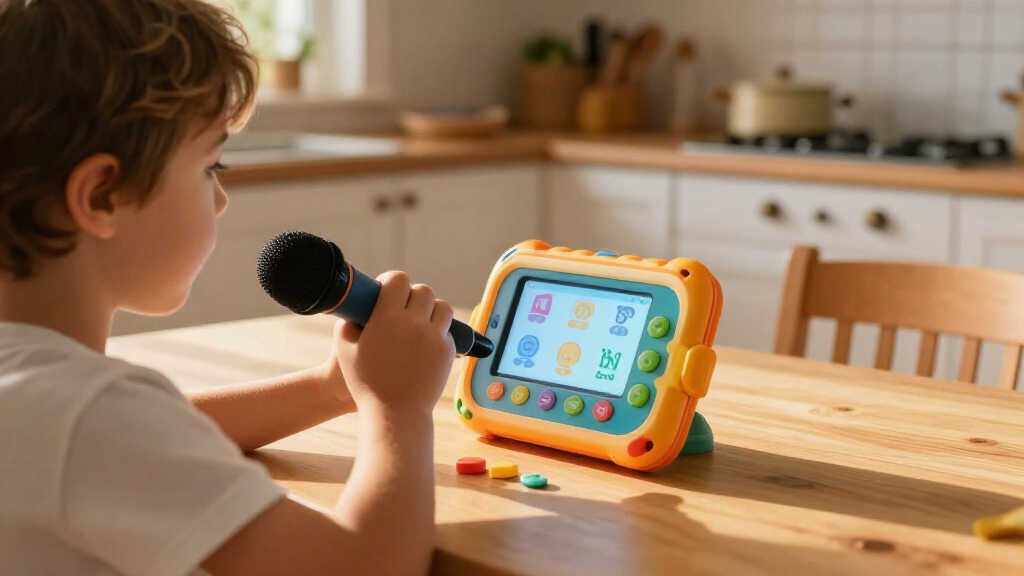
Among these language learning devices for kids, I’d choose the Dex Language Learning Camera as the best overall for children who learn by exploring objects and hearing words in another language. The Spanish and English Talking Flash Cards make a simpler starting point for Spanish vocabulary, while the LeapFrog LeapReader bundle suits children ready to connect spoken language with books. The main tradeoff is between focused practice with fewer distractions and broader device features that may take more setup. Language count, reading support, age fit, and whether a child prefers cards, books, or a screen all change which option makes sense. Read on for how the 11 picks compare and which one fits your child’s learning style.

Prime made for students and young adults
- Fast, free delivery for dorm and study essentials
- Prime Video and Amazon Music included
- Member-only deals
Key Takeaways
The Dex Language Learning Camera stands out for active vocabulary practice: it turns identifying objects into a listening activity and offers more language choices than the Spanish-English-focused card sets.
The 510-word Spanish and English Talking Flash Cards and Airbition 512-word cards fill a similar role; the small difference in word count matters less than choosing the set whose design and handling suit the child.
LeapFrog’s eReader and LeapReader bundle are the reading-centered picks. They make more sense for children ready to follow text than for beginners who need basic spoken vocabulary first.
The LeapPad Academy and VTech Genio JuniorBook offer a broader device experience, but families should weigh that flexibility against screen time, setup, and the child’s ability to stay focused.
The Scanmarker Pro targets a different need: reading and translation support. It is better suited to a child who can already read text than to a preschooler learning first words.
| Spanish and English Talking Flash Cards for Kids, 510 Words |  | Best for Bilingual Vocabulary Practice | Languages: English and Spanish | Card count: 255 double-sided cards | Word count: 510 | VIEW LATEST PRICE | See Our Full Breakdown |
| Airbition Bilingual Talking Flash Cards, 512 English and Spanish Words, Blue |  | Best for Theme Variety | Languages: English and Spanish | Word count: 512 | Themes: 31 | VIEW LATEST PRICE | See Our Full Breakdown |
| LeapFrog Touch and Learn eReader, Teal |  | Best for English Literacy Foundations | Age range: 3 years and up | Display: LCD, 800 × 600 native resolution | Content: 10 tales, games, and music | VIEW LATEST PRICE | See Our Full Breakdown |
| LeapFrog LeapReader Learn to Read 10-Book Bundle |  | Best for Book-Based Reading Practice | Recommended age: 4–7 years | Included books: 10 early-reading books | Included components: LeapReader system and USB cable | VIEW LATEST PRICE | See Our Full Breakdown |
| KOKODI Dinosaur Talking Pen with Phonics Cards |  | Best for Screen-Free Sound-and-Image Exploration | Educational cards: 73 cards stated in description; listing also says 74 cards | Vocabulary: 800+ sight words | Included components: Talking pen, talking cards, 6 talking stickers, and 5 organizing rings | VIEW LATEST PRICE | See Our Full Breakdown |
| Dex Language Learning Camera for Kids, Ages 3–8, 16 Languages, Red |  | Best for Immersive Multilingual Play | Age range: 3–8 years | Languages: 16 | Dialect support: 30+ | VIEW LATEST PRICE | See Our Full Breakdown |
| LeapFrog LeapPad Academy Kids’ Learning Tablet, Green |  | Best for Broader School Skills | Age range: 3–8 years | Screen: 7-inch shatter-safe | Included content: More than 20 educator-approved learning apps | VIEW LATEST PRICE | See Our Full Breakdown |
| VTech Genio Bilingual JuniorBook Learning Laptop for Kids |  | Best for Offline English-Spanish Practice | Age range: 5+ years | Languages: English and Spanish | Included activities: 80+ | VIEW LATEST PRICE | See Our Full Breakdown |
| Boxiki Kids Spanish-English Bilingual Learning Tablet |  | Best for Simple Early Bilingual Basics | Age range: 3–7 years | Languages: Spanish and English | Display: LCD | VIEW LATEST PRICE | See Our Full Breakdown |
| Scanmarker Pro Reading and Translation Pen |  | Best for Translating Printed Text | Scanner type: Text | Resolution: 600 | Online translation: Over 100 languages | VIEW LATEST PRICE | See Our Full Breakdown |
| Dex Language Learning Camera for Kids, Ages 3–8, Yellow |  | Best for Learning Through Discovery | Age range: 3–8 years | Languages: 16 | Dialects: 30+ | VIEW LATEST PRICE | See Our Full Breakdown |
| language learning devices for kid | Languages | Age range | Weight |
|---|---|---|---|
| Spanish and English Talking Fl | English and Spanish | — | — |
| Airbition Bilingual Talking Fl | English and Spanish | — | — |
| LeapFrog Touch and Learn eRead | — | 3 years and up | — |
| LeapFrog LeapReader Learn to R | — | — | 1.5 pounds |
| KOKODI Dinosaur Talking Pen wi | — | — | — |
| Dex Language Learning Camera f | 16 | 3–8 years | 7.2 ounces |
| LeapFrog LeapPad Academy Kids’ | — | 3–8 years | — |
| VTech Genio Bilingual JuniorBo | English and Spanish | 5+ years | 1.9 lbs |
| Boxiki Kids Spanish-English Bi | Spanish and English | 3–7 years | 0.42 kg |
| Scanmarker Pro Reading and Tra | — | — | 0.23 kg |
| Dex Language Learning Camera f | 16 | 3–8 years | 7.2 ounces |
More Details on Our Top Picks
Spanish and English Talking Flash Cards for Kids, 510 Words
English and Spanish practice is the clear focus here: 255 double-sided cards provide 510 words across familiar themes, and the reader can say them in English or in bilingual mode. That gives a preschooler repeated listening practice without a screen, while volume control helps fit the activity to a quiet room or a shared space. Compared with the Airbition Bilingual Talking Flash Cards, this set lists fewer words but includes a dedicated reader, so it is better suited to children who benefit from hearing each card pronounced rather than studying cards alone. The tradeoff is that the paper cards need careful handling, and the audio depends on the included reader. I would choose it for a young learner who needs straightforward, themed English-Spanish repetition, not a broader reading curriculum.
Pros:- Offers 510 words across familiar early-learning themes.
- English-only and English-Spanish modes support different practice stages.
- Reader provides spoken words, selected sound effects, and adjustable volume.
- Screen-free format is simple for preschoolers to operate.
Cons:- Paper cards can crease or tear with frequent handling.
- Audio practice requires the included reader.
- Vocabulary practice does not extend to structured reading lessons.
Best for: Preschool families looking for a screen-free way to practice everyday English and Spanish words with spoken prompts.
Not ideal for: Buyers seeking durable wipe-clean cards or lessons that progress into phonics, stories, and reading comprehension.
- Languages:English and Spanish
- Card count:255 double-sided cards
- Word count:510
- Practice modes:English-only and English-Spanish bilingual
- Material:Paper
- Recommended age:3 years and up
- Included components:Flash cards and card reader
- Dimensions:5 × 1 × 0.1 inches
Our verdict“Choose this set for screen-free English-Spanish vocabulary repetition with audio; choose a reading system if your child needs phonics or story practice.”
Airbition Bilingual Talking Flash Cards, 512 English and Spanish Words, Blue
With 512 English and Spanish words across 31 themes, this set gives families a broad pool of topics—from colors and shapes to transportation—for short vocabulary sessions. The spoken words and pictured prompts can make it easier for a child to connect a new sound with a familiar object, and the cards can be used with a parent or for independent practice. Compared with Spanish and English Talking Flash Cards for Kids, 510 Words, the listed word count is almost the same, while Airbition emphasizes theme coverage; the other set explicitly describes a reader with volume control and music playback. The supplied product information lists flash cards as the included component, so buyers should not assume it includes an audio reader. Its age guidance also varies between the description and specifications. I would pick it for flexible themed card practice, after checking what audio hardware is included.
Pros:- Covers 31 themes, including colors, shapes, animals, and transportation.
- Includes 512 English and Spanish vocabulary words.
- Cards can support parent-led or independent practice.
- Spoken-word support is described in the product information.
Cons:- Included components list flash cards only, so the audio setup is unclear.
- Age guidance conflicts between the description and specifications.
- No reading progression or structured phonics curriculum is described.
Best for: Parents who want a large range of English-Spanish vocabulary themes for guided sessions or card-based practice.
Not ideal for: Families who specifically need a confirmed talking reader or unambiguous age guidance before choosing a language toy.
- Languages:English and Spanish
- Word count:512
- Themes:31
- Recommended age:3 years and up (description also mentions ages 2+)
- Included components:Flash cards
- Color:Blue
- Model number:X2
Our verdict“Consider Airbition for broad themed vocabulary practice, but confirm the audio components if a talking device is essential.”
LeapFrog Touch and Learn eReader, Teal
This eReader earns a place for children whose language learning goal is early English reading and phonics, rather than bilingual vocabulary. Its ten preloaded tales, phonics stories, quizzes, and songs offer several ways to practice vowel sounds, word building, and comprehension on one touchscreen. Compared with the LeapFrog LeapReader Learn to Read 10-Book Bundle, it offers a self-contained screen-based activity set, while the LeapReader bundle puts a pen and printed books at the center of practice. Neither is presented as an English-Spanish tool, so families seeking two-language vocabulary should look to the bilingual card sets instead. The eReader’s content is limited to what is preloaded, and it needs three AA batteries; file management also uses USB. It suits a child ready for interactive English literacy activities, not a buyer seeking open-ended content or translation.
Pros:- Combines phonics stories, fairy tales, quizzes, and songs.
- Touchscreen input is designed for young children.
- Preloaded activities connect listening, word building, and comprehension.
- Portable format can support travel activities.
Cons:- Product information describes English literacy content rather than bilingual instruction.
- Requires three AA batteries, with included batteries intended for demonstration.
- Content is limited to preloaded material and file management uses USB.
Best for: Families of preschoolers who want built-in English phonics, stories, quizzes, and songs in a portable touchscreen device.
Not ideal for: Bilingual households seeking Spanish-English lessons, or parents who want an open web or expandable wireless library.
- Age range:3 years and up
- Display:LCD, 800 × 600 native resolution
- Content:10 tales, games, and music
- Input method:Touchscreen
- Connectivity:USB
- Storage capacity:32 GB
- Battery requirements:3 AA batteries
- Dimensions:8.8 × 6.3 × 1.2 inches
Our verdict“Pick this eReader for interactive English literacy practice, while bilingual vocabulary learners will be better served by the Spanish-English card sets.”
LeapFrog LeapReader Learn to Read 10-Book Bundle
The LeapReader bundle is the strongest fit here for a child moving from spoken words into sound-it-out reading practice. Its pen works with ten early-reading books, covering phonics, sight words, spelling, vocabulary, and comprehension; character voices and sound effects add audio support while the child follows print. Compared with the touchscreen LeapFrog Touch and Learn eReader, this bundle keeps the activity anchored to physical books and a reading pen, which can suit children who focus better away from a screen. It does not, however, teach English and Spanish as a paired vocabulary course like the MAYAPHILOS cards. The age range is narrower at 4–7, and further books are sold separately. I would choose it for a beginning reader who wants more structured English literacy than a flash-card set provides.
Pros:- Includes ten books for sustained early-reading practice.
- Covers phonics, sight words, spelling, vocabulary, and comprehension.
- Pen-based audio and character effects connect words with sound.
- Rechargeable battery and USB cable are included.
Cons:- Additional compatible books are sold separately.
- Designed for a defined early-reading age range.
- Does not provide a stated English-Spanish curriculum.
Best for: Families with a 4–7-year-old beginning reader who is ready for guided phonics and printed-book practice.
Not ideal for: Parents looking for bilingual English-Spanish lessons, a compact vocabulary-only toy, or content beyond the early-reading age range.
- Recommended age:4–7 years
- Included books:10 early-reading books
- Included components:LeapReader system and USB cable
- Educational skills:Phonics, vowel sounds, sight words, word blending, spelling, vocabulary, and comprehension
- Digital content:Audiobooks, music, and trivia
- Compatible books:All LeapReader books and most Tag books
- Battery:Rechargeable lithium-ion, included
- Weight:1.5 pounds
Our verdict“Choose this bundle for book-centered English reading practice with audio guidance; bilingual beginners should start with a language-specific set.”
KOKODI Dinosaur Talking Pen with Phonics Cards
KOKODI pairs a dinosaur-shaped talking pen with cards and stickers, letting a child tap pictures or words to hear pronunciations and sound effects. Its 73 educational cards are described as covering more than 800 sight words, letters, numbers, and everyday categories, so it offers a wide range of English listening and word-recognition prompts. That makes it more varied in format than the Spanish and English Talking Flash Cards for Kids, which clearly provides two language modes but centers on vocabulary cards. KOKODI’s product information describes English practice and does not specify Spanish instruction, so it is a weaker fit for families specifically seeking bilingual learning. The reader is limited to its own cards and is not compatible with other KOKODI talking books. I would choose it for screen-free exploration, while treating its sensory and speech-support claims as product positioning rather than a substitute for specialist guidance.
Pros:- Includes a talking pen, cards, and stickers for varied interaction.
- Large stated vocabulary set spans everyday objects and early-learning topics.
- Adjustable volume and sound effects support flexible listening practice.
- Screen-free format and organizing rings suit travel and tidy storage.
Cons:- Product details do not specify Spanish-language instruction.
- Talking pen is not compatible with other KOKODI talking books.
- The broad card set is not described as a sequenced language curriculum.
Best for: Caregivers seeking a screen-free English sound-and-image activity set for a child who enjoys hands-on tapping and themed prompts.
Not ideal for: Families who need confirmed English-Spanish lessons, compatibility with other talking books, or a structured specialist speech program.
- Educational cards:73 cards stated in description; listing also says 74 cards
- Vocabulary:800+ sight words
- Included components:Talking pen, talking cards, 6 talking stickers, and 5 organizing rings
- Learning topics:Letters, numbers, vehicles, food, clothing, nature, colors, people, and jobs
- Age guidance:Ages 3–8 in description
- Material:Plastic
- Dimensions:8.46 × 4.33 × 0.1 inches
- Compatibility:Not compatible with other KOKODI talking books
Our verdict“Choose KOKODI for screen-free English word exploration with a playful pen, but select a bilingual set when Spanish practice is the main goal.”
Dex Language Learning Camera for Kids, Ages 3–8, 16 Languages, Red
The Dex Language Learning Camera makes language practice active: children point it at familiar objects, then hear words, sentences, and stories in a selected language. Its 16 languages, 30+ dialects, and three learning levels give it a broader language range than the VTech Genio JuniorBook, which focuses on English and Spanish. Scavenger hunts and stories can keep practice tied to play, while the companion app gives parents a way to follow learning. The tradeoff is that it depends on a camera and connected features, so it is less straightforward than the VTech’s offline, fixed activities. Wi-Fi works without a plan, but ongoing LTE and custom story creation require an optional plan, and some dialects are still in beta.
Pros:- Connects spoken vocabulary to objects children see around them.
- Supports 16 languages, 30+ dialects, and three learning levels.
- Adds stories, scavenger hunts, and parent-created activities.
- Wi-Fi access works without a plan.
Cons:- Continued LTE access requires an optional plan.
- Custom story creation requires the optional plan.
- Some dialects are in beta.
Best for: Families who want a camera-based way to practice several languages and dialects through everyday objects and guided play.
Not ideal for: Parents seeking a fully offline device with a fixed, subscription-free content library, or children who do not need camera-based activities.
- Age range:3–8 years
- Languages:16
- Dialect support:30+
- Camera resolution:13 MP
- Screen:2.1-inch touchscreen
- Connectivity:Wi-Fi, built-in LTE, Bluetooth headphone support
- Charging:USB-C fast charging
- Weight:7.2 ounces
Our verdict“Choose Dex for playful practice across many languages; choose the VTech Genio JuniorBook for simpler offline English and Spanish activities.”
LeapFrog LeapPad Academy Kids’ Learning Tablet, Green
The LeapPad Academy suits families who want language practice to sit alongside reading, math, writing, and other learning activities. Its more than 20 included apps cover a wider range of subjects than the Boxiki Spanish-English tablet, whose activities center on early letters, words, spelling, numbers, and songs. A 7-inch shatter-safe screen, protective bumper, kickstand, stylus, and parental controls make it feel more like a general learning tablet than a single-purpose language toy. That breadth comes with a catch for language-focused buyers: the supplied details do not specify a bilingual curriculum or language count. Extra content costs separately, and access to LeapFrog Academy requires a subscription after the included three-month trial.
Pros:- Includes more than 20 educator-approved learning apps.
- Covers reading, writing, math, coding, problem-solving, and creativity.
- Protective bumper includes a kickstand, and a stylus is included.
- Parental controls include time limits and app management.
Cons:- Additional games, videos, music, and eBooks are sold separately.
- Continued LeapFrog Academy access requires a subscription after the trial.
- The supplied product details do not specify its language options.
Best for: Caregivers who want one durable child-focused tablet for early reading and other school skills, with language learning as part of a wider mix.
Not ideal for: Families looking specifically for structured bilingual instruction or a device with a defined set of language-learning features.
- Age range:3–8 years
- Screen:7-inch shatter-safe
- Included content:More than 20 educator-approved learning apps
- Operating system:Android 10
- Connectivity:Wi-Fi, USB
- Accessories:Removable bumper with kickstand, stylus, USB Type-C cable, wall adapter
- Battery:Rechargeable lithium-ion
- Warranty:2-year limited warranty
Our verdict“Pick the LeapPad Academy for a broad mix of child-focused learning apps, but choose the Boxiki tablet if bilingual activities are your main goal.”
VTech Genio Bilingual JuniorBook Learning Laptop for Kids
The VTech Genio Bilingual JuniorBook is the clearest fit here for families seeking English and Spanish practice without internet access. Its 80+ activities and 200 vocabulary words span language arts as well as math, science, and music, and the bilingual interface gives children a consistent way to encounter both languages. The full-size QWERTY keyboard and cursor controller add basic computer practice, a different emphasis from the object-recognition play of the Dex camera or the broader app tablet format of the LeapPad Academy. Its fixed library makes setup simple and works offline, but it cannot download new apps or updates. The 4 AA batteries need to be replaced for regular use, and its plastic build is less laptop-like in durability than its appearance suggests.
Pros:- Bilingual English and Spanish interface supports practice in both languages.
- Includes more than 80 activities and 200 vocabulary words.
- Works offline with preloaded activities.
- QWERTY keyboard and cursor controller introduce basic computer skills.
Cons:- Fixed content cannot be expanded with downloads or updates.
- Requires 4 AA batteries for regular use.
- Plastic construction may be less durable than a standard laptop.
Best for: Families with children aged five and up who want ready-to-use English and Spanish activities without Wi-Fi or app downloads.
Not ideal for: Buyers seeking additional languages, expandable content, or a rechargeable device with a changing library.
- Age range:5+ years
- Languages:English and Spanish
- Included activities:80+
- Vocabulary:200 words
- Connectivity:Offline; no internet required
- Keyboard:Full-size QWERTY
- Power:4 AA batteries
- Weight:1.9 lbs
Our verdict“Choose the JuniorBook for simple, offline English and Spanish practice; the Dex camera suits families wanting more languages and object-based play.”
Boxiki Kids Spanish-English Bilingual Learning Tablet
The Boxiki Kids Spanish-English Learning Tablet keeps bilingual learning focused on early basics: letters, words, spelling, numbers, quizzes, and songs appear on an LCD screen with graphics. That makes it a simpler introduction than the VTech Genio JuniorBook, which adds a keyboard, cursor control, and a larger set of subject areas. For younger children, the Boxiki’s compact activity mix can make short practice sessions easy to start. Its language scope is limited to Spanish and English, though, and the supplied details do not describe a changeable content library or a progression of learning levels. It also requires three AAA batteries that are not included. Families who want a device to grow into more varied activities may prefer the VTech; this one is best for a straightforward first step.
Pros:- Combines English and Spanish activities in one device.
- Covers letters, words, spelling, numbers, quizzes, and songs.
- LCD displays letters and graphics to support activities.
- Volume control and auto shut-off are included.
Cons:- Requires three AAA batteries, which are not included.
- Language options are limited to Spanish and English.
- The supplied details do not specify expandable content or adjustable learning levels.
Best for: Families introducing ages three to seven to basic English and Spanish letters, words, and number activities.
Not ideal for: Parents seeking expandable content, a broad curriculum, or a rechargeable device that is ready to use without buying batteries.
- Age range:3–7 years
- Languages:Spanish and English
- Display:LCD
- Activities:Letters, words, spelling, numbers, quizzes, songs, and melodies
- Power:3 AAA batteries, not included
- Features:Auto shut-off, volume control
- Dimensions:9.4 × 7.2 × 0.1 inches
- Weight:0.42 kg
Our verdict“Pick the Boxiki for basic early English and Spanish activities, while the VTech Genio JuniorBook offers more content and keyboard practice for older children.”
Scanmarker Pro Reading and Translation Pen
The Scanmarker Pro takes a different route from the child-focused devices in this roundup: it scans printed text, reads it aloud, highlights words, and offers definitions and translations. That makes it better suited to a child working with books or printed material than the Boxiki tablet, which teaches through its own letters, quizzes, and songs. Online translation spans over 100 languages, while offline translation covers five: English, Spanish, French, German, and Italian. The broader online reach comes with a connectivity tradeoff, and this is a reading aid rather than a game-based beginner device. The pen stores scanned text on itself and does not scan to other devices, which may limit how families use or share the material. Earbud support can help with focused listening.
Pros:- Reads scanned text aloud while highlighting words on its screen.
- Provides definitions and translation support.
- Online translation supports over 100 languages.
- Connects to earbuds and includes note and memo recording functions.
Cons:- Offline translation is limited to English, Spanish, French, German, and Italian.
- Scanned text is stored on the pen and is not sent to other devices.
- Printed-text scanning is less suited to early learners seeking games and guided vocabulary activities.
Best for: Families with a child who can read printed passages and wants spoken word support or translation while studying.
Not ideal for: Parents looking for a playful first-language toy for preschoolers or a scanner that sends text to another device.
- Scanner type:Text
- Resolution:600
- Online translation:Over 100 languages
- Offline translation:English, Spanish, French, German, and Italian
- Connection:Bluetooth
- Weight:0.23 kg
- Media type:USB
- Warranty:1 year
Our verdict“Choose the Scanmarker Pro for reading support with printed materials; for playful beginner vocabulary practice, the Boxiki tablet is a more direct fit.”
Dex Language Learning Camera for Kids, Ages 3–8, Yellow
Dex turns everyday objects into language prompts, which gives children a more exploratory experience than the Spanish and English Talking Flash Cards for Kids, where learning centers on a fixed set of words. Its camera introduces words, sentences, stories, and activities across 16 languages and more than 30 dialects, while three learning levels let families match the content to a child’s stage. The simple interface, content filters, and lack of open internet suit younger learners who need a focused device. Built-in LTE can keep lessons available away from home Wi-Fi, though continued use requires an optional plan after the seven-day preview. Some dialects are still in beta, and custom story creation also requires a plan. I’d choose Dex for broad, camera-led language exploration, but skip it if you want a no-subscription learning toy.
Pros:- Connects camera discovery with words, full sentences, stories, and activities.
- Supports 16 languages and more than 30 dialects, offering broader language choice than the Spanish-English flash card sets.
- Three learning levels help families choose content suited to a young child’s progress.
- Child-focused filters and built-in LTE support a contained learning experience away from Wi-Fi.
Cons:- Continued LTE use requires an optional plan after the seven-day preview.
- Some dialects are in beta, so coverage may be incomplete.
- Custom story creation requires the optional Dex plan.
Best for: Families with children ages 3–8 who want camera-led language practice in several languages and a device that can travel beyond home Wi-Fi.
Not ideal for: Families seeking a fully usable offline device with no ongoing plan, or learners who need a dialect that is still in beta.
- Age range:3–8 years
- Languages:16
- Dialects:30+
- Camera:13 MP
- Screen:2.1-inch touchscreen
- Connectivity:Wi-Fi, built-in LTE (eSIM), Bluetooth headphones
- Charging:USB-C fast charging
- Weight:7.2 ounces
- Water resistance:Not water resistant
Our verdict“Choose Dex for a young child who will benefit from broad, camera-led language discovery and portable connectivity, provided an optional LTE plan fits your needs.”
How We Picked
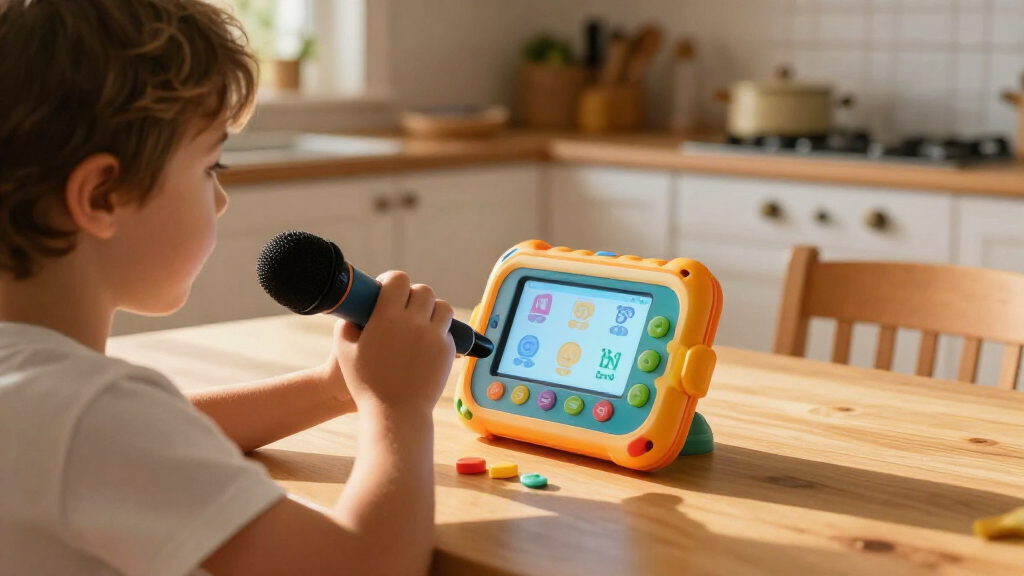
I ranked these devices by how directly they support language practice for children, then considered age fit, ease of use, learning format, and how clearly each product’s tools serve a distinct purpose. A device that makes it easy to repeat words or connect speech with written language has an advantage over a general-purpose screen when language learning is the main goal. I also considered whether the format invites independent practice or works better with an adult nearby.
The ranking reflects those differences rather than treating every feature as equally useful. The Dex camera leads for its exploratory, multilingual approach; focused flash cards follow for straightforward Spanish-English vocabulary; and reading tools rise for children ready to work with text. Broad tablets and laptops can suit families who want varied activities, while the Scanmarker Pro serves older readers with a more specific translation need. I weigh simplicity and age-appropriate practice more heavily than feature count.
Factors to Consider When Choosing Language Learning Devices For Kids
Before choosing a device, I’d match its learning format to what your child can already do and what they enjoy doing repeatedly. A long language list or a large activity library only helps when the child can use it comfortably and return to it often.
Match the device to your child’s starting point
A child learning first words needs a different kind of support from a child who can already read simple sentences. For early learners, clear spoken prompts and easy repetition can be more useful than translation tools or text-heavy activities. Readers may benefit more from seeing words alongside speech, since they can connect new vocabulary to print. A common mistake is choosing for the language goal alone and overlooking the child’s current reading and attention skills. If you are unsure, start with the simplest format your child can use with little help. You can move to more text-based tools as reading confidence grows.
Choose a practice format your child will repeat
Cards, books, cameras, pens, and screens invite different kinds of practice. Cards make short vocabulary sessions easy to start, while a camera can connect words to objects a child encounters. Book-based tools suit children who enjoy reading, and tablets can offer a broader mix of activities. Think about whether your child prefers pointing, listening, turning pages, or tapping a screen. A device that fits that preference may get more regular use than one with a longer feature list. Consider where practice will happen, too: a portable format may work better for quick sessions away from a desk.
Look beyond the language count
More available languages can be useful for multilingual households, but the count does not tell you how deep the practice is in each one. Check which languages your child will actually use and whether the activities support listening, vocabulary, reading, or some combination. A focused Spanish-English tool may serve a beginner better than a device offering many languages with less relevant practice. Families should also check how a device handles switching languages, since confusing menus can interrupt a child’s session. Pick the language pair or set that matches your household’s goals. If those goals may change, broader language support can offer room to grow.
Decide how much adult support is realistic
Some children can follow a simple prompt and practice on their own; others benefit from an adult joining in to repeat words, explain mistakes, or keep the activity moving. Think honestly about how much time you can spend alongside the device. A straightforward card or book activity may be easier to supervise in short bursts than a device with many modes. Broader features can be helpful, but a child may need guidance to find the language activity they came for. Check the controls and instructions before buying, especially for younger children. The best fit is one your child can use safely and confidently at the level of support your household can offer.
Treat screen time and distraction as design questions
A screen is not automatically a poor choice for language practice, but extra games and menus can pull attention away from speaking and listening. Ask whether the device lets a child return quickly to the language activity and whether you can set boundaries around use. Screen-free formats may make sense when the household already has plenty of tablet time or when a child focuses better with physical materials. On the other hand, some children respond well to interactive visual prompts. Focus on the activities available and how they are presented, rather than assuming one format works for every child. A short shared session can also help you see whether the device encourages actual language practice.
Pay for a better fit, not a longer feature list
More features make sense when they solve a clear need, such as supporting reading or offering languages your family plans to practice. They add less value when your child only needs a small set of spoken vocabulary prompts. Before choosing a broader device, identify which functions your child will use now and which could matter later. Reading support may justify a more involved tool for a child beginning to work through books. A young beginner may get more from a simpler format they can operate without frustration. Review the product’s included materials and activity types, since the device name alone may not reveal what practice looks like day to day.
Frequently Asked Questions
Should I choose a multilingual device or a Spanish-English vocabulary tool?
I’d base that choice on the languages your child will practice regularly. A Spanish-English tool can keep the learning focused when those are the two languages that matter at home or school. A multilingual device offers more flexibility for families who use several languages or expect their needs to change. Check that the specific language options are useful to your child and that switching between them is simple. A larger language list alone does not mean more depth in each language.
Are talking flash cards enough for a child who is just starting a language?
They can be a practical way to introduce and repeat basic vocabulary, especially when a child enjoys short, hands-on activities. They do not automatically teach conversation, grammar, or how to use a word in context. You can build on card practice by naming objects together and using new words in simple everyday phrases. If your child is ready to read, a book-based tool may add a useful connection between spoken and written words. Choose cards as a starting format, then watch for signs your child wants richer practice.
Which kind of language learning device works best for a child who is not reading yet?
I’d look for a format that gives clear audio prompts and does not depend on reading instructions or navigating text-heavy menus. Cards or an object-focused camera can let a child listen and respond through pointing or exploring. An eReader, reading pen, or text scanner makes more sense once the child can follow written material with some confidence. Age labels can help narrow the choice, but a child’s language and reading skills still matter. If independent use is a goal, check whether the child can start an activity without an adult setting it up.
Is a reading and translation pen a good choice for a preschooler?
Usually, a text-scanning pen is a better fit for a child who can already read or is beginning to work with printed text. A preschooler learning first words may get more from spoken vocabulary practice and simple prompts. Consider whether the child can hold and guide the pen over text accurately, since that affects how useful the tool will be. A parent can help, but that changes the activity from independent practice to a shared one. If reading is not yet part of the child’s routine, a simpler listening format is likely a more natural starting point.
How can I tell whether a kids’ language tablet will distract more than it helps?
Look at how quickly the child can reach the language activity and whether the device includes other content that competes for attention. A child who moves easily between menus may use a broader tablet well, while another may focus better with cards or books. Try a short, supervised session if you can, and notice whether the child repeats words or spends most of the time switching activities. Clear household limits around when and how long the device is used can also help. The right choice depends on your child’s focus and the activities they will actually return to.
Conclusion
For the best overall balance of exploration and language choice, I’d start with the Dex Language Learning Camera. The Spanish and English Talking Flash Cards are my best value-style pick for families seeking focused first-word practice, while the LeapFrog LeapReader bundle is the stronger premium-style choice for a child ready to learn through books. Beginners who need simple spoken vocabulary are better matched to the flash cards than to a reading pen or broad tablet. For specific needs, choose the Scanmarker Pro for a confident young reader who wants translation support, or the LeapPad Academy for a family seeking varied screen-based activities. Match the format to your child’s reading stage and the language you plan to practice most.