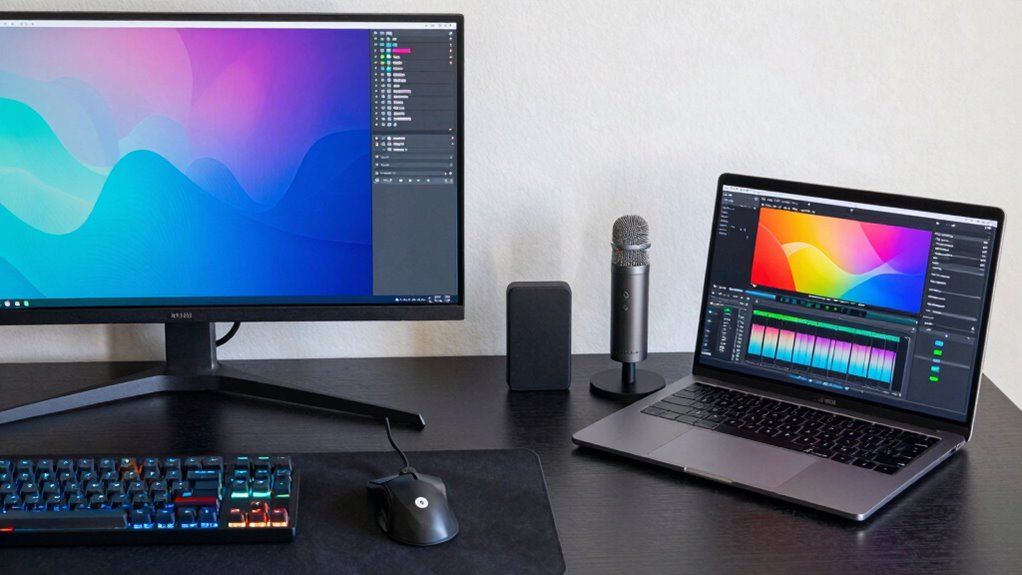

When choosing between a desktop and a laptop for creative production, consider your need for performance, portability, and upgradeability. Desktops offer powerful hardware, better thermal management, and easier upgrades, making them ideal for demanding tasks and long-term value. Laptops provide portability and quick setup but may sacrifice some performance and future-proofing. To make the best choice, weigh these tradeoffs carefully—more details can help you pick what’s right for your creative workflow.

Prime made for students and young adults
- Fast, free delivery for dorm and study essentials
- Prime Video and Amazon Music included
- Member-only deals
Key Takeaways
- Desktops offer greater hardware customization and upgradability for long-term performance improvements.
- Laptops provide portability, enabling work from multiple locations and on the go.
- Upgrades are easier and more extensive with desktops, enhancing future-proofing.
- Desktops typically deliver better thermal performance for sustained intensive creative tasks.
- Laptops may have higher initial costs and limited upgrade options, affecting long-term value.

When choosing between a desktop and a laptop for creative production, you need to contemplate how each option aligns with your workflow, mobility needs, and performance requirements. Desktops typically offer more extensive hardware customization, allowing you to select high-end components like powerful graphics cards, faster processors, and larger amounts of RAM. This flexibility guarantees you can tailor your system precisely to your creative tasks, whether it’s video editing, 3D rendering, or graphic design. In contrast, laptops usually come with fixed configurations, which can limit upgrade options but provide a portable solution that’s ready to go out of the box. If your work requires frequent travel, on-site client meetings, or working from multiple locations, portability considerations become paramount. A laptop’s compact design and built-in battery allow you to work anywhere, while a desktop confines you to a fixed workspace.
However, this portability often comes with tradeoffs. Laptops tend to have less room for hardware upgrades, which might mean sacrificing some performance potential or future-proofing. If you rely on cutting-edge technology or anticipate needing significant upgrades down the line, a desktop’s ability to be customized and expanded becomes a major advantage. You can start with a base system and upgrade individual components—adding more RAM, swapping out drives, or installing a more powerful GPU—without needing to replace the entire machine. This makes desktops a cost-effective long-term investment for demanding creative tasks.
On the other hand, if your work involves quick turnarounds or working on the move, a laptop’s convenience might outweigh the hardware advantages of a desktop. Modern high-performance laptops can handle intensive creative software, and their portability allows you to stay productive whether you’re in a coffee shop, a client’s office, or traveling. Still, keep in mind that portable machines can generate more heat, which may impact performance during prolonged sessions, and they often come at a higher price point for comparable power.
high performance desktop for creative work
As an affiliate, we earn on qualifying purchases.
As an affiliate, we earn on qualifying purchases.
Frequently Asked Questions
How Does Upgradeability Differ Between Desktops and Laptops?
You’ll find desktops offer much better upgradeability with component customization and upgradable hardware, making it easier to boost performance over time. Laptops generally have limited upgrade options; often, you can only swap RAM or storage. Desktops let you replace or add components like GPUs, CPUs, and motherboards, giving you more control and flexibility. So, if upgradeability matters, desktops are the smarter choice for long-term creative production needs.
Which Device Offers Better Battery Life for Mobile Editing?
You might be surprised, but laptops generally offer better battery life for mobile editing. Thanks to advances in power efficiency and battery longevity, they keep you working longer without needing a charger. Desktops, on the other hand, rely on constant power, limiting portability. So if you’re on the move, a laptop’s the clear choice—its optimized power efficiency guarantees you stay productive longer, no matter where you are.
Are There Specific Brands Known for Creative Performance?
You should consider brands like Apple, Dell, and ASUS, known for their strong reputation in creative performance. These brands design devices with high-quality displays, powerful processors, and ample RAM optimized for creative software like Adobe Creative Cloud or DaVinci Resolve. Their reputation stems from reliable hardware, excellent build quality, and consistent performance, making them ideal choices for professionals who need smooth, efficient creative workflows on either desktops or laptops.
How Does Portability Impact Cooling and Noise Levels?
Portability turns your creative powerhouse into a busy bee, buzzing with activity. As you take your laptop on the go, cooling efficiency often takes a hit, causing fans to whir louder like a distant storm. Noise levels can rise, disrupting your flow. While compactness offers freedom, it challenges thermal management, making it essential to choose a device with smart cooling solutions that balance performance and quiet operation.
What Are the Long-Term Maintenance Costs for Each?
Long-term maintenance costs vary based on your device choice. Desktops often have lower costs due to easier upgrades and fewer hidden expenses, but parts might need replacement over time. Laptops may incur higher costs for repairs and replacements, with hidden expenses like battery or keyboard replacements. Overall, desktops tend to be more cost-effective long-term, but your choice depends on how much you value portability versus potential maintenance expenses.
portable laptop for graphic design
As an affiliate, we earn on qualifying purchases.
As an affiliate, we earn on qualifying purchases.
Conclusion
Choosing between a desktop and a laptop for creative work is like picking the right tool for a craft—each has its strengths and tradeoffs. If you value power and expandability, desktops are your sturdy workshop. But if portability and convenience are key, a laptop is your trusty travel companion. Consider your workflow, space, and budget to make the best choice. Ultimately, your decision shapes how seamlessly you bring your creative visions to life—like an artist wielding the perfect brush.
As an affiliate, we earn on qualifying purchases.
As an affiliate, we earn on qualifying purchases.
Fall Picks
fall essentials
As an affiliate, we earn on qualifying purchases.