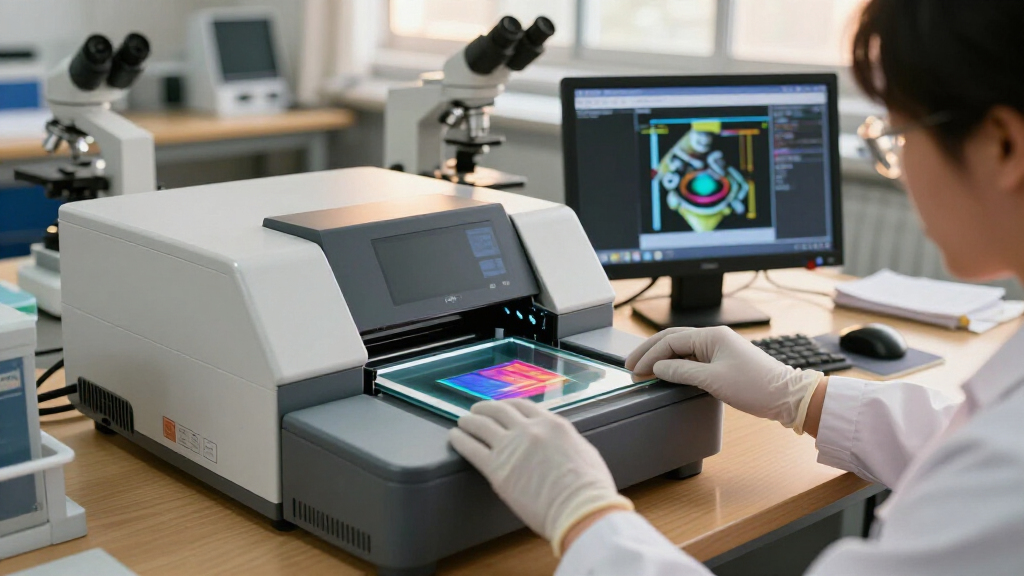
Digital slide scanners turn dusty boxes of 35mm slides and negatives into shareable digital files, but the category splits sharply between cheap standalone units that get the job done slowly and larger-screen models built for serious archiving. The KODAK Slide N Scan Max Digital Film Scanner takes my best overall spot for blending high-resolution output with fast batch-friendly operation, while the Magnasonic FS71 stands out for its big 5-inch display and HDMI output, and the budget-friendly KODAK SCANZA remains the easiest entry point for casual family archiving. The main tradeoffs you’ll face are image fidelity versus price, screen size versus portability, and one-slide-at-a-time tedium versus speed features like autoload adapters. Resolution claims above 22MP are mostly interpolation, so build quality and lens sharpness matter more than the megapixel number on the box. Read on for the full breakdown of all 15 scanners and which one fits your project.

Prime made for students and young adults
- Fast, free delivery for dorm and study essentials
- Prime Video and Amazon Music included
- Member-only deals
Key Takeaways
- Screen size is the biggest usability differentiator: the 7-inch models (HP FilmScan, BEONEGLOBAL ClearScan P7) make framing and editing far easier than the 2.4-inch budget units, which feel cramped after an hour of scanning.
- Every scanner here tops out at a true optical resolution well below its marketing number — the 22MP and 24MP outputs are interpolated, so lens and sensor quality, not megapixel claims, separate the top performers.
- HDMI output (Magnasonic FS71, PORTTA) is an underrated feature for group projects, letting you preview slides on a TV before committing to a scan.
- The sub-2.5-inch budget scanners are best reserved for small one-off batches; anyone with hundreds of slides should pay more for faster feed mechanisms and larger displays.
- KODAK‘s lineup (SCANZA, Slide N Scan, Slide N Scan Max) offers the clearest upgrade path in the category, with each step buying genuinely better screens, sensors, and speed rather than just a bigger spec sheet.
| 35mm Film and Slide Scanner with 2.4-Inch LCD |  | Best Budget Pick | Film formats: 135 negatives and framed slides | Resolution: 1800 DPI | Sensor: 5/10 MP | VIEW LATEST PRICE | See Our Full Breakdown |
| KODAK SCANZA Film & Slide Scanner with 3.5-Inch LCD |  | Best for Mixed Film Collections | Supported film formats: 35mm, 126, 110, Super 8, 8mm | Sensor resolution: 14 megapixels | Interpolated resolution: Up to 22 megapixels | VIEW LATEST PRICE | See Our Full Breakdown |
| Magnasonic All-in-One 24MP Film Scanner with 5-Inch Display and HDMI (FS71) |  | Best Overall | Resolution: 24MP | Display: 5-inch LCD | Supported film formats: 35mm, 110, 126, Super 8 | VIEW LATEST PRICE | See Our Full Breakdown |
| DigitPro Photo, Slide, and Negative Scanner with 5-Inch Screen |  | Best Complete Starter Kit | Scanner type: Film, photo | Resolution: 1080P listed (22MP claimed in title) | Sensor: CMOS | VIEW LATEST PRICE | See Our Full Breakdown |
| KODAK Slide N Scan Max Digital Film Scanner |  | Best for Easy Batch Scanning | Supported film formats: 135, 110, 126 | Supported media: Slides and color or black-and-white negatives | Image sensor: 13MP CMOS | VIEW LATEST PRICE | See Our Full Breakdown |
| KODAK Slide N Scan Film and Slide Scanner with 5-Inch LCD |  | Best Trusted Brand Pick | Resolution: 22 MP | Display: 5-inch LCD | Supported Film: 135, 110, and 126 | VIEW LATEST PRICE | See Our Full Breakdown |
| 22MP Slide and Negative Film Scanner with 5-Inch LCD |  | Best for Super 8 Collections | Resolution: 22 MP | Display: 5-inch HD LCD | Supported Negatives: 135, 110 | VIEW LATEST PRICE | See Our Full Breakdown |
| HP FilmScan 7-Inch Film and Slide Scanner with 13MP Sensor |  | Best Big-Screen Editing Experience | Display: 7-inch color LCD touchscreen | Sensor: 13-megapixel color CMOS | Supported Formats: 135, 126, and 110 film | VIEW LATEST PRICE | See Our Full Breakdown |
| DigitConvert 35mm Film and Slide Scanner with 2.4-Inch LCD |  | Best Budget Starter Scanner | Film Formats: 35mm negatives and slides | Display: 2.4-inch color LCD | Output Format: JPEG | VIEW LATEST PRICE | See Our Full Breakdown |
| TCNEWCL 35mm Foldable Film and Slide Scanner with LED Light |  | Best Portable Smartphone Option | Scanner Type: Smartphone-based photo scanner | Media Type: 35mm film negatives and slides | Resolution: 300–400 dpi | VIEW LATEST PRICE | See Our Full Breakdown |
| DIGITNOW! 135 Film Negative and Slide Scanner |  | Best Budget Entry Point | Supported media: 35mm film and slides | Scanning resolution: 1800 DPI | Image resolution: 5/10 megapixels | VIEW LATEST PRICE | See Our Full Breakdown |
| BEONEGLOBAL ClearScan P7 Film Scanner with 7-Inch LCD, 24MP, and SD Card |  | Best Big-Screen Preview | Sensor: 1/2.3-inch CMOS | Maximum resolution: 24MP | Display: 7-inch LCD | VIEW LATEST PRICE | See Our Full Breakdown |
| PORTTA Film Scanner with 5-Inch LCD Screen, 22MP Output, and HDMI |  | Best for TV Viewing Sessions | Supported formats: 35mm (135), 126, 110 film; slides; Super 8 photos | Scan resolution: 16MP standard / 22MP enhanced | Display: 5-inch LCD | VIEW LATEST PRICE | See Our Full Breakdown |
| HP Film & Slide Scanner HPFS500 with 5-Inch Touchscreen |  | Best Portable Design | Scanner type: Film and slide scanner | Sensor resolution: 13 MP CMOS (22 MP interpolated) | Supported media: 135, 126, 110 film strips and slides | VIEW LATEST PRICE | See Our Full Breakdown |
| DigitPro 22MP Film and Slide Scanner with 5-Inch LCD |  | Best Complete Package | Supported media: 35mm/135, 110, 126 negatives; 50mm slides; Super 8 film | Resolution: 22MP | Display: 5-inch LCD | VIEW LATEST PRICE | See Our Full Breakdown |
| digital slide scanner | Display | Storage | Output format | Connectivity |
|---|---|---|---|---|
| 35mm Film and Slide Scanner wi | 2.4-inch LCD | SD card up to 32 GB, FAT32 | JPEG | USB card-reader mode; NTSC/PAL TV output |
| KODAK SCANZA Film & Slide Scan | 3.5-inch TFT LCD, adjustable brightness and tilt | — | JPEG | — |
| Magnasonic All-in-One 24MP Fil | 5-inch LCD | SD card up to 128GB | JPEG | HDMI |
| DigitPro Photo | — | — | — | — |
| KODAK Slide N Scan Max Digital | — | SD/SDHC cards up to 32GB | JPEG | — |
| KODAK Slide N Scan Film and Sl | 5-inch LCD | SD/SDHC up to 32 GB (not included) | — | USB, HDMI |
| 22MP Slide and Negative Film S | 5-inch HD LCD | FAT32 or exFAT SD cards up to 64 GB | JPEG | USB Type-C, HDMI |
| HP FilmScan 7-Inch Film and Sl | 7-inch color LCD touchscreen | — | — | USB, HDMI |
| DigitConvert 35mm Film and Sli | 2.4-inch color LCD | SD card up to 128 GB (not included) | JPEG | USB, TV-out |
| TCNEWCL 35mm Foldable Film and | — | — | — | — |
| DIGITNOW! 135 Film Negative an | 2.4-inch TFT LCD (480 × 234) | SD/SDHC cards up to 32 GB | JPEG | USB 2.0, NTSC/PAL TV output |
| BEONEGLOBAL ClearScan P7 Film | 7-inch LCD | — | JPEG | — |
| PORTTA Film Scanner with 5-Inc | 5-inch LCD | SD card up to 128GB | — | HDMI output |
| HP Film & Slide Scanner HPFS50 | 5-inch touchscreen | SD card (required) | — | — |
| DigitPro 22MP Film and Slide S | 5-inch LCD | — | — | — |
More Details on Our Top Picks
35mm Film and Slide Scanner with 2.4-Inch LCD
This is the most basic standalone scanner in the lineup, and that simplicity is its whole appeal. It handles 135 negatives and framed slides without a computer, saving JPEGs to an SD card through a quick-loading feeder that keeps batch scanning moving. Compared with the KODAK SCANZA, it trades format flexibility for a lower cost — there’s no 126, 110, or Super 8 support here, only 35mm. The 2.4-inch LCD is small next to the 5-inch screens on the Magnasonic FS71, so it works better as a framing aid than a real editing display; the TV output partially makes up for that if you want to review scans on a bigger screen. Resolution tops out at 1800 DPI, which is fine for sharing online but noticeably softer than 22MP-class rivals.
Pros:- Fully standalone operation with no computer required
- Quick-loading feeder supports continuous slide feeding
- TV output for viewing scans on a larger screen
- Handles positive, negative, and black-and-white modes
Cons:- Only supports 35mm film — no 126, 110, or movie formats
- 1800 DPI resolution falls well short of 14–24MP rivals
- SD card limited to 32 GB and slides must be under 2 mm thick
Best for: Casual hobbyists digitizing a small box of 35mm slides or negatives who want the cheapest standalone option
Not ideal for: Anyone with mixed film formats like 126, 110, or Super 8 — those need the KODAK SCANZA or Magnasonic FS71 instead
- Film formats:135 negatives and framed slides
- Resolution:1800 DPI
- Sensor:5/10 MP
- Display:2.4-inch LCD
- Output format:JPEG
- Storage:SD card up to 32 GB, FAT32
- Connectivity:USB card-reader mode; NTSC/PAL TV output
- Scanning modes:Positive, negative, black and white
Our verdict“A no-frills 35mm-only scanner that makes sense if you have a modest slide collection and a tight budget.”
KODAK SCANZA Film & Slide Scanner with 3.5-Inch LCD
The SCANZA earns its spot on format coverage alone: 35mm, 126, 110, Super 8, and 8mm in one box, which no other scanner here matches. If your family archive is a jumble of old cartridge film and movie stills rather than straight 35mm slides, this option makes the most sense — the included adapter trays mean you’re not hunting for accessories separately. The 3.5-inch adjustable LCD tilts and changes brightness, giving it a leg up on the fixed 2.4-inch screen of the budget scanner, though it’s still smaller than the Magnasonic FS71’s 5-inch panel. The 14MP sensor (22MP interpolated) is a middle-ground resolution — sharper than budget models but below the FS71’s native 24MP. The real tradeoffs: you must supply your own SD card, and Super 8 is captured as still frames, not video, so it’s not a substitute for a proper movie-film transfer service.
Pros:- Widest format support in the roundup: 35mm, 126, 110, Super 8, 8mm
- Tiltable, brightness-adjustable 3.5-inch LCD
- Bundled adapters, cables, AC adapter, and cleaning brush
- One-touch scanning and saving to SD cards up to 128GB
Cons:- No SD card included out of the box
- Super 8 and 8mm convert to still images only, not video
- Cannot scan printed photos or undeveloped film
Best for: Families with mixed archives of 35mm, 126, 110, and 8mm movie film who want one device for everything
Not ideal for: Archivists wanting maximum detail from 35mm originals — the Magnasonic FS71’s 24MP sensor resolves more
- Supported film formats:35mm, 126, 110, Super 8, 8mm
- Sensor resolution:14 megapixels
- Interpolated resolution:Up to 22 megapixels
- Display:3.5-inch TFT LCD, adjustable brightness and tilt
- Memory card support:SD cards up to 128GB
- Output format:JPEG
- Included accessories:Film inserts, adapter trays, USB power cable, HDMI cable, AC adapter, video cable, cleaning brush
Our verdict“The format Swiss Army knife of the lineup — buy it if your collection spans cartridge and movie film, skip it if you only need peak 35mm quality.”
Magnasonic All-in-One 24MP Film Scanner with 5-Inch Display and HDMI (FS71)
This is the pick I’d point most people toward, because it balances resolution, screen size, and speed without format or storage quirks. The native 24MP sensor out-resolves both Kodak models (13MP and 14MP native), which matters if you plan to print enlargements or crop into frames. Its 5-inch LCD doubles as a genuine editing station with brightness and color adjustments — something the smaller KODAK SCANZA screen does less comfortably — and scans complete in under five seconds, making it the fastest quoted speed in this batch. HDMI output lets you review work on a TV, though you’ll need to bring your own cable, and your own SD card too (up to 128GB). Format support covers 35mm, 110, 126, and Super 8 — broad, but the DigitPro below adds printed photo scanning, which this lacks.
Pros:- Highest native resolution in this batch at 24MP
- Large 5-inch LCD with brightness and color adjustment
- Fast scanning at under 5 seconds per photo
- 128GB SD card support and no computer needed
Cons:- Neither an SD card nor an HDMI cable is included
- Cannot scan printed photographs, unlike the DigitPro
Best for: Serious hobbyists digitizing 35mm, 110, or 126 collections who want the sharpest scans and a large editing screen
Not ideal for: Buyers wanting a complete out-of-box kit — the missing SD card and HDMI cable mean extra purchases
- Resolution:24MP
- Display:5-inch LCD
- Supported film formats:35mm, 110, 126, Super 8
- Supported slide formats:135, 126, 110
- Scanning time:Less than 5 seconds per photo
- Storage:SD card up to 128GB
- Connectivity:HDMI
- Output format:JPEG
Our verdict“The best all-around combination of image quality, speed, and screen size for anyone serious about archiving film.”
DigitPro Photo, Slide, and Negative Scanner with 5-Inch Screen
Where every other scanner here makes you buy an SD card separately, the DigitPro arrives with an 8GB card included, plus holders, trays, a cleaning brush, power adapter, and USB cable — the only truly complete package in this batch. Its second trick is versatility: it scans printed photos and business cards alongside 35mm and 110 negatives and slides, something the Magnasonic FS71 and KODAK SCANza can’t do. That makes it a strong fit for mixed shoebox archives. The catch is resolution: the specs list 1080P output while the title claims 22MP, a discrepancy that should temper expectations for print-quality results. The 5-inch screen matches the FS71’s size for comfortable previewing, and the 3-year warranty is the longest coverage here, softening the risk of the muddled specs.
Pros:- Scans printed photos and business cards in addition to film and slides
- 8GB SD card and full accessory set included
- Large 5-inch preview screen with standalone operation
- 3-year warranty, the longest in this roundup
Cons:- Confusing resolution claims — specs list 1080P against a 22MP title
- No published scanning speed or detailed image-quality specs
Best for: First-time digitizers with a mix of prints, slides, and negatives who want everything in the box on day one
Not ideal for: Quality-focused archivists — the ambiguous 1080P/22MP resolution claims fall short of the FS71’s confirmed 24MP
- Scanner type:Film, photo
- Resolution:1080P listed (22MP claimed in title)
- Sensor:CMOS
- Supported media:Negatives, 35mm slides, 110 film, printed photos, business cards
- Screen size:5 inches
- Connections:HDMI, USB
- Storage included:8GB SD card
- Warranty:3 years
Our verdict“The most convenient out-of-box option for casual mixed-media collections, provided you accept modest scan quality.”
KODAK Slide N Scan Max Digital Film Scanner
This model is built around one idea: making large slide sessions less tedious. The smooth-feeding tray reduces constant repositioning compared with loading individual slides into a basic unit like the 2.4-inch budget scanner, and one-touch controls handle resizing, converting, and adjusting without menu-diving. Compared with the KODAK SCANZA, it shares the Kodak design language but narrows focus to 135, 110, and 126 — dropping Super 8 — while offering slightly higher native resolution at 13MP versus 14MP territory, with 22MP interpolation and a 4208 × 3120 maximum. The main frustration is storage: the 32GB SD/SDHC ceiling is a quarter of what the Magnasonic FS71 accepts, so marathon scanning sessions mean swapping cards or offloading more often. It’s a comfortable middle choice — easier workflow than budget models, less capability than the format-spanning SCANZA.
Pros:- Smooth-feeding tray minimizes repositioning during batch scans
- One-touch controls for resizing, converting, and adjusting
- Handles slides plus color and black-and-white negatives
- Direct-to-SD saving with no computer required
Cons:- SD/SDHC support capped at 32GB, far below 128GB rivals
- No Super 8 or 8mm support, unlike the KODAK SCANZA
- 13MP native sensor is mid-pack for this lineup
Best for: Owners of large 135, 110, or 126 slide collections who value fast, uninterrupted batch feeding over format variety
Not ideal for: Archivists with big sessions and high-resolution needs — the 32GB card limit and 13MP sensor trail the FS71
- Supported film formats:135, 110, 126
- Supported media:Slides and color or black-and-white negatives
- Image sensor:13MP CMOS
- Maximum resolution:4208 × 3120 pixels
- Interpolated resolution:22MP
- Storage:SD/SDHC cards up to 32GB
- Output format:JPEG
Our verdict“A streamlined batch-scanning workhorse for standard slide and negative formats, best for throughput rather than maximum detail.”
KODAK Slide N Scan Film and Slide Scanner with 5-Inch LCD
The Kodak name carries real weight in film digitizing, and this model earns it with a genuinely useful 5-inch LCD for previewing and adjusting scans before you commit to saving them. Compared with the 22MP Slide and Negative Film Scanner, which matches its resolution and screen size, the Slide N Scan pulls ahead on legacy format coverage — its included adapters handle 126 film in addition to 135 and 110, so boxes of older family negatives become fair game. One-touch capture with on-screen color and brightness tweaks keeps the workflow simple for non-technical users. The tradeoffs are real but manageable: you supply your own SD card, and the 32 GB ceiling is tight if you’re digitizing thousands of slides in one project — the DigitConvert’s 128 GB support gives it breathing room here. HDMI output lets you review work on a big TV, which is genuinely useful for group sorting sessions.
Pros:- 5-inch LCD for previewing and editing before saving
- Covers 135, 110, and 126 film plus 50 mm slides with included adapters
- One-touch capture with color and brightness adjustments
- HDMI output for reviewing scans on a TV
Cons:- SD card not included
- Storage capped at 32 GB, limiting long scanning sessions
Best for: Families with mixed collections of 135, 110, and 126 film who want a recognized brand and a guided, screen-based workflow
Not ideal for: High-volume archivists digitizing thousands of slides — the 32 GB card limit forces frequent offloading
- Resolution:22 MP
- Display:5-inch LCD
- Supported Film:135, 110, and 126
- Supported Slides:50 mm slides
- Storage:SD/SDHC up to 32 GB (not included)
- Connectivity:USB, HDMI
- Included Accessories:Slide holder, film adapters, cleaning brush, USB and HDMI cables
Our verdict“A safe, well-supported choice for casual family archiving, as long as your collection isn’t massive and you don’t mind buying a card separately.”
22MP Slide and Negative Film Scanner with 5-Inch LCD
What sets this scanner apart from the crowd of 22 MP five-inch clones — including the PORTTA Film Scanner and the Kodak Slide N Scan — is Super 8 slide support. If your family archive includes those distinctive little Super 8 frames, most competing scanners simply can’t mount them, and this one does it with five included adapters. The 36-month warranty is unusually long for this price class, which suggests the manufacturer expects it to survive a full archive project, not just a weekend of scanning. File handling is flexible too: FAT32 or exFAT cards up to 64 GB double the Kodak’s capacity. The annoyances are that an SD card isn’t in the box, and the scanner must stay plugged into wall power at all times — there’s no battery option, so this is a desk-bound tool rather than something you carry to a relative’s house.
Pros:- Rare Super 8 slide support in addition to 135, 110, and 126
- 36-month warranty, longer than typical for the category
- 64 GB card support with FAT32 or exFAT flexibility
- USB-C and HDMI for PC transfer and TV viewing
Cons:- SD card not included
- Tethered to a power outlet during use
Best for: Archivists with mixed collections that include Super 8 slides alongside standard 135 and 110 film
Not ideal for: Anyone wanting a portable scanning setup — it requires constant external power and has no battery mode
- Resolution:22 MP
- Display:5-inch HD LCD
- Supported Negatives:135, 110
- Supported Slides:135, 110, 126, Super 8
- Output Format:JPEG
- Storage:FAT32 or exFAT SD cards up to 64 GB
- Connectivity:USB Type-C, HDMI
- Power:External power required
- Warranty:36 months
Our verdict“The clear pick if Super 8 slides are in your collection and you plan to scan at a desk over weeks rather than on the go.”
HP FilmScan 7-Inch Film and Slide Scanner with 13MP Sensor
A 7-inch touchscreen changes the entire feel of scanning. Where the Kodak Slide N Scan and most five-inch rivals make you squint at a modest panel and poke physical buttons, the HP FilmScan lets you crop, adjust, and flip through your work on a display closer to a tablet — on-device editing is the whole point here, not an afterthought. It handles color and black-and-white film across 135, 126, and 110 formats with standard USB and HDMI connectivity. The honest caveat is the sensor: at 13 megapixels, it captures less detail than the 22 MP units from Kodak or PORTTA, which matters if you intend to enlarge prints rather than just share digitally. HP also leaves scanning speed, resolution specs, and batch capacity unspecified, so detail-obsessed buyers are shopping partly blind. For comfortable, couch-friendly sorting and quick social shares, though, that big touchscreen is hard to beat.
Pros:- 7-inch touchscreen, the largest editing surface in this group
- Handles both color and black-and-white film
- Built-in crop and adjustment tools
- USB and HDMI connectivity for transfer and TV display
Cons:- 13 MP sensor trails the 22 MP class for detail and enlargement
- Scanning speed, batch capacity, and output specs are unspecified
Best for: Buyers who prioritize comfortable on-screen editing and sorting over maximum scan resolution
Not ideal for: Enthusiasts planning large prints — the 13 MP sensor captures noticeably less detail than 22 MP rivals
- Display:7-inch color LCD touchscreen
- Sensor:13-megapixel color CMOS
- Supported Formats:135, 126, and 110 film
- Media Types:Color and black-and-white negatives and slides
- Connectivity:USB, HDMI
- Editing:Built-in crop and adjustment tools
Our verdict“Choose this for the editing experience rather than raw image quality — great for viewing and sharing, weaker for print-scale archiving.”
DigitConvert 35mm Film and Slide Scanner with 2.4-Inch LCD
For a first foray into digitizing, this DigitConvert gets the fundamentals right without asking much. It’s fully standalone — no computer, software, or drivers needed — which puts it ahead of smartphone-based options like the TCNEWCL for anyone who doesn’t want their phone tied up mid-project. The tiny 2.4-inch LCD is serviceable for framing and adjusting a scan, though it’s cramped compared with the 5-inch panels on the Kodak Slide N Scan, so don’t expect comfortable editing sessions. Where it quietly beats pricerear scanners is storage: SD card support up to 128 GB quadruples the Kodak’s ceiling, and batch scanning keeps a modest workflow moving. The obvious limitation is format — 35mm only, so boxes of 110 or 126 film are out of luck. As a low-commitment entry point that handles the most common film type in family collections, it’s an easy recommendation.
Pros:- Fully standalone operation with no computer or software required
- 128 GB SD card support for large batches
- Batch scanning keeps the workflow efficient
- Includes adapters for both negatives and slides
Cons:- 2.4-inch LCD is cramped for previewing and adjusting
- 35mm-only format support excludes common legacy film types
Best for: First-time scanners with a shoebox of standard 35mm slides who want a no-computer, low-cost entry point
Not ideal for: Owners of 110, 126, or Super 8 film — this scanner physically can’t mount anything but 35mm
- Film Formats:35mm negatives and slides
- Display:2.4-inch color LCD
- Output Format:JPEG
- Storage:SD card up to 128 GB (not included)
- Connectivity:USB, TV-out
- Computer Required:No
- Batch Scanning:Supported
Our verdict“A sensible, low-risk first scanner for 35mm-only collections — just verify you don’t have other film formats hiding in the attic.”
TCNEWCL 35mm Foldable Film and Slide Scanner with LED Light
This takes a completely different approach from everything else here: instead of a built-in sensor, the TCNEWCL is a foldable backlight rig that uses your smartphone’s camera to capture 35mm slides and negatives. At 0.23 kg and folding flat, it’s the only option in this roundup that genuinely fits in a bag — try that with the desk-bound 22MP Slide and Negative Film Scanner, which can’t even run unplugged. The built-in LED backlight provides even illumination, and the free companion app handles editing and sharing, which keeps the workflow light. The compromise is fundamental: your results live and die by your phone’s camera, so a flagship phone can rival dedicated scanners while an older model will fall well short of the 22 MP dedicated units. At a nominal 300–400 dpi, fine grain and dense negatives will lose detail. For occasional, travel-friendly scanning, that tradeoff is fair.
Pros:- Genuinely portable at 0.23 kg with a foldable design
- Built-in LED backlight for even illumination
- No scanner sensor to pay for — leverages your existing phone
- Free app for editing and sharing scans
Cons:- Image quality depends entirely on the smartphone camera
- 300–400 dpi output trails dedicated 22 MP scanners for detail
Best for: Travelers and casual scanners who want to digitize slides on the go using the phone they already own
Not ideal for: Anyone archiving an entire family collection — scan quality depends entirely on the smartphone camera used
- Scanner Type:Smartphone-based photo scanner
- Media Type:35mm film negatives and slides
- Resolution:300–400 dpi
- Lighting:Built-in LED backlight
- Connection:USB
- Design:Foldable
- Weight:0.23 kg
Our verdict“The pick for occasional scanning away from home, provided your phone has a strong camera and your quality expectations are modest.”
DIGITNOW! 135 Film Negative and Slide Scanner
Among the five scanners here, this DIGITNOW! unit is the most bare-bones, and that is exactly its appeal. Where the PORTTA scanner offers a 5-inch LCD and HDMI, the DIGITNOW! makes do with a 2.4-inch screen — enough to frame a shot, not enough for serious editing. What it does deliver is the core promise: 35mm slides and negatives converted to JPEG files saved straight to an SD card, no computer required, plus TV output for couch-side reviewing. The rapid slide feeder is genuinely handy for churning through a carousel’s worth of mounts.
The tradeoffs are real, though. Resolution tops out at 1800 DPI and 5 or 10 megapixels, well behind the 22MP output of the DigitPro, so fine grain and dense negatives will lose detail. SD support stops at 32 GB and the listed OS support predates Windows 11, which may frustrate modern setups.
Pros:- Scans directly to SD card without a computer
- Adjustable rapid slide feeder speeds up batch work
- TV output lets you review scans on a big screen
- Simple operation with almost no learning curve
Cons:- 10MP maximum resolution falls well short of the 22–24MP class
- SD card limited to 32 GB and OS support may not cover newer systems
Best for: Casual hobbyists digitizing a small box of family 35mm slides who want the cheapest possible standalone solution
Not ideal for: Anyone archiving detailed negatives or wanting modern OS compatibility and large storage — the resolution and connectivity lag well behind current options
- Supported media:35mm film and slides
- Scanning resolution:1800 DPI
- Image resolution:5/10 megapixels
- Output format:JPEG
- Storage:SD/SDHC cards up to 32 GB
- Display:2.4-inch TFT LCD (480 × 234)
- Connectivity:USB 2.0, NTSC/PAL TV output
Our verdict“A low-cost way to rescue a shoebox of 35mm memories, as long as archival-grade detail isn’t the goal.”
BEONEGLOBAL ClearScan P7 Film Scanner with 7-Inch LCD, 24MP, and SD Card
If squinting at a small display sounds miserable, the ClearScan P7 makes the strongest case in this batch for preview-first scanning. Its 7-inch LCD is the largest here — bigger than the 5-inch screens on the HP HPFS500 and DigitPro 22MP — and that extra real estate changes the workflow: you can genuinely judge focus, cropping, and color before committing a frame to the card. The 24MP CMOS sensor also edges out the 22MP interpolated output of most rivals here.
Format coverage is broad, spanning 35mm, 126, 110, Super 8, and 8mm, which outpaces the DIGITNOW!’s 35mm-only support. One-touch scanning without a computer keeps things simple, and an included SD card means it works out of the box — a nice touch the DigitPro doesn’t offer. The catch: no computer transfer details are specified, so buyers who want a tidy USB workflow to a laptop should verify connectivity before committing.
Pros:- Largest display in this batch for confident pre-scan previewing
- 24MP native sensor resolution
- Handles five film formats including Super 8 and 8mm
- SD card included, so it’s usable immediately
Cons:- No computer transfer or connectivity details provided
- Larger footprint than compact rivals like the 13.4-ounce HP HPFS500
Best for: Older users or anyone with fading eyesight who values a large, clear preview screen for judging each frame before saving
Not ideal for: Buyers who need a defined computer-transfer workflow — connectivity details are thin compared with the USB/HDMI-equipped PORTTA and DigitPro
- Sensor:1/2.3-inch CMOS
- Maximum resolution:24MP
- Display:7-inch LCD
- Supported formats:35mm/135, 126, 110, Super 8, 8mm
- Output format:JPEG
- Included storage:SD card
- Computer required:No
Our verdict“The pick for people whose biggest frustration with slide scanning is seeing what they’re doing.”
PORTTA Film Scanner with 5-Inch LCD Screen, 22MP Output, and HDMI
The PORTTA’s standout trick is HDMI output to a television, turning digitization into a living-room event — scan a batch of slides, then play them back on the big screen for the family. The DIGITNOW! offers NTSC/PAL video out, but HDMI gives the PORTTA a sharper, modern connection that pairs with its 22MP enhanced scans. Format coverage spans 35mm, 126, 110, and Super 8 photos, matching the breadth of the HP HPFS500 while adding HDMI the HP lacks.
On-device adjustments for brightness, color, and orientation mean faded slides can be corrected before saving rather than in software afterward — something the basic DIGITNOW! cannot do. Its 128GB SD ceiling also beats the DigitPro’s 64GB limit, useful for long scanning sessions. The main gap: Super 8 support covers still photos only, not movie film, so anyone with actual reels should look at dedicated movie-film solutions instead.
Pros:- HDMI output for playback on modern TVs
- Up to 22MP enhanced scan resolution
- On-device brightness, color, and orientation adjustments
- SD card support up to 128GB for long sessions
Cons:- Super 8 support is limited to photos, not motion film
- 5-inch screen is smaller than the ClearScan P7’s 7-inch display
Best for: Families who want to digitize slides and relive them together on a TV the same evening
Not ideal for: Owners of Super 8 movie reels — the Super 8 support here is limited to still photos only
- Supported formats:35mm (135), 126, 110 film; slides; Super 8 photos
- Scan resolution:16MP standard / 22MP enhanced
- Display:5-inch LCD
- Storage:SD card up to 128GB
- Connectivity:HDMI output
- Image adjustments:Brightness, color, orientation
- Computer required:No
Our verdict“The most social scanner of the batch — built for scanning, then sharing on the biggest screen in the house.”
HP Film & Slide Scanner HPFS500 with 5-Inch Touchscreen
At 13.4 ounces and roughly 4.7 by 5.7 inches, the HPFS500 is the travel-friendly option of this group — light enough to take to a relative’s house for a scanning afternoon, where the bulkier BEONEGLOBAL ClearScan P7 would be a commitment. It’s also the only scanner here with a true touchscreen interface, which makes on-device editing feel closer to a smartphone than the button-driven DigitPro or PORTTA.
The honest tradeoff is sensor capability: a 13MP native sensor interpolated to 22MP, versus the ClearScan P7’s native 24MP. Interpolation adds pixel count without adding real detail, so sharpness falls short of the top performers here. There’s no battery listed either — it runs on USB-C power — so ‘portable’ means small, not cordless. Still, USB-C is the modern connector this whole category has been slow to adopt, and current Windows 10/macOS 10.15+ requirements mean no legacy-software headaches unlike the DIGITNOW!.
Pros:- Lightest and most compact scanner in this batch
- 5-inch touchscreen interface for intuitive editing
- Modern USB-C power and current OS support
- Handles 135, 126, and 110 formats without a computer
Cons:- 13MP native sensor interpolated to 22MP yields less genuine detail
- No battery specified — requires USB-C power and an SD card to function
Best for: People who scan at relatives’ homes or in small workspaces and want a light, touchscreen-driven device
Not ideal for: Detail-focused archivists — the interpolated 22MP output from a 13MP sensor captures less true detail than native higher-resolution rivals
- Scanner type:Film and slide scanner
- Sensor resolution:13 MP CMOS (22 MP interpolated)
- Supported media:135, 126, 110 film strips and slides
- Display:5-inch touchscreen
- Storage:SD card (required)
- Connection:USB-C power
- Dimensions:4.66 x 5.7 x 3.54 inches
- Weight:13.4 ounces
Our verdict“The grab-and-go choice for scanning wherever the photo boxes live, traded off against maximum image fidelity.”
DigitPro 22MP Film and Slide Scanner with 5-Inch LCD
The DigitPro earns its place by including what others make you buy separately: USB and HDMI cables plus multiple film holders arrive in the box, so unboxing to first scan takes minutes. The BEONEGLOBAL ClearScan P7 includes an SD card, but the DigitPro counters with both HDMI and USB Type-C connectivity, giving it the most flexible output options in this batch — TV playback like the PORTTA, plus computer transfer that the ClearScan doesn’t clearly document.
Its 22MP output covers color and black-and-white 35mm, 110, and 126 negatives, 50mm slides, and Super 8 film, and one-touch scanning with color/brightness tweaks matches the PORTTA’s editing flexibility. Two caveats temper the package: the SD card isn’t included, and the 128MB of built-in memory holds only a handful of images — enough to test, not to archive. Add a card at purchase and this is the most well-rounded bundle here, backed by a 12-month warranty.
Pros:- Includes USB and HDMI cables plus multiple film holders
- Both HDMI and USB Type-C for TV viewing and computer transfer
- Handles negatives, slides, and Super 8 across common formats
- 12-month warranty adds purchase confidence
Cons:- SD card not included, and 128MB built-in memory is barely usable
- 64GB SD ceiling is half the PORTTA’s 128GB capacity
Best for: Buyers who want everything needed in one box — holders, cables, and a warranty — for mixed-format collections
Not ideal for: Anyone expecting to scan out of the box — with no SD card included and only 128MB of built-in memory, storage must be purchased separately
- Supported media:35mm/135, 110, 126 negatives; 50mm slides; Super 8 film
- Resolution:22MP
- Display:5-inch LCD
- Built-in memory:128MB
- External storage:SD card up to 64GB (not included)
- Connections:HDMI, USB Type-C
- Color depth:24 bits
- Weight:0.6 kg
- Warranty:12 months
Our verdict“The most complete out-of-the-box kit in this batch — just remember to add an SD card to your order.”
How We Picked
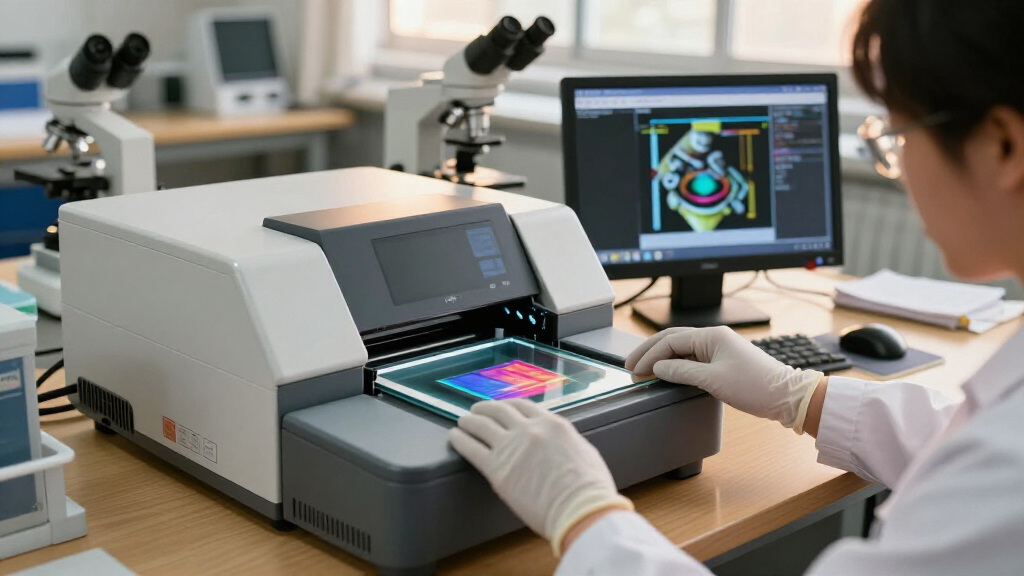
I evaluated each scanner against four factors that actually shape the digitizing experience: image quality (lens sharpness, color accuracy, and how honest the sensor is versus interpolated resolution claims), throughput (how quickly you can load, preview, and save each slide, and whether the unit supports batch adapters), usability (screen size, button layout, menu logic, and whether editing corrections are possible on-device), and build and value (plastic quality, included accessories like SD cards and slide trays, and whether the price matches the experience).
The ranking logic follows project scale. Scanners with large displays, HDMI output, or faster load paths rise to the top because slide collections are always bigger than people expect, and a scanner that is pleasant at slide #400 is a better buy than one that shines at slide #10. Budget 2.4-inch units rank lower not because they produce unusable files, but because they punish patience — and patience is the one resource every slide-scanning project demands in bulk.
Factors to Consider When Choosing Digital Slide Scanners
Before picking a scanner, think honestly about the size of your collection and what the finished files are for. The right choice for 50 vacation slides is very different from the right choice for 3,000 family negatives spanning four decades.Real Resolution Versus Interpolation
The single most misleading spec in this category is megapixel count. Most scanners here advertise 22MP or 24MP output, but nearly all of them capture at a lower true optical resolution and upscale the file in software — a process called interpolation that adds pixels without adding detail. A genuinely sharp 14MP file from a quality lens will look better printed at 8×10 than a soft interpolated 24MP file. Compare sample scans where possible, read the sensor size in the fine print, and treat resolution numbers as a rough ceiling rather than a promise. This is why I rank lens quality and color rendering above raw megapixels throughout this roundup.
Match the Scanner to Your Collection Size
Be realistic: most people underestimate their slide count by a factor of three. A small 2.4-inch scanner that feels fine for one box becomes exhausting at slide #200, when the tiny preview screen, slow load mechanism, and single-slot design add up. If you have thousands of slides or a mixed collection of negatives and slides in multiple formats (126, 110, Super 8), prioritize units with interchangeable trays, fast load paths, and larger displays. The price difference between a budget unit and a mid-range scanner is small compared to the hours you’ll spend at the task. Budget scanners make sense only for genuinely small, one-off projects.
Screen Size and On-Device Editing
The display is where you’ll live during every scan, and it matters more than most buyers expect. A 5-inch or 7-inch screen lets you confirm focus, catch dust and fingerprints, and apply brightness or color corrections before saving — avoiding the frustration of discovering a bad batch after the slides are back in storage. Smaller screens force you to trust the scanner blindly or transfer files to a computer to check them, doubling your workflow. Touchscreen models like the HP HPFS500 speed things further by cutting menu navigation. HDMI output is another underused feature: previewing on a TV makes group digitizing sessions with older family members far more practical.
File Handling, Storage, and Workflow
Check how each scanner stores and moves files before buying. Most write to SD cards, but some include a card while others don’t, and a few offer USB transfer mode that can be clunky. Think about your downstream workflow too: if you plan to color-correct and organize in software like Lightroom, raw output quality matters more than the scanner’s built-in adjustments. If you want a finished product straight off the device, prioritize scanners with stronger on-board exposure and color controls. Also verify the file format — JPEG-only scanners keep things simple, but heavy editors may miss having more latitude in the files.
Common Mistakes to Avoid
The biggest mistake buyers make is skipping slide preparation. Dust, fingerprints, and mold are the true enemies of scan quality — a blower brush and microfiber cloth will improve your results more than a scanner upgrade ever will. The second mistake is scanning at the wrong orientation and cropping into the frame, which permanently loses image edges. Third, don’t digitize your only copy of irreplaceable slides on an untested budget unit without checking output quality on the first ten slides. Run a small test batch, inspect the files on a real monitor, and adjust exposure settings before committing your whole collection.
Frequently Asked Questions
Can a digital slide scanner match a flatbed scanner or professional scanning service for quality?
For most family archives, no — but the gap is smaller than you might think for sharing purposes. Standalone slide scanners use small sensors and interpolated resolution, so fine grain detail and shadow recovery fall short of a dedicated flatbed like a Plustek or a commercial drum scan. However, for viewing on screens, emailing relatives, and posting online, a good standalone unit produces genuinely satisfying files at a fraction of the cost and time of a service. Professional scanning makes sense for your best few dozen frames; standalone scanners make sense for the other few thousand. Many serious archivists actually use both approaches in parallel.
How long does it take to scan a typical slide collection?
Budget realistically at 30 seconds to a minute per slide including loading, previewing, adjusting, and saving — which means a 500-slide collection will take 5 to 8 hours of active work, usually spread across multiple sessions. Faster models with larger trays and quicker load mechanisms can cut that noticeably, which is why throughput features rank so heavily in my rankings. Add time for cleaning slides beforehand and for organizing files afterward, both of which typically take longer than the scanning itself. If your collection exceeds 1,000 slides, seriously weigh a scanner’s ergonomics and screen size, because operator fatigue causes more ruined scans than hardware limitations do.
Do these scanners work with negatives as well as mounted slides?
Yes, nearly every model in this roundup includes film-strip holders alongside slide trays, but the experience varies. Negative scanning adds an inversion step (converting the orange-tinted negative to a positive image) that some scanners handle better than others, with occasional color casts that need correction. Check that the included holders fit your film format — most cover 35mm strips and mounted slides, while only some models add adapters for 126, 110, or Super 8 film. If your collection is mostly uncut negative strips rather than mounted slides, prioritize models with sturdy strip holders and good inversion processing, since you’ll be relying on that workflow constantly.
Is a bigger screen worth paying extra for?
In my judgment, yes, for any collection beyond a hundred slides. A 5-inch or 7-inch display lets you verify focus and spot dust before committing a scan, which prevents the most common failure mode in slide digitizing: discovering a soft or smudged batch after the slides are back in storage. Small 2.4-inch screens work for spot-checking exposure but are too cramped to judge fine detail honestly. The larger screens also reduce eye strain during long sessions, and touchscreen variants like the HP HPFS500 speed up menu navigation. If budget forces a choice, I’d take a modest scanner with a big screen over a higher-spec scanner with a tiny one.
What resolution setting should I scan at if I want to print my photos later?
Scan at your scanner’s maximum setting even if you only plan to share digitally — you can always downscale, but you can’t recover detail you didn’t capture. For 4×6 prints, even interpolated 14MP output holds up well; for 8×10 prints, expect acceptable but not spectacular results from these standalone units, with softer edges and less shadow detail than a flatbed would deliver. Larger prints than 8×10 from budget slide scanners will expose the interpolation, showing softness and smudged grain. If big prints are your main goal, set expectations accordingly or send your very best frames to a professional service while using a standalone scanner for the rest of the collection.
Conclusion
The right choice comes down to the size of your collection and how much of the work you want the machine to absorb. For best overall, the KODAK Slide N Scan Max balances resolution, speed, and usability better than anything else here, making it the safest pick for a large mixed collection. For best value, the KODAK SCANZA delivers dependable results and a friendly interface without the premium price, and it doubles as my best for beginners recommendation thanks to its straightforward menus.
On the premium end, the HP FilmScan and BEONEGLOBAL ClearScan P7 earn their place with 7-inch displays that transform long scanning sessions, while the Magnasonic FS71 stands out as the pick for group projects thanks to HDMI output for TV previewing. For tight budgets and small batches, the TCNEWCL foldable scanner and DIGITNOW! 135 get the job done — just go in knowing the tradeoffs. Whatever you choose, clean your slides first, test on ten frames, and let the scanner earn your trust before you commit the whole box.
Fall Picks
fall essentials
As an affiliate, we earn on qualifying purchases.