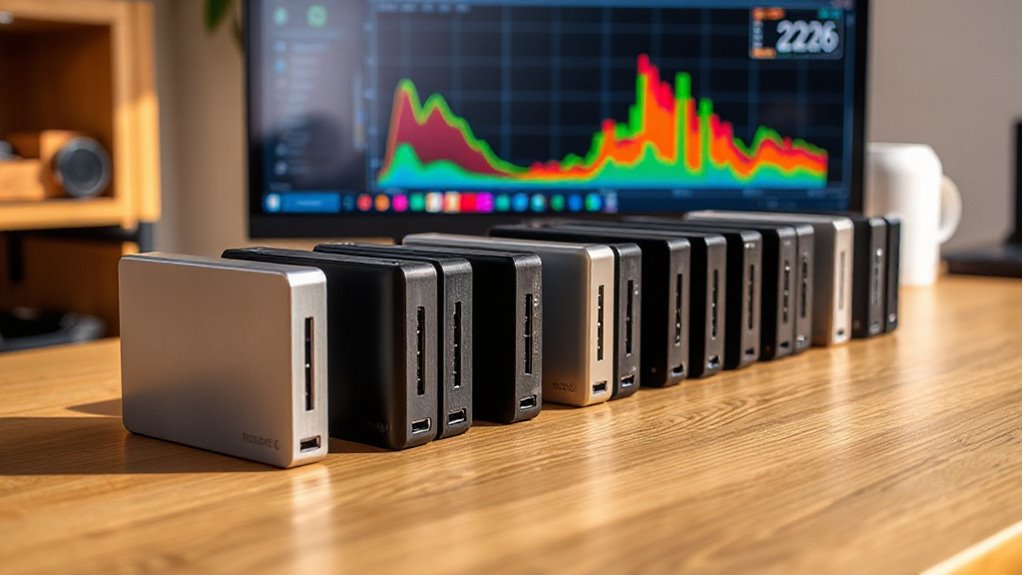

For high-speed external SSDs, my best overall pick is the Samsung T9 1TB, whose rated speeds of up to 2,000 MB/s suit demanding transfers when the host device supports USB 3.2 Gen 2×2. The Samsung T7 2TB is a more practical choice when capacity matters more than peak speed, while the SanDisk Extreme Portable SSD 500GB targets buyers who want a compact drive rated up to 2,000 MB/s. The main tradeoffs are real-world speed, device compatibility, capacity, and physical durability. A drive’s advertised maximum does not guarantee that every computer or cable can reach it. Continue reading for the full comparison and guidance on matching a drive to your setup.

Prime made for students and young adults
- Fast, free delivery for dorm and study essentials
- Prime Video and Amazon Music included
- Member-only deals
Key Takeaways
- The Samsung T9 is the speed-focused pick: its USB 3.2 Gen 2×2 connection and rated 2,000 MB/s ceiling give it the strongest stated performance here, provided the host supports that interface.
- Samsung’s T7 models favor capacity and broad usefulness over peak speed: the 2TB version offers more room, while both listed T7 capacities use USB 3.2 Gen 2.
- SanDisk Extreme listings cover several capacity and speed combinations: check the exact model, capacity, and stated maximum before choosing; similar names do not mean identical specifications.
- Several compact or budget-oriented options have lower capacity or less detail in their listed specifications: the Netac ZSlim and SSK 250GB suit lighter storage needs better than large project libraries.
- A 2,000 MB/s rating only helps when the whole connection supports it: host port, cable, and workload can limit actual transfers, so a lower-rated drive may be the more sensible match for many setups.
| Amazon Basics Portable External SSD, 2TB, USB 3.2 Gen 2, Black |  | Best High-Capacity Pick | Capacity: 2TB | Maximum read and write speeds: Up to 2000MB/s | Interface: USB 3.2 Gen 2 | VIEW ON AMAZON | See Our Full Breakdown |
| Samsung T7 Portable SSD, 1TB, Titan Gray |  | Best for Broad Device Compatibility | Capacity: 1TB | Interface: USB 3.2 Gen 2 | Read speed: Up to 1,050 MB/s | VIEW ON AMAZON | See Our Full Breakdown |
| Lexar ES3 1TB Portable SSD, Silver |  | Best Lightweight Everyday Pick | Storage capacity: 1TB | Interface: USB 3.2 Gen 2 | Maximum read speed: 1050 MB/s | VIEW ON AMAZON | See Our Full Breakdown |
| Netac ZSlim 250GB Portable SSD |  | Best Compact Starter Drive | Storage capacity: 250 GB | Read speed: Up to 500 MB/s | Write speed: Up to 450 MB/s | VIEW ON AMAZON | See Our Full Breakdown |
| SanDisk Extreme Portable SSD, 1TB |  | Best Rugged High-Speed Pick | Capacity: 1TB | Maximum transfer speed: Up to 2000MB/s | Ingress protection: IP65 | VIEW ON AMAZON | See Our Full Breakdown |
| SanDisk Extreme Portable SSD 2TB |  | Best for Rugged High-Speed Storage | Capacity: 2TB | Read speed: Up to 1,050MB/s | Write speed: Up to 1,000MB/s | VIEW ON AMAZON | See Our Full Breakdown |
| Samsung T7 Portable SSD, 2TB, Titan Gray, USB 3.2 Gen 2 | | Best for Compact Everyday Transfers | Storage capacity: 2TB | Interface: USB 3.2 Gen 2 | Maximum read speed: Up to 1,050MB/s | VIEW ON AMAZON | See Our Full Breakdown |
| SanDisk 1TB Extreme Portable SSD | | Best for Rugged 1TB Carry | Capacity: 1TB | Read speed: Up to 1,050MB/s | Write speed: Up to 1,000MB/s | VIEW ON AMAZON | See Our Full Breakdown |
| 1TB Magnetic Portable SSD, Up to 2000MB/s |  | Best for Compatible Phone Recording | Storage capacity: 1TB | Read speed: Up to 2,000MB/s | Data transfer rate: Up to 2,000MB/s | VIEW ON AMAZON | See Our Full Breakdown |
| SanDisk 2TB Portable SSD, Up to 1000 MB/s Read Speed, Black |  | Best for Simple 2TB Transfers | Storage capacity: 2TB | Maximum read speed: Up to 1,000MB/s | Connection: USB-C | VIEW ON AMAZON | See Our Full Breakdown |
| SSK Portable 500GB External SSD, USB-C, Up to 1050MB/s |  | Best for iPhone ProRes on a Small Capacity | Storage capacity: 500 GB | Read speed: Up to 1,050 MB/s | Write speed: Up to 1,000 MB/s | VIEW ON AMAZON | See Our Full Breakdown |
| SanDisk 500GB Extreme Portable SSD, Up to 2000MB/s |  | Best Compact Drive for Rugged Carry | Capacity: 500GB | Maximum transfer speed: Up to 2,000 MB/s | Ingress protection: IP65 | VIEW ON AMAZON | See Our Full Breakdown |
| SSK 250GB Portable External SSD |  | Best Lightweight Starter Drive | Capacity: 250GB | Read speed: Up to 1,050 MB/s | Write speed: Up to 1,000 MB/s | VIEW ON AMAZON | See Our Full Breakdown |
| Samsung T9 Portable SSD 1TB, USB 3.2 Gen 2×2 External SSD, Up to 2,000 MB/s |  | Best for Sustained High-Speed Work | Capacity: 1TB | Interface: USB 3.2 Gen 2×2 | Maximum sequential read speed: Up to 2,000 MB/s | VIEW ON AMAZON | See Our Full Breakdown |
| SSK 1TB Portable External SSD with USB-C |  | Best Value for Cross-Device Storage | Capacity: 1 TB | Read speed: Up to 1,050 MB/s | Write speed: Up to 1,000 MB/s | VIEW ON AMAZON | See Our Full Breakdown |
| external ssd high speed | Capacity | Interface | Read speed |
|---|---|---|---|
| Amazon Basics Portable Externa | 2TB | USB 3.2 Gen 2 | — |
| Samsung T7 Portable SSD | 1TB | USB 3.2 Gen 2 | Up to 1,050 MB/s |
| Lexar ES3 1TB Portable SSD | — | USB 3.2 Gen 2 | — |
| Netac ZSlim 250GB Portable SSD | — | USB 3.2 | Up to 500 MB/s |
| SanDisk Extreme Portable SSD | 1TB | — | — |
| SanDisk Extreme Portable SSD 2 | 2TB | USB-C, USB 3.2 Gen 2 | Up to 1,050MB/s |
| Samsung T7 Portable SSD | — | USB 3.2 Gen 2 | — |
| SanDisk 1TB Extreme Portable S | 1TB | — | Up to 1,050MB/s |
| 1TB Magnetic Portable SSD | — | — | Up to 2,000MB/s |
| SanDisk 2TB Portable SSD | — | — | — |
| SSK Portable 500GB External SS | — | — | Up to 1,050 MB/s |
| SanDisk 500GB Extreme Portable | 500GB | — | — |
| SSK 250GB Portable External SS | 250GB | USB 3.2 Gen 2, 10Gbps | Up to 1,050 MB/s |
| Samsung T9 Portable SSD 1TB | 1TB | USB 3.2 Gen 2×2 | — |
| SSK 1TB Portable External SSD | 1 TB | USB 3.2 Gen 2, 10 Gbps | Up to 1,050 MB/s |
More Details on Our Top Picks
Amazon Basics Portable External SSD, 2TB, USB 3.2 Gen 2, Black
The 2TB capacity and advertised speeds of up to 2000MB/s make this a strong fit for carrying large project folders without splitting them across drives. Compared with the Samsung T7 Portable SSD, it offers twice the listed capacity and a higher advertised speed ceiling, though real transfers depend on the host device, file size, and connection. Its IP65 rating, thermal protection, and included storage case add practical protection for travel and extended transfers. The tradeoff is that the USB 3.2 Gen 2 interface and actual system setup may limit how much of that speed buyers can reach. I’d choose it for capacity and bundled accessories; buyers focused on a well-established cross-device option may prefer the T7’s documented device compatibility.
Pros:- 2TB capacity accommodates large media and project collections
- Advertised read and write speeds reach up to 2000MB/s
- IP65 water and dust resistance with thermal protection
- Includes USB-C to USB-C and USB-C to USB-A cables plus a storage case
Cons:- Actual transfer speeds vary with the device, file size, and conditions
- A USB 3.2 Gen 2 connection may limit the speed buyers can achieve
Best for: Video editors and frequent travelers who want 2TB of portable storage, fast advertised transfers, and both USB-C and USB-A cables in the box
Not ideal for: Buyers whose computers cannot make use of the advertised transfer speeds or who need confirmed compatibility with a specific phone or camera
- Capacity:2TB
- Maximum read and write speeds:Up to 2000MB/s
- Interface:USB 3.2 Gen 2
- Water and dust resistance:IP65
- Thermal protection:Keeps SSD below 50°C/122°F
- Casing:Metal with scratch-resistant polymer bottom
- Included accessories:USB-C to USB-C cable, USB-C to USB-A cable, storage case
- Color:Black
Our verdict“Choose this for high advertised speed and 2TB of storage in a protected, accessory-rich portable drive.”
Samsung T7 Portable SSD, 1TB, Titan Gray
The Samsung T7 is a sensible choice when reliable everyday speed across several kinds of devices matters more than chasing the highest number on a spec sheet. Its USB 3.2 Gen 2 connection supports reads up to 1,050 MB/s and writes up to 1,000 MB/s, below the advertised ceiling of the Amazon Basics 2TB SSD and SanDisk Extreme Portable SSD. In return, Samsung specifies compatibility across PCs, Macs, Android devices, cameras, and gaming consoles, and includes both USB-C and USB-A cables. The aluminum body has drop protection up to six feet, though the supplied details do not list an IP water or dust rating. Maximum speeds also depend on a compatible connection and UASP support.
Pros:- Read and write speeds reach up to 1,050 MB/s and 1,000 MB/s
- Aluminum body with drop protection up to 6 feet
- Specified compatibility with PCs, Macs, Android devices, cameras, and gaming consoles
- Includes USB Type-C to Type-C and Type-C to Type-A cables
Cons:- Its advertised speed ceiling is lower than the Amazon Basics and SanDisk 2000MB/s options
- Maximum speeds require a compatible USB 3.2 Gen 2 connection and UASP support
- The supplied specifications do not state water or dust resistance
Best for: People moving files between a computer, Android device, camera, or console who want a compact drive with both USB-C and USB-A cables
Not ideal for: Buyers who need 2TB in one drive, IP-rated water and dust protection, or advertised transfers up to 2000MB/s
- Capacity:1TB
- Interface:USB 3.2 Gen 2
- Read speed:Up to 1,050 MB/s
- Write speed:Up to 1,000 MB/s
- Body material:Aluminum
- Drop protection:Up to 6 feet
- Included cables:USB Type-C to Type-C and Type-C to Type-A
- Color:Titan Gray
Our verdict“Pick the T7 for a compact, cross-device 1TB drive when its lower speed ceiling fits your workflow.”
Lexar ES3 1TB Portable SSD, Silver
At 42 g and 10.5 mm thick, the Lexar ES3 is an easy drive to slip into a laptop bag alongside a phone or camera. Its USB 3.2 Gen 2 interface is rated for reads up to 1050 MB/s and writes up to 1000 MB/s, putting it in the same advertised speed class as the Samsung T7 rather than the faster-on-paper SanDisk and Amazon Basics options. A Type-C cable and 256-bit AES encryption software add useful everyday flexibility. The tradeoffs are device support and ruggedness: the listed iPhone compatibility starts with the iPhone 17 series, MagSafe is absent, and no water or drop protection is specified. It makes most sense for compatible devices where low carry weight matters more than a 2000MB/s ceiling.
Pros:- Lightweight 42 g design with a slim 10.5 mm thickness
- Advertised reads up to 1050 MB/s and writes up to 1000 MB/s
- Includes 256-bit AES encryption software
- Supports compatible phones, computers, cameras, and gaming consoles
Cons:- Performance may be lower on devices without USB 3.2 Gen 2 support
- Not compatible with iPhone 14 and older models, and MagSafe is unavailable
- The supplied specifications do not list water or drop protection
Best for: Laptop and camera users who want a light 1TB drive with encryption software and USB-C connectivity
Not ideal for: Owners of iPhone 14 or older models, MagSafe users, or people who need specified water and drop protection
- Storage capacity:1TB
- Interface:USB 3.2 Gen 2
- Maximum read speed:1050 MB/s
- Maximum write speed:1000 MB/s
- Weight:42 g
- Thickness:10.5 mm
- Security:256-bit AES encryption software
- Included accessory:USB Type-C cable
Our verdict“Choose the ES3 for a lightweight, encryption-capable 1TB drive when your devices support its USB-C connection.”
Netac ZSlim 250GB Portable SSD
The Netac ZSlim trades headline speed and capacity for a 30 g aluminum-alloy body that is easy to carry for simple file transfers. Its listed read and write speeds of up to 500 MB/s and 450 MB/s are well below the Lexar ES3 and Samsung T7, so it is a weaker fit for moving large video projects quickly. The included USB-C-to-A cable and USB-A-to-C adapter help connect it to different ports, and the stated Windows, macOS, Linux, and Android compatibility gives it a useful range for basic use. Its main constraint is the 250GB capacity: buyers with growing photo or media libraries may outgrow it sooner than the 1TB alternatives. I’d treat this as a small, occasional-transfer drive.
Pros:- Lightweight aluminum-alloy enclosure weighs approximately 30 g
- Includes a USB-C-to-A cable and USB-A-to-C adapter
- Listed compatibility covers Windows, macOS, Linux, and Android
- Three-year limited warranty
Cons:- 250GB capacity can fill quickly with large media files
- Listed 500 MB/s read and 450 MB/s write speeds are below the 1TB alternatives
- Maximum speeds depend on a compatible USB 3.2 Gen 2 connection
Best for: Students or occasional file movers who want a lightweight drive for documents and smaller media folders across USB-A and USB-C devices
Not ideal for: Video editors, large media libraries, or anyone prioritizing the fastest transfers in this lineup
- Storage capacity:250 GB
- Read speed:Up to 500 MB/s
- Write speed:Up to 450 MB/s
- Interface:USB 3.2
- Dimensions:100 × 29.4 × 9 mm
- Weight:Approximately 30 g
- Enclosure material:Aluminum alloy
- Warranty:3-year limited warranty
Our verdict“Choose the ZSlim for light everyday transfers if 250GB is enough and speed is secondary to portability.”
SanDisk Extreme Portable SSD, 1TB
The SanDisk Extreme combines an advertised transfer speed of up to 2000MB/s with IP65 protection and drop protection up to 3 m, giving it a more rugged emphasis than the Samsung T7. That makes it a strong match for photographers and field workers who carry a drive alongside gear and want protection against dust, water exposure, and drops. It also includes password protection with 256-bit AES encryption, a practical safeguard for files on the move. The supplied data does not identify an interface or specify separate read and write figures, so buyers should check device support before expecting the full transfer rate. Unlike the 2TB Amazon Basics option, this version holds 1TB. Its appeal is the blend of speed claims and stated durability, not maximum capacity.
Pros:- Advertised transfer speeds up to 2000MB/s
- IP65-rated protection against water and dust
- Drop protection up to 3 m
- Password protection with 256-bit AES encryption
Cons:- 1TB capacity is half the Amazon Basics 2TB option
- Supplied product data does not state the interface or separate read and write speeds
Best for: Photographers and field workers who need a portable 1TB drive with specified dust, water, and drop protection
Not ideal for: Buyers who need 2TB, require a stated interface and separate read/write speed figures, or prioritize broad device details
- Capacity:1TB
- Maximum transfer speed:Up to 2000MB/s
- Ingress protection:IP65
- Drop protection:Up to 3 m
- Encryption:256-bit AES
Our verdict“Pick this SanDisk for a rugged 1TB drive with a 2000MB/s speed claim when portable protection matters most.”
SanDisk Extreme Portable SSD 2TB
The SanDisk Extreme Portable SSD 2TB pairs up to 1,050MB/s read and 1,000MB/s write speeds with IP65 resistance and protection against drops up to 3 meters. That makes it a stronger fit for travel and field work than the Samsung T7, whose listed drop protection reaches 6 feet and whose aluminum body lacks a stated water and dust rating. The carabiner loop also gives the SanDisk a practical way to attach it to a bag. Its 2TB capacity suits large project libraries, while 256-bit AES hardware encryption adds a layer of data protection. The tradeoff is that its speed depends on the host device, and buyers who mainly need a compact desktop drive may not benefit from its rugged features.
Pros:- Up to 1,050MB/s read and 1,000MB/s write speeds
- IP65 water and dust resistance
- Drop protection up to 3 meters
- 256-bit AES hardware encryption and carabiner loop
Cons:- Actual performance varies with the host device and other factors
- Rugged protection may add little value for users who keep the drive at a desk
Best for: Traveling photographers and video professionals who need fast 2TB storage with stated water, dust, and drop protection
Not ideal for: Desk-based users who want a simple transfer drive and have no use for rugged protection or a carabiner loop
- Capacity:2TB
- Read speed:Up to 1,050MB/s
- Write speed:Up to 1,000MB/s
- Interface:USB-C, USB 3.2 Gen 2
- Drop protection:Up to 3 meters
- Water and dust resistance:IP65
- Encryption:256-bit AES hardware encryption
- Model:SDSSDE61-2T00-G25
Our verdict“Choose this SanDisk if you want fast 2TB storage with more clearly specified outdoor protection than the Samsung T7.”
Samsung T7 Portable SSD, 2TB, Titan Gray, USB 3.2 Gen 2
The Samsung T7 2TB is a balanced choice for moving large files between compatible computers and mobile devices: it lists up to 1,050MB/s read and 1,000MB/s write, while its aluminum unibody keeps the drive compact. Its stated drop protection reaches 6 feet, but the SanDisk Extreme Portable SSD 2TB goes further with a 3-meter drop rating and IP65 water and dust resistance. That gives the SanDisk an advantage for exposed work; the T7 makes more sense when portable speed and broad device use matter more than weather resistance. The listed support for direct 4K recording at up to 60 fps may also suit compatible setups. Full compatibility depends on the connected device, so buyers should check their recording or transfer workflow before relying on that feature.
Pros:- Up to 1,050MB/s read and 1,000MB/s write speeds
- Compact aluminum unibody construction
- Drop protection up to 6 feet
- Supports compatible devices and direct 4K video recording
Cons:- Full compatibility depends on the connected device
- No water or dust resistance rating is listed
- The SanDisk Extreme Portable SSD 2TB offers greater stated drop protection
Best for: Creators who move large files between compatible PCs and mobile devices and want a compact 2TB drive for everyday carry
Not ideal for: People working outdoors in wet or dusty conditions who need a stated water and dust resistance rating
- Storage capacity:2TB
- Interface:USB 3.2 Gen 2
- Maximum read speed:Up to 1,050MB/s
- Maximum write speed:Up to 1,000MB/s
- Construction:Aluminum unibody
- Drop protection:Up to 6 feet
- Video recording support:Up to 4K at 60 fps
- Color:Titan Gray
Our verdict“Pick the Samsung T7 for compact everyday transfers and compatible 4K recording, while the SanDisk Extreme is a better match for harsher conditions.”
SanDisk 1TB Extreme Portable SSD
This SanDisk Extreme 1TB keeps the same headline transfer speeds and rugged features as the 2TB Extreme: up to 1,050MB/s read and 1,000MB/s write, IP65 water and dust resistance, and drop protection up to 3 meters. Its role is the lighter-capacity option for people who want that protection without needing the larger model’s full 2TB. Compared with the Samsung T7 2TB, this SanDisk gives you a stronger stated defense against water, dust, and drops, while the Samsung doubles the listed capacity. The carabiner loop can help secure it during travel, and 256-bit AES hardware encryption protects stored data. Peak speeds depend on the connected host, and 1TB may fill quickly with high-resolution video or extensive project files.
Pros:- Up to 1,050MB/s read and 1,000MB/s write speeds
- IP65 water and dust resistance
- Drop protection up to 3 meters
- Hardware encryption and a carabiner loop
Cons:- 1TB provides half the capacity of the SanDisk Extreme 2TB and Samsung T7 2TB
- Actual performance varies by host device and other factors
Best for: Mobile photographers and field workers who want rugged 1TB storage for active projects and regular file transfers
Not ideal for: Video editors keeping large archives on one drive or anyone who needs more than 1TB of working space
- Capacity:1TB
- Read speed:Up to 1,050MB/s
- Write speed:Up to 1,000MB/s
- Drop protection:Up to 3 meters
- Water and dust resistance:IP65
- Encryption:256-bit AES hardware encryption
- Attachment feature:Carabiner loop
Our verdict“Choose this model for rugged, fast 1TB carry storage; step up to the SanDisk Extreme 2TB if your active files need more room.”
1TB Magnetic Portable SSD, Up to 2000MB/s
The 1TB Magnetic Portable SSD stands apart with claimed speeds up to 2,000MB/s and a magnetic attachment designed for MagSafe-compatible devices and metal surfaces. With a compatible USB 3.2 Gen 2×2 port, its listed speed is nearly double the 1,000MB/s write ceiling of the Samsung T7 and SanDisk Extreme drives. That advantage depends on having the right port; the supplied specs also list USB 2.0/3.0, which do not promise the same peak transfer rate. Its compact 48.3g aluminum body and exFAT format suit a mixed-device workflow, while compatible iPhones and apps can record directly to it. Buyers seeking dependable outdoor protection may prefer the SanDisk Extreme, which specifies IP65 and drop protection; this product lists neither.
Pros:- Up to 2,000MB/s speed with a compatible USB 3.2 Gen 2×2 port
- Magnetic attachment for MagSafe-compatible devices and metal surfaces
- Compatible iPhones and apps can record directly to the drive
- Lightweight aluminum alloy body and exFAT formatting
Cons:- Maximum speed requires a USB 3.2 Gen 2×2 port
- Direct recording depends on compatible devices and apps
- No water, dust, or drop protection rating is listed
Best for: Mobile video creators with a compatible iPhone, recording app, and USB 3.2 Gen 2×2 workflow who want a magnetic 1TB drive
Not ideal for: Buyers without Gen 2×2 connectivity who expect the full listed speed, or those needing specified water, dust, and drop protection
- Storage capacity:1TB
- Read speed:Up to 2,000MB/s
- Data transfer rate:Up to 2,000MB/s
- Hardware connectivity:USB 3.2 Gen 2×2
- Weight:48.3g
- Form factor:2.5-inch
- Formatting:exFAT
- Materials:Aluminum alloy
Our verdict“Choose this drive for a compatible magnetic phone-recording setup; the SanDisk Extreme is the clearer pick for rugged outdoor use.”
SanDisk 2TB Portable SSD, Up to 1000 MB/s Read Speed, Black
This SanDisk 2TB Portable SSD is the straightforward choice for buyers who want generous capacity and a stated read speed up to 1,000MB/s through USB-C. Its pocket-sized design and no-driver connection keep setup simple, while drop protection up to 2 meters offers some reassurance in a bag. Compared with the SanDisk Extreme Portable SSD 2TB, it gives up the listed 1,050MB/s read ceiling, 1,000MB/s write figure, IP65 rating, and hardware encryption. In return, its described feature set is focused on basic portable storage. The data does not specify a write speed, so buyers handling repeated large exports have less performance information to work with than they do for the Extreme or Samsung T7. Performance can also vary by device and use conditions.
Pros:- 2TB capacity in a pocket-sized design
- Read speeds up to 1,000MB/s
- Drop protection up to 2 meters
- USB-C connection requires no drivers or setup
Cons:- No write-speed figure is provided
- No water or dust resistance or hardware encryption is listed
- Read-speed performance varies by device and usage conditions
Best for: Students and office users who need simple USB-C 2TB storage for routine large-file transfers and backups
Not ideal for: Creators who need a stated write-speed figure, hardware encryption, or water and dust resistance
- Storage capacity:2TB
- Maximum read speed:Up to 1,000MB/s
- Connection:USB-C
- Drop protection:Up to 2 meters
- Design:Pocket-sized, no moving parts
- Color:Black
Our verdict“Pick this SanDisk for simple 2TB USB-C transfers, but choose the SanDisk Extreme 2TB if you need specified write speed and rugged protection.”
SSK Portable 500GB External SSD, USB-C, Up to 1050MB/s
The SSK 500GB is a compact choice for recording compatible iPhone 4K60 ProRes footage or carrying a working set of files. Its USB 3.2 Gen 2 interface advertises up to 1,050 MB/s read and 1,000 MB/s write, while the included USB-C and USB-A cables simplify connecting to newer phones and older computers. Compared with the SSK 1TB Portable External SSD, it has the same speed claims and portability but half the stated storage, so it suits shorter shoots better than a large video library. The aluminum case weighs just 36.6 g, though advertised speeds depend on staying within the SLC cache. Choose it for portable capture and transfers; skip it if you regularly move large projects that exceed its cache or need more room.
Pros:- Advertised read and write speeds up to 1,050 MB/s and 1,000 MB/s
- Includes USB-C and USB-A cables for connecting across device types
- 36.6 g aluminum enclosure is easy to carry
- Supports compatible iPhone 4K60 ProRes recording
Cons:- 500GB provides less room than the SSK 1TB alternative
- Transfers may slow after the SLC cache is used
Best for: iPhone users recording short 4K60 ProRes sessions who also need a lightweight drive for moving files between USB-C and USB-A devices
Not ideal for: Videographers keeping long shoots or multiple large projects on one drive; the 500GB capacity is smaller than the SSK 1TB model and peak speeds depend on the SLC cache
- Storage capacity:500 GB
- Read speed:Up to 1,050 MB/s
- Write speed:Up to 1,000 MB/s
- Connectivity:USB 3.2 Gen 2, USB-C and USB-A
- Dimensions:2.6 × 1.5 × 0.5 inches
- Weight:36.6 g
- Enclosure:Aluminum alloy
- Features:LED activity light, S.M.A.R.T. diagnostics, TRIM support and SLC caching
- Compatibility:Desktop, laptop, smartphone, tablet and iPhone
Our verdict“Choose this SSK for lightweight iPhone ProRes capture and cross-device transfers when 500GB is enough.”
SanDisk 500GB Extreme Portable SSD, Up to 2000MB/s
The SanDisk 500GB Extreme Portable SSD pairs a pocket-sized design with stated transfer speeds up to 2,000 MB/s, giving it a higher advertised ceiling than the SSK 500GB and 1TB drives. That speed is a maximum and will depend on the connected setup, so it is most relevant to buyers whose devices can make use of it. Its clearer distinction is the IP65 rating, up to 3 m drop protection, and password-protected 256-bit AES encryption: practical safeguards for carrying files outdoors or between work locations. The tradeoff is the same limited 500GB capacity as the SSK 500GB, with no connection details listed here to assess cable flexibility. Pick it for a compact, protected drive; choose the Samsung T9 1TB if capacity and sustained-use features matter more.
Pros:- Advertised maximum transfer speed up to 2,000 MB/s
- IP65 rating provides dust and water protection
- Rated for drops up to 3 m
- Password-protected 256-bit AES encryption
Cons:- 500GB capacity can constrain large projects
- The stated maximum speed may vary with the host and connection
Best for: Photographers and mobile professionals who carry a modest file set in dusty or spill-prone settings and value encryption
Not ideal for: Users storing large video libraries or seeking a high-capacity work drive; this model is 500GB, while the Samsung T9 offers 1TB
- Capacity:500GB
- Maximum transfer speed:Up to 2,000 MB/s
- Ingress protection:IP65
- Drop protection:Up to 3 m
- Encryption:Password-protected 256-bit AES
- Design:Pocket-sized portable SSD
Our verdict“Choose the SanDisk when compact size and listed physical protection matter more than capacity.”
SSK 250GB Portable External SSD
For a small editing cache or a few active projects, the SSK 250GB offers the same stated 1,050 MB/s read and 1,000 MB/s write speeds as its larger SSK siblings. It includes both USB-C and USB-A cables and supports compatible iPhones recording 4K60 ProRes HDR, which makes it versatile despite its low capacity. Compared with the SSK 500GB, this model has half the stated space and its SLC cache covers 25% of available capacity, so it is less suited to long, uninterrupted transfers of large files. Its 36.6 g aluminum case is easy to carry, but buyers should treat 250GB as a focused working drive rather than an archive. Choose it when keeping the drive light and the spend modest matters more than room to grow.
Pros:- Advertised read speed up to 1,050 MB/s and write speed up to 1,000 MB/s
- Includes USB-C and USB-A connectors via supplied cables
- 36.6 g aluminum case
- Supports compatible iPhone 4K60 ProRes HDR recording
Cons:- 250GB offers substantially less project space than the SSK 500GB
- SLC cache covers 25% of currently available capacity, limiting peak-speed transfers
Best for: iPhone creators who need a small, portable ProRes HDR recording drive for short shoots or a limited set of active files
Not ideal for: Editors moving large video folders or keeping a growing project archive; the 250GB capacity and limited SLC cache leave less headroom than the SSK 500GB
- Capacity:250GB
- Read speed:Up to 1,050 MB/s
- Write speed:Up to 1,000 MB/s
- Interface:USB 3.2 Gen 2, 10Gbps
- Connectors:USB-C and USB-A
- Weight:36.6g
- Dimensions:2.6 × 1.5 × 0.5 inches
- Case material:Aluminum alloy
- Power consumption:Less than 2.4W
Our verdict“Pick this SSK for a light, focused mobile workflow when 250GB is enough for the files at hand.”
Samsung T9 Portable SSD 1TB, USB 3.2 Gen 2×2 External SSD, Up to 2,000 MB/s
The Samsung T9 1TB stands out for combining a 2,000 MB/s sequential read and write ceiling with thermal management intended for extended use. Its USB 3.2 Gen 2×2 interface can support faster transfers than the USB 3.2 Gen 2 SSK models, but only when the host and cable also support Gen 2×2. That makes the T9 a stronger fit for a compatible workstation moving large projects, while the SSK 1TB is easier to connect across devices with its included USB-C and USB-A cables. Samsung’s Magician Software adds firmware updates and drive health monitoring. The T9 offers twice the capacity of the SanDisk 500GB, yet buyers should not expect its maximum speeds on every computer. Choose it for compatible high-speed setups and longer work sessions.
Pros:- Sequential read and write speeds up to 2,000 MB/s with compatible equipment
- Thermal management designed for extended use
- 1TB capacity for larger active projects
- Magician Software supports firmware updates and drive health monitoring
Cons:- Maximum speeds require a compatible USB 3.2 Gen 2×2 host and cable
- Its faster interface may provide little benefit on systems without Gen 2×2
Best for: Video editors and photographers with USB 3.2 Gen 2×2 computers who move large projects and want 1TB plus drive health tools
Not ideal for: People whose computers lack USB 3.2 Gen 2×2 or who need supplied USB-C and USB-A cables for broad connections; peak speeds require a compatible host and cable
- Capacity:1TB
- Interface:USB 3.2 Gen 2×2
- Maximum sequential read speed:Up to 2,000 MB/s
- Maximum sequential write speed:Up to 2,000 MB/s
- Thermal management:Designed for extended use
- Compatibility:Desktop, camera, gaming console and iPhone 15 Pro
- Software:Samsung Magician for firmware updates and drive health monitoring
Our verdict“Choose the Samsung T9 for 1TB of fast project storage if your host supports USB 3.2 Gen 2×2.”
SSK 1TB Portable External SSD with USB-C
The SSK 1TB is the capacity pick for buyers who want a portable drive that works across USB-C and USB-A devices without stepping up to a Gen 2×2 setup. Its USB 3.2 Gen 2 interface claims up to 1,050 MB/s read and 1,000 MB/s write, matching the smaller SSK models while doubling the SSK 500GB’s stated capacity. The included cables, 36.6 g aluminum body, and compatible iPhone 4K60 ProRes HDR support make it a flexible everyday work drive. Compared with the Samsung T9 1TB, it gives up the T9’s higher 2,000 MB/s ceiling and thermal management, but its peak speeds do not depend on a Gen 2×2 host. Large writes may slow after the SLC cache, so it fits mixed daily transfers better than repeated huge dumps.
Pros:- 1TB capacity in a 36.6 g aluminum enclosure
- Includes USB-C and USB-A cables
- Advertised read and write speeds up to 1,050 MB/s and 1,000 MB/s
- Supports compatible iPhone 4K60 ProRes HDR recording
Cons:- Peak-speed SLC cache is limited to 25% of available capacity
- USB 3.2 Gen 2 has a lower stated speed ceiling than the Samsung T9’s Gen 2×2 interface
Best for: Students, creators, and mobile workers who want 1TB for everyday transfers across USB-C and USB-A computers and compatible iPhones
Not ideal for: Editors needing the highest sustained transfer rates for repeated very large files; the Samsung T9 has a higher speed ceiling and thermal management for extended use
- Capacity:1 TB
- Read speed:Up to 1,050 MB/s
- Write speed:Up to 1,000 MB/s
- Interface:USB 3.2 Gen 2, 10 Gbps
- Included cables:USB-C and USB-A
- Weight:36.6 g
- Dimensions:2.6 × 1.5 × 0.5 inches
- Case material:Aluminum alloy
- iPhone support:4K60 ProRes HDR recording
Our verdict“Choose the SSK 1TB for portable cross-device storage when broad cable compatibility matters more than the T9’s higher speed ceiling.”

How We Picked
I compared the 15 listed drives using the details available in their product names: rated transfer speed, interface, capacity, and stated portability or construction features. I gave greater weight to drives whose specifications connect high-speed claims to a defined interface, since a headline speed is useful only when a buyer can match it to a compatible host. Capacity also shaped the ranking: a fast drive with 250GB serves a different job from a 2TB option intended for larger files.
The Samsung T9 ranks first for its stated 2,000 MB/s speed and USB 3.2 Gen 2×2 interface; the T7 and SanDisk options follow as more capacity-focused or portable alternatives. Products with limited specification detail, such as the magnetic 1TB drive and some SSK models, rank lower because buyers have less information for comparing speed and compatibility. I treat all listed speeds as manufacturer-rated maxima, not guaranteed sustained results, and distinguish closely named product variants rather than assuming they share specifications.
| external ssd high speed | Interface | Read speed |
|---|---|---|
| Amazon Basics Portable Externa | USB 3.2 Gen 2 | — |
| Samsung T7 Portable SSD | USB 3.2 Gen 2 | Up to 1,050 MB/s |
| Lexar ES3 1TB Portable SSD | USB 3.2 Gen 2 | — |
| Netac ZSlim 250GB Portable SSD | USB 3.2 | Up to 500 MB/s |
| SanDisk Extreme Portable SSD | — | — |
| SanDisk Extreme Portable SSD 2 | USB-C, USB 3.2 Gen 2 | Up to 1,050MB/s |
| Samsung T7 Portable SSD | USB 3.2 Gen 2 | — |
| SanDisk 1TB Extreme Portable S | — | Up to 1,050MB/s |
| 1TB Magnetic Portable SSD | — | Up to 2,000MB/s |
| SanDisk 2TB Portable SSD | — | — |
| SSK Portable 500GB External SS | — | Up to 1,050 MB/s |
| SanDisk 500GB Extreme Portable | — | — |
| SSK 250GB Portable External SS | USB 3.2 Gen 2, 10Gbps | Up to 1,050 MB/s |
| Samsung T9 Portable SSD 1TB | USB 3.2 Gen 2×2 | — |
| SSK 1TB Portable External SSD | USB 3.2 Gen 2, 10 Gbps | Up to 1,050 MB/s |
Factors to Consider When Choosing External Ssd High Speed
Choosing a fast external SSD starts with the connection and workload, not the biggest number on the box. These broader checks can help you avoid paying for speed your devices cannot use or choosing too little capacity for the files you need to carry.
Match the interface to your computer
USB connector shape does not tell you how fast a connection will run. A USB-C port may support different data rates depending on the computer, so check its specifications for the actual USB generation and mode. This matters especially for USB 3.2 Gen 2×2 drives such as the Samsung T9: a host without that support may not reach the drive’s rated maximum. Check the cable as well, since a charging cable may not carry data at the drive’s top rate. If you move between several computers, the slowest compatible connection may determine your day-to-day speed. Paying extra for a higher interface makes sense when your main device can use it and your work regularly moves large files.
Choose capacity around your working files
Capacity affects how often you have to move, delete, or archive files, so estimate your current library and near-term needs. A 250GB drive can handle documents and a modest transfer set, but it leaves less room for high-resolution video, large game libraries, or backups. A 1TB model offers more breathing room for active projects, while 2TB options such as the Samsung T7 and SanDisk models suit larger collections. Keep space free for new files and temporary copies during editing or migration. If you need one drive for both an active project and its only backup, remember that a single portable SSD does not provide a second copy. Choose capacity based on the job rather than assuming the largest listed option is always the right one.
Treat rated speed as a ceiling
Manufacturers state maximum speeds under particular conditions, and everyday results can be lower. Large sequential transfers, such as copying a video archive, may make a high speed rating more relevant than opening many small files or running routine document backups. Some long writes can slow after a drive’s fast cache fills, so look for independent sustained-write measurements if that workload matters. A fast port also cannot make a slow source drive or network connection deliver data faster. For occasional file storage, a less ambitious rating may feel just as practical while leaving more of your budget for capacity. Match the performance claim to the kind of transfers you actually do.
Weigh ruggedness against portability
Portable drives travel in bags, pockets, and work sites, where drops, dust, and moisture can matter as much as transfer speed. Check the exact model’s stated protection rather than extending claims from one product in a family to another. A rugged shell or protective features may add confidence for field work, but they do not replace a separate backup of valuable files. Compact options can be easier to carry, though small housings and short cables may be less convenient at a desk. Magnetic attachment can help keep a drive near a compatible device, but attachment alone says little about impact protection. Pick construction features for the conditions the drive will face.
Check model details before buying
Several entries in this roundup have similar names, particularly the SanDisk Extreme and Samsung T7 versions. Their listed capacities and speed claims differ, so confirm the full model description before ordering or comparing specifications. Some listings provide little detail about interface, protection, or included cables; missing information makes a confident comparison harder. Verify compatibility with your computer, phone, or console, including any operating-system formatting needs. If you plan to use a drive across devices, confirm whether it can be reformatted without disrupting the workflow. Clear specifications are useful because they let you compare what the drive can do with what your setup requires.
Frequently Asked Questions
Will the Samsung T9 reach 2,000 MB/s on any USB-C computer?
No. Its stated maximum depends on a USB 3.2 Gen 2×2 connection, and a USB-C socket by itself does not confirm that support. Check the computer’s port specifications and use a cable rated for the required data mode. On a slower connection, the drive can still work, but transfers may not approach the advertised maximum. If your computer lacks Gen 2×2, compare the T9’s cost and capacity against a drive designed around the interface you already have.
Should I choose a 2TB drive or a faster 1TB drive for video projects?
Start with the size of your active projects and how often you move them. If you routinely transfer very large files and your host supports the faster interface, a speed-focused 1TB model such as the T9 may save time. If projects accumulate or you want more working room between archives, a 2TB option such as the T7 may be easier to live with. Editing performance also depends on sustained write behavior and software, so a peak rating alone cannot settle the choice. Keep an additional copy of important footage on another drive or backup system.
Is an SSD rated at 2,000 MB/s worth it for everyday backups?
Often, a higher maximum speed matters less for routine backups than enough capacity and a dependable connection. Many backup jobs include small files or run in the background, so they may not use the drive’s peak sequential speed. A 1,000 MB/s-rated model may be a better fit if the host connection is also limited or transfers are infrequent. The faster class makes more sense when you regularly copy large video, photo, or project files and can use its interface. Consider how long your actual backup takes before paying for a speed tier you may rarely use.
Can I use one external SSD with both a Mac and a Windows PC?
Yes, but the file system affects how easily both systems can read and write to it. exFAT is commonly used for sharing files between current Mac and Windows computers, while formats optimized for one operating system may require extra software or a reformat. Reformatting erases the drive, so move its contents elsewhere first. Confirm any work-device restrictions before changing format, especially if the drive will connect to managed computers. The SSD’s USB interface still affects speed independently of the file system.
Are the SanDisk Extreme listings in this roundup interchangeable?
No. The roundup includes several SanDisk Extreme listings at different capacities, including 500GB, 1TB, and 2TB, and one 500GB listing states a maximum of up to 2,000 MB/s. Similar names do not establish identical interfaces or performance claims. Read the full listing and verify the exact model number and specifications before purchasing. Compare the listed protection and connection details as well as capacity. This prevents choosing a variant based on a feature that belongs to a different version.
Conclusion
For the best overall high-speed pick, I recommend the Samsung T9 1TB when your computer supports USB 3.2 Gen 2×2. My best value direction is a capacity-led model such as the Samsung T7 2TB if extra room matters more than the T9’s higher rated ceiling; compare current listing details before deciding. For a premium, speed-focused choice, the T9 is also the clearest fit, while the SanDisk Extreme 500GB suits buyers who want a compact drive with a stated 2,000 MB/s maximum. Beginners should start by checking their computer’s ports and choosing a familiar capacity, with the Samsung T7 1TB a straightforward USB 3.2 Gen 2 option. For lighter storage on a tighter capacity requirement, consider the Netac ZSlim 250GB or an SSK model, but verify the full specifications before relying on a speed claim. Pick the fastest drive your devices can use, then make sure its capacity fits the files you actually carry.