
For a studio that needs both craft flexibility and room to grow, I’d start with the Silhouette Cameo 5 Alpha as the best overall pick, while the VEVOR 34-Inch Bundle suits wider sign work and the Likcut S41 offers a compact route to Print Then Cut projects. The main choice is between a desktop craft cutter that handles varied materials and a larger plotter built for long or wide vinyl runs. A bigger cutting width can expand project options, but it also takes more floor space and calls for more room to load and guide material. Smaller machines are easier to place in a shared studio, though they limit the size of one-piece cuts. Read on for how the 14 options compare and which tradeoffs matter for your work.

Prime made for students and young adults
- Fast, free delivery for dorm and study essentials
- Prime Video and Amazon Music included
- Member-only deals
Key Takeaways
- The Cameo 5 Alpha is the strongest all-around studio fit in this lineup for buyers who value craft versatility and a desktop footprint over wide-format output.
- VEVOR’s 28- and 34-inch cutters bridge craft and sign production, while the 53-inch models make more sense when wide media is a regular part of the workflow.
- The 12-inch VEVOR and 4.5-inch Likcut S501 favor limited space, but their narrower work areas make them poor matches for frequent large decals or signs.
- Specialized workflow features matter more than headline width for some jobs: the Likcut S41’s Print Then Cut focus and VEVOR’s automatic edge detection target distinct production needs.
- Several listings are closely related options, including duplicate VEVOR 12-inch machines and multiple Cameo 5 Alpha finishes, so buyers should compare the exact configuration rather than assume every listing represents a different capability.
| VEVOR 12-Inch Vinyl Cutting Machine |  | Best for a Flexible Small Studio | Brand: VEVOR | Model: smart3 | Cutting width: 12 inches | VIEW ON AMAZON | See Our Full Breakdown |
| VEVOR 34-Inch Vinyl Cutter Machine Bundle |  | Best for Mid-Size Sign Work | Maximum paper feed: 870 mm (34.3 in) | Maximum cutting width: 780 mm (30.7 in) | Cutting precision: ±0.01 mm | VIEW ON AMAZON | See Our Full Breakdown |
| VEVOR 53-Inch Vinyl Cutter Machine with Dual Blades and SignMaster Software |  | Best for Versatile Wide-Format Jobs | Brand: VEVOR | Model: SK-1350L | Maximum feed width: 53 inches | VIEW ON AMAZON | See Our Full Breakdown |
| VEVOR 53-Inch Semi-Automatic Vinyl Cutter Machine |  | Best for Maximum Cutting Width | Maximum paper feed: 1350 mm (53.1 in) | Maximum cutting width: 1260 mm (49.6 in) | Cutting precision: ±0.01 mm (0.0004 in) | VIEW ON AMAZON | See Our Full Breakdown |
| Silhouette America Cameo 5 Alpha Smart Cutting Machine, Classic White | 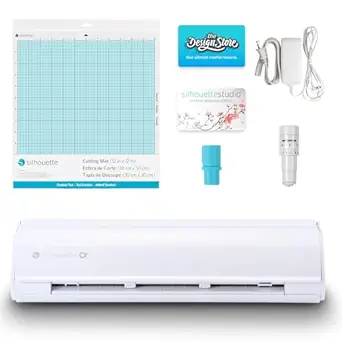 | Best for Precision Craft Studio Work | Brand: Silhouette America | Model: SILH-CAMEO-5A | Color: Classic White | VIEW ON AMAZON | See Our Full Breakdown |
| Likcut S501 Compact Vinyl Cutter Machine, 4.5-Inch |  | Best for Tight Studio Spaces | Brand: Likcut | Model: S501 | Cutting width: 4.5 inches | VIEW ON AMAZON | See Our Full Breakdown |
| VEVOR 12-Inch Vinyl Cutting Machine | 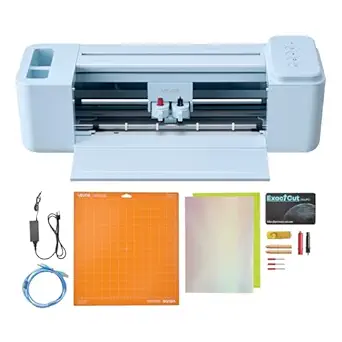 | Best Value for Versatile Studio Tasks | Cutting width: 12 inches | Built-in design resources: 20,000+ | Functions: Cutting, writing/drawing, and scoring | VIEW ON AMAZON | See Our Full Breakdown |
| Likcut S41 Vinyl Cutter Machine with Print Then Cut |  | Best for Sticker and Print-Then-Cut Work | Brand: LIKCUT | Model: S41 | Cutting width: Up to 8.5 inches | VIEW ON AMAZON | See Our Full Breakdown |
| VEVOR 28-Inch Vinyl Cutter Machine with Floor Stand |  | Best for Wide Signage in a Windows Studio | Maximum paper feed: 720 mm (28.3 inches) | Maximum cutting width: 630 mm (24.8 inches) | Cutting precision: ±0.01 mm | VIEW ON AMAZON | See Our Full Breakdown |
| VEVOR 28-Inch Vinyl Cutter Machine with Paper Feed |  | Best Starter Bundle for Wide Projects | Maximum paper feed: 28.3 inches (720 mm) | Maximum cutting width: 24.8 inches (630 mm) | Cutting pressure: 10–500 g | VIEW ON AMAZON | See Our Full Breakdown |
| VEVOR Automatic Edge Detection Vinyl Cutting Machine |  | Best for Precise Small-Format Work | Cutting accuracy: ±0.1 mm | Cutting speed: 20–400 mm/s | Maximum paper feed width: 17 in / 450 mm | VIEW ON AMAZON | See Our Full Breakdown |
| Silhouette America Cameo 5 Alpha Smart Cutting Machine, Matte Black |  | Best for Quiet, Multistep Studio Crafting | Model: SILH-CAMEO-5A | Color: Matte Black | Maximum material thickness: 3 mm | VIEW ON AMAZON | See Our Full Breakdown |
| VEVOR 34-Inch Vinyl Cutter Plotter with Bluetooth |  | Best for Wide Sign and Transfer Work | Maximum paper feed: 34.3 in / 870 mm | Maximum cutter width: 30.7 in / 780 mm | Cutting pressure: 10–500 g | VIEW ON AMAZON | See Our Full Breakdown |
| Silhouette Cameo 5 Alpha Plus 15-Inch Craft and Vinyl Cutter, Black |  | Best for Wider Craft Projects | Model: SILH-CAMEO-4-WHT-4T | Color: Black | Cutting width: Up to 15 inches | VIEW ON AMAZON | See Our Full Breakdown |
| vinyl cutter machine for studio | Model |
|---|---|
| VEVOR 12-Inch Vinyl Cutting Ma | smart3 |
| VEVOR 34-Inch Vinyl Cutter Mac | — |
| VEVOR 53-Inch Vinyl Cutter Mac | SK-1350L |
| VEVOR 53-Inch Semi-Automatic V | — |
| Silhouette America Cameo 5 Alp | SILH-CAMEO-5A |
| Likcut S501 Compact Vinyl Cutt | S501 |
| VEVOR 12-Inch Vinyl Cutting Ma | — |
| Likcut S41 Vinyl Cutter Machin | S41 |
| VEVOR 28-Inch Vinyl Cutter Mac | — |
| VEVOR 28-Inch Vinyl Cutter Mac | — |
| VEVOR Automatic Edge Detection | — |
| Silhouette America Cameo 5 Alp | SILH-CAMEO-5A |
| VEVOR 34-Inch Vinyl Cutter Plo | — |
| Silhouette Cameo 5 Alpha Plus | SILH-CAMEO-4-WHT-4T |
More Details on Our Top Picks
VEVOR 12-Inch Vinyl Cutting Machine
The 12-inch cutting width makes this a practical fit for a studio producing decals, labels, and smaller heat-transfer designs without giving over a large work area to equipment. It also cuts, draws, writes, and scores, so I’d favor it over a single-purpose cutter when projects change from week to week. Its USB, Bluetooth, and USB drive connections offer more ways to move designs onto the machine than the USB and COMPIM setup on the VEVOR 34-Inch Vinyl Cutter Machine Bundle. That broader workflow comes with a setup tradeoff: creating or importing designs still depends on compatible software or devices. Product details also give conflicting counts for built-in design resources, so I would not choose it based on the advertised library size. For wide-format studio signage, the larger VEVOR cutters are a better match.
Pros:- Cuts, writes, draws, and scores, supporting varied studio projects
- Accepts vinyl, heat transfer paper, cardstock, foil, and specialty paper
- USB, Bluetooth, and USB drive connections provide several transfer options
- Supports PNG, JPG, SVG, and TIF files
Cons:- The stated built-in resource count is inconsistent across product details
- Design creation and importing require compatible software or devices
Best for: Small studio owners making varied decals, labels, and craft projects who want multiple connection options and drawing or scoring functions.
Not ideal for: Sign makers who regularly need cuts wider than 12 inches, or buyers who want a clearly documented design-library count.
- Brand:VEVOR
- Model:smart3
- Cutting width:12 inches
- Functions:Cutting, writing/drawing, and scoring
- File formats:PNG, JPG, SVG, TIF
- Connectivity:USB, Bluetooth, USB drive
- Compatibility:Mac, Windows, Android 5.1+, iOS 11.0+
- Materials:Vinyl, heat transfer paper, cardstock, foil, specialty paper
Our verdict“Choose this for a space-conscious studio that values flexible materials and connections over wide-format cutting.”
VEVOR 34-Inch Vinyl Cutter Machine Bundle
For a studio moving beyond craft-scale decals, this bundle offers a useful step up: it accepts media up to 34.3 inches wide and cuts up to 30.7 inches. That gives sign, label, and heat-transfer work more room than the 12-inch VEVOR cutter, while taking less width than the 53-inch VEVOR Semi-Automatic Vinyl Cutter Machine. Adjustable 20–500 g pressure and 20–800 mm/s speed let operators tune cuts for different jobs. The backlit LCD and USB/COMPIM connections suit a more equipment-centered workflow, but the listed compatibility is limited to Windows computers. Software installation details are also described as random, which may add setup friction in a studio that expects a repeatable handoff. I’d choose it for regular mid-size production, not for a compact desk setup or Mac-based shop.
Pros:- Accepts media up to 34.3 inches wide with a 30.7-inch maximum cutting width
- Adjustable pressure and speed suit different materials and jobs
- Backlit LCD provides machine-side control
- USB and COMPIM interfaces with SVG and PDF support
Cons:- Listed device compatibility specifies Windows computers
- Software installation method is described inconsistently
- Its 43.31-inch width can be difficult to fit in a small studio
Best for: Windows-based studios producing recurring medium-width signs, labels, and heat-transfer graphics that need adjustable cutting settings.
Not ideal for: Mac studios or makers with limited room for a machine measuring over 43 inches wide.
- Maximum paper feed:870 mm (34.3 in)
- Maximum cutting width:780 mm (30.7 in)
- Cutting precision:±0.01 mm
- Cutting pressure:20–500 g
- Cutting speed:20–800 mm/s
- Interfaces:USB and COMPIM
- Supported file formats:SVG, PDF
- Dimensions:43.31 × 20.47 × 41.73 in
Our verdict“Pick this for a Windows studio that needs more cutting width than a craft machine without moving to a 53-inch plotter.”
VEVOR 53-Inch Vinyl Cutter Machine with Dual Blades and SignMaster Software
This 53-inch cutter pairs wide media handling with a dual-blade setup, letting a studio switch between drawing and cutting or scoring without manually swapping blades. Its 20–500 gf force range and test function help operators tune a job and preview designs before committing material. The included SignMaster software, sticker sheets, and transfer film give a new wide-format setup a useful starting point. Compared with the VEVOR 53-Inch Semi-Automatic Vinyl Cutter Machine, this model lists USB, U-disk, and serial connections and compatibility with macOS as well as Windows; the semi-automatic model instead specifies USB, COMPIM, and U-Disk and excludes Mac. The tradeoff is that the maximum feed width is 53 inches, while the other model lists 53.1 inches. I’d favor this option for mixed-media studio work, though the available product feedback is sparse.
Pros:- Handles media up to 53 inches wide and 1 mm thick
- Dual blades support drawing and cutting or scoring without manual swaps
- Includes SignMaster software, sticker sheets, and transfer film
- Test function allows a design preview before cutting
Cons:- Wide-format media handling calls for substantial studio space
- Product feedback is limited, leaving less buyer information about long-term operation
Best for: Studios creating wide signs, stickers, and heat-transfer designs across several sheet and roll materials, especially those wanting drawing and cutting in one setup.
Not ideal for: Small studios without room for wide media handling, or buyers who require extensive user feedback before choosing equipment.
- Brand:VEVOR
- Model:SK-1350L
- Maximum feed width:53 inches
- Maximum material thickness:1 mm
- Adjustable force:20–500 gf
- Cutting accuracy:±0.1 mm
- Blade design:Dual blades
- Operating systems:Windows 7–11 and macOS
- Connections:USB, U-disk, serial port
Our verdict“Choose this for a roomy studio that needs wide-format flexibility and values dual-blade workflow features.”
VEVOR 53-Inch Semi-Automatic Vinyl Cutter Machine
With a 49.6-inch maximum cutting width, this machine is the strongest fit here for studios whose work routinely demands broad vinyl panels or large signs. Its adjustable 20–500 g pressure and 20–800 mm/s speed allow settings to be matched to different jobs, and SVG/PDF imports keep common design files in reach. Compared with the VEVOR 53-Inch Vinyl Cutter Machine with Dual Blades and SignMaster Software, it lists a slightly wider maximum feed at 53.1 inches and a larger cutting width, but it does not list dual blades or SignMaster. The deciding limitation is compatibility: Mac systems are excluded, and the specified interfaces are COMPIM, USB, and U-Disk. This is a more specialized studio tool than the 34-inch VEVOR bundle, and its footprint and platform restriction make it a poor match for many small or Mac-based workspaces.
Pros:- Largest stated cutting width in this batch at 49.6 inches
- Adjustable cutting pressure and speed accommodate different jobs
- Supports SVG and PDF imports
- USB and U-Disk connections provide file-transfer options
Cons:- Not compatible with Mac systems
- Large-format capacity can be excessive for studios focused on small decals and craft pieces
- Product details provide no customer feedback to help gauge ownership experience
Best for: Windows sign studios that regularly cut near the full 49.6-inch width and need adjustable pressure and speed.
Not ideal for: Mac-based makers, compact studios, or shops whose work rarely exceeds mid-size media.
- Maximum paper feed:1350 mm (53.1 in)
- Maximum cutting width:1260 mm (49.6 in)
- Cutting precision:±0.01 mm (0.0004 in)
- Paper feed precision:3 m (118 in)
- Cutting pressure:20–500 g, adjustable
- Cutting speed:20–800 mm/s, adjustable
- Memory:4 MB high-speed cache
- Interfaces:COMPIM, USB, U-Disk
- Compatibility:Not compatible with Mac
Our verdict“Choose this for a Windows studio where maximum cutting width matters more than compact size or Mac support.”
Silhouette America Cameo 5 Alpha Smart Cutting Machine, Classic White
The Cameo 5 Alpha is the craft-focused choice for a studio that prioritizes accurate alignment and refined small-format work over the width of a plotter. Its four-point registration system and Intelligent Path Technology are aimed at keeping cuts aligned and smooth, while Fast Sketch Mode adds a drawing workflow. It also cuts, sketches, and embosses materials up to 3 mm thick, giving it more stated thickness capacity than the 1 mm VEVOR 53-Inch model. That comparison comes with a scale tradeoff: the VEVOR machines are built for much wider media, while this Cameo’s product details do not specify a cutting width. The included AutoBlade, mat, pen adapter, designs, and Studio software provide a craft-oriented starting setup. Studios focused on long signs or broad vinyl rolls should choose a VEVOR plotter instead.
Pros:- Four-point registration system supports accurate alignment
- Intelligent Path Technology is designed to support smoother cuts
- Cuts, sketches, and embosses materials up to 3 mm thick
- Includes AutoBlade, cutting mat, sketch pens adapter, designs, and Studio software
Cons:- Maximum material thickness is limited to 3 mm
- Product details do not state a cutting width, making large-format suitability unclear
- Its craft-focused scale is less suited to wide sign production than the VEVOR plotters
Best for: Craft studios making aligned vinyl, paper, and fabric projects that also want sketching or embossing functions.
Not ideal for: Sign shops cutting wide rolls or studios that need a stated large-format cutting capacity.
- Brand:Silhouette America
- Model:SILH-CAMEO-5A
- Color:Classic White
- Maximum material thickness:3 mm
- Maximum cutting speed:400 mm/s
- Included blade:AutoBlade
- Included components:Cutting mat, sketch pens adapter, 100 designs, Studio software
- UPC:810169381434
Our verdict“Pick the Cameo 5 Alpha for precision-focused craft work and added sketching options, but choose a VEVOR plotter for wide signs.”
Likcut S501 Compact Vinyl Cutter Machine, 4.5-Inch
The Likcut S501 suits a small studio where the cutter needs to tuck away between short runs of labels, cards, and decals. Its 4.5-inch cutting width keeps the footprint and project scale modest; compared with the 8.5-inch Likcut S41, it gives up room for wider designs in exchange for a more compact setup. Bluetooth 5.0 and USB 2.0 offer a choice between wireless placement and a direct connection, while front-cover storage helps keep small tools close at hand. The large design and font libraries and voice or text prompts may help newer makers get started, though those features rely on Likcut’s software. This is a focused choice for small-format work, not a studio’s only cutter for larger commissions.
Pros:- Compact size fits a crowded workbench and is easy to put away.
- Bluetooth 5.0 and USB 2.0 support wireless or wired connections.
- Front-cover storage keeps tools and materials nearby.
- Voice and text design prompts offer an accessible starting point for custom artwork.
Cons:- The 4.5-inch cutting width restricts larger studio projects.
- Some design features depend on Likcut’s software and library.
Best for: Studio makers with limited desk space who mainly produce small labels, cards, and decals.
Not ideal for: Makers who routinely cut wide graphics or want software features that work independently of Likcut’s app and library.
- Brand:Likcut
- Model:S501
- Cutting width:4.5 inches
- Supported materials:50+
- Connectivity:Bluetooth 5.0, USB 2.0
- Design library:Over 1,000,000 designs
- Font library:Over 1,000 fonts
- Included components:Cutting machine, adapter, USB-C cable, vinyl bundle
Our verdict“Choose the S501 for small-format studio work where compact storage matters more than cutting width.”
VEVOR 12-Inch Vinyl Cutting Machine
The VEVOR 12-Inch Vinyl Cutting Machine earns its place through range: it cuts, draws, writes, and scores across vinyl, cardstock, foil, and specialty paper. That mix can reduce the need to move between separate tools for signage mockups, cards, and heat-transfer designs. Its 12-inch cutting width gives a studio more room than the Likcut S41’s 8.5 inches, while remaining a more approachable format than VEVOR’s 28-inch floor-standing cutters. USB, Bluetooth, and USB drive connectivity add flexibility, and the included design software avoids a recurring payment. The tradeoff is that compatibility varies by device: Android and iOS need specified minimum versions, so older tablets may not connect. Check the studio’s devices before choosing it.
Pros:- Combines cutting, writing or drawing, and scoring in one machine.
- 12-inch cutting width accommodates broader work than compact craft cutters.
- USB, Bluetooth, and USB drive connections give several ways to send files.
- Included design software has no recurring payments.
Cons:- Android and iOS use requires specified minimum operating system versions.
- Its 12-inch width is smaller than the 24.8-inch cutting width of VEVOR’s 28-inch models.
Best for: Small studio owners who want one machine for cutting, drawing, and scoring on a mix of craft materials.
Not ideal for: Makers relying on older Android or iOS devices that do not meet the listed minimum operating system versions.
- Cutting width:12 inches
- Built-in design resources:20,000+
- Functions:Cutting, writing/drawing, and scoring
- Supported file formats:PNG, JPG, SVG, TIF
- Connectivity:USB, Bluetooth, USB drive
- Compatible operating systems:Mac, Windows, Android 5.1+, iOS 11.0+
- Materials:Vinyl, heat transfer paper, cardstock, foil, specialty paper
Our verdict“Pick this VEVOR if your studio needs varied craft functions and a mid-size cutting area with included software.”
Likcut S41 Vinyl Cutter Machine with Print Then Cut
For a studio centered on printed stickers and small-format graphics, the Likcut S41 offers a useful step up from the 4.5-inch S501. Its up to 8.5-inch cutting width makes room for wider sheets, and the stated 0.2 mm accuracy tolerance is aimed at placing cuts closely around printed designs. Wired and wireless connections let the machine fit different desk setups; an onboard screen and one-touch controls also put basic operation on the cutter itself. Voice and text prompts add an AI-assisted design route, although their usefulness depends on the app and software experience. Compared with the 12-inch VEVOR cutter, the S41 has less width and fewer listed material functions, so its appeal is more focused on sticker workflows than general studio fabrication.
Pros:- Up to 8.5-inch cutting width supports larger sticker sheets than the S501.
- Stated 0.2 mm accuracy tolerance suits close cuts around printed designs.
- Wired and wireless connectivity supports different workspace arrangements.
- Onboard screen and one-touch controls provide direct access to basic operation.
Cons:- The maximum width can limit larger graphics and production runs.
- AI design features depend on the usability of the app and software.
Best for: Sticker makers who need print-then-cut capability, onboard controls, and a machine that fits a smaller studio bench.
Not ideal for: Studios cutting projects wider than 8.5 inches or seeking a machine with explicitly listed drawing and scoring functions.
- Brand:LIKCUT
- Model:S41
- Cutting width:Up to 8.5 inches
- Cutting accuracy tolerance:0.2 mm
- Connectivity:Wired and wireless
- Included components:Cutting machine, adapter, USB-C cable, vinyl bundle
- Number of items:1
Our verdict“Choose the S41 for a compact studio focused on sticker and print-then-cut projects within its 8.5-inch width.”
VEVOR 28-Inch Vinyl Cutter Machine with Floor Stand
The VEVOR 28-Inch Vinyl Cutter with Floor Stand is aimed at studio work that outgrows a desktop craft machine: its 630 mm cutting width can handle broad sign and heat-transfer designs, while the included stand gives the material a dedicated feed area. Adjustable pressure and speed let the operator tune cuts for different media and jobs. Compared with VEVOR’s 12-inch machine, this model trades compactness and broad device compatibility for much wider output and a more production-oriented setup. The largest constraint is the computer: it supports listed Windows versions through USB or COMPIM and is not compatible with Mac. Its legacy Windows support may also be a poor fit for studios using newer systems, so confirm the computer and workflow before buying.
Pros:- 630 mm maximum cutting width supports wide signs and decoration work.
- Floor stand provides a dedicated material-feeding setup.
- Adjustable 10–500 g cutting pressure and 10–800 mm/s speed suit varied jobs.
- USB and COMPIM interfaces support direct PC connections.
Cons:- Not compatible with Mac and requires a Windows PC.
- Listed operating system support ends at Windows 10, which may limit fit with newer studio computers.
- Floor-stand format takes more workspace than desktop cutters.
Best for: Sign makers and decorators with a Windows PC, floor space, and regular need for cuts up to 630 mm wide.
Not ideal for: Mac-based studios, small workspaces without room for a stand, or operators seeking broad modern device compatibility.
- Maximum paper feed:720 mm (28.3 inches)
- Maximum cutting width:630 mm (24.8 inches)
- Cutting precision:±0.01 mm
- Paper feed precision:3 m
- Cutting pressure:10–500 g, adjustable
- Cutting speed:10–800 mm/s, adjustable
- Interfaces:USB and COMPIM
- Operating system compatibility:Windows XP, Vista, 7, 8, and 10 (32-bit and 64-bit); not compatible with Mac
- Included blades and stand:20 blades; floor stand
Our verdict“Choose this model for wide sign work if your studio has floor space and a compatible Windows PC.”
VEVOR 28-Inch Vinyl Cutter Machine with Paper Feed
The VEVOR 28-Inch Vinyl Cutter with Paper Feed pairs a wide-format machine with five included vinyl rolls, giving a studio materials for initial signage, labels, and heat-transfer projects. Its 630 mm cutting width matches the floor-stand VEVOR 28-inch model, and both offer adjustable pressure and speed. The distinction is the bundle: this version lists SignMaster software and rolls in five colors, while the other model specifies a floor stand and 20 blades. Those extras shape the setup more than the cutting capacity does. The software supports Windows and is not compatible with Mac; installation directions also vary between the included CD and download instructions. Choose it when the material bundle is useful and your studio already runs Windows.
Pros:- Includes five vinyl rolls in black, white, red, blue, and yellow.
- 24.8-inch maximum cutting width supports larger work than desktop craft cutters.
- Adjustable cutting pressure and speed accommodate different materials.
- USB and COM connectivity support PC-based operation.
Cons:- Not compatible with Mac.
- Software installation instructions vary between CD and download methods.
- The listed package does not specify a floor stand, unlike the other VEVOR 28-inch model.
Best for: Windows-based makers starting wide-format vinyl, label, or heat-transfer work who want rolls and accessories included.
Not ideal for: Mac users, studios that already have ample vinyl stock, or buyers who need a clearly specified floor stand.
- Maximum paper feed:28.3 inches (720 mm)
- Maximum cutting width:24.8 inches (630 mm)
- Cutting pressure:10–500 g
- Cutting speed:10–800 mm/s
- Blade accuracy:0.0004 inches (0.01 mm)
- Interfaces:COM and USB
- Software and supported systems:SignMaster; Windows XP, Vista, 7, 8, 10, and 11
- Included vinyl:Five 23 × 39 inch rolls: black, white, red, blue, and yellow
- Supported materials:Heat transfer vinyl, paper, craft paper, cardstock, and paint masks
Our verdict“Pick this bundle for wide-format Windows work when the included vinyl rolls are more useful than a specified floor stand.”
VEVOR Automatic Edge Detection Vinyl Cutting Machine
For a studio handling detailed decals, labels, and mixed craft materials, this VEVOR stands out for automatic edge detection and stated cutting accuracy of ±0.1 mm. Those features can help keep patterned cuts aligned, while support for more than 100 materials gives it broader use than a vinyl-only setup. Its touchscreen and offline operation also suit a workspace where a computer connection is not always convenient. Compared with the VEVOR 34-Inch Vinyl Cutter Plotter with Bluetooth, this model takes far less room but gives up the wider feed and larger sign-making capacity. The tradeoff is a 13-inch maximum cut size, which limits larger studio projects, and just 10 specified blade-pressure levels may offer less adjustment for tricky materials. I’d choose it for accuracy and versatility at craft scale, not production-width signage.
Pros:- Automatic edge detection supports aligned, precise pattern cuts
- Works with more than 100 listed materials and five file formats
- Color touchscreen and offline use can simplify standalone operation
- Includes design software and seven starter materials
Cons:- Maximum cut size of 13 inches limits larger graphics
- Only 10 blade-pressure levels are specified
- No Bluetooth connectivity is listed
Best for: Studio makers producing small, detailed decals, labels, and projects across varied craft materials
Not ideal for: Sign studios that regularly cut wide graphics or long production runs; its maximum cut size is 13 inches
- Cutting accuracy:±0.1 mm
- Cutting speed:20–400 mm/s
- Maximum paper feed width:17 in / 450 mm
- Maximum cut size:13 in / 330 mm
- Compatible file formats:SVG, EPS, PLT, AI
- Compatible materials:100+; includes adhesive vinyl, HTV, cardstock, and EVA foam
- Blade pressure levels:10
- Display:Color touchscreen
- Included materials:7
Our verdict“Choose this VEVOR for accurate, varied small-format studio work if you do not need a wide cutting area.”
Silhouette America Cameo 5 Alpha Smart Cutting Machine, Matte Black
The Cameo 5 Alpha suits a shared studio where quiet operation and more than straight vinyl cutting matter. It can cut, sketch, and emboss materials up to 3 mm thick, and its 4-point registration system supports accurate print-and-cut alignment for layered artwork. Fast Sketch Mode and Intelligent Path Technology add options for studios that combine drawn details with cut pieces. Compared with the Silhouette Cameo 5 Alpha Plus 15-Inch, this model’s supplied information does not establish a wider cutting area, so I would favor the Plus when 15-inch-wide work is central. The Cameo 5 Alpha’s 3 mm material limit is useful for many craft materials but rules out thicker stock, and the cutting-mat dimensions are unspecified. It makes more sense for quieter, varied craft work than for wide-format signage.
Pros:- Cuts, sketches, and embosses materials up to 3 mm thick
- 4-point registration system supports print-and-cut alignment
- Quiet operation fits shared or home studio spaces
- Includes AutoBlade, a cutting mat, a sketch pens adapter, 100 designs, and Studio software
Cons:- Material thickness is limited to 3 mm
- Cutting-mat dimensions are not specified
- The supplied details do not state a maximum cutting width
Best for: Studio crafters who need quiet cutting plus sketching, embossing, and print-and-cut alignment
Not ideal for: Makers who routinely cut thick stock or need a clearly specified wide cutting area
- Model:SILH-CAMEO-5A
- Color:Matte Black
- Maximum material thickness:3 mm
- Maximum speed:400 mm/s
- Registration system:4-point
- Included components:AutoBlade, cutting mat, sketch pens adapter, 100 designs, Studio software
- Cutting functions:Cutting, sketching, and embossing
Our verdict“Pick the Cameo 5 Alpha for quiet studio crafting across cutting, sketching, and embossing, provided its unspecified width suits your projects.”
VEVOR 34-Inch Vinyl Cutter Plotter with Bluetooth
When a studio needs to cut long or wide graphics, this VEVOR offers a different class of workspace from the compact craft machines in this batch: its 34.3-inch feed and floor stand are built for sign work, heat transfer, and decoration. Adjustable pressure from 10 to 500 g and speed up to 800 mm/s give operators room to tune jobs, while the bundle includes vinyl rolls, blades, holders, and SignMaster software. Compared with the VEVOR Automatic Edge Detection Vinyl Cutting Machine, it has much greater working width and feed accuracy up to 10 m, but it lacks that model’s stated automatic edge detection and broad craft-material positioning. The studio tradeoff is footprint and setup: this is a floor-standing plotter, and Bluetooth control is described for Android only. Software installation details also vary across the included materials.
Pros:- 34.3-inch maximum feed supports wider media
- Adjustable cutting pressure and speed accommodate different jobs
- Connects through Bluetooth, USB, or COM
- Bundle includes a floor stand, vinyl rolls, blades, and SignMaster software
Cons:- Bluetooth control is specified for Android devices only
- Floor stand and wide format require substantial studio space
- Software download or installation instructions vary between included materials
Best for: Sign and heat-transfer studios cutting wide graphics or longer runs that benefit from a floor-standing plotter
Not ideal for: Small studios focused on compact craft projects or users who need wireless control from iOS devices
- Maximum paper feed:34.3 in / 870 mm
- Maximum cutter width:30.7 in / 780 mm
- Cutting pressure:10–500 g
- Cutting speed:10–800 mm/s
- Blade accuracy:0.0004 in / 0.01 mm
- Feed accuracy:Up to 400 in / 10 m
- Connectivity:Bluetooth, USB, COM
- Compatible systems:Windows XP, Vista, 7, 8, 10, 11; Android mobile app
- Included components:SignMaster software, floor stand, five vinyl rolls, utility knife, pen core, holders, three replacement blades
Our verdict“Choose this VEVOR for wide sign and transfer jobs if your studio has room for a floor-standing plotter and can work within its software setup.”
Silhouette Cameo 5 Alpha Plus 15-Inch Craft and Vinyl Cutter, Black
The Cameo 5 Alpha Plus is the pick here for studios that want 15-inch-wide craft cutting in a quieter machine with print-and-cut alignment. Its 4-point registration system helps position printed designs, while the AutoBlade adjusts blade depth automatically, reducing a setup step between compatible materials. Job repeat and the automatic Power Slide Lid also suit studios that run recurring projects. Compared with the Silhouette America Cameo 5 Alpha Smart Cutting Machine, Matte Black, this version has an explicit 15-inch cutting width, making its workspace easier to judge for larger craft layouts. The listed material-thickness limit is only 0.5 mm, though, far below the other Cameo Alpha’s stated 3 mm; buyers should confirm which materials fit their jobs. Its one-month design-store subscription is temporary, so the enduring value lies in the cutter and included software and designs.
Pros:- 15-inch cutting width accommodates wider craft layouts
- 4-point registration system supports print-and-cut alignment
- AutoBlade adjusts blade depth automatically
- Includes Studio software and 100 designs
Cons:- Listed material thickness is limited to 0.5 mm
- Design-store subscription lasts one month
- The supplied specs do not state a cutting mat size
Best for: Craft studios that need a specified 15-inch cutting width for wider vinyl and print-and-cut layouts
Not ideal for: Studios cutting thicker materials above 0.5 mm or relying on an ongoing design-store subscription
- Model:SILH-CAMEO-4-WHT-4T
- Color:Black
- Cutting width:Up to 15 inches
- Maximum cutting speed:400 mm/s
- Material thickness:Up to 0.5 mm
- Registration system:4-point
- Blade:AutoBlade
- Included:Studio software, 100 designs, one-month Silhouette Design Store subscription
Our verdict“Choose the Cameo 5 Alpha Plus for wider craft layouts if its 0.5 mm material limit matches your studio’s materials.”

How We Picked
I ranked these machines for studio use by weighing usable cutting width against the space, setup, and workflow demands that come with it. Desktop craft cutters earned stronger placement for mixed projects and smaller studios, while wide VEVOR plotters ranked higher for buyers whose work depends on longer or wider vinyl. I also considered features that change how a job gets done, including Print Then Cut, edge detection, Bluetooth, included software, and stand or paper-feed arrangements.
The order reflects fit across likely studio workflows, not a claim that one machine suits every buyer. Closely related listings and color variants were treated as separate choices where the supplied product names indicate distinct configurations, but I would verify the exact included accessories and software before purchase. A wide cutting capacity does not automatically mean a better studio cutter: the right pick depends on available space, project dimensions, material handling, and how often the machine will be used.
| vinyl cutter machine for studio | Model |
|---|---|
| VEVOR 12-Inch Vinyl Cutting Ma | smart3 |
| VEVOR 34-Inch Vinyl Cutter Mac | — |
| VEVOR 53-Inch Vinyl Cutter Mac | SK-1350L |
| VEVOR 53-Inch Semi-Automatic V | — |
| Silhouette America Cameo 5 Alp | SILH-CAMEO-5A |
| Likcut S501 Compact Vinyl Cutt | S501 |
| VEVOR 12-Inch Vinyl Cutting Ma | — |
| Likcut S41 Vinyl Cutter Machin | S41 |
| VEVOR 28-Inch Vinyl Cutter Mac | — |
| VEVOR 28-Inch Vinyl Cutter Mac | — |
| VEVOR Automatic Edge Detection | — |
| Silhouette America Cameo 5 Alp | SILH-CAMEO-5A |
| VEVOR 34-Inch Vinyl Cutter Plo | — |
| Silhouette Cameo 5 Alpha Plus | SILH-CAMEO-4-WHT-4T |
Factors to Consider When Choosing Vinyl Cutter Machine For Studio
Choosing a studio cutter starts with the work you need it to do repeatedly, then moves to the physical and workflow constraints around that work. These factors can help prevent a mismatch between a machine’s headline capability and the way your studio actually operates.
Match Cutting Width to Finished Work
Measure the widest design you expect to cut as a single piece, then allow extra width for the material margins and loading path. A 12-inch machine may suit decals, labels, and smaller craft pieces, but a wide sign split into multiple panels adds alignment and application work. A 28-inch or 34-inch plotter offers more headroom without taking on the footprint of a 53-inch machine. Buyers sometimes choose the widest cutter they can find, only to discover that their regular work fits on a desktop model. If large banners or vehicle graphics are occasional jobs, paneling vinyl may be more practical than dedicating studio space to a very wide plotter.
Plan the Whole Material Path
The machine’s body is only part of its space requirement: vinyl needs a clear path as it feeds in and out. Measure the bench or floor area, then check where rolls, backing paper, and finished cuts can sit without catching on walls or nearby equipment. A floor stand can help position a plotter for roll work, but it does not remove the need for open space behind and in front of the cutter. For a shared studio, a compact machine may save time each day even if it means splitting occasional large designs. Think about storage and loading before treating the listed cutting width as the only size that matters.
Choose a Workflow You Can Repeat
Features such as automatic edge detection, Print Then Cut, and Bluetooth can address specific steps, but their value depends on the jobs you run. Print Then Cut is useful when designs combine printed artwork with a cut outline; it adds little to a workflow made up only of plain vinyl lettering. Edge detection may help with registration or material positioning, but buyers should check which media and software paths it supports. Bluetooth can reduce cable clutter, while a wired setup may be simpler to keep consistent in a fixed production station. Before buying, map a typical job from design file to weeded cut and identify the step that causes the most friction.
Check Software and Computer Fit
A cutter’s software is part of the machine, because it affects file handling, editing, and how easily work moves from design to production. Confirm that the software supports your operating system and the file types you use, and check whether essential functions require a paid upgrade or account. Bundled software can be useful for getting started, but a bundle name alone does not establish which features or updates are included. Studios using shared computers should check whether projects can move between workstations without losing settings or fonts. A buyer who already has an established design workflow may prefer compatibility and predictable file export over extra built-in design tools.
Account for Materials and Maintenance
Blade choice, cutting force, and mat or roll handling affect which materials a machine can process reliably. Match the cutter to the materials you actually plan to use, and check whether replacement blades and other consumables are easy to identify for the exact model. A machine’s ability to cut a material once does not guarantee clean results across repeated production runs. Test cuts and careful blade-depth setup reduce wasted material, especially with small lettering or detailed shapes. If jobs change often, straightforward adjustment and documented material settings can matter more than a long list of supported materials.
Buy for Actual Output, Not Imagined Growth
It can be tempting to buy industrial-width capacity for future work, but larger machines bring space and material-handling needs immediately. Estimate the number and size of cuts you expect to make in a typical month, then decide whether a wider machine will save enough setup or panel-joining time to justify its place in the studio. A desktop cutter may be the better choice for a mixed creative workspace, even if it cannot handle every future commission. A studio producing long runs should give more weight to stable feeding, repeatable setup, and roll management. Leave room for growth, but tie that room to a likely workflow rather than a vague possibility.
Frequently Asked Questions
Should I choose a desktop cutter or a wide plotter for a mixed-use studio?
Choose a desktop cutter if your work varies across crafts, decals, and smaller projects, and you need the machine to share a bench or storage area. A wide plotter is a better fit when full-width signs or long vinyl runs are routine rather than occasional. The 28- and 34-inch VEVOR options sit between those needs, while the 53-inch models target work that genuinely uses broad media. Include loading and storage space in the decision, not just the cutter’s stated capacity. If you only need wide output from time to time, paneling a design can be less disruptive than keeping a large machine set up.
Is Print Then Cut worth prioritizing if I already own a printer?
It can be useful when you sell or make printed stickers, labels, or artwork that needs a cut outline aligned to the print. Owning a printer alone does not make the feature necessary; plain cut vinyl does not benefit from it. Check the supported print alignment process and the software steps before deciding, since the workflow matters as much as the feature name. The Likcut S41 is the lineup’s clearest choice for buyers drawn to that workflow. If most of your studio work is lettering or single-color decals, put material handling and cutting width ahead of Print Then Cut.
How much studio space should I reserve for a 53-inch cutter?
Plan for the cutter’s full body plus clear room for vinyl to travel through the machine without hitting walls, furniture, or other equipment. Roll storage and a place to stage finished cuts also affect the usable footprint. The product’s stated width describes its cutting class, not the full working area a studio needs. Measure the intended station and simulate the feed path with a roll or a long strip of paper before committing. If that path would block a workbench or walkway, a 28- or 34-inch model may fit the workflow better.
Do I need a cutter with automatic edge detection for studio production?
Automatic edge detection is most relevant when positioning or registration is a repeated part of your jobs. It may reduce some setup work, but its benefit depends on the materials and software it supports. Ask what the detection feature reads, how it handles your typical media, and whether it works in the design process you already use. Buyers who mainly cut simple shapes from plain vinyl may get more day-to-day value from a suitable width and reliable feeding. Treat edge detection as a workflow-specific feature, not a substitute for checking fit and material compatibility.
When does it make sense to buy a wider cutter than my current projects require?
A wider cutter can pay off when you regularly combine panels, lose time aligning sections, or turn away work that exceeds your current cutting area. If wider projects are rare, joining smaller sections may be a reasonable trade for less floor space and simpler setup. Consider the added needs for rolls, feed clearance, and material storage alongside the possible reduction in panel work. A 28- or 34-inch machine may offer enough extra room without moving to the 53-inch class. Base the decision on recurring jobs and measured workspace, rather than the assumption that maximum capacity is always useful.
Conclusion
For the broadest fit across studio craft projects, I recommend the Silhouette Cameo 5 Alpha as best overall. The VEVOR 34-Inch Vinyl Cutter Machine Bundle is my value pick for buyers who need more width for sign work, while the VEVOR 53-Inch Dual Blade model is the premium direction for studios built around wide-format output. Beginners with a small work area should look first at the Cameo 5 Alpha or the VEVOR 12-Inch; buyers making printed stickers should compare the Likcut S41, and those needing the smallest footprint should consider the Likcut S501. Pick the cutter whose size, software path, and material handling match the jobs you expect to repeat.
Halloween Picks
halloween
As an affiliate, we earn on qualifying purchases.