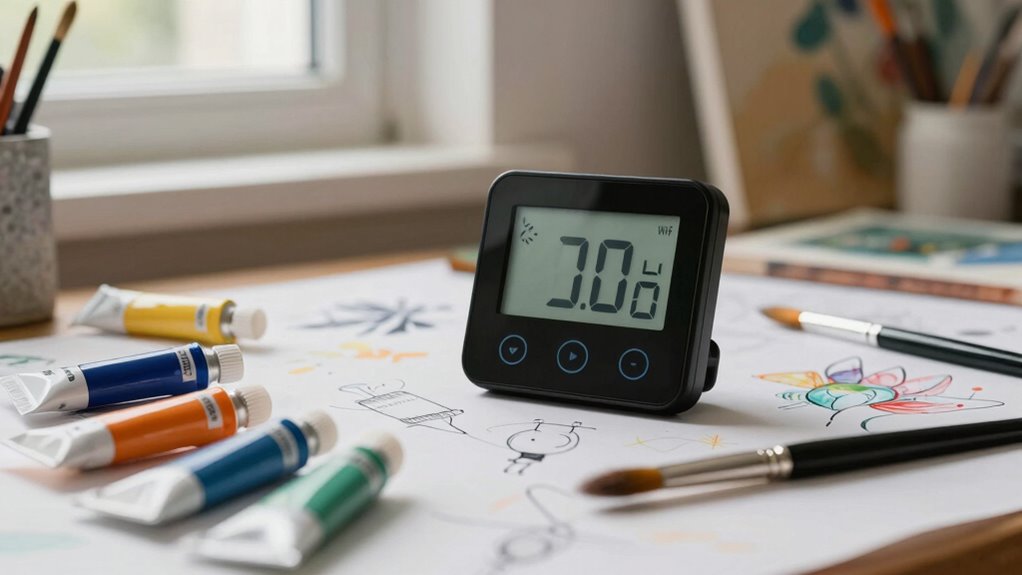

For an art room where humidity swings can affect paper, canvas, wood, and stored supplies, I’d start with the GoveeLife WiFi Thermometer Hygrometer 5-in-1, 3-Pack with Gateway for coverage across multiple spots. The TEMPIQ 2-Pack stands out for monitoring two areas, while the X-Sense LCD, 3 Sensors, and Base Station suits readers who want readings visible at a glance. The main tradeoff is between distributed sensors and a simpler single-unit setup, with app alerts, display needs, and room layout shaping the choice. WiFi monitoring can help flag changes, but it does not control humidity or replace careful storage. Read on for the full comparison and a pick by studio size and workflow.

Prime made for students and young adults
- Fast, free delivery for dorm and study essentials
- Prime Video and Amazon Music included
- Member-only deals
Key Takeaways
- Multi-sensor kits lead for room coverage: GoveeLife’s 5-in-1, 3-pack and the X-Sense three-sensor models can help reveal differences between a work area and storage corner.
- A gateway changes placement flexibility: Several GoveeLife bundles pair sensors with a gateway, while standalone models may make more sense for monitoring one convenient location.
- Visible readings and remote checks serve different habits: The Govee H5103’s E-Ink display favors at-a-glance checks, while app-centered models suit people who want to check readings away from the studio.
- Two similar X-Sense three-sensor listings require close comparison: Check the exact model and included base station before choosing; the product names alone do not establish meaningful differences.
- Monitoring is only one part of art care: These devices can report conditions and, where offered, send alerts, but they do not regulate humidity or guarantee artwork protection.
| GoveeLife WiFi Thermometer Hygrometer 5-in-1, 3-Pack with Gateway |  | Best for Monitoring Multiple Art Spaces | Pack size: 3 monitors | Gateway: H5044 required for local weather forecast and gateway features | Display: 3.7-inch LCD with color-coded comfort indicator | VIEW ON AMAZON | See Our Full Breakdown |
| eMylo WiFi Thermometer and Hygrometer with App Alerts and 3.2-Inch Backlit Display |  | Best for Smart Home Convenience | Connectivity: 2.4 GHz WiFi | App: Smart Life | Display: 3.2-inch backlit LED | VIEW ON AMAZON | See Our Full Breakdown |
| Govee H5103 Wi-Fi Thermometer and Hygrometer with E-Ink Display |  | Best Compact Display | Connectivity: 2.4 GHz WiFi and Bluetooth; 5 GHz WiFi not supported | Display: Electronic ink | Temperature range and accuracy: 32–122°F; ±0.3°C (±0.54°F) | VIEW ON AMAZON | See Our Full Breakdown |
| TEMPIQ Remote WiFi Temperature and Humidity Sensors, 2-Pack |  | Best for Flexible Placement | Pack size: 2 sensors | Connectivity: 2.4 GHz WiFi; Bluetooth for initial setup | Alerts: Push, text, and email when powered by USB | VIEW ON AMAZON | See Our Full Breakdown |
| X-Sense Wi-Fi Thermometer and Hygrometer with LCD, 3 Sensors, and Base Station |  | Best for Shared Art Rooms | Connectivity: 2.4 GHz WiFi; included base station required | App: X-Sense Home Security App | Sensors: 3 | VIEW ON AMAZON | See Our Full Breakdown |
| AcuRite Smart Wi-Fi Indoor Comfort Meter for Temperature and Humidity (17017M) |  | Best for a Simple Wall Display | Measurements: Indoor temperature and humidity | Connectivity: 2.4 GHz Wi-Fi | App: AcuRite NOW | VIEW ON AMAZON | See Our Full Breakdown |
| GoveeLife 2.0 WiFi Hygrometer Thermometer with Gateway and 3 Mini Sensors | 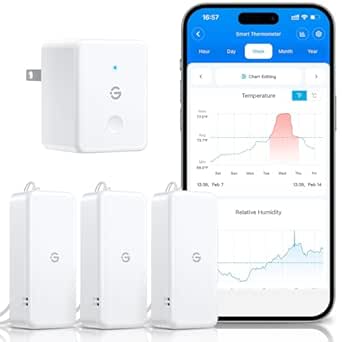 | Best for Multi-Zone Monitoring | Included sensors: 3 mini sensors | Gateway capacity: Up to 10 sensors | Temperature accuracy: ±0.54°F / ±0.3°C | VIEW ON AMAZON | See Our Full Breakdown |
| Govee H5179 WiFi Thermometer and Hygrometer |  | Best Standalone App Pick | Connectivity: Wi-Fi and Bluetooth; does not support 5 GHz Wi-Fi | Temperature accuracy: ±0.54°F / ±0.3°C | Humidity accuracy: ±3% RH | VIEW ON AMAZON | See Our Full Breakdown |
| X-Sense Wi-Fi Thermometer Hygrometer with LCD | 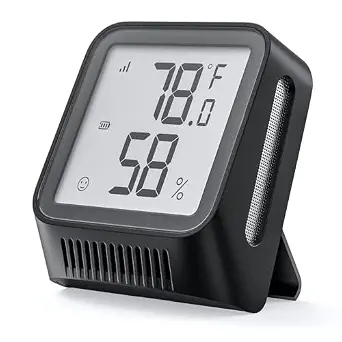 | Best for Local LCD Readings | Display: LCD | Measurements: Temperature and humidity | Connectivity: Wi-Fi | VIEW ON AMAZON | See Our Full Breakdown |
| X-Sense Smart Wi-Fi Temperature and Humidity Monitor with 3 Sensors and Base Station |  | Best for Detailed Environmental Tracking | Sensors: 3 thermo-hygrometers | Temperature accuracy: ±0.36°F (±0.2°C) | Humidity accuracy: ±2% RH | VIEW ON AMAZON | See Our Full Breakdown |
| wifi hygrometer for art room | Connectivity | Display |
|---|---|---|
| GoveeLife WiFi Thermometer Hyg | — | 3.7-inch LCD with color-coded comfort indicator |
| eMylo WiFi Thermometer and Hyg | 2.4 GHz WiFi | 3.2-inch backlit LED |
| Govee H5103 Wi-Fi Thermometer | 2.4 GHz WiFi and Bluetooth; 5 GHz WiFi not supported | Electronic ink |
| TEMPIQ Remote WiFi Temperature | 2.4 GHz WiFi; Bluetooth for initial setup | — |
| X-Sense Wi-Fi Thermometer and | 2.4 GHz WiFi; included base station required | — |
| AcuRite Smart Wi-Fi Indoor Com | 2.4 GHz Wi-Fi | Digital display with clock, A.M./P.M. indicators, and momentary backlight |
| GoveeLife 2.0 WiFi Hygrometer | — | — |
| Govee H5179 WiFi Thermometer a | Wi-Fi and Bluetooth; does not support 5 GHz Wi-Fi | Digital |
| X-Sense Wi-Fi Thermometer Hygr | Wi-Fi | LCD |
| X-Sense Smart Wi-Fi Temperatur | — | — |
More Details on Our Top Picks
GoveeLife WiFi Thermometer Hygrometer 5-in-1, 3-Pack with Gateway
For an art room with separate storage, display, and work areas, this three-monitor kit makes it easier to spot differences in temperature and humidity without relying on one reading. Its ±2% RH accuracy and two-second refresh rate give it an edge for close monitoring over the eMylo model, which lists ±5% humidity accuracy. The large LCD comfort indicator is useful for quick checks, while alerts can reach you through the app, email, or gateway buzzer. The tradeoff is the gateway: it is needed for gateway features and local weather forecasts, and using it reduces the stated battery life from up to two years to one. I’d choose this over the single Govee H5103 when coverage across multiple parts of a room matters more than a simple tabletop setup.
Pros:- Three monitors can track conditions in separate locations
- ±2% RH accuracy and two-second refresh rate
- Large 3.7-inch LCD with a color-coded comfort indicator
- Push, app, email, and gateway buzzer alerts
Cons:- Gateway features and local weather forecasts require the H5044 gateway
- Battery life is shorter with gateway use
- Three monitors may be more coverage than a single-room buyer needs
Best for: Artists and collectors who want to monitor a studio and nearby art storage or display areas at the same time.
Not ideal for: Anyone seeking a single, gateway-free monitor or who wants to avoid managing several battery-powered sensors.
- Pack size:3 monitors
- Gateway:H5044 required for local weather forecast and gateway features
- Display:3.7-inch LCD with color-coded comfort indicator
- Temperature range:-4°F to 140°F
- Humidity range:0% to 99% RH
- Accuracy:Temperature ±0.36°F; humidity ±2% RH
- Alerts:Push, app, email, and gateway buzzer
- Power and battery life:Two AA alkaline batteries; up to 2 years on Bluetooth or 1 year with gateway
Our verdict“Choose this kit if you want one system to watch humidity across several art-related spaces and are comfortable using its gateway.”
eMylo WiFi Thermometer and Hygrometer with App Alerts and 3.2-Inch Backlit Display
The eMylo suits an art room where remote checks and app history matter more than fine humidity precision. Smart Life can store up to a year of readings, export historical data, and connect readings to smart home automation; Alexa and Google Assistant offer voice checks. Its touch-activated backlight is handy in a dim studio, while the Govee H5103 uses an e-ink display and offers longer export history of up to two years. The main compromise for art care is the stated ±5% humidity accuracy, which is looser than the ±2% listed for the GoveeLife three-pack and X-Sense three-sensor system. It also needs 2.4 GHz WiFi, and voice assistants can read measurements but do not control the device.
Pros:- Remote readings and customizable alerts through Smart Life
- Historical records can be stored for up to one year and exported
- Backlit display helps with dim studios
- Alexa and Google Assistant can read the measurements
Cons:- ±5% humidity accuracy is looser than several multi-sensor alternatives
- Requires a 2.4 GHz WiFi network
- Voice assistant support is limited to reading measurements
Best for: Artists who already use Smart Life or Alexa and want app history and voice readings from a single art room.
Not ideal for: Collectors who need tighter stated humidity accuracy or whose WiFi network does not provide 2.4 GHz.
- Connectivity:2.4 GHz WiFi
- App:Smart Life
- Display:3.2-inch backlit LED
- Temperature range and accuracy:14.2°F to 140°F; ±1°C (±1.8°F)
- Humidity range and accuracy:0% to 99%; ±5%
- Voice assistant support:Alexa and Google Assistant; readings only
- Data storage:Up to 1 year of historical records
- Power and dimensions:3 AAA batteries; 3.2 in W × 3.2 in H
Our verdict“Pick the eMylo if app automation and voice checks fit your smart home better than tighter humidity accuracy.”
Govee H5103 Wi-Fi Thermometer and Hygrometer with E-Ink Display
The H5103 keeps the on-device experience simple: its e-ink display presents readings in a compact tabletop unit, while WiFi and Bluetooth connect it to Govee Home for alerts and data graphs. For an art room, the ±3% RH accuracy is a middle ground: tighter than the eMylo’s stated ±5%, but not as precise as the ±2% figures listed for the GoveeLife and X-Sense multi-sensor options. Its export history extends up to two years, which is useful for tracing seasonal changes, though the app graphs cover 13 days at a time. Compared with the eMylo’s backlit screen, e-ink has a different display approach and this product data does not specify a backlight. The roughly six-month battery life also means more frequent replacement than some alternatives.
Pros:- Compact e-ink display for checking readings at a glance
- WiFi and Bluetooth connectivity
- App alerts for readings outside preset ranges
- Data export history extends up to two years
Cons:- About six months of stated battery life
- Does not support 5 GHz WiFi
- 13-day graphs are shorter than the available export history
Best for: Artists who want a small tabletop display with app alerts and long-term exportable readings.
Not ideal for: Buyers needing a multi-location kit, a backlit screen, or longer stated battery life.
- Connectivity:2.4 GHz WiFi and Bluetooth; 5 GHz WiFi not supported
- Display:Electronic ink
- Temperature range and accuracy:32–122°F; ±0.3°C (±0.54°F)
- Humidity range and accuracy:Approximately 3–97% RH; ±3% RH
- Refresh interval:2 seconds
- Battery and battery life:1.5 V AA alkaline batteries; about 6 months
- Data history:13-day graphs; export up to 2 years
- Dimensions and weight:2.86 in W × 2.89 in H; 5.29 oz
Our verdict“Choose the H5103 for a compact display and long export history when one sensor is enough for your art room.”
TEMPIQ Remote WiFi Temperature and Humidity Sensors, 2-Pack
TEMPIQ is a practical fit when an art room needs readings from two distinct spots, such as a window-side wall and an interior storage shelf. The two-sensor pack includes holders and adhesive strips for tabletop or wall placement, and the sensors can also monitor indoors or outdoors. Unlike the GoveeLife three-pack, TEMPIQ lists unlimited data storage without a subscription, but its alert behavior depends on power: push, text, and email alerts are listed for USB power, while battery mode sends readings every 15–60 minutes. That delay may leave a humidity shift unnoticed between readings. Its ±1°F temperature accuracy is specified, but the supplied product data does not state humidity accuracy or a humidity range, making it harder to judge for humidity-sensitive artwork.
Pros:- Two sensors support monitoring separate locations
- Tabletop or wall mounting with holders and adhesive strips included
- Unlimited data storage with no subscription
- Push, text, and email alerts when powered by USB
Cons:- Battery mode updates readings every 15–60 minutes
- The listed alert options apply when powered by USB
- Product data does not specify humidity accuracy or range
Best for: Artists who want two flexibly mounted sensors and long-term records, and can power them by USB for alerts.
Not ideal for: Collectors who rely on battery operation for frequent readings or need stated humidity accuracy before choosing.
- Pack size:2 sensors
- Connectivity:2.4 GHz WiFi; Bluetooth for initial setup
- Alerts:Push, text, and email when powered by USB
- Battery:3 AA lithium batteries per sensor
- Temperature range:Up to 140°F
- Temperature accuracy:±1°F
- Mounting:Tabletop or wall mount
- Data storage:Unlimited; no subscription required
Our verdict“TEMPIQ makes sense for two-position monitoring when you can use USB power and its unspecified humidity accuracy meets your needs.”
X-Sense Wi-Fi Thermometer and Hygrometer with LCD, 3 Sensors, and Base Station
With three sensors and app access for up to 12 users, this X-Sense kit fits a shared studio where several people need to keep an eye on conditions across the room. Its listed ±2% humidity accuracy matches the GoveeLife three-pack, and the LCD comfort indicators, maximum, minimum, and average readings add context beyond the current measurement. That history can help a team spot recurring swings around ventilation or storage areas. The tradeoff is the included base station: WiFi monitoring depends on it, so this is a more system-based setup than the tabletop Govee H5103. It also supports 2.4 GHz WiFi only. The product data does not specify sensor battery life or a humidity refresh interval, so those details are less clear than for some competing kits.
Pros:- Three sensors cover multiple locations
- Up to 12 simultaneous app users
- ±2% RH accuracy and adjustable temperature units
- LCD comfort indicators plus maximum, minimum, and average readings
Cons:- Requires the included base station for WiFi connectivity
- Supports 2.4 GHz WiFi only
- Product data does not specify sensor battery life or humidity refresh interval
Best for: Shared studios or art rooms where multiple people need app access and three monitoring points.
Not ideal for: Solo users seeking a simple standalone monitor or buyers who want battery life and refresh timing stated up front.
- Connectivity:2.4 GHz WiFi; included base station required
- App:X-Sense Home Security App
- Sensors:3
- Temperature range and accuracy:-4°F to 140°F (-20°C to 60°C); ±0.36°F (±0.2°C)
- Humidity range and accuracy:0% to 99% RH; ±2%
- Temperature units:°F or °C
- Simultaneous app users:Up to 12
- Readings and indicators:Maximum, minimum, and average readings; LCD comfort indicators
Our verdict“Choose this X-Sense kit when a shared art room needs three sensor locations and app access for a group.”
AcuRite Smart Wi-Fi Indoor Comfort Meter for Temperature and Humidity (17017M)
The AcuRite Smart Wi-Fi Indoor Comfort Meter suits an art room where I want a clear local reading and occasional remote checks without a multi-sensor setup. Its display combines temperature, humidity, and a clock, while the AcuRite NOW app adds alerts and history with readings refreshed every five minutes. Compared with the Govee H5179, this model updates less often, but its clock and keyhole hanger make it a more natural fit for a fixed wall spot. That slower cadence may be enough for routine room checks, though it offers less detail when conditions change quickly. The tradeoffs are 2.4 GHz Wi-Fi dependence, an app requirement for connected features, and three AAA batteries that are not included; its backlight is momentary rather than continuously lit.
Pros:- Shows temperature and humidity locally alongside a clock
- App provides remote monitoring, alerts, and history
- Keyhole hanger supports wall placement
- Automatically sets the clock after app connection
Cons:- Readings update every five minutes, slower than the Govee H5179’s two-second refresh
- Connected features require 2.4 GHz Wi-Fi and the AcuRite NOW app
- Three AAA batteries are not included
Best for: Art room owners who want a wall-mounted temperature and humidity display with a clock and basic app alerts
Not ideal for: Artists who need frequent readings, several monitoring points, or a continuously lit display
- Measurements:Indoor temperature and humidity
- Connectivity:2.4 GHz Wi-Fi
- App:AcuRite NOW
- Data update interval:Every 5 minutes
- Power:3 AAA batteries, not included
- Display:Digital display with clock, A.M./P.M. indicators, and momentary backlight
- Mounting:Integrated keyhole hanger
Our verdict“Choose the AcuRite if a simple wall display and clock matter more than rapid updates or multi-sensor coverage.”
GoveeLife 2.0 WiFi Hygrometer Thermometer with Gateway and 3 Mini Sensors
For an art room with storage, a drying area, and a workbench, the GoveeLife 2.0 makes it easier to compare conditions across three spots. Its gateway and three mini sensors refresh readings every two seconds, and the system can support up to ten sensors if the room setup grows. App and email alerts, plus two years of exportable history, help me track swings that could affect stored materials. The included gateway sets it apart from the single-sensor Govee H5179, which is simpler to place but cannot cover several locations out of the box. The tradeoff is more setup hardware: the sensors require a compatible gateway, and Wi-Fi is limited to 2.4 GHz. Its stated accuracy and long battery life are useful, but this kit is more system than a single-room reading may require.
Pros:- Includes three compact sensors and a gateway
- Readings refresh every two seconds with app and email alerts
- Supports up to ten sensors through the gateway
- Offers 20-day trend viewing and export of up to two years of data
Cons:- Requires a compatible gateway for operation
- Connects only to 2.4 GHz Wi-Fi
- Three sensors may be unnecessary for a small, single-zone art room
Best for: Artists monitoring humidity in multiple parts of a studio or keeping records of conditions around sensitive materials
Not ideal for: Buyers who want one standalone sensor, minimal setup, or 5 GHz Wi-Fi support
- Included sensors:3 mini sensors
- Gateway capacity:Up to 10 sensors
- Temperature accuracy:±0.54°F / ±0.3°C
- Humidity accuracy:±3% RH
- Data refresh rate:Every 2 seconds
- Battery life:Up to 2 years
- Data history:View trends for 20 days; export data from the past 2 years
- Wi-Fi compatibility:2.4 GHz only
- Compatible gateways:H5151 and H5042
Our verdict“Choose this kit when you need fast readings and records from several art room locations in one system.”
Govee H5179 WiFi Thermometer and Hygrometer
The Govee H5179 is a practical choice when I need one sensor to report art room conditions remotely without buying a separate gateway. It refreshes every two seconds, supports Wi-Fi and Bluetooth, and stores 20 days of online readings with export options for up to two years. That makes it more self-contained than the GoveeLife 2.0, whose three-sensor coverage is better for tracking several corners but depends on its gateway. The H5179 can send alerts when readings leave preset ranges, though setting those alerts requires Bluetooth. Its included AA batteries and lanyard loop help with setup, but the stated six-month battery life means more frequent replacement than the GoveeLife sensors’ up-to-two-year claim. It also lacks 5 GHz Wi-Fi support, so buyers should check their network setup.
Pros:- Monitors temperature and humidity through Wi-Fi or Bluetooth
- Refreshes readings every two seconds
- Stores online data and offers export options for up to two years
- Includes three AA batteries and a lanyard loop
Cons:- Does not support 5 GHz Wi-Fi
- Alert setup requires Bluetooth
- Stated battery life is six months, shorter than the GoveeLife 2.0 sensor claim
Best for: Artists who want a single remotely accessible sensor with fast updates and historical data
Not ideal for: Studio owners who need several monitoring points or rely on 5 GHz Wi-Fi
- Connectivity:Wi-Fi and Bluetooth; does not support 5 GHz Wi-Fi
- Temperature accuracy:±0.54°F / ±0.3°C
- Humidity accuracy:±3% RH
- Response time:2 seconds
- Data storage:20 days online; export up to 2 years
- Power source:3 included AA batteries
- Battery life:6 months
- Usage:Indoor
- Display:Digital
Our verdict“Choose the H5179 for a straightforward single-sensor setup with quick app updates and data export.”
X-Sense Wi-Fi Thermometer Hygrometer with LCD
The X-Sense Wi-Fi Thermometer Hygrometer with LCD has a narrow role in this roundup: it measures temperature and humidity and shows them on an LCD. For an art room, that local display can make a quick check easier than opening an app, but the product data gives little detail about update frequency, accuracy, or record keeping. Its biggest limitation is that app features require a separately purchased SBS50 Base Station. That makes it a less ready-to-use remote option than the AcuRite Smart Wi-Fi Indoor Comfort Meter, which includes its connected monitoring setup, or the Govee H5179, which combines a display with app access. I would treat this X-Sense as a basic display unless I already own the required base station; buyers seeking remote alerts should account for that extra hardware.
Pros:- LCD makes local readings available at a glance
- Measures both temperature and humidity
- Can access app features when paired with the required base station
Cons:- SBS50 Base Station is required for app features and is not included
- Product details do not specify accuracy, update interval, or data history
Best for: Artists who mainly want an LCD temperature and humidity reading and already own an SBS50 Base Station
Not ideal for: Buyers expecting complete app-based monitoring from the sensor alone
- Display:LCD
- Measurements:Temperature and humidity
- Connectivity:Wi-Fi
- Base station:SBS50 required for app features; not included
Our verdict“Choose this X-Sense only if its LCD suits your room and you already have, or plan to add, the SBS50 Base Station.”
X-Sense Smart Wi-Fi Temperature and Humidity Monitor with 3 Sensors and Base Station
The X-Sense Smart Wi-Fi Monitor gives art room owners a wider set of measurements than the LCD-only X-Sense: three sensors track temperature and humidity, while the system also calculates dew point and VPD. Those readings, app alerts, and exportable historical graphs can help me follow changing conditions across a studio and keep records over time. Its stated ±2% RH humidity accuracy is tighter than the Govee options listed here, while support for up to 50 connected devices leaves room to expand beyond the included sensors. That breadth comes with a base station and app dependency, unlike the simpler Govee H5179 single-sensor setup. The listed coverage reaches up to 1,700 ft, but battery life is described as up to one year and may vary with use; a feature-rich kit may be excessive for a small room.
Pros:- Includes three sensors for monitoring multiple locations
- Reports temperature, humidity, dew point, and VPD
- App alerts and historical graphs support ongoing monitoring
- Supports up to 50 connected devices, including up to 10 thermo-hygrometers
Cons:- Connected monitoring requires the base station and app
- The stated battery life of up to one year may vary with use
- Its broader monitoring features may be unnecessary for a single-zone art room
Best for: Artists tracking several zones who want dew point, VPD, alerts, and exportable condition history
Not ideal for: People who only need a basic local reading or do not want a base station and app
- Sensors:3 thermo-hygrometers
- Temperature accuracy:±0.36°F (±0.2°C)
- Humidity accuracy:±2% RH
- Measurements:Temperature, humidity, dew point, and VPD
- Maximum connected devices:50 devices, including up to 10 thermo-hygrometers
- Coverage:Up to 1,700 ft (500 m)
- Battery:3 replaceable AAA batteries
- Battery life:Up to 1 year
- Spare part availability:5 years
Our verdict“Choose this X-Sense kit if you want several monitoring points and dew point or VPD data alongside temperature and humidity.”

How We Picked
I ranked these options around the needs of an art room: monitoring more than one location, checking readings without friction, receiving useful remote alerts, and fitting the setup to a studio’s size. A multi-sensor kit can reveal that a damp storage cabinet or sunny window area differs from the room average, while a clear local display helps when a phone check is inconvenient. I also weighed the practical cost of extra hardware, such as a gateway or base station, and the upkeep of placing and maintaining several sensors.
The lead position goes to the GoveeLife 5-in-1 three-pack because its bundled gateway and multiple sensors make it a strong starting point for distributed monitoring. The TEMPIQ two-pack and X-Sense three-sensor base-station models follow for buyers whose priority is covering multiple zones or seeing readings locally. Single-device and simpler setups rank lower for large or divided studios, though they may suit a compact room better. Model names and supplied feature descriptions do not provide enough detail to claim comparative accuracy, calibration quality, or alert reliability, so those factors should be checked against the manufacturer’s current specifications.
Factors to Consider When Choosing Wifi Hygrometer For Art Room
Choosing a WiFi hygrometer for an art room starts with how the space is used, not the number of features on a box. I’d map the areas where materials sit, decide how I want to see changes, and then match the sensor kit to that routine.
Map the Room Before Choosing Sensor Count
One sensor measures conditions where it sits; it cannot tell you whether a closed supply cupboard or exterior wall has a different microclimate. Sketch where you work, store paper, keep paints, and place finished pieces, then note which locations have different sunlight, airflow, or heating. A multi-sensor kit is useful when those zones are meaningfully separate. For a small, open studio, several sensors may add setup and battery upkeep without changing your decisions. Avoid placing every sensor together, since that defeats the purpose of comparing locations. Recheck placement when you rearrange shelves or move valuable work.
Choose Alerts Around a Useful Response
An alert helps only if you can act on it, so think through what you would do when readings move outside your preferred range. Some owners may move sensitive works, inspect a leak, or adjust room ventilation; others may need a dehumidifier or humidifier. Set thresholds based on the materials and guidance relevant to your collection rather than copying a generic setting. Too many notifications can lead to ignoring them, while overly broad thresholds may miss changes you care about. Check whether the model sends the alert types you expect and how it connects to WiFi. A sensor reports conditions; it does not correct them.
Decide Whether You Need a Display
A local display is convenient when you regularly pass the sensor and want a quick reading without opening an app. E-Ink can make sense for a steady, glanceable view, while a backlit LCD may be easier to read in dimmer areas; screen behavior varies by model. App access is more useful when you check the studio remotely or want alerts while away. These approaches can coexist, but added display hardware may be unnecessary if your phone is already part of your routine. Consider who else uses the room, too: a visible reading can help collaborators notice a change without sharing app access. Confirm that the display and app show the measurements you need.
Treat Connectivity as Part of Placement
WiFi coverage can be weaker in basements, detached workspaces, or rooms behind thick walls. A gateway or base station may be part of a kit’s sensor connection, so check what connects to your home network and where that hub must sit. Before mounting sensors permanently, test the intended spots and confirm that readings reach the app. Also check whether the product requires a particular WiFi band, account, or phone platform. A sensor that loses connection in the exact place you need to monitor offers little practical value. Keep a simple local check routine for periods when app connectivity is unavailable.
Match Monitoring to Material Risk
Different materials respond to environmental changes in different ways, and a single room-wide target may not fit every artwork or supply. Paper, wood, canvas, and some paints can be sensitive to prolonged or rapid shifts, but their needs depend on condition and storage. If you care for valuable or historic work, use conservation guidance to set acceptable conditions instead of relying on a consumer monitor’s default ranges. For everyday supplies, consistent awareness may be more useful than chasing a precise number. Look for whether the maker documents accuracy and calibration, and consider how you would verify an unexpected reading. The device is one input to care, not a conservation assessment.
Count the Ongoing Work
Each added sensor creates another location to label, check, and maintain. Before choosing a two- or three-sensor bundle, decide whether the extra measurements will change where you store work or how you respond. Verify the power source, expected battery life, replacement availability, and whether sensors can be moved or renamed in the app. A gateway or base station can simplify a multi-sensor setup, but it also adds another component to position and keep powered. For a single-room workspace, a simpler unit may be easier to live with. For a studio with storage zones, the extra setup can pay off through a clearer picture of conditions.
Frequently Asked Questions
Do I need several sensors for a single art room?
Not always. A single sensor can be enough in a small, open room with stable airflow and no separate storage area. Add sensors when you have a closed cabinet, a basement corner, a sunny window, or another location likely to behave differently from the main workspace. The GoveeLife three-sensor kits and X-Sense three-sensor options are aimed at broader coverage, while the TEMPIQ two-pack covers fewer zones. Place sensors where you keep vulnerable materials, rather than clustering them on one shelf.
Can a WiFi hygrometer protect artwork by itself?
No. It can help you notice temperature or humidity changes, and models with app alerts may notify you when readings cross a set threshold. The device does not humidify, dehumidify, prevent leaks, or determine what conditions a particular artwork needs. Decide in advance what action you will take after an alert, such as checking a storage area or adjusting room equipment. For valuable or fragile work, pair monitoring with suitable conservation advice and storage practices.
Is a gateway or base station worth adding?
It can be useful when a kit relies on a hub to collect readings from sensors placed around the room. A gateway may help make a multi-sensor arrangement practical, but it adds another device that needs a suitable location and power. Check the manufacturer’s connection requirements and test signal coverage at your planned sensor locations before relying on the setup. If you only need one reading in a compact room, a gateway bundle may be more equipment than your routine requires. Compare the exact included components, since similar product names can refer to different bundles.
Should I choose an E-Ink or LCD display for my studio?
Choose based on where you will read it and how often you want a quick glance. The Govee H5103 pairs WiFi monitoring with an E-Ink display, while eMylo and some X-Sense products advertise LCD screens. E-Ink may suit a sensor placed where you want a steady visible reading; a backlit screen may help in a dim workspace, depending on its design. If you mostly check conditions remotely, app access and alert settings may matter more than the screen. Confirm the display’s visibility and power behavior in the product specifications.
What should I check before trusting readings for sensitive materials?
Look for manufacturer documentation on measurement accuracy, calibration, and the conditions under which readings are specified. Place the monitor away from direct sun, vents, radiators, and damp surfaces unless one of those spots is specifically what you want to monitor. Compare unexpected readings with another suitable instrument before making a major change to how you store artwork. Pay attention to sustained patterns and sudden swings, not just one isolated value. For collection-specific limits, consult conservation guidance rather than treating a consumer device’s default alert range as a universal standard.
Conclusion
For the broadest art-room coverage in this group, I’d choose the GoveeLife WiFi Thermometer Hygrometer 5-in-1, 3-Pack with Gateway as best overall. The TEMPIQ 2-Pack is my value-oriented choice for monitoring two distinct areas, while the GoveeLife 2.0 with Gateway and 3 Mini Sensors is a premium-style fit for buyers who want a dedicated multi-sensor setup. Beginners with one compact room can start with the AcuRite Smart Wi-Fi Indoor Comfort Meter or a straightforward single-sensor model, after checking its app and connectivity requirements. Choose the Govee H5103 if a visible E-Ink reading matters, or an X-Sense three-sensor kit if a base station and multiple measurement points suit your workflow. Whichever you select, match the sensor count to your room and treat alerts as prompts to investigate.
Halloween Picks
halloween
As an affiliate, we earn on qualifying purchases.