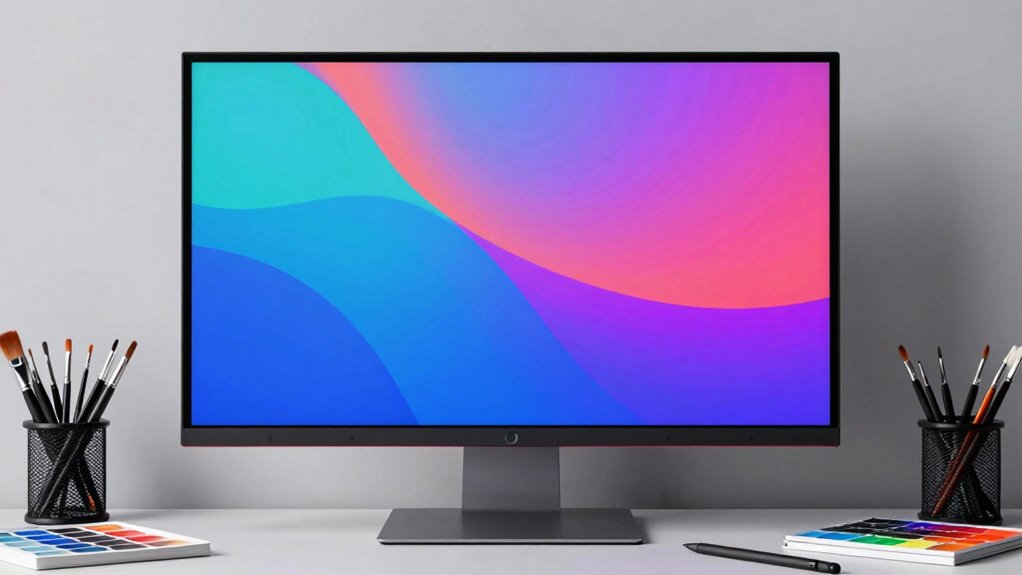

Finding the right wide gamut monitor for artists means balancing color accuracy, screen size, and budget. The ASUS ProArt 27″ 4K UHD IPS Monitor stands out as the overall best choice thanks to its precision and ergonomic design. For those seeking portability, the Kenowa 13.3-Inch Portable Monitor offers decent color coverage in a compact form. Meanwhile, the ASUS ProArt Display PA329CRV provides higher-end features for professional workflows, though at a higher cost. Many options in this category trade off between maximum color fidelity and affordability or size. Keep reading to see how these models compare across key features to help you make an informed decision.
Listen free for 30 days with Audible
Thousands of audiobooks and originals — cancel anytime.
Start your free trialAs an affiliate, we earn on qualifying purchases.
Key Takeaways
- The top monitors balance high color accuracy with good screen size for detailed work.
- Professional-grade options tend to be more expensive but offer Calman verification and wider color gamuts.
- Portability is possible without sacrificing too much color quality, as seen in compact models like Kenowa.
- Budget-friendly picks often compromise on color coverage or calibration features but remain useful for beginners.
- Response times and refresh rates are less critical for artists, making color fidelity and calibration the priority.
| ASUS ProArt 27″ 4K UHD IPS Monitor with Color Accuracy and Ergonomic Stand |  | Best Overall for Creative Professionals Needing Precision and Flexibility | Display Size: 27 Inches | Resolution: 3840 x 2160 (4K UHD) | Panel Type: IPS | VIEW ON AMAZON | See Our Full Breakdown |
| ASUS ProArt 24″ Monitor – WUXGA (1920 x 1200), 16:10, IPS, Calman Verified, Adjustable |  | Best for Color-Critical Work in a Compact Size | Size: 24 inches | Resolution: 1920 x 1200 (WUXGA) | Panel Type: IPS | VIEW ON AMAZON | See Our Full Breakdown |
| INNOCN 27-Inch 4K USB-C Monitor for Laptop MacBook/Mac mini – IPS HDR400 |  | Best for Versatile 4K Clarity with HDR Support | Size: 27 inches | Resolution: 3840 x 2160 (4K UHD) | Panel Type: IPS | VIEW ON AMAZON | See Our Full Breakdown |
| ASUS ProArt Display PA247CV 24″ IPS, Full HD, 100% sRGB, USB-C, Calman Verified |  | Best for Budget-Conscious Professionals Needing Color Accuracy | Size: 24 inches | Resolution: 1920 x 1080 | Panel Type: IPS | VIEW ON AMAZON | See Our Full Breakdown |
| ViewSonic VG3420C 34 Inch UWQHD Curved Docking Monitor |  | Best for Immersive Ultra-Wide Productivity and Multitasking | Size: 34 inches | Resolution: 3440 x 1440 (UWQHD) | Aspect Ratio: 21:9 | VIEW ON AMAZON | See Our Full Breakdown |
| Amzfast 24-Inch Curved Gaming Monitor, 240Hz, 1ms, 1080P, HDR, Adaptive Sync |  | Best for Versatile Use (Gaming & Creative Tasks) | Size: 24 inches | Resolution: 1920×1080 | Refresh Rate: 240Hz | VIEW ON AMAZON | See Our Full Breakdown |
| ASUS ProArt Display 32” 6K Professional Monitor (PA32QCV) |  | Best for High-End Color Accuracy & Creative Professionals | Display Size: 32 inches | Resolution: 6016 x 3384 (6K) | Color Gamut: 98% DCI-P3 | VIEW ON AMAZON | See Our Full Breakdown |
| ASUS ProArt Display PA329CRV – IPS, 4K UHD (3840 x 2160), 98% DCI-P3, HDR400 |  | Best for 4K Professional Work & Color Accuracy | Display Size: 31.5 inches | Resolution: 3840 x 2160 | Color Gamut: 98% DCI-P3 | VIEW ON AMAZON | See Our Full Breakdown |
| ASUS ProArt Display PA278QV 27” WQHD Monitor, IPS, Calman Verified, 100% sRGB/Rec. 709, Eye Care, Adjustable |  | Best for Budget-Conscious Creatives | Display Size: 27 inches | Resolution: 2560 x 1440 | Color Gamut: 100% sRGB, Rec. 709 | VIEW ON AMAZON | See Our Full Breakdown |
| LG 34WP60C-B 34-Inch Curved UltraWide QHD Gaming Monitor |  | Best Wide Gamut Monitor for Artists Seeking Immersive Detail and Versatility | Display Size: 34 inches | Resolution: 3440×1440 | Refresh Rate: 160Hz | VIEW ON AMAZON | See Our Full Breakdown |
| wide gamut monitor for artist | Resolution | Color Gamut | Connectivity | Display Size |
|---|---|---|---|---|
| ASUS ProArt 27" 4K UHD IPS Mon | 3840 x 2160 (4K UHD) | 100% sRGB, 100% Rec. 709 | USB-C, DisplayPort 1.2, HDMI v2.0, USB Hub | 27 Inches |
| ASUS ProArt 24" Monitor | 1920 x 1200 (WUXGA) | — | DisplayPort, HDMI | — |
| INNOCN 27-Inch 4K USB-C Monito | 3840 x 2160 (4K UHD) | — | USB-C, HDMI, DisplayPort | — |
| ASUS ProArt Display PA247CV 24 | 1920 x 1080 | — | USB-C with 65W Power Delivery, HDMI, DisplayPort | — |
| ViewSonic VG3420C 34 Inch UWQH | 3440 x 1440 (UWQHD) | 98% DCI-P3 | — | — |
| Amzfast 24-Inch Curved Gaming | 1920×1080 | 124% sRGB | — | — |
| ASUS ProArt Display 32” 6K Pro | 6016 x 3384 (6K) | 98% DCI-P3 | Thunderbolt 4, HDMI 2.1, DisplayPort 1.4 | 32 inches |
| ASUS ProArt Display PA329CRV | 3840 x 2160 | 98% DCI-P3 | USB-C, HDMI, DisplayPort | 31.5 inches |
| ASUS ProArt Display PA278QV 27 | 2560 x 1440 | 100% sRGB, Rec. 709 | — | 27 inches |
| LG 34WP60C-B 34-Inch Curved Ul | 3440×1440 | sRGB 99% | — | 34 inches |
More Details on Our Top Picks
ASUS ProArt 27″ 4K UHD IPS Monitor with Color Accuracy and Ergonomic Stand
This monitor stands out for its 4K UHD resolution and 100% sRGB coverage, making it ideal for artists who demand pixel-perfect detail and true-to-life colors. Compared to the ViewSonic VG3420C, the ASUS ProArt offers higher resolution but lacks the ultra-wide aspect ratio, which might be a drawback for those needing expansive workspace. Its ergonomic stand with extensive adjustments and factory-calibrated color accuracy directly support long creative sessions without fatigue. However, the 60Hz refresh rate limits its suitability for fast-paced animation or gaming, and its premium price reflects its professional-grade features. This pick makes the most sense for digital artists and designers prioritizing accuracy and comfort.Pros:- High-resolution 4K UHD display with sharp detail
- Factory-calibrated for professional color accuracy (ΔE < 2)
- Versatile connectivity including USB-C with 65W Power Delivery
- Extensive ergonomic adjustments for comfortable long-term use
Cons:- Limited to 60Hz refresh rate, not suitable for high-speed gaming
- Higher price point for a 27-inch monitor
Best for: Professional digital artists, photographers, and designers needing precise color fidelity and ergonomic flexibility
Not ideal for: Gamers or multimedia users who require high refresh rates or larger screen sizes for immersive experiences
- Display Size:27 Inches
- Resolution:3840 x 2160 (4K UHD)
- Panel Type:IPS
- Color Gamut:100% sRGB, 100% Rec. 709
- Color Accuracy:ΔE < 2
- Connectivity:USB-C, DisplayPort 1.2, HDMI v2.0, USB Hub
Our verdict“A top choice for creative professionals seeking high fidelity, color precision, and ergonomic flexibility in a 27-inch package.”
ASUS ProArt 24″ Monitor – WUXGA (1920 x 1200), 16:10, IPS, Calman Verified, Adjustable
This 24-inch monitor offers superb color accuracy with 100% sRGB and Calman verification, making it perfect for detailed visual editing. Compared with the ASUS ProArt 27″ 4K, it provides a more compact footprint but at a lower resolution, which might be limiting for high-resolution workflows. Its 16:10 aspect ratio offers additional vertical workspace, beneficial for artists working on detailed compositions. The fully adjustable stand and factory calibration support long hours of precise work. The main tradeoff is its smaller size and lower resolution, which could be restrictive for larger-scale projects or those needing ultra-high detail. It’s best suited for artists who prioritize color accuracy over screen size.Pros:- Excellent color accuracy with 100% sRGB and Calman verification
- Adjustable ergonomic stand for comfort
- Vivid, sharp images with 1200p resolution
- Compact size perfect for small desks
Cons:- Limited to 24 inches and lower resolution may restrict detail
- No built-in speakers
Best for: Color-sensitive illustrators, photo editors, and designers working in limited space or on detailed projects
Not ideal for: Users needing large screens or high resolutions for complex multi-window workflows
- Size:24 inches
- Resolution:1920 x 1200 (WUXGA)
- Panel Type:IPS
- Color Coverage:100% sRGB/Rec.709
- Features:Calman Verified, Anti-Glare, Adjustable stand
- Connectivity:DisplayPort, HDMI
Our verdict“A solid choice for artists who need reliable color precision in a smaller, space-efficient monitor.”
INNOCN 27-Inch 4K USB-C Monitor for Laptop MacBook/Mac mini – IPS HDR400
This 27-inch 4K monitor excels with vibrant, detailed images thanks to its HDR400 support and IPS panel. Compared to the ASUS ProArt 27″, it adds HDR capability, which benefits artists working with HDR content or seeking more dynamic visuals. Its USB-C with multiple ports offers flexible connectivity for laptops and other devices, while the adjustable stand and VESA compatibility support ergonomic setups. However, the 60Hz refresh rate limits its appeal for fast-paced creative animation or gaming. Its price point is competitive, but the lack of high refresh rate or premium calibration tools may be a consideration for some. This monitor suits artists who want vivid colors and versatile connectivity without the highest-tier specs.Pros:- Vivid 4K display with HDR400 support
- Multiple connectivity options including USB-C, HDMI, DisplayPort
- Adjustable stand and VESA compatibility for ergonomic setup
- Vibrant colors with IPS panel
Cons:- Limited to 60Hz refresh rate, not suitable for high-speed tasks
- No built-in speakers
Best for: Creative professionals working with HDR content or needing flexible USB-C connectivity on a 27-inch display
Not ideal for: Gamers or users requiring higher refresh rates for smooth motion rendering
- Size:27 inches
- Resolution:3840 x 2160 (4K UHD)
- Panel Type:IPS
- Brightness:400 nits
- Contrast Ratio:1000:1
- Connectivity:USB-C, HDMI, DisplayPort
Our verdict“A versatile, vivid 4K monitor for artists who value HDR content and flexible connectivity options.”
ASUS ProArt Display PA247CV 24″ IPS, Full HD, 100% sRGB, USB-C, Calman Verified
This 24-inch monitor delivers reliable color accuracy with factory calibration and 100% sRGB coverage, making it a smart choice for those on a tighter budget. Compared with the ASUS ProArt 24″ WUXGA, this model offers the same size but with a full HD resolution, which might be less ideal for detailed editing. Its USB-C with 65W Power Delivery and extensive connectivity options support flexible workstation setups. Calman verification adds confidence in color correctness. However, its lower resolution limits detail fidelity for highly precise tasks, and the smaller size may restrict workspace in demanding projects. It’s a solid entry point for professionals who prioritize accuracy but don’t need 4K resolution.Pros:- Accurate factory-calibrated color with ΔE < 2
- Wide viewing angles with IPS panel
- Multiple connectivity options including USB-C with 65W Power Delivery
- Calman Verified for color precision
Cons:- Limited to Full HD resolution, less suitable for high-detail work
- No built-in speakers
Best for: Emerging artists and professionals seeking accurate colors at an affordable price
Not ideal for: Those working on large-scale or high-resolution projects requiring detailed visuals
- Size:24 inches
- Resolution:1920 x 1080
- Panel Type:IPS
- Color Coverage:100% sRGB, 100% Rec. 709
- Color Accuracy:Delta E < 2
- Connectivity:USB-C with 65W Power Delivery, HDMI, DisplayPort
Our verdict“A dependable, calibrated monitor for professionals prioritizing color accuracy at a budget-friendly price.”
ViewSonic VG3420C 34 Inch UWQHD Curved Docking Monitor
This 34-inch curved monitor offers a 3440×1440 UWQHD resolution, creating an expansive workspace ideal for multitasking and creative workflows. Compared with the ASUS ProArt 27″ 4K, it sacrifices some pixel density for a broader field of view, which benefits tasks like video editing and large-scale design. Its HDR10 support and 98% DCI-P3 coverage ensure vibrant, accurate colors, while the single USB-C cable simplifies connectivity. The large size and curved design foster immersion, but this also demands a sizable desk space and may feel overwhelming for users preferring smaller screens. The built-in speakers are modest, making dedicated audio equipment preferable. Overall, this monitor excels for those prioritizing screen real estate and immersive viewing.Pros:- Immersive 34-inch curved ultra-wide display
- High color accuracy with 98% DCI-P3 and HDR10
- Single-cable USB-C connection reduces clutter
- Adjustable ergonomic stand
Cons:- Large size requires ample desk space
- Limited details on built-in speaker quality
Best for: Creative professionals who need a wide, curved display for multitasking, video editing, or large-format design
Not ideal for: Users with limited desk space or those requiring high pixel density for fine detail work
- Size:34 inches
- Resolution:3440 x 1440 (UWQHD)
- Aspect Ratio:21:9
- Refresh Rate:120Hz
- Color Gamut:98% DCI-P3
- Inputs:HDMI, DisplayPort, USB-C
Our verdict“An excellent choice for artists and designers needing a broad, immersive workspace with strong color performance.”
Amzfast 24-Inch Curved Gaming Monitor, 240Hz, 1ms, 1080P, HDR, Adaptive Sync
This monitor stands out for combining a high refresh rate of 240Hz and a rapid 1ms response time, making it ideal for fast-paced gaming. Its wide 124% sRGB color gamut and HDR support provide vivid visuals, which can appeal to artists seeking vibrant colors. Compared to the ASUS ProArt models, its color accuracy isn’t as precise, but the Amzfast offers a more affordable entry point with flexible ergonomic adjustments and multiple ports. The main tradeoff is its Full HD resolution, limiting detail for high-resolution artwork, and it lacks built-in speakers, which might be inconvenient for some users. This pick makes the most sense for artists who also want a capable gaming monitor or need a flexible, budget-friendly wide-gamut display.Pros:- High 240Hz refresh rate and 1ms response time for smooth motion
- Vivid colors with 124% sRGB and HDR support
- Ergonomic tilt and VESA compatibility
Cons:- Limited to 1080P resolution, not suitable for high-res artwork
- Built-in stand may not fit all setups
- No integrated speakers
Best for: Artists who want a wide-gamut screen that handles casual editing, gaming, and general use without the high cost of professional monitors.
Not ideal for: Purely professional artists requiring ultra-precise color accuracy and higher resolutions, as this monitor’s 1080P resolution and color gamut are limited for detailed work.
- Size:24 inches
- Resolution:1920×1080
- Refresh Rate:240Hz
- Response Time:1ms
- Color Gamut:124% sRGB
- HDR:Yes
Our verdict“This monitor offers a compelling mix of high refresh rate and wide color for artists who enjoy gaming or need a versatile display at a budget level.”
ASUS ProArt Display 32” 6K Professional Monitor (PA32QCV)
The ASUS ProArt PA32QCV makes a clear statement for artists needing top-tier color precision, with a 6K resolution and 98% DCI-P3 coverage that surpasses typical wide-gamut monitors like the ASUS PA278QV. Its extensive connectivity options, including dual Thunderbolt 4, make it ideal for complex workflows. Compared to the lower-resolution ASUS models, this monitor delivers superior detail and color fidelity, though its size and premium price can be prohibitive for casual users or those with limited space. The 60Hz refresh rate isn’t suited for fast motion work or gaming, but it excels at static, high-precision tasks. This monitor is best for professionals who prioritize color accuracy and image fidelity above all else.Pros:- Unmatched 6K resolution for detailed editing
- 98% DCI-P3 wide color coverage and factory calibration
- Versatile connectivity with Thunderbolt 4 and daisy-chaining
Cons:- Very high price point limiting accessibility
- Limited refresh rate of 60Hz not suited for gaming
- Large footprint may not fit all workspaces
Best for: Professional artists, photographers, and video editors demanding the highest color accuracy and ultra-high resolution for detailed work.
Not ideal for: Artists seeking a more affordable, higher-refresh-rate display for gaming or general use, as this model prioritizes color fidelity over speed.
- Display Size:32 inches
- Resolution:6016 x 3384 (6K)
- Color Gamut:98% DCI-P3
- Brightness:600 cd/m²
- Connectivity:Thunderbolt 4, HDMI 2.1, DisplayPort 1.4
- Warranty:3 years + 2 years extension
Our verdict“This monitor is tailored for professionals who need ultimate image quality and color precision at the expense of refresh rate and affordability.”
ASUS ProArt Display PA329CRV – IPS, 4K UHD (3840 x 2160), 98% DCI-P3, HDR400
The ASUS ProArt PA329CRV offers a 4K UHD resolution with a wide 98% DCI-P3 color gamut, making it suitable for high-resolution editing and color-critical workflows. Its factory calibration and Calman verification ensure Delta E < 2, a standard for professional-grade color accuracy. Compared with the ASUS PA278QV, this model provides a higher resolution and HDR support, though it maintains a similar color fidelity, making it a good upgrade for detailed work. Its extensive connectivity, including USB-C with 96W power delivery, enhances workflow flexibility. However, it’s less suitable for gaming or fast motion projects due to its 5ms response time and 60Hz refresh rate. This monitor is ideal for professionals who require precise color reproduction in a 4K workspace.Pros:- 3840 x 2160 4K UHD resolution for sharp detail
- 98% DCI-P3 wide color gamut and factory calibration
- USB-C with 96W Power Delivery for streamlined workflow
Cons:- Limited 60Hz refresh rate not suited for gaming
- Response time of 5ms may impact fast motion editing
- Higher cost compared to non-HDR 4K monitors
Best for: Photographers, videographers, and designers focused on high-resolution, color-accurate work in a professional setting.
Not ideal for: Gamers and users needing high refresh rates or fast motion handling, as the display prioritizes color fidelity and resolution over speed.
- Display Size:31.5 inches
- Resolution:3840 x 2160
- Color Gamut:98% DCI-P3
- HDR:DisplayHDR400
- Connectivity:USB-C, HDMI, DisplayPort
- Warranty:5 years
Our verdict“This display suits artists and professionals needing precise 4K resolution and wide color fidelity for detailed, color-critical projects.”
ASUS ProArt Display PA278QV 27” WQHD Monitor, IPS, Calman Verified, 100% sRGB/Rec. 709, Eye Care, Adjustable
The ASUS ProArt PA278QV delivers a 27-inch WQHD resolution with 100% sRGB and Rec. 709 coverage, providing reliable color accuracy at a more accessible price point than larger or higher-end models like the PA32QCV. Its Calman verification and Delta E < 2 calibration ensure precise color reproduction, making it suitable for professional work within a smaller budget. Unlike the ASUS PA329CRV, it lacks 4K resolution and HDR, but it compensates with excellent ergonomics and eye care features. Its 75Hz refresh rate isn’t suited for fast motion, yet for static creative work, it offers ample performance. This monitor is ideal for artists seeking accurate color in a compact, budget-friendly package.Pros:- Vibrant color with 100% sRGB and Rec. 709
- Calman Verified with Delta E < 2 calibration
- Adjustable ergonomic stand and eye care features
Cons:- Limited to 2560×1440 resolution, less detail for high-res artwork
- Not suitable for fast-motion or gaming due to 75Hz refresh rate
- Smaller size may restrict workspace for some artists
Best for: Students, hobbyists, or small studio artists who need accurate colors without the high cost of larger or 4K displays.
Not ideal for: Artists involved in high-res, HDR, or fast-paced motion projects, as its resolution and refresh rate are limited for those applications.
- Display Size:27 inches
- Resolution:2560 x 1440
- Color Gamut:100% sRGB, Rec. 709
- Calibration:Calman Verified
- Features:Eye Care, Tilt, Height, Pivot
- Warranty:5 years
Our verdict“This monitor offers accurate color reproduction in a compact form, perfect for artists on a budget or with limited space.”
LG 34WP60C-B 34-Inch Curved UltraWide QHD Gaming Monitor
This LG model stands out for its expansive 34-inch curved UltraWide display with a 3440×1440 resolution, making it an appealing choice for artists who want a broad workspace with vibrant colors. While it’s primarily marketed as a gaming monitor, its 99% sRGB coverage and HDR10 support make it a capable tool for color viewing and editing tasks. Compared to the ASUS ProArt models, which focus more on precise color accuracy, the LG offers a wider field of view and immersive experience, though it sacrifices some color precision for gaming performance. Its 160Hz refresh rate and 1ms response time deliver smooth motion, but these features matter less for static artwork and more for dynamic content creation or multimedia use. The monitor’s curved design enhances immersion but can distort color perception at the edges, and the absence of a stand in the box limits ergonomic flexibility without additional accessories. Overall, this monitor is best suited for artists who also enjoy gaming or need a large, engaging display for visual workflows that benefit from a wide field of view.
Pros:- Large 34-inch curved display enhances immersion and workspace productivity
- High 3440×1440 resolution delivers sharp, detailed visuals
- Vivid colors with 99% sRGB coverage and HDR10 support for better contrast
Cons:- Limited mounting options without a stand included, reducing ergonomic flexibility
- Response time of 5ms may be insufficient for fast-paced gaming or motion-heavy tasks
- Curved screen can introduce color perception distortions at edges
Best for: Artists who want a wide, immersive workspace with vibrant colors and occasional gaming use
Not ideal for: Color-critical professionals who need calibrated accuracy and precise color matching for professional editing
- Display Size:34 inches
- Resolution:3440×1440
- Refresh Rate:160Hz
- Response Time:5ms
- Color Gamut:sRGB 99%
- HDR:HDR10
- Mounting Type:Wall Mount (100 x 100 mm)
Our verdict“This monitor makes sense for artists who prioritize a wide, engaging display with good color vibrancy over pixel-perfect color accuracy.”

How We Picked
I evaluated each monitor based on key factors that matter most to artists: color accuracy, gamut coverage, resolution, build quality, and calibration features. Monitors with professional verification like Calman or ΔE < 2 were prioritized, as they ensure precise color reproduction. I also considered usability factors such as adjustability, connectivity options, and overall value for different budgets. The ranking reflects a combination of performance, user-friendliness, and long-term reliability, helping buyers find options suited for both hobbyists and professionals alike.| wide gamut monitor for artist | Connectivity |
|---|---|
| ASUS ProArt 27" 4K UHD IPS Mon | USB-C, DisplayPort 1.2, HDMI v2.0, USB Hub |
| ASUS ProArt 24" Monitor | DisplayPort, HDMI |
| INNOCN 27-Inch 4K USB-C Monito | USB-C, HDMI, DisplayPort |
| ASUS ProArt Display PA247CV 24 | USB-C with 65W Power Delivery, HDMI, DisplayPort |
| ViewSonic VG3420C 34 Inch UWQH | — |
| Amzfast 24-Inch Curved Gaming | — |
| ASUS ProArt Display 32” 6K Pro | Thunderbolt 4, HDMI 2.1, DisplayPort 1.4 |
| ASUS ProArt Display PA329CRV | USB-C, HDMI, DisplayPort |
| ASUS ProArt Display PA278QV 27 | — |
| LG 34WP60C-B 34-Inch Curved Ul | — |
Factors to Consider When Choosing Wide Gamut Monitor For Artists
When selecting a wide gamut monitor for artistic work, there are several critical factors to consider beyond just the specifications listed. First, color accuracy is paramount—look for monitors with high coverage of color spaces like Adobe RGB or DCI-P3. Screen size and resolution influence how comfortably you can work on detailed projects; larger screens and 4K resolution improve productivity. Calibration tools and factory calibration status ensure consistent color over time. Connectivity options such as USB-C support streamline your workflow. Finally, budget constraints may lead to compromises, so understanding which features are essential for your needs helps make the best investment.Color Coverage and Accuracy
For artists, the richness of a monitor’s color gamut—like 99% Adobe RGB or DCI-P3—is crucial for realistic and vibrant work. Monitors with calibration verification, such as Calman, help maintain accuracy over time. A common mistake is choosing a monitor with insufficient color coverage, which can lead to mismatched colors in prints or digital outputs. Prioritize models that specify their color space coverage and offer calibration options to ensure your work remains consistent across devices and outputs.
Size and Resolution
Screen size impacts your ability to work comfortably on detailed projects, with 27 inches being a popular choice. Resolution matters too—4K displays provide sharper images and more workspace, reducing the need to zoom or scroll frequently. However, larger screens demand more desk space, and higher resolutions increase the need for powerful hardware. Think about your typical work setup and whether you prefer a compact, portable option or a larger studio-grade display.
Calibration and Factory Settings
Calibration tools and factory calibration ensure that colors are accurate right out of the box, which saves time and guarantees consistency. Monitors like Calman-verified models are especially beneficial for professional workflows. Skipping calibration or choosing unverified displays can result in subtle but impactful color shifts over time. Investing in a monitor with calibration features or the ability to connect to external calibration devices offers peace of mind for critical color work.
Connectivity and Ergonomics
Flexible connectivity options like USB-C streamline your setup, allowing for single-cable connection for power, data, and video. Ergonomic stands with height, tilt, and swivel adjustments improve comfort during long sessions, reducing fatigue. Avoid monitors with limited ports or rigid stands, which can hinder workflow. A well-designed monitor supports your work process, especially during intensive editing or creative sessions.
Budget and Long-term Value
High-end monitors with wide color gamuts and calibration verification come at a premium but pay off for professionals needing utmost precision. Budget options often cut corners on calibration or color coverage, but they can be suitable for hobbyists or beginners. Consider your workflow and whether investing more now will save time and frustration later. Sometimes, spending slightly more upfront results in a monitor that remains useful and accurate for years, making it a better long-term investment.
Frequently Asked Questions
Do I need a professional-grade monitor with Calman verification?
Calman verification indicates the monitor has been tested for color accuracy and consistency, which is vital for professional artists whose work demands precise color reproduction. If your projects involve print, photography, or high-end digital art, investing in a Calman-verified display can reduce surprises and ensure your colors match across devices and outputs. For hobbyists or casual creators, calibrated monitors without certification may suffice, but calibration still remains important for maintaining accuracy over time.
Is a larger monitor always better for digital art?
While larger monitors provide more workspace and can improve detail visibility, they also require more desk space and higher resolution to fully utilize their size. A 27-inch 4K display often hits a sweet spot between size and clarity, offering ample room for detailed work without overwhelming your setup. Smaller portable options can be convenient for on-the-go work but may sacrifice some color accuracy or resolution. The ideal size depends on your typical workflow and workspace constraints.
Can I rely on a monitor’s factory calibration?
Factory calibration provides a good starting point, but over time, monitors can drift from their initial settings. Regular calibration with tools like X-Rite or Datacolor ensures ongoing accuracy, especially for critical color work. Monitors with built-in calibration features or factory calibration reports tend to maintain consistent performance longer. Relying solely on factory settings without periodic calibration can lead to subtle color shifts that compromise your work’s fidelity.
Are curved monitors better for art creation?
Curved monitors can enhance immersion and reduce distortion at the edges, especially on ultra-wide screens, making them appealing for creative work. However, they may introduce slight color and perspective inconsistencies when viewed from certain angles. Flat monitors typically offer more uniform color reproduction and are easier to calibrate precisely. For detailed color work, flat screens often provide a more predictable and controllable viewing environment.
Is resolution more important than color coverage?
Both resolution and color coverage significantly impact your work, but their importance depends on your tasks. Resolution affects sharpness and workspace, making it easier to see fine details, while color coverage ensures the colors you see are accurate and vibrant. For most artists, high color coverage (like 99% Adobe RGB or DCI-P3) is critical, but pairing it with a resolution that matches your workflow—preferably 4K—delivers the best results. Ideally, choose a monitor that balances both for optimal productivity and precision.
Conclusion
For casual artists or those just starting, a budget-friendly model with decent color coverage, like the ASUS ProArt Display PA278QV, offers excellent value. Professionals needing the highest accuracy should consider the ASUS ProArt Display PA329CRV or the 32″ 6K ASUS ProArt—these deliver top-tier performance but come at a premium price. Artists working on detailed digital illustrations or photo editing will benefit most from monitors with wide color gamuts and calibration features, while portable options suit those who need mobility. Carefully match your choice to your workflow, workspace, and budget to make the most of your investment.
Fall Picks
fall essentials
As an affiliate, we earn on qualifying purchases.