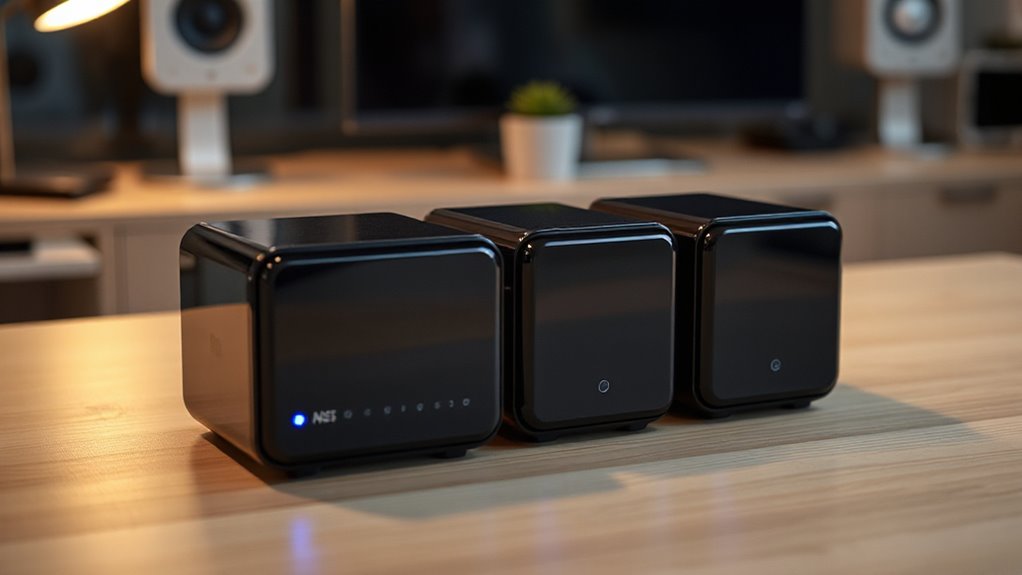

Choosing a 4-bay NAS means balancing raw hardware value against software polish, and that tradeoff defines this category in 2026. The Synology DS425+ stands out as my best overall pick thanks to its refined DSM operating system, strong app ecosystem, and hassle-free setup that makes it the safest choice for most home and small-office buyers. If raw hardware per dollar matters more to you, the QNAP TS-464-8G-US offers PCIe expandability and stronger multimedia muscle, while the UGREEN DXP4800 Plus undercuts the big names with aggressive specs for enthusiasts who don’t mind newer software. The main tension you’ll face: established platforms like Synology cost more for weaker hardware but reward you with maturity and reliability, while challengers like UGREEN, TERRAMASTER, and ACEMAGIC deliver more power for less money with rougher edges. Keep reading for the full breakdown of all eleven models.

Prime made for students and young adults
- Fast, free delivery for dorm and study essentials
- Prime Video and Amazon Music included
- Member-only deals
Key Takeaways
- Synology models (DS425+, DS925+, DS423) consistently deliver the most mature software and easiest setup, but they charge a clear hardware premium — you often get half the RAM and older CPUs compared with UGREEN or TERRAMASTER at the same tier.
- UGREEN dominates the value segment with three of the eleven slots (DXP4800 Plus, GT, and Pro), offering modern Intel CPUs and generous memory that make them the strongest pick for buyers who prioritize specs over ecosystem.
- The QNAP TS-464-8G-US and TERRAMASTER F4-425 are the only mid-range picks with PCIe expansion slots, which matters if you plan to add 10GbE networking or a caching card later instead of replacing the whole unit.
- The Synology DS423 sits apart from every other model here with an ARM processor — it’s the cheapest path into mature NAS software, but buyers wanting Plex transcoding or Docker containers should rule it out immediately.
- ACEMAGIC‘s N3A mini PC hybrid is the most unconventional entry, pairing NAS bays with a full desktop-style PC platform — attractive for tinkerers, but the least turnkey option for anyone who wants appliance-like reliability.
| TERRAMASTER F4-425 4-Bay NAS – Intel x86 Quad-Core CPU, 4GB RAM, Diskless |  | Best for Home Media | Drive bays: 4 | Drive configuration: Diskless | Processor: Intel x86 quad-core | VIEW ON AMAZON | See Our Full Breakdown |
| QNAP TS-464-8G-US 4-Bay Desktop NAS |  | Best for Network Flexibility | Drive bays: 4 | Processor: Intel Celeron N5105/N5095 quad-core, up to 2.9GHz | Memory: 8GB DDR4 | VIEW ON AMAZON | See Our Full Breakdown |
| Synology DS425+ 4-Bay Diskless NAS Media Server |  | Best for Shared Office Files | Drive bays: 4 | Drive configuration: Diskless | Transfer speed: Up to 278 MB/s | VIEW ON AMAZON | See Our Full Breakdown |
| QNAP TS-462A 4-Bay Desktop NAS |  | Best for Snapshot-Based Backups | Drive bays: 4 x 3.5-inch SATA | Memory: 4GB | Processor: Intel quad-core, burst up to 2.9GHz | VIEW ON AMAZON | See Our Full Breakdown |
| Synology DS423 4-Bay Diskless NAS for File Sharing, Backup, Photos, and Surveillance |  | Best for Personal Files and Photos | Model: DS423 | Drive bays: 4 | Drive configuration: Diskless | VIEW ON AMAZON | See Our Full Breakdown |
| UGREEN DXP4800 Plus 4-Bay NAS |  | Best for Fast Home Workflows | Drive bays: 4 | Maximum storage capacity: Up to 144 TB with compatible drives | Processor: Intel 5-core CPU | VIEW ON AMAZON | See Our Full Breakdown |
| ACEMAGIC NAS Mini PC N3A 4-Bay Network Attached Storage (Diskless) |  | Best for OS Flexibility | Storage bays: 4 × 3.5-inch HDD bays and 2 × M.2 PCIe 3.0 NVMe slots | Maximum storage capacity: Up to 136 TB | Memory: 8 GB DDR4 | VIEW ON AMAZON | See Our Full Breakdown |
| Synology DiskStation DS925+ 4-Bay NAS (Diskless) |  | Best for Expandable Storage | Drive bays: 4 | Maximum drives with expansion: 9 | M.2 slots: 2 NVMe | VIEW ON AMAZON | See Our Full Breakdown |
| UGREEN DXP4800 GT 4-Bay Network Attached Storage |  | Best for Creator and Team Workflows | Processor: AMD Ryzen Embedded R2514, 4 cores, 8 threads, up to 3.70 GHz | Memory: 8 GB DDR4, expandable to 64 GB | Drive bays: 4 SATA bays; supports up to 32 TB per bay | VIEW ON AMAZON | See Our Full Breakdown |
| UGREEN NAS DH4300 Plus 4-Bay Network Attached Storage Enclosure |  | Best for Home Photo Backups | Drive bays: 4 | Maximum capacity: Up to 128 TB in RAID 0 with compatible drives | Memory: 8 GB LPDDR4X | VIEW ON AMAZON | See Our Full Breakdown |
| UGREEN NAS DXP4800 Pro 4-Bay Network Attached Storage |  | Best Performance-Ready 4-Bay NAS | Processor: Intel Core i3-1315U, 6 cores, 8 threads, up to 4.5GHz | Memory: 8GB DDR5, expandable to 96GB | Drive bays: 4 HDD bays | VIEW ON AMAZON | See Our Full Breakdown |
| nas storage 4 bay | Drive bays | Memory | Processor |
|---|---|---|---|
| TERRAMASTER F4-425 4-Bay NAS | 4 | 4GB | Intel x86 quad-core |
| QNAP TS-464-8G-US 4-Bay Deskto | 4 | 8GB DDR4 | Intel Celeron N5105/N5095 quad-core, up to 2.9GHz |
| Synology DS425+ 4-Bay Diskless | 4 | — | — |
| QNAP TS-462A 4-Bay Desktop NAS | 4 x 3.5-inch SATA | 4GB | Intel quad-core, burst up to 2.9GHz |
| Synology DS423 4-Bay Diskless | 4 | — | — |
| UGREEN DXP4800 Plus 4-Bay NAS | 4 | 8 GB DDR5 RAM | Intel 5-core CPU |
| ACEMAGIC NAS Mini PC N3A 4-Bay | — | 8 GB DDR4 | — |
| Synology DiskStation DS925+ 4- | 4 | — | — |
| UGREEN DXP4800 GT 4-Bay Networ | 4 SATA bays; supports up to 32 TB per bay | 8 GB DDR4, expandable to 64 GB | AMD Ryzen Embedded R2514, 4 cores, 8 threads, up to 3.70 GHz |
| UGREEN NAS DH4300 Plus 4-Bay N | 4 | 8 GB LPDDR4X | — |
| UGREEN NAS DXP4800 Pro 4-Bay N | 4 HDD bays | 8GB DDR5, expandable to 96GB | Intel Core i3-1315U, 6 cores, 8 threads, up to 4.5GHz |
More Details on Our Top Picks
TERRAMASTER F4-425 4-Bay NAS – Intel x86 Quad-Core CPU, 4GB RAM, Diskless
The TERRAMASTER F4-425 suits a home library that needs more than a place to store files: its Intel quad-core processor supports hardware-level 4K H.265 decoding and media server apps such as Plex, Emby, and Jellyfin. Its 2.5GbE port can speed up transfers on a compatible network, while the stated 21dB(A) noise level favors a shared living space. Compared with the QNAP TS-464-8G-US, it has less installed memory and one listed 2.5GbE connection, so it is a simpler fit for media playback than heavier multi-user workloads. The enclosure is diskless, and its 4GB RAM may constrain multitasking as services grow. I’d choose it for quiet home streaming, not as the most expandable workhorse in this group.
Pros:- Hardware-level 4K H.265 decoding supports a home media server setup
- 2.5GbE can improve transfers on a compatible network
- Stated 21dB(A) noise level suits quieter home spaces
- TRAID and TRAID+ offer flexible storage configurations
Cons:- Diskless setup means drives must be sourced separately
- 4GB RAM may limit demanding multitasking
- One listed 2.5GbE port offers less network flexibility than the QNAP TS-464-8G-US
Best for: Home media-library owners who want 4K playback support, popular server apps, and quiet operation in a shared room
Not ideal for: Users running several demanding apps or virtualized workloads who need more memory and multiple fast network ports
- Drive bays:4
- Drive configuration:Diskless
- Processor:Intel x86 quad-core
- Memory:4GB
- Networking:2.5GbE LAN
- Maximum stated capacity:Up to 120TB (4 x 30TB)
- Media support:Hardware-level 4K H.265 decoding; Plex, Emby, Jellyfin, DLNA
- Noise level:21dB(A)
- Warranty:2 years
Our verdict“Choose the F4-425 for a quiet, media-focused home NAS if its 4GB memory ceiling fits your planned services.”
QNAP TS-464-8G-US 4-Bay Desktop NAS
The QNAP TS-464-8G-US earns its place for buyers who want room to shape a four-bay system around both fast networking and SSD acceleration. Its dual 2.5GbE ports give compatible users options for faster transfers or network configurations, while two M.2 NVMe slots can support cache or SSD pools. Compared with the TERRAMASTER F4-425, it lists twice the installed memory and more network connections, making it the more flexible choice for mixed file sharing and backup duties. The tradeoff is that its 8GB memory tops out at 16GB, and the M.2 slots use PCIe Gen 3 x2 bandwidth. It is also diskless, so buyers need to plan for drives separately. I’d favor it over simpler four-bay boxes when connectivity and expansion options matter more than minimal setup.
Pros:- Dual 2.5GbE ports provide flexible high-speed networking
- Two M.2 PCIe Gen 3 x2 slots support cache or SSD pools
- 8GB DDR4 memory is more generous than the 4GB listed for the TERRAMASTER F4-425
- USB 3.2 Gen 2 Type-A ports support transfers up to 10Gb/s
Cons:- Maximum memory is capped at 16GB
- M.2 slots use PCIe Gen 3 x2 bandwidth
- Drive bays are diskless, requiring a separate drive purchase
Best for: Small offices and technically comfortable home users who need two fast network ports plus M.2 options for cache or SSD pools
Not ideal for: Buyers who want a basic, low-maintenance storage hub or expect to expand memory beyond 16GB
- Drive bays:4
- Processor:Intel Celeron N5105/N5095 quad-core, up to 2.9GHz
- Memory:8GB DDR4
- Maximum memory:16GB DDR4
- Networking:Dual 2.5GbE
- M.2 slots:2 x PCIe Gen 3 x2 NVMe
- USB:USB 3.2 Gen 2 Type-A, up to 10Gb/s
- Encryption:Intel AES-NI
Our verdict“Pick the TS-464-8G-US if dual 2.5GbE and M.2 expansion are central to your four-bay NAS setup.”
Synology DS425+ 4-Bay Diskless NAS Media Server
The Synology DS425+ is a strong match for a small team that needs shared storage alongside a defined set of data protection and surveillance features. The product data lists support for 10 or more concurrent users, automated backups, snapshots, RAID redundancy, and up to 30 IP cameras. That focus makes it a different proposition from the TERRAMASTER F4-425, whose listed strengths center on quiet operation and 4K media decoding. Synology’s stated transfer speed reaches 278 MB/s, but the supplied specifications do not identify its processor, memory, or network interface, which makes hardware comparisons harder. It is also diskless, so drive selection and setup are part of the purchase. I’d shortlist it for a shared office or surveillance setup where the stated software and support features matter more than a detailed hardware spec sheet.
Pros:- Listed support for 10 or more concurrent users
- RAID redundancy, automated backups, and snapshots support data protection
- Supports up to 30 IP cameras
- Includes a 3-year warranty and dedicated technical account management
Cons:- Diskless configuration requires drives to be purchased separately
- The provided specifications omit processor, memory, and network interface details
- The stated transfer speed of up to 278 MB/s may not suit buyers prioritizing higher listed throughput
Best for: Small teams that need shared access for 10 or more users, snapshots, automated backups, or a NAS-based camera system
Not ideal for: Buyers comparing CPU, memory, and network ports closely, since those hardware details are not specified here
- Drive bays:4
- Drive configuration:Diskless
- Transfer speed:Up to 278 MB/s
- Concurrent users:10+
- IP camera support:Up to 30
- Data protection:RAID redundancy, automated backups, and snapshots
- Warranty:3 years
Our verdict“Choose the DS425+ for a shared office or camera system if Synology’s listed protection features outweigh the missing hardware details.”
QNAP TS-462A 4-Bay Desktop NAS
The QNAP TS-462A brings the pieces many backup-minded households or small offices want in one four-bay desktop: hot-swappable trays, snapshot protection, encryption, 2.5GbE, and dual M.2 slots. Snapshots provide a way to preserve file states alongside ordinary backups, while the SSD slots offer a path to caching or tiering. Compared with the QNAP TS-464-8G-US, it lists less memory at 4GB and only one 2.5GbE connection, but it includes a three-year warranty and 10Gbps USB 3.2 Gen 2. The supplied data does not confirm that drives are included, so buyers should check the configuration before planning capacity. Its memory listing also leaves little room for heavier workloads. I’d pick it for structured backup and file sharing, rather than maximum network or memory headroom.
Pros:- Snapshot protection complements backup and file recovery workflows
- Hot-swappable, tool-less trays simplify drive replacement
- 2.5GbE and dual M.2 slots support faster transfers and caching
- 10Gbps USB 3.2 Gen 2 connectivity and a 3-year warranty are listed
Cons:- Only 4GB of memory is listed
- One 2.5GbE connection provides less network flexibility than the QNAP TS-464-8G-US
- Drive inclusion is not specified in the product data
Best for: Home offices and households that prioritize snapshots, encryption, and straightforward drive swapping for backup storage
Not ideal for: Users needing dual 2.5GbE connections or more than 4GB of listed memory for heavier services
- Drive bays:4 x 3.5-inch SATA
- Memory:4GB
- Processor:Intel quad-core, burst up to 2.9GHz
- Networking:2.5GbE
- M.2 slots:2 x M.2 PCIe
- USB:USB 3.2 Gen 2, up to 10Gbps
- Protection:AES-NI encryption and snapshot protection
- Warranty:3 years
Our verdict“The TS-462A fits backup-focused buyers who value snapshots and easy drive swapping more than extra memory or dual fast networking.”
Synology DS423 4-Bay Diskless NAS for File Sharing, Backup, Photos, and Surveillance
The Synology DS423 is aimed at people who want one four-bay home hub for files, photos, backups, and camera footage. Its DiskStation Manager features include private file sharing, photo management, multi-destination backups, and snapshots, giving it a broader home organization role than the TERRAMASTER F4-425, whose supplied details emphasize media playback. The DS423 also supports up to 30 IP cameras, though camera licenses are sold separately. That makes it useful for someone combining personal storage and surveillance, but less appealing if the camera system is the main reason to buy and licensing costs are a concern. The diskless setup means choosing and installing drives yourself, and the supplied specs offer few hardware performance details. I’d choose it for Synology’s home file and photo tools, not for buyers comparing raw hardware capacity.
Pros:- Photo management and private file sharing bring home content into one hub
- Multi-destination backups and snapshots support recovery workflows
- Supports surveillance with up to 30 IP cameras
- Works across devices for file access and sharing
Cons:- Diskless setup requires separate drive purchases
- Camera licenses are sold separately
- Supplied specifications do not detail processor, memory, or networking
Best for: Households organizing personal files and photos who also want backups and the option to add Synology surveillance
Not ideal for: Buyers who want drives included, detailed hardware performance data, or a camera system without separate license purchases
- Model:DS423
- Drive bays:4
- Drive configuration:Diskless
- Maximum IP cameras:30
- Backup features:Multi-destination backups and snapshots
- Software features:Private file sharing and photo management
- Warranty:2 years
Our verdict“Choose the DS423 for Synology’s home file, photo, and backup tools if you’re comfortable supplying drives and licensing any cameras.”
UGREEN DXP4800 Plus 4-Bay NAS
The DXP4800 Plus pairs four drive bays with both 10GbE and 2.5GbE, giving it more network headroom than the 2.5GbE-only Synology DS925+ when the rest of your setup can use it. Its Intel 5-core processor and 8GB of DDR5 memory also suit a home library that may grow into Docker or virtual machine use. Automatic backups, remote access, RAID options, and photo tools cover everyday NAS needs without requiring a separate server for each job. The tradeoff is that drives are sold separately, and a 10GbE port only helps when your router, switch, client, and drives can keep pace. The DS925+ offers expansion to nine drives; this UGREEN is a better fit when fast direct networking matters more than adding a separate expansion unit.
Pros:- 10GbE and 2.5GbE ports give flexible wired network options
- 8GB DDR5 memory and an Intel 5-core CPU support varied home server tasks
- Supports automatic backups, remote access, and RAID
- Photo organization tools plus Docker and virtual machine support
Cons:- Hard drives must be purchased separately
- No Wi-Fi; remote and local access depend on a wired network
- Real transfer rates depend on the network, drives, and connected devices
Best for: Home media and photo users with a 10GbE-capable network who also want room to run Docker or virtual machines
Not ideal for: Buyers who want a ready-to-use system with drives included or who only have Wi-Fi and basic Ethernet equipment
- Drive bays:4
- Maximum storage capacity:Up to 144 TB with compatible drives
- Processor:Intel 5-core CPU
- Memory:8 GB DDR5 RAM
- Ethernet:1 × 10GbE, 1 × 2.5GbE
- Internal SSD:128 GB
- Video output:4K HDMI
- Drive support:2.5-inch and 3.5-inch SATA drives; sold separately
Our verdict“Choose the DXP4800 Plus if you want a capable four-bay home NAS with 10GbE and server applications, and already have compatible drives and network gear.”
ACEMAGIC NAS Mini PC N3A 4-Bay Network Attached Storage (Diskless)
The ACEMAGIC N3A stands apart from appliance-style choices such as the UGREEN DH4300 Plus by letting buyers choose among Windows 11 Pro, TrueNAS, Unraid, and other operating systems. That flexibility can suit someone who wants a NAS that also serves as a light office PC or media server. Four 3.5-inch bays provide bulk storage, while two M.2 NVMe slots and a preinstalled 128GB SSD give room for fast storage or system use. Dual LAN ports include 2.5G and 1G Ethernet with link aggregation support, and dual 4K display outputs widen its desktop role. This is a more hands-on choice: drives are not included, setup depends on the operating system selected, and its 8GB DDR4 memory is less generous than the UGREEN DXP4800 GT’s expandable memory.
Pros:- Supports Windows 11 Pro, TrueNAS, Unraid, and other operating systems
- Four HDD bays plus two M.2 NVMe slots
- Dual LAN ports support link aggregation
- Dual 4K display support and a varied port selection
Cons:- Diskless system requires separate drive purchases and setup
- 8GB DDR4 RAM may limit heavier multitasking compared with memory-expandable systems
- OS flexibility can mean more configuration work for a first-time NAS owner
Best for: Technically confident home users who want to select their NAS operating system and combine storage with a light PC or media server
Not ideal for: Buyers seeking a simple, guided NAS setup or those who prefer a single vendor-managed software environment
- Storage bays:4 × 3.5-inch HDD bays and 2 × M.2 PCIe 3.0 NVMe slots
- Maximum storage capacity:Up to 136 TB
- Memory:8 GB DDR4
- Included SSD:128 GB PCIe 3.0
- Network:Dual LAN: 2.5G and 1G; link aggregation supported
- Operating systems:Windows 11 Pro, TrueNAS, Unraid, and others
- Displays:Dual 4K display support
- Drives included:No
Our verdict“Pick the N3A if choosing your own operating system and using the NAS as a flexible mini PC matter more than a guided, appliance-style setup.”
Synology DiskStation DS925+ 4-Bay NAS (Diskless)
The DS925+ is the most compelling choice here for buyers who expect four bays to stop being enough: it can expand to up to nine drives. Synology’s tools cover file sharing, synchronization, backup, photos, virtualization, and surveillance, giving one system several household or small-office jobs. Its dual 2.5GbE ports support faster wired transfers and network redundancy, though they do not match the dual 10GbE connectivity of the UGREEN DXP4800 GT for high-bandwidth creator workflows. The listed sequential throughput reaches 522 MB/s read and 565 MB/s write, but actual results depend on the rest of the setup. This is a diskless system, and drive compatibility is limited to Synology’s official list, so buyers who value broad drive choice may prefer another model.
Pros:- Expansion support increases capacity beyond the four internal bays
- Synology software supports backup, synchronization, photos, file sharing, and surveillance
- Dual 2.5GbE ports support faster wired networking and redundancy
- Two M.2 NVMe slots
Cons:- Drives are not included
- Drive compatibility is limited to Synology’s official compatibility list
- 2.5GbE ports offer less network bandwidth than the UGREEN DXP4800 GT’s dual 10GbE
Best for: Small offices and growing media libraries that want Synology’s management tools and a path beyond four installed drives
Not ideal for: Buyers who want unrestricted drive compatibility or 10GbE networking for demanding multi-user transfers
- Drive bays:4
- Maximum drives with expansion:9
- M.2 slots:2 NVMe
- Network ports:Dual 2.5GbE
- Sequential throughput:Up to 522 MB/s read and 565 MB/s write
- Configuration:Diskless
- Warranty:3-year limited hardware warranty
Our verdict“Choose the DS925+ if you want Synology’s broad management features and expect to expand beyond four drives over time.”
UGREEN DXP4800 GT 4-Bay Network Attached Storage
For creators and small teams moving large project files, the DXP4800 GT brings dual 10GbE ports and an AMD Ryzen Embedded processor to a four-bay enclosure. That network setup offers more bandwidth potential than the DS925+’s dual 2.5GbE ports, particularly when multiple compatible devices share the NAS. Its 8GB of DDR4 memory can expand to 64GB, and the system supports Docker, virtual machines, surveillance, and SSD additions. The built-in SD card slot and USB connections also give photographers and video teams direct backup options. Those capabilities come with setup choices: Plex requires Docker configuration, and the supplied RAM is non-ECC. Drives are sold separately, so the 144TB headline capacity requires separately sourced compatible drives.
Pros:- Dual 10GbE ports support high-bandwidth wired workflows
- 8GB DDR4 RAM is expandable to 64GB
- SD card slot and USB ports support direct backups
- Supports Docker, virtual machines, surveillance, and SSD expansion
Cons:- Drives are not included
- Preinstalled RAM is non-ECC
- Plex requires Docker setup and manual configuration
Best for: Creators and small teams with a 10GbE network who need fast shared storage, direct card backups, and room for server applications
Not ideal for: Buyers who need ECC memory, want Plex configured without manual work, or do not have compatible drives and network equipment
- Processor:AMD Ryzen Embedded R2514, 4 cores, 8 threads, up to 3.70 GHz
- Memory:8 GB DDR4, expandable to 64 GB
- Drive bays:4 SATA bays; supports up to 32 TB per bay
- Maximum storage capacity:Up to 144 TB
- SSD expansion:Up to 2 U.2 NVMe SSDs in compatible bays and 2 M.2 SSDs, up to 16 TB
- Networking:Dual 10GbE
- Operating system:UGOS Pro
- Drives included:No
Our verdict“Choose the DXP4800 GT for a creator or team NAS that can use dual 10GbE and expandable memory, and accept some hands-on setup.”
UGREEN NAS DH4300 Plus 4-Bay Network Attached Storage Enclosure
The DH4300 Plus is the home-focused pick for buyers who mainly want shared storage and a tidier way to manage phone photos. Its automatic backup, AI albums, semantic search, and duplicate removal provide a more photo-oriented pitch than the ACEMAGIC N3A, whose main appeal is operating-system flexibility and desktop use. A 2.5GbE port offers a useful wired connection for transfers, while apps support computers, phones, browsers, and smart TVs. It also supports Docker, but lacks virtual machine support, so it is less suited to users building a more varied home server than the UGREEN DXP4800 Plus. Storage drives are sold separately, and 128TB is specified for RAID 0, a configuration that prioritizes capacity over redundancy.
Pros:- Automatic photo backup with AI albums, semantic search, and duplicate removal
- Works with Windows, macOS, Android, iOS, browsers, and smart TVs
- 2.5GbE wired networking and 4K HDMI output
- Docker support for additional applications
Cons:- Drives are sold separately
- No Wi-Fi support
- Does not support virtual machines
Best for: Households that want automatic photo backups, searchable albums, and shared media access across phones, computers, and TVs
Not ideal for: Homelab users who need virtual machines, Wi-Fi connectivity, or RAID 0 capacity without understanding its lack of redundancy
- Drive bays:4
- Maximum capacity:Up to 128 TB in RAID 0 with compatible drives
- Memory:8 GB LPDDR4X
- Network:2.5GbE wired Ethernet
- Wireless:No Wi-Fi
- Video output:4K HDMI
- Application support:Docker supported; virtual machines not supported
- Photo features:Automatic backup, AI albums, semantic search, and duplicate removal
Our verdict“Pick the DH4300 Plus if household photo backup and easy media access matter more than virtual machines or flexible networking.”
UGREEN NAS DXP4800 Pro 4-Bay Network Attached Storage
I place the UGREEN NAS DXP4800 Pro as the Best Performance-Ready 4-Bay NAS because it pairs an Intel Core i3-1315U with 8GB DDR5 memory and expansion headroom that many rivals do not match. Compared with the Synology DS425+, this model leans harder into 10GbE networking, Docker, and virtual-machine workloads, making it a stronger fit for labs, media libraries, and small-office file services. The dual 10GbE and 2.5GbE ports matter if fast local transfers are a priority, while the two PCIe 4.0 M.2 slots support cache or fast pools. The tradeoff is that UGOS Pro may feel less familiar than Synology’s long-established software, and the unit is diskless, so buyers must plan for drives and capacity separately. For me, this is the 4-bay pick when hardware ceiling matters more than a deeply mature app ecosystem.
Pros:- Supports Docker and virtual machines for advanced workloads
- Includes 10GbE and 2.5GbE ports for faster network transfers
- Expandable DDR5 memory up to 96GB supports heavier multitasking
- Two PCIe 4.0 M.2 slots add caching or fast storage options
Cons:- Diskless design means hard drives and SSDs must be purchased separately
- UGOS Pro may feel less familiar than Synology DSM or QNAP QTS
- The hardware level may be excessive for simple backup-only use
Best for: Home-lab users and small studios that need a 4-bay NAS for Docker, virtual machines, and fast 10GbE file transfers
Not ideal for: Casual users who want the most polished, long-established NAS software experience may prefer a Synology model instead
- Processor:Intel Core i3-1315U, 6 cores, 8 threads, up to 4.5GHz
- Memory:8GB DDR5, expandable to 96GB
- Drive bays:4 HDD bays
- Maximum capacity:Up to 144TB (4 HDDs and 2 M.2 SSDs)
- Network ports:10GbE and 2.5GbE
- M.2 slots:2 PCIe 4.0 SSD slots
- RAID modes:0, 1, 5, 10
- Operating system:UGOS Pro
- User accounts:Up to 2048
Our verdict“Choose this 4-bay NAS when you want strong CPU headroom, 10GbE connectivity, and virtualization support more than the most established software ecosystem.”
How We Picked
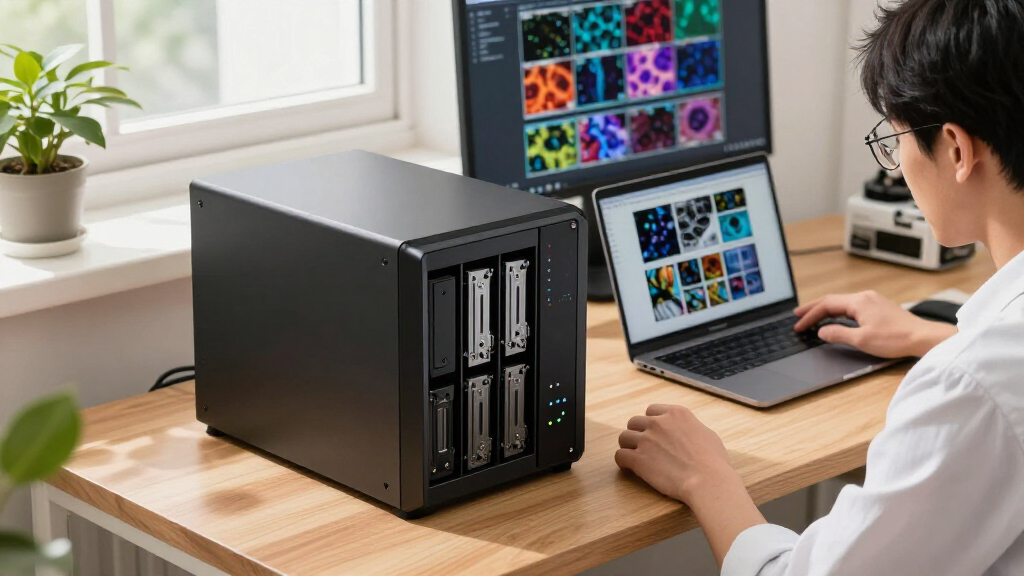
I evaluated each 4-bay unit across four dimensions that actually shape long-term ownership: hardware headroom (CPU architecture, RAM capacity and upgradability, drive-speed support, and expansion options like PCIe or M.2 slots), software maturity (how polished, documented, and secure the operating system is, and how active the app ecosystem remains), ease of ownership (setup flow, drive replacement, noise and power behavior on a desk or shelf), and versatility (multimedia transcoding, virtualization, surveillance support, and cloud backup integrations). A NAS is a multi-year purchase, so I weighted longevity factors — like whether you can upgrade RAM or add faster networking later — more heavily than launch-day specs.
The ranking logic follows buyer profiles rather than raw benchmark scores. Models with balanced hardware and dependable software sit at the top; models that excel in one dimension but compromise in another (cheaper software ecosystems, weaker CPUs, or niche form factors) are placed and labeled according to who they suit. Where two products overlap closely, such as the three UGREEN DXP4800 variants, I separated them by the specific spec differences that justify choosing one over another.
| nas storage 4 bay | Processor |
|---|---|
| TERRAMASTER F4-425 4-Bay NAS | Intel x86 quad-core |
| QNAP TS-464-8G-US 4-Bay Deskto | Intel Celeron N5105/N5095 quad-core, up to 2.9GHz |
| Synology DS425+ 4-Bay Diskless | — |
| QNAP TS-462A 4-Bay Desktop NAS | Intel quad-core, burst up to 2.9GHz |
| Synology DS423 4-Bay Diskless | — |
| UGREEN DXP4800 Plus 4-Bay NAS | Intel 5-core CPU |
| ACEMAGIC NAS Mini PC N3A 4-Bay | — |
| Synology DiskStation DS925+ 4- | — |
| UGREEN DXP4800 GT 4-Bay Networ | AMD Ryzen Embedded R2514, 4 cores, 8 threads, up to 3.70 GHz |
| UGREEN NAS DH4300 Plus 4-Bay N | — |
| UGREEN NAS DXP4800 Pro 4-Bay N | Intel Core i3-1315U, 6 cores, 8 threads, up to 4.5GHz |
Factors to Consider When Choosing Nas Storage 4 Bay
A 4-bay NAS is a long-term commitment — most buyers keep one for five to seven years — so the decision deserves more scrutiny than a spec-sheet comparison. These are the factors that separate a satisfying purchase from a frustrating one.CPU Architecture Determines What Your NAS Can Actually Do
The single most consequential spec is the processor, and not just its speed. An ARM chip like the one in the Synology DS423 handles file sharing and backups beautifully but collapses when asked to transcode video or run containers. Modern Intel x86 quad-core CPUs — found in everything from the TERRAMASTER F4-425 to the UGREEN lineup — open up Plex hardware transcoding, Docker containers, and virtual machines. A common mistake is buying the cheapest capable-looking unit, then discovering a year later that it can’t run the media server or photo app you wanted. If there’s any chance your needs will grow, pay for x86 headroom now; upgrading a CPU later means replacing the entire NAS, drives and all. The reverse mistake also exists: enthusiasts who only need backup storage routinely overbuy CPU power they’ll never touch, paying extra for a premium they can’t use.
RAM: What Ships Versus What You Can Add
Memory dictates how many simultaneous tasks your NAS can juggle, and manufacturers play games here. Some units ship with 4GB soldered or non-standard memory that limits you forever, while others include standard SODIMM slots that accept cheap aftermarket upgrades. QNAP and UGREEN tend to be generous and upgradable; several Synology models accept third-party RAM even when the company only officially supports smaller configurations. Running photo indexing, surveillance recording, and Docker containers together can consume 8GB quickly, so a unit that starts at 4GB but can reach 16GB is a safer long-term bet than a fixed 8GB configuration. Check upgrade paths before buying, not after — some compact chassis make memory access genuinely awkward. The cheapest strategy is often buying a lower-RAM SKU and upgrading yourself with standard laptop memory.
Software Ecosystem vs. Hardware Value: The Core Tradeoff
This is the decision that defines the whole category. Synology’s DSM and QNAP’s QTS are mature platforms with years of security patches, polished mobile apps, and communities that have already solved almost any problem you’ll hit. Newer challengers like UGREEN’s UGOS and TERRAMASTER’s TOS offer surprisingly capable interfaces and better hardware per dollar, but their app catalogs are thinner, update histories are shorter, and long-term support is an open question. Buyers who want a set-and-forget appliance should weight software maturity heavily; tinkerers who enjoy configuring things themselves lose far less by choosing a challenger brand. A useful test: search for the specific app or feature you need (surveillance licenses, cloud sync targets, photo face recognition) and see which platforms support it well before committing. Hardware becomes obsolete slowly; a bad software experience frustrates you every single day.
Expansion Slots Future-Proof Your Purchase
M.2 NVMe slots and PCIe expansion bays are the difference between a NAS that lasts three years and one that lasts seven. M.2 slots let you add SSD caching or even fast SSD storage pools later, which dramatically speeds up photo libraries and databases. PCIe slots — available on the QNAP TS-464 and TERRAMASTER F4-425 — allow a 10GbE network card when your network grows beyond gigabit, which is increasingly common as 2.5GbE becomes standard on new computers. Units without any expansion path force a full replacement when your requirements change. The mistake most buyers make is evaluating only today’s needs: gigabit networking feels fine until you’re moving 4TB of video between machines. Spending modestly more upfront for expandable networking and caching options is usually cheaper than replacing the entire enclosure in three years.
Drive Bays Are Only Part of the Capacity Story
Four bays supports several RAID configurations, and the one you choose determines usable capacity. RAID 5 across four drives gives you three drives’ worth of space with one-drive failure protection; RAID 6 or SHR-2 tolerates two failures, which matters more as drive capacities grow and rebuild times stretch past a day. Synology’s Hybrid RAID is genuinely friendlier for beginners because it mixes drive sizes efficiently, while most other platforms require matching drives for clean arrays. Also check maximum drive capacity support — most modern units accept 20TB+ drives, but budget enclosures sometimes cap lower. And remember that drives are never included with these units; budget for NAS-rated drives (WD Red Plus, Seagate IronWolf class), because desktop drives in a 24/7 NAS tend to fail early and often. The enclosure is a fraction of the total system cost.
Noise, Power Draw, and Where It Lives
A NAS runs constantly, so its placement shapes your satisfaction more than buyers expect. Fan noise varies meaningfully between models — some are near-silent on a desk, while others produce an audible hum that rules out bedroom or living-room placement. Power consumption matters too: an efficient ARM unit might draw 10-15 watts idle while a quad-core x86 box with drives can pull double that, adding up over years of 24/7 operation. Check whether the chassis supports tool-less drive installation if you expect to swap drives, and look at rear connector placement if you’ll tuck it into a tight shelf. Buyers moving from cloud subscriptions often forget that a NAS is an always-on appliance: position it near your router with wired ethernet, because Wi-Fi-connected NAS units deliver a compromised experience regardless of how good the hardware is.
Frequently Asked Questions
Should I choose Synology’s software or UGREEN’s better hardware for the same money?
This depends almost entirely on how hands-on you want to be. Synology’s DSM remains the most polished NAS operating system available, with mature photo management, surveillance licensing, and backup tools that rarely surprise you — but the hardware underneath is often a generation behind and less generous on RAM. UGREEN’s DXP4800 series delivers modern Intel CPUs, more memory, and faster networking for comparable money, with UGOS improving quickly but still younger and less battle-tested. If you’re configuring things yourself, reading forums, and value raw capability, UGREEN’s hardware advantage wins. If you want an appliance your household can rely on without your intervention, Synology’s software maturity is worth the spec compromise.
Is the ARM-based Synology DS423 too slow for a home NAS?
For pure file serving, backups, and photo storage, no — the DS423 handles those tasks without breaking a sweat, and its efficiency keeps power bills and fan noise low. The limitation appears the moment you ask it to do CPU-heavy work: hardware video transcoding for Plex, running Docker containers, or serving as a surveillance station with multiple cameras will expose its ceiling quickly. It also lacks the expansion slots that x86 siblings offer, so there’s no upgrading your way out of that limit later. The right framing is workload, not speed: a household that stores and streams direct-play media files will be perfectly happy, while anyone planning to build a media server or home-lab platform should step up to an x86 model.
Do I need 10GbE or is gigabit networking enough for a 4-bay NAS?
Gigabit is still adequate for most households — it moves files at roughly 110MB/s, which saturates easily with four spinning drives in RAID. The case for faster networking comes with specific triggers: regularly transferring large video projects, editing media directly off the NAS, or several users hitting it simultaneously. If those apply, look at units with built-in 2.5GbE (increasingly standard on UGREEN and QNAP models) as a sensible middle ground, since 2.5GbE delivers 2.5x gigabit speeds with cheap switches and adapters. True 10GbE generally requires a PCIe slot, like those on the QNAP TS-464 or TERRAMASTER F4-425, plus pricier networking gear. A common mistake is paying for 10GbE capability while the rest of the network — switches, computers, cabling — can’t use it.
What makes the three UGREEN DXP4800 models different from each other?
The DXP4800 lineup is tiered by processor class and expansion, and the differences are more practical than they first appear. The Plus is the value entry point with a capable modern Intel CPU and solid baseline specs for everyday NAS duty. The Pro steps up to a stronger processor and typically more memory headroom, which matters for Docker workloads and concurrent users. The GT sits at the performance end, aimed at buyers treating the NAS as a compact home server rather than just storage. All three share UGOS software and similar four-bay chassis, so the decision is purely about compute needs. If you’re mainly storing files and photos, the Plus is the rational buy; the higher tiers only earn their premium when you’re running demanding services.
Is a NAS mini PC hybrid like the ACEMAGIC N3A a smart buy?
It can be, for a specific type of buyer. The N3A’s appeal is flexibility: it functions as a full Windows-capable mini PC with four drive bays, so you can run any software you want rather than being locked into a NAS vendor’s ecosystem. That makes it attractive for tinkerers, people with existing software preferences, or anyone who wants one box to serve as both a desktop and storage server. The tradeoffs are real, though: you lose the polished appliance experience, mobile apps, and one-click backup integrations that dedicated NAS platforms provide, and you become your own IT department for updates and redundancy. For most buyers seeking a straightforward storage solution, a purpose-built NAS from Synology, QNAP, or UGREEN is the safer path. The hybrid approach rewards technical users and frustrates everyone else.
Conclusion
After comparing all eleven models, the right choice maps cleanly to buyer type. For best overall, the Synology DS425+ balances capable x86 hardware with the most dependable software in the category — it’s the pick I’d recommend to most households and small offices. The best value award goes to the UGREEN DXP4800 Plus, which delivers modern specifications that embarrass more expensive name-brand units. For best premium, the Synology DS925+ justifies its price with expansion options and a platform built to last years, while the QNAP TS-464-8G-US is the smarter premium choice if PCIe expansion and 8GB of RAM out-of-box matter more to you than ecosystem polish.
Best for beginners is a close call between the Synology DS423 and the QNAP TS-462A: the DS423 wins for set-and-forget simplicity, but skip it if media transcoding is on your roadmap. For specific needs, the TERRAMASTER F4-425 suits upgraders who want PCIe expansion on a budget, the UGREEN DXP4800 GT targets home-lab builders wanting maximum compute, the DXP4800 Pro fits multi-user Docker workloads, the DH4300 Plus works for minimalists who want simple network storage, and the ACEMAGIC N3A serves tinkerers who want a PC-hybrid rather than an appliance. Match the pick to your actual workload — that’s what separates a satisfying NAS purchase from an expensive regret.
Fall Picks
fall essentials
As an affiliate, we earn on qualifying purchases.