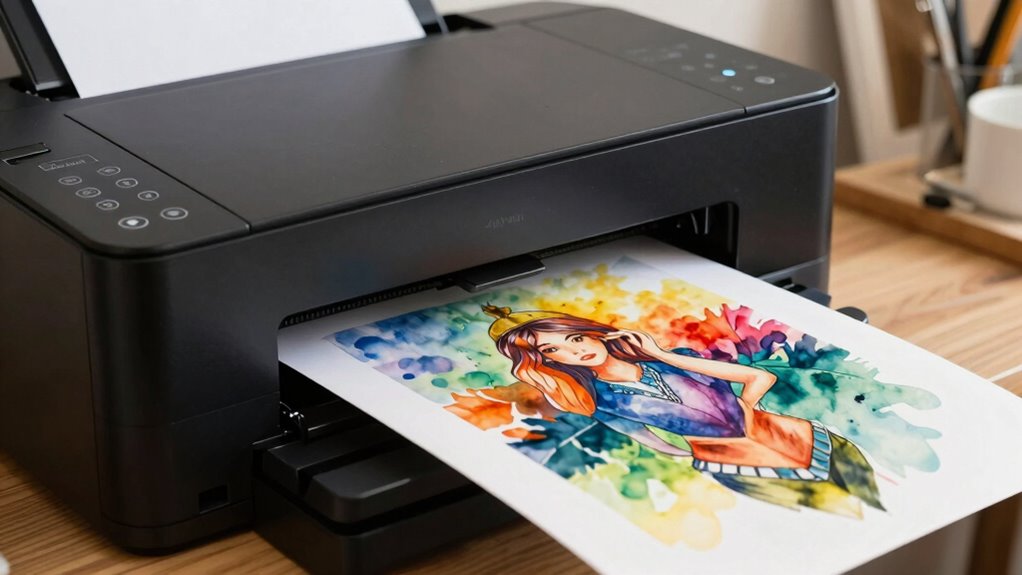

Before buying a 24-inch printer for art reproduction, you should check its print head technology, resolution, and media handling capabilities to guarantee it can produce fine details and handle various paper types. Verify ink compatibility, especially if you want vibrant, durable colors, and consider ink longevity for lasting artwork. Regular maintenance and support for automatic cleaning also help keep the machine running smoothly. Keep exploring to discover more tips for choosing the right printer.

Prime made for students and young adults
- Fast, free delivery for dorm and study essentials
- Prime Video and Amazon Music included
- Member-only deals
Key Takeaways
- Ensure the printer supports high resolution (at least 1440 dpi) for detailed art reproduction.
- Verify compatibility with high-quality, media-specific inks (dye or pigment-based) for vibrant, durable prints.
- Check media handling capabilities for various paper or canvas types and thicknesses.
- Consider print head technology and maintenance needs for consistent, reliable output.
- Confirm connectivity options and color profile support for seamless integration and accurate color matching.

If you’re looking to reproduce artwork with professional quality, a 24-inch printer can be an excellent choice. But before you make your purchase, it’s essential to understand what’s involved in maintaining the printer and ensuring ink compatibility. Proper printer maintenance is vital for consistent, high-quality results. Regularly cleaning the print heads prevents clogs and smudging, especially if you switch between different types of media or inks. Many models feature automatic cleaning cycles, but you’ll need to perform manual cleanings periodically, particularly if you notice streaks or color inconsistencies. Additionally, keeping the printer’s interior dust-free and using high-quality paper can extend the lifespan of your device and maintain ideal print quality.
Another key aspect to consider is ink compatibility. Not all inks are created equal, and selecting the right inks for your printer and artwork is essential. Some printers are compatible with a wide range of ink brands, giving you flexibility based on your budget and color needs. Others may require proprietary inks, which can be more expensive but are often formulated to perform best with specific models. Compatibility issues can lead to poor color accuracy, clogging, or even damage to the print head. Before purchasing, verify which inks are supported and whether refillable cartridges are available, as this can greatly reduce ongoing costs. You’ll also want to consider the color gamut and longevity of different ink types—whether dye-based or pigment-based—since these factors influence the vibrancy and durability of your reproductions. Ensuring the ink compatibility aligns with your artistic goals is crucial for achieving optimal results. Moreover, understanding the print head technology can help you select a model that ensures consistent ink flow and quality over time. Familiarity with maintenance routines can also help you troubleshoot potential issues early and keep your printer functioning at peak performance.
Beyond maintenance and ink, pay attention to the printer’s resolution and color management features. A higher dpi (dots per inch) ensures fine detail and sharpness in your reproductions, while advanced color profiles can help you match colors more accurately to your original artwork. Connectivity options and media handling capabilities are also important. Make sure the printer can handle the types and thicknesses of paper or canvas you plan to use, and check for compatibility with your computer or design software.
24 inch professional photo printer
As an affiliate, we earn on qualifying purchases.
As an affiliate, we earn on qualifying purchases.
Frequently Asked Questions
What Is the Typical Lifespan of a 24-Inch Printer?
A 24-inch printer generally lasts around 3 to 5 years, depending on usage and maintenance. You can expect good printer durability if you regularly service it and use quality ink, which also impacts ink longevity. Properly caring for your printer guarantees it stays in top condition longer, allowing you to produce high-quality art reproductions without frequent replacements. Keep up with manufacturer guidelines for best lifespan and performance.
Are There Specific Brands Known for Art Reproduction?
You should look for brands with a strong reputation for art reproduction, like Epson and Canon. These brands are known for their exceptional print resolution, ensuring detailed and vibrant reproductions. Their printers often feature advanced ink systems and color accuracy, which are essential for high-quality art prints. By choosing a reputable brand with high print resolution, you’ll get consistent, professional results that meet your artistic standards.
How Much Does Maintenance and Ink Replacement Cost Annually?
You can expect to spend around $200 to $400 annually on maintenance and ink replacement, depending on usage and ink durability. Regular maintenance frequency is essential to keep your printer running smoothly and to guarantee high-quality art reproduction. Ink costs vary with the type of ink and brand you choose, so investing in high-quality, durable inks can reduce the need for frequent replacements and maintain vibrant, lasting prints.
Can These Printers Handle Various Art Mediums Effectively?
You’ll find these printers handle a vast array of art mediums with surprising ease, almost like they’re magic! They excel in color accuracy, capturing every hue vividly, and boast incredible ink compatibility, letting you reproduce everything from watercolor to acrylic flawlessly. While some may push limits, most 24-inch printers are versatile enough to bring your artistic visions to life across various mediums, making them invaluable tools for artists seeking professional-quality results.
What Are the Best Practices for Calibrating Art Printers?
You should regularly calibrate your art printer to maintain ideal color accuracy. Follow the manufacturer’s guidelines for calibration frequency—typically monthly or after changing ink or media. Use professional calibration tools or software to create accurate color profiles. Always print test images to check for color consistency, adjusting settings as needed. Consistent calibration ensures your prints match your original artwork’s colors, leading to professional, high-quality reproductions.
high resolution art reproduction printer
As an affiliate, we earn on qualifying purchases.
As an affiliate, we earn on qualifying purchases.
Conclusion
Before you buy a 24-inch printer for art reproduction, remember to take into account color accuracy, print resolution, and ink longevity. Investing in quality guarantees your artwork remains true to the original and lasts over time. Don’t just rely on specs—test printers with your artwork if possible. Think of it like choosing the perfect brush: the right tool will bring your artistic vision to life and stand the test of time.
inkjet printer for canvas and photo paper
As an affiliate, we earn on qualifying purchases.
As an affiliate, we earn on qualifying purchases.
automatic print head cleaning printer
As an affiliate, we earn on qualifying purchases.
As an affiliate, we earn on qualifying purchases.
Halloween Picks
halloween
As an affiliate, we earn on qualifying purchases.