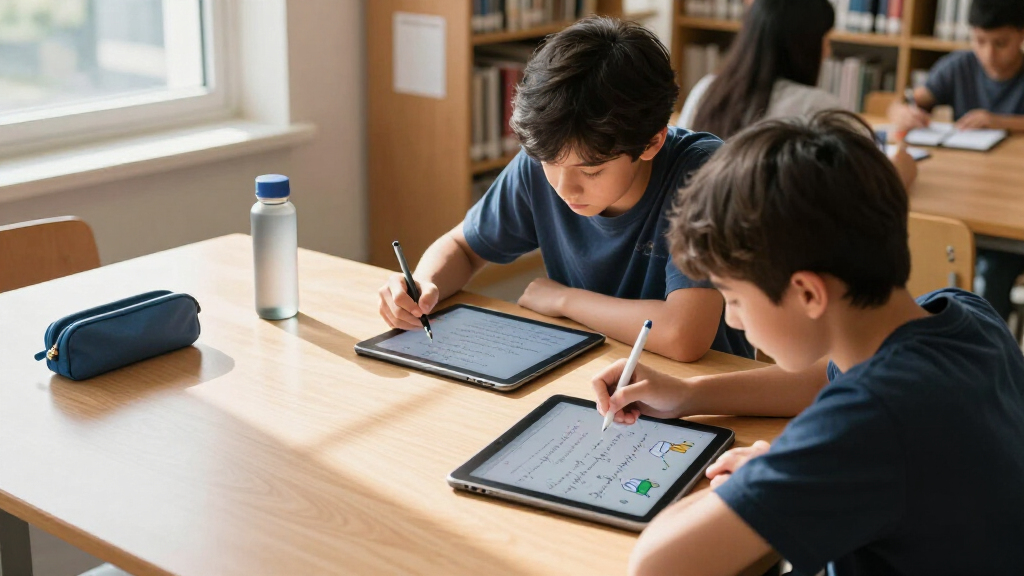

For students who want handwritten notes without carrying stacks of paper, the XPPen Magic Note Pad is the strongest all-around choice here: it combines a large writing area with Android tablet functions. The reMarkable Paper Pure suits students who want a focused digital paper experience, while the HUION Note offers a more notebook-like route with syncing. The main tradeoff is between simple, distraction-light LCD boards and digital notebooks or tablets that can save, organize, and share notes. Screen size, syncing needs, and whether a device can handle coursework beyond handwriting all affect the fit. Read on for the full comparison and picks by student type.

Prime made for students and young adults
- Fast, free delivery for dorm and study essentials
- Prime Video and Amazon Music included
- Member-only deals
Key Takeaways
- The XPPen Magic Note Pad is the most versatile pick because it pairs handwriting with Android tablet functions; students who only need a quick scratchpad may find that capability unnecessary.
- reMarkable Paper Pure is the focused note-taking choice, while the XPPen Magic Note Pad is better suited to students who also want general tablet features.
- HUION Note, XPPen Note Plus, and the Yuan set center on saving or syncing handwritten work; check each workflow against the devices and apps a student already uses.
- The 6.5-inch AYIYAKE and larger LCD boards serve different classroom jobs: the compact board is easy to carry, while 14.3- and 16-inch options give more room for diagrams and shared work.
- Several listings are variations on a small number of device types, including multiple Ophaya smart pen sets and two reMarkable bundles, so compare the underlying writing workflow before choosing by bundle name.
| XPPen Note Plus Digital Notebook with Phone Sync |  | Best for Paper-First Digital Notes | Paper size: A5 | Connectivity: Bluetooth 5.3 | Pen pressure sensitivity: 8192 levels | VIEW LATEST PRICE | See Our Full Breakdown |
| AYIYAKE LCD Writing Tablet, 6.5-Inch |  | Best for Simple, Portable Practice | Screen size: 6.5 inches | Dimensions: 6.5 × 6 inches | Weight: 2.65 oz | VIEW LATEST PRICE | See Our Full Breakdown |
| Ophayapen 3-in-1 Smart Pen with Digital Notebook and Writing Board |  | Best for Recorded, Searchable Lecture Notes | Model: SMP-3 | Connectivity: USB-C; syncs with iOS and Android app | Included notebook: PU notebook, 60 sheets | VIEW LATEST PRICE | See Our Full Breakdown |
| reMarkable Paper Pure Tablet with Marker Plus and Desert Pink Sleeve Folio |  | Best Premium Pick for Focused Study | Display: 10.3-inch black-and-white | Generation: Third generation | Digital ink response time: 21 ms | VIEW LATEST PRICE | See Our Full Breakdown |
| reMarkable Paper Pure with Marker Plus and Ocean Blue Sleeve Folio |  | Best for Document Review | Display: 10.3-inch, third-generation black-and-white | Digital ink response time: 21 ms | Included accessories: Marker Plus and Ocean Blue Sleeve Folio | VIEW LATEST PRICE | See Our Full Breakdown |
| Ophaya Smart Pen Digital Notebook and Board Writing Set |  | Best for Searchable Lecture Notes | Brand: OPHAYA | Compatibility: iOS and Android | Included writing tools: Smart pen, notebook, writing board, 2 writing board styluses | VIEW LATEST PRICE | See Our Full Breakdown |
| Ksequ 10.5-Inch Double-Sided LCD Writing Tablet |  | Best for Shared Study Notes | Display: LCD | Screen size: 10.5 inches | Design: Double-sided full screen | VIEW LATEST PRICE | See Our Full Breakdown |
| 16-Inch LCD Writing Tablet, 2-Pack, Black |  | Best for Two-Student Practice | Screen size: 16 inches | Quantity: 2 tablets | Display: Pressure-sensitive LCD | VIEW LATEST PRICE | See Our Full Breakdown |
| Yuan Digital Sync Pen and Smart Notebook Set |  | Best for Offline Paper Capture | Brand: Yuan | Item weight: 673 g | Battery life: Up to 8 hours | VIEW LATEST PRICE | See Our Full Breakdown |
| 14.3-Inch Foldable LCD Writing Tablet with Lock |  | Best for Protected Carrying | Screen size: 14.3 inches | Design: Foldable, bezel-free | Display: Single-color green lines on a dark background | VIEW LATEST PRICE | See Our Full Breakdown |
| XPPen Magic Note Pad 10.95-Inch Android Tablet with X3 Pro Pencil |  | Best for Digital-First Students | Screen size: 10.95 inches | Display: AG nano-etched LCD with TCL NXTpaper 3.0 technology | Refresh rate: 90Hz | VIEW LATEST PRICE | See Our Full Breakdown |
| HUION Note Digital Notebook with Real-Time and Offline Sync |  | Best for Students Who Prefer Paper | Notebook size: A5 | Notebook pages: 50 | Connectivity: Bluetooth 5.0 | VIEW LATEST PRICE | See Our Full Breakdown |
| Ophayapen Digital Smart Pen and Writing Board Set |  | Best for Phone-Based Note Capture | Compatibility: iOS and Android smartphones | Note formats: PDF, Word, PNG, GIF, MP4 | Offline storage: Yes; saved content uploads when reconnected | VIEW LATEST PRICE | See Our Full Breakdown |
| digital handwriting tablets for student | Display |
|---|---|
| XPPen Note Plus Digital Notebo | — |
| AYIYAKE LCD Writing Tablet | LCD |
| Ophayapen 3-in-1 Smart Pen wit | — |
| reMarkable Paper Pure Tablet w | 10.3-inch black-and-white |
| reMarkable Paper Pure with Mar | 10.3-inch, third-generation black-and-white |
| Ophaya Smart Pen Digital Noteb | — |
| Ksequ 10.5-Inch Double-Sided L | LCD |
| 16-Inch LCD Writing Tablet | Pressure-sensitive LCD |
| Yuan Digital Sync Pen and Smar | — |
| 14.3-Inch Foldable LCD Writing | Single-color green lines on a dark background |
| XPPen Magic Note Pad 10.95-Inc | AG nano-etched LCD with TCL NXTpaper 3.0 technology |
| HUION Note Digital Notebook wi | — |
| Ophayapen Digital Smart Pen an | — |
More Details on Our Top Picks
XPPen Note Plus Digital Notebook with Phone Sync
Real paper with phone sync makes the XPPen Note Plus a fit for students who think best with pen on a page but want searchable digital copies afterward. It captures writing offline and syncs when the phone reconnects, so a weak classroom connection need not interrupt note-taking. Compared with the Ophayapen 3-in-1 Smart Pen, the XPPen centers on a swappable A5 notebook and straightforward exports rather than audio-linked notes and handwriting recognition. That simpler workflow may suit lecture notes, but students who need searchable transcription or recorded explanations may prefer Ophayapen. The tradeoffs are the matching dedicated pen and limited phone compatibility: Android 10 or later and iOS 14 or later are required. Its 14-hour writing time also means charging needs a place in a student’s routine.
Pros:- Captures handwritten notes on real A5 paper and syncs them to a phone
- Stores notes offline and syncs after reconnecting
- Supports compatible A5 notebook cores up to 8 mm thick
- Offers note search, cloud backup, and PNG or PDF export
Cons:- Requires the dedicated matching ink pen
- Requires Android 10 or later or iOS 14 or later
- Continuous writing time is 14 hours, so regular charging is part of ownership
Best for: Students who prefer writing on A5 paper and want their notes synced and exported to a compatible phone
Not ideal for: Students who need handwriting-to-text conversion, audio-linked notes, or a tablet that works without a compatible smartphone
- Paper size:A5
- Connectivity:Bluetooth 5.3
- Pen pressure sensitivity:8192 levels
- Phone compatibility:Android 10.0 or later; iOS 14.0 or later
- Weight:350 g
- Continuous writing time:14 hours
- Compatible notebook cores:A5-sized, up to 8 mm thick
- Export formats:PNG, PDF
Our verdict“Choose the XPPen Note Plus if you want the feel of an A5 paper notebook with phone syncing and can work within its app and pen requirements.”
AYIYAKE LCD Writing Tablet, 6.5-Inch
The 6.5-inch reusable LCD gives the AYIYAKE a narrow role: quick writing, doodles, and basic learning exercises when carrying a full notebook feels unnecessary. At 2.65 ounces, it is easier to tuck into a school bag than the reMarkable Paper Pure, which is built for longer notes and document review. That portability comes with a clear limit: the small screen is poorly suited to lecture-length notes, diagrams that need room, or reading course PDFs. The product data lists USB connectivity and Windows compatibility, but does not explain whether it transfers writing to a computer or how power works. Students should treat it as a reusable writing surface, not assume it saves or syncs class notes. It is a simpler pick than the phone-linked XPPen Note Plus, but also offers fewer documented digital study tools.
Pros:- Weighs just 2.65 ounces for easy carrying
- Reusable LCD surface can reduce paper use for short exercises
- Includes a stylus for writing and drawing
- Compact format suits travel and quick classroom activities
Cons:- The 6.5-inch screen leaves little room for longer notes or diagrams
- Product details do not clarify whether USB enables computer transfer
- Power or charging requirements are not specified
Best for: Students who want a lightweight screen for short practice problems, reminders, or travel doodling
Not ideal for: Students who need to keep, search, sync, or review substantial lecture notes and documents
- Screen size:6.5 inches
- Dimensions:6.5 × 6 inches
- Weight:2.65 oz
- Display:LCD
- Connectivity:USB
- Compatible operating system:Windows
- Included input:Stylus
- Warranty:6 months
Our verdict“Pick the AYIYAKE for brief, portable writing tasks, but choose a sync-capable notebook or larger tablet for saved class notes.”
Ophayapen 3-in-1 Smart Pen with Digital Notebook and Writing Board
Handwriting recognition and linked audio give this Ophayapen a study-focused edge for students who want to revisit what a lecturer said alongside their written notes. It can capture notes offline, then sync to the iOS or Android app, with exports including PDF and Word. Compared with the XPPen Note Plus, which emphasizes a swappable A5 paper notebook and phone sync, the Ophayapen adds OCR and audio recording; that makes it more capable for review, while also making the app central to the experience. Its set includes a 60-sheet notebook and writing board, but the product details do not specify a screen size or battery life, so it is harder to judge portability and day-long readiness. Students who want a simple paper-to-phone workflow may find XPPen less involved; those who value searchable, audio-linked study material may find the extra features useful.
Pros:- Converts handwriting to text and supports searchable notes
- Links audio recordings to written notes for later review
- Stores notes offline and uploads them after reconnecting
- Includes a notebook, writing board, refills, and plastic pen nibs
Cons:- Requires the Ophaya Pro+ app for syncing and digital features
- Product data does not specify battery life or display dimensions
- Digital sharing and search depend on using the companion app
Best for: Students who record lectures and want written notes converted to searchable text in a mobile app
Not ideal for: Students who avoid companion apps or want clearly specified battery life and display details before choosing a device
- Model:SMP-3
- Connectivity:USB-C; syncs with iOS and Android app
- Included notebook:PU notebook, 60 sheets
- Included writing tools:Smart pen, writing board, 4 ballpoint refills, 2 plastic pen nibs
- Handwriting features:OCR handwriting recognition and searchable notes
- Audio:Audio recording linked to notes
- Offline storage:Supported
- Supported file formats:PDF, Word, PNG, GIF, MP4
Our verdict“Choose the Ophayapen if searchable notes and audio-linked lecture review matter more than a clearly documented, app-light setup.”
reMarkable Paper Pure Tablet with Marker Plus and Desert Pink Sleeve Folio
The 10.3-inch black-and-white display gives students room to annotate readings, sketch diagrams, and keep handwritten notes in one focused workspace. Its 21 ms digital ink response supports a more immediate writing feel than the small AYIYAKE LCD, while the included Marker Plus and sleeve folio make this bundle ready for carrying between classes. Handwriting conversion, tags, folders, and app integrations help turn handwritten material into something easier to organize and share. The tradeoff is a study tool centered on monochrome documents: students who rely on color-coded diagrams or rich media may be better served by the XPPen Magic Note Pad, which runs Android. Some cloud storage and features also require a Connect subscription, so the included device experience should be weighed against the ongoing service dependency.
Pros:- 10.3-inch display provides room for notes and document annotation
- 21 ms digital ink response supports responsive handwriting
- Converts handwriting to text and organizes notes with tags and folders
- Includes Marker Plus and a sleeve folio
Cons:- Black-and-white display is limiting for color-coded course material
- Unlimited cloud storage and some features require a Connect subscription
- Less suited to students who want an Android app ecosystem like the XPPen Magic Note Pad
Best for: Students who read PDFs, annotate course documents, and organize handwritten notes in a distraction-focused workspace
Not ideal for: Students who need a color display, broad Android apps, or all cloud features without a Connect subscription
- Display:10.3-inch black-and-white
- Generation:Third generation
- Digital ink response time:21 ms
- Included accessories:Marker Plus and Desert Pink Sleeve Folio
- Handwriting conversion:Handwritten notes can be converted to text
- Note organization:Tags and folders
- Document use:Note-taking, document annotation, and sketching
Our verdict“Choose this reMarkable bundle if focused PDF study and organized handwriting matter more than color or unrestricted app access.”
reMarkable Paper Pure with Marker Plus and Ocean Blue Sleeve Folio
For students whose study routine revolves around PDFs, web articles, and handwritten annotations, this reMarkable bundle offers a focused, monochrome workspace with a 10.3-inch display. Handwriting conversion, tags, and folders can help keep class notes connected to a document-review routine. The Desert Pink bundle in this lineup has the same listed display and 21 ms response time, so the practical distinction here is the Ocean Blue Sleeve Folio, not a different study feature set. That makes this colorway a straightforward choice for students who prefer its included folio, while the underlying limitations remain: no color display, and some cloud features require a Connect subscription. Compared with the XPPen Note Plus, this model is designed for on-screen document work rather than writing on replaceable paper, so students should choose based on where their course material lives.
Pros:- 10.3-inch display supports document reading and annotation
- 21 ms digital ink response is suited to handwritten markup
- Converts handwriting to text and organizes content with tags and folders
- Includes Marker Plus and Ocean Blue Sleeve Folio
Cons:- Black-and-white display cannot show color-coded material
- Some features and unlimited cloud storage require a Connect subscription
- Listed study features match the Desert Pink bundle, so the choice is mainly the folio color
Best for: Students who annotate digital readings and want handwritten notes and documents organized together
Not ideal for: Students who prefer real paper, need color for coursework, or want cloud features without a Connect subscription
- Display:10.3-inch, third-generation black-and-white
- Digital ink response time:21 ms
- Included accessories:Marker Plus and Ocean Blue Sleeve Folio
- Note organization:Tags and folders
- Document support:Web articles, documents, and PDFs
- Handwriting conversion:Handwritten notes can be converted to text
- Display type:Black-and-white
Our verdict“Pick this Ocean Blue bundle for focused digital reading and annotation if monochrome display and subscription-based cloud features fit your study habits.”
Ophaya Smart Pen Digital Notebook and Board Writing Set
The Ophaya Smart Pen suits students who want to keep the feel of writing on paper while making class notes easier to find and share. Its app can recognize handwriting, convert notes to editable Word files, and pair audio recordings with specific writing—useful when a quick page of lecture notes needs more context later. Compared with the Yuan Digital Sync Pen and Smart Notebook Set, Ophaya includes both a notebook and a writing board, along with OCR conversion; Yuan lists longer standby time but is tied to its own non-erasable notebook. Ophaya’s main tradeoff is app dependence: the Ophaya Pro+ app is needed for its full digital workflow, so students who want a standalone screen or paper-free writing should look at a tablet such as the XPPen Magic Note Pad instead.
Pros:- Captures handwriting digitally while writing on paper
- Handwriting recognition makes notes searchable
- OCR can convert handwriting into editable Word files
- Audio can be synchronized with written notes
Cons:- Full functionality depends on the Ophaya Pro+ app
- The set still relies on paper and pen refills
- Requires a phone or tablet for the digital note workflow
Best for: Students who take handwritten lectures and want searchable notes, audio context, and editable text on iOS or Android
Not ideal for: Students who want a paper-free tablet or do not want to rely on a companion app
- Brand:OPHAYA
- Compatibility:iOS and Android
- Included writing tools:Smart pen, notebook, writing board, 2 writing board styluses
- Pen refills:4 ballpoint pen refills
- Handwriting recognition:Searchable handwriting via Ophaya Pro+ app
- Text conversion:OCR to editable Word files
- Audio feature:Recording synchronized with written notes
- Storage:Offline storage
Our verdict“Choose Ophaya if you want paper-based lecture notes that can be searched, converted, and paired with audio.”
Ksequ 10.5-Inch Double-Sided LCD Writing Tablet
The Ksequ’s double-sided 10.5-inch LCD gives students two writing surfaces in a thin, light board, making it handy for working through a problem on one side while keeping a formula or prompt visible on the other. Its one-click clear button suits temporary notes, tutoring, and quick sketches, but the tablet does not offer the searchable saving and syncing found in the Ophaya Smart Pen set. That simplicity can be an advantage for a shared study space where notes are disposable; it is a poor fit for lecture material students need to keep. Compared with the 14.3-Inch Foldable LCD Writing Tablet, Ksequ is smaller and double-sided, while the foldable model offers a larger single writing area and a lock switch. Ksequ also needs bright surroundings because its writing is difficult to see in dim light.
Pros:- Double-sided screen provides two writing surfaces
- Lightweight at 6.8 ounces
- One-click clearing suits reusable practice and quick notes
- Includes a pen and a one-year warranty
Cons:- Writing is difficult to see in low light
- No note saving or digital syncing is specified
- Clearing removes notes rather than preserving them for later
Best for: Students and tutors who want a lightweight board for temporary equations, reminders, and shared practice
Not ideal for: Students who need to archive class notes or often write in dim classrooms
- Display:LCD
- Screen size:10.5 inches
- Design:Double-sided full screen
- Dimensions:11.5 x 11.5 inches
- Thickness:0.2 inches
- Weight:6.8 ounces
- Erase:One-click clear button
- Warranty:One year
Our verdict“Choose Ksequ for disposable study work on two sides, provided you can use it in a bright setting.”
16-Inch LCD Writing Tablet, 2-Pack, Black
This two-pack of 16-inch LCD boards is geared toward students who need room to work out steps and erase them quickly, or study partners who each want a writing surface. The pressure-sensitive, glare-free screens and one-click erase make repeated practice less wasteful than stacks of scratch paper. These are temporary boards, though: they do not save files or transfer notes, so they cannot replace the searchable records created by the Ophaya Smart Pen or a connected tablet. Compared with the Ksequ 10.5-Inch Double-Sided LCD Writing Tablet, this set gives each user a larger dedicated surface, while Ksequ puts writing on both sides of one board. The tradeoff is that the pair still runs on replaceable coin batteries, and clearing a screen means any work worth keeping must be copied elsewhere first.
Pros:- Two large 16-inch writing surfaces in one set
- Pressure-sensitive LCD responds to writing pressure
- Glare-free screen is described as producing no blue light
- One-click erase supports repeated practice without charging
Cons:- Does not save or transfer notes
- Uses replaceable coin batteries
- Large boards take more room to carry than compact writing tablets
Best for: Study partners, siblings, or students who want large, reusable surfaces for working through problems
Not ideal for: Students who need digital backups, file transfer, or a single compact board for their backpack
- Screen size:16 inches
- Quantity:2 tablets
- Display:Pressure-sensitive LCD
- Erase:One-click erase button
- Connectivity:No internet connection
- Storage:Does not save files
- Power:Included replaceable coin battery
- Color:Black
Our verdict“Choose this set when two students need generous, reusable practice space and do not need saved notes.”
Yuan Digital Sync Pen and Smart Notebook Set
The Yuan set fits students who prefer a physical notebook but want a digital copy of their writing and drawings. Its offline storage lets notes wait on the pen until syncing is possible, a useful distinction from workflows that depend on an active connection during class. The listed eight-hour battery life also suits a full day of note-taking between charges. Compared with the Ophaya Smart Pen set, Yuan’s standout limitation is its notebook: it uses recognition codes, works only with Yuan’s smart pen, and cannot be erased. That makes it less flexible for rewriting or using ordinary paper. Students who want searchable notes and OCR into Word should compare it with Ophaya; those who mainly need a permanent handwritten record with later syncing may prefer Yuan’s focused setup.
Pros:- Digitizes handwriting and drawings in real time
- Offline storage allows syncing later
- Up to eight hours of battery life
- Up to 110 days of standby time
Cons:- Works only with Yuan smart notebooks
- Notebook pages cannot be erased
- First charge may take several hours
Best for: Students who write on paper, need offline capture during class, and are comfortable using dedicated Yuan notebooks
Not ideal for: Students who want erasable pages, ordinary notebook compatibility, or OCR conversion to editable Word files
- Brand:Yuan
- Item weight:673 g
- Battery life:Up to 8 hours
- Standby time:Up to 110 days
- Charging time:1.5 hours
- Notebook:Non-erasable; compatible with Yuan smart pen
- Cover material:Leather
- Storage:Offline note storage
Our verdict“Choose Yuan if offline capture on dedicated paper matters more than erasable pages or flexible notebook choice.”
14.3-Inch Foldable LCD Writing Tablet with Lock
The 14.3-inch writing area gives students room for diagrams, longer equations, or planning notes, while the foldable, slim build makes a larger surface easier to carry. Its lock switch is a practical advantage over the 16-inch two-pack: students can protect work from accidental clearing while moving between classes. The tradeoff is that the board displays only green lines on a dark background and does not offer digital saving, so it works best for temporary writing rather than notes that need later search or sharing. Compared with Ksequ’s double-sided design, this model provides a larger single workspace and a lock, but not two usable sides. The recessed erase button and stylus channel help with handling, though a button battery still needs replacement eventually.
Pros:- Large 14.3-inch writing area in a foldable design
- Lock switch helps prevent accidental erasure
- Slim, lightweight build is suited to carrying
- Included stylus stores in an edge channel
Cons:- Displays only green lines on a dark background
- Does not save or sync notes digitally
- Requires a button battery
Best for: Students who carry a larger reusable board between classes and want a lock to protect work from accidental erasure
Not ideal for: Students who need saved digital notes, multicolor writing, or a board that never needs battery replacement
- Screen size:14.3 inches
- Design:Foldable, bezel-free
- Display:Single-color green lines on a dark background
- Thickness:0.2 inches
- Weight:Under 1 pound
- Erase:One-click erase
- Lock switch:Yes
- Power:Button battery
- Included accessory:Stylus
Our verdict“Choose this foldable board for spacious, temporary notes that need protection while you carry them.”
XPPen Magic Note Pad 10.95-Inch Android Tablet with X3 Pro Pencil
The XPPen Magic Note Pad is the most versatile choice here for students who want handwriting alongside Android apps, PDF markup, and handwriting recognition. Its 10.95-inch, 90Hz LCD feels more responsive and colorful than a dedicated e-paper reader, while the etched glass and anti-glare finish add some paper-like texture for handwritten notes. Compared with the HUION Note Digital Notebook, it gives you a self-contained screen rather than capturing ink on paper, so you can read and annotate PDFs on one device. The tradeoff is that this is still an LCD: it lacks E Ink’s paper-like display behavior, and the narrow viewing angle can make sharing the screen less comfortable. The manufacturer also recommends avoiding multiple apps at once, which limits its appeal for students who rely on heavy multitasking.
Pros:- Includes a pressure-sensitive X3 Pro Pencil 2 with 16,384 pressure levels.
- Handwriting recognition and PDF editing support digital study workflows.
- Anti-glare etched glass and three display modes support varied reading and writing conditions.
- Google Play support and 128GB storage provide room for apps and course materials.
Cons:- LCD display does not offer the viewing experience of an E Ink tablet.
- Narrow viewing angles make shared screen viewing less convenient.
- Manufacturer recommends avoiding multiple apps running at once.
Best for: Students who want one Android device for handwriting, PDF annotation, and everyday apps.
Not ideal for: Students who prioritize an E Ink display, wide-angle group viewing, or running several apps at once.
- Screen size:10.95 inches
- Display:AG nano-etched LCD with TCL NXTpaper 3.0 technology
- Refresh rate:90Hz
- Stylus:X3 Pro Pencil 2; 16,384 pressure levels
- Operating system:Android 14
- Storage:128GB
- Battery capacity:8000mAh
- Weight and thickness:495g; 7mm
Our verdict“Choose the XPPen if you want a handwriting tablet that also handles Android apps and PDF study materials.”
HUION Note Digital Notebook with Real-Time and Offline Sync
The HUION Note suits students who think best with a pen on paper but want searchable, shareable digital copies afterward. It captures writing on its included A5 paper notebook and syncs pages to an iOS or Android app over Bluetooth; audio can be recorded alongside notes, which can help when reviewing lecture material. Unlike the XPPen Magic Note Pad, it does not replace a tablet screen for reading or marking up PDFs. Instead, it preserves the familiar paper workflow and adds digital organization. The 50-page notebook and app requirement are practical limits: you need the phone app for the syncing and editing features, and the battery lasts up to 18 hours of use per charge. Its PC drawing-tablet mode adds flexibility, though that matters less to students who only need class notes.
Pros:- Captures handwriting directly from the included A5 paper notebook.
- Audio recordings can be synchronized with notes for later review.
- App supports editing, organizing, and sharing notes in multiple formats.
- Can function as a drawing tablet when connected to a PC.
Cons:- Digital syncing and note features depend on the mobile app.
- The included notebook has 50 pages, so paper replacement is part of ongoing use.
- Battery life is up to 18 hours of use per charge.
Best for: Students who prefer handwritten notes on real paper and want app-based copies they can organize and share.
Not ideal for: Students who need an all-in-one screen for reading textbooks, annotating PDFs, or taking notes without a phone app.
- Notebook size:A5
- Notebook pages:50
- Connectivity:Bluetooth 5.0
- App compatibility:iOS and Android
- Battery life:Up to 18 hours of use
- Standby time:About 30 days
- PC function:Can function as a drawing tablet when connected to a PC
- In the box:Digital notebook, A5 notepad, USB-C cable, magnetic pen sleeve, 3 ballpoint refills, 3 plastic pen nibs, quick start guide
Our verdict“Pick the HUION Note if writing on paper matters more to you than having a built-in digital reading screen.”
Ophayapen Digital Smart Pen and Writing Board Set
The Ophayapen Digital Smart Pen and Writing Board Set is a compact route to capturing handwriting and sketches on a smartphone, with searchable text conversion and several export formats. Its offline storage means writing can be uploaded after the phone reconnects, a useful distinction from workflows that depend on a live connection. Compared with the HUION Note, this set centers on its writing board rather than an A5 paper notebook, and audio recording comes from the connected phone’s microphone. That keeps the pen itself simpler, but ties recording and digital features to the phone and Ophaya Pro+ app. Students who want a standalone tablet screen for reading course PDFs should look to the XPPen instead; the Ophayapen is focused on capturing writing, not replacing a study tablet.
Pros:- Syncs writing and drawings to iOS or Android smartphones in real time.
- Handwriting conversion can make notes searchable as digital text.
- Offline writing is saved for upload when the device reconnects.
- Supports PDF, Word, PNG, GIF, and MP4 formats.
Cons:- Syncing and digital features require the Ophaya Pro+ app.
- Audio recording uses the connected phone’s microphone rather than a recorder in the pen.
- The set does not provide a standalone tablet display for reading course materials.
Best for: Students who take handwritten notes on a board and want smartphone syncing, searchable text, and flexible exports.
Not ideal for: Students who need a standalone screen for reading or PDF annotation, or who want audio recording without a phone.
- Compatibility:iOS and Android smartphones
- Note formats:PDF, Word, PNG, GIF, MP4
- Offline storage:Yes; saved content uploads when reconnected
- Audio recording:Uses the connected phone’s microphone
- App:Ophaya Pro+
- Included items:Smart pen, writing board, 2 plastic pen nibs, charging cable
Our verdict“Choose the Ophayapen if you want phone-linked capture and searchable notes from a dedicated writing board.”

How We Picked
I ranked these options by how well they fit real student routines: taking class notes, working through problems, sketching diagrams, reviewing saved work, and carrying a device between classes. I gave more weight to a useful writing area, a clear path for saving or syncing notes, and flexibility across coursework than to screen size or accessory bundles alone. I also separated reusable LCD writing boards from digital notebooks and full-featured tablets, since they solve different problems and should not be judged as interchangeable.
The XPPen Magic Note Pad ranks first for its broader study utility, while reMarkable Paper Pure and HUION Note rank well for students who prioritize a more focused handwriting workflow. Syncable notebooks place ahead of basic LCD boards when preserving notes matters; simple boards remain sensible for temporary calculations, brainstorming, and practice. Among similar bundles, I treat the color or folio variation as a fit choice rather than a distinct capability. Students should confirm supported apps, export options, and device compatibility before purchase, since those details shape whether notes remain useful across a semester.
Factors to Consider When Choosing Digital Handwriting Tablets For Students
Start with the work the tablet needs to do during a typical school day. The biggest buying mistake is treating every device with a stylus as a digital notebook: some boards erase their contents and suit temporary work, while others are designed to store notes or run study apps. These broader checks can help match the device to a student’s habits and coursework.
Decide Whether Notes Need to Last
Ask whether a student needs to reopen last week’s notes, or only write something down and clear it later. A basic LCD board can be useful for arithmetic, quick drafts, and practice because its simple purpose reduces setup and distractions. For lectures and revision, a device needs a reliable way to keep pages, label them, and retrieve them later. Confirm what happens when the battery runs out or the device restarts, since temporary writing and saved notes are different workflows. A sync feature only helps when students can access the resulting files on their normal devices. Choose around the class routine, not the broad label “digital.”
Match the Writing Area to Coursework
Page size affects how students work: a larger surface gives room for equations, annotated diagrams, and side-by-side ideas, while a compact one is easier to fit into a crowded bag. Students who mainly jot reminders may not benefit from carrying a large board. Those studying geometry, biology, or engineering may find cramped writing forces smaller lettering and more erasing. Consider whether the stylus and palm placement leave enough usable room, not just the advertised diagonal measurement. If possible, compare the active writing area with a familiar notebook page. Bigger is useful only when the student regularly fills the space.
Check the Entire Note-Sync Path
“Sync” can mean several things, from mirroring notes to a phone to exporting pages for later study. Before buying, find out where notes are stored, whether an account or companion app is required, and what file formats can be shared. A student who turns notes into assignments may need exports that are easy to annotate or submit. School networks, managed devices, or app restrictions can make a theoretically convenient feature unavailable in practice. Check whether the workflow supports the student’s current phone, laptop, or tablet rather than assuming it will. A dependable manual export may be more useful than automatic syncing that does not fit school policy.
Choose Between Focus and Flexibility
A focused writing device can make note-taking feel closer to paper and limit interruptions during class. A general-purpose tablet can combine handwriting with reading, research, and study apps, but notifications and app switching may compete for attention. Decide whether the student already has a laptop or tablet that handles those tasks. If they do, a dedicated writing device may fill a clearer gap; if they do not, a broader tablet may serve more of the school day. Also check whether the stylus experience is central to the device or an added accessory with separate setup needs. The right balance depends on study habits as much as on features.
Plan for Power, Erasing, and Upkeep
Students often overlook the small maintenance routines that determine whether a device gets used. Check how it charges, how often the stylus needs power, and whether replacement tips or accessories are easy to source. On an LCD board, find out whether a page can be locked against accidental erasure and whether the erase control clears everything at once. For a syncable notebook, learn whether saved pages remain available offline. A classroom device should tolerate daily packing and quick use between lessons, so a folio or case may matter more than a bundled extra pen. Favor a workflow the student can maintain without adding a new chore.
Pay for the Workload, Not the Bundle
Higher capability makes sense when it replaces tools the student would otherwise carry or supports a demanding note-review routine. It is harder to justify a multifunction tablet for a student who only needs a reusable board for short exercises. Conversely, choosing the simplest device can create extra work if notes must later be photographed, copied, or recreated. Compare the underlying device and writing process before focusing on sleeve colors, included markers, or multi-pack quantities. For shared households or study groups, a two-pack may be practical; for an individual student, it may add unused hardware. Let the student’s weekly workload set the feature threshold.
Frequently Asked Questions
Can a simple LCD writing tablet replace a student’s notebook?
Usually, only if the student needs a surface for temporary work rather than a record of class notes. Many basic boards are best for calculations, rough diagrams, and practice that can be cleared after use. A student who needs to search, review, or submit notes should look for a saving or export workflow instead. Before choosing an LCD board, check whether it can lock the screen and whether erased work can be recovered. If neither matters for the intended use, its simplicity may be a benefit.
Should I choose a digital notebook or a full Android tablet for coursework?
Choose based on what else the student needs to do during the school day. A digital notebook puts handwriting at the center and can suit focused lectures or revision. A full Android tablet can add reading and study apps, but it may involve more setup and more distractions. Students who already carry a capable laptop or tablet may gain more from a dedicated writing device. Check school app requirements and device policies before assuming a general tablet will cover every task.
How important is phone or computer syncing for class notes?
Syncing matters when handwritten notes need to move into a study routine, group project, or assignment submission. It matters less when the device is used for short-lived calculations or brainstorming. Ask whether notes can be exported in a usable format and opened on the student’s actual devices. Also check whether the connection depends on an app, account, or network that may be restricted at school. A straightforward export process can be more dependable than a feature labeled “sync” without a clear destination.
Is a larger writing tablet worth carrying between classes?
A larger surface can make equations, diagrams, and multi-step problem solving more comfortable, especially for students who write broadly. It also takes more room in a backpack and may be awkward to use at a small desk. Students who mostly record short reminders or do quick practice may get more daily use from a compact board. Consider the subjects on the timetable and where the student usually writes. The best size is the one that fits both the work and the commute.
What should I check before buying a smart pen notebook for a student?
Check how the pen captures handwriting, where the notes are stored, and how the student retrieves them later. Confirm compatibility with the student’s phone or computer, along with any app or account requirements. Look for details about offline use, battery charging, and export formats, since those affect classroom reliability. A smart pen set can preserve a paper-like writing habit, but it may rely on more components and steps than a basic board. If the student needs immediate access to notes across devices, try to verify the full workflow before choosing.
Conclusion
For the best overall study companion, I would start with the XPPen Magic Note Pad, especially for a student who wants handwriting alongside broader tablet functions. The best focused premium-style option is reMarkable Paper Pure for students who value a dedicated digital paper workflow, while the HUION Note is a strong fit for those who want notebook-style writing with sync. For beginners and quick practice, a simple LCD board such as the AYIYAKE is easier to understand and use, though it is not a substitute for saved lecture notes. Students who need extra room should look at the larger Ksequ, 14.3-inch foldable, or 16-inch boards; those prioritizing compact carry can favor the small AYIYAKE. Choose the device that matches whether the student needs temporary writing, retrievable notes, or a broader study tablet.
Fall Picks
fall essentials
As an affiliate, we earn on qualifying purchases.