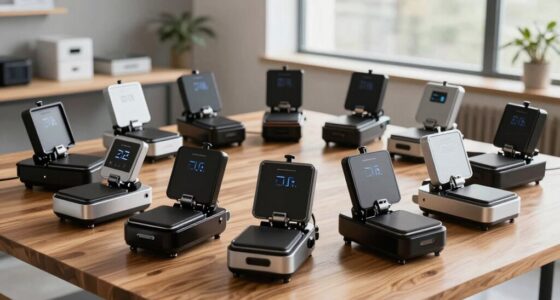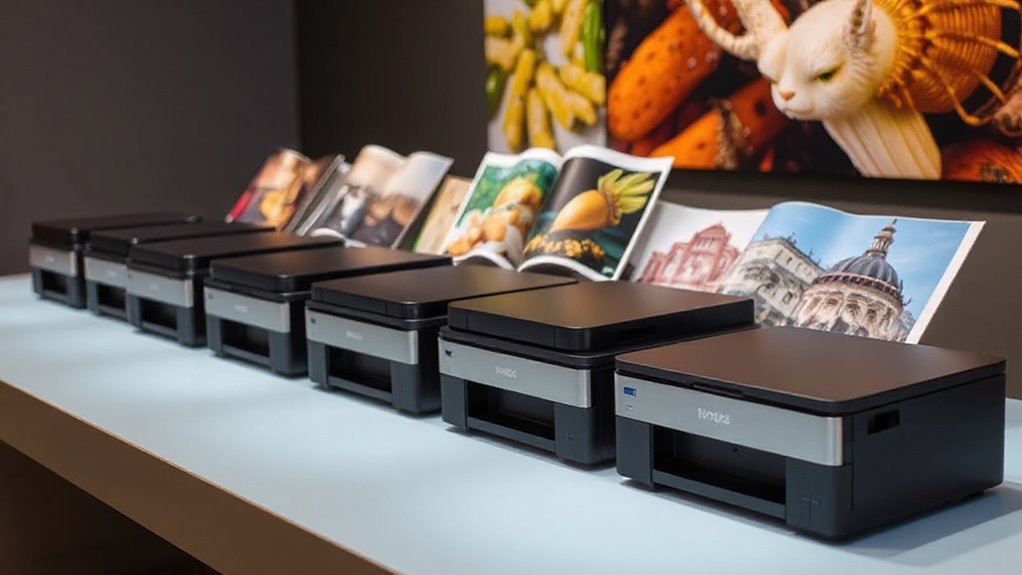
When searching for a 24 inch photo printer for art, you’re looking for a device that combines high-quality color reproduction, reliable performance, and versatile media handling. The Canon imagePROGRAF TA-20 stands out as the best overall choice thanks to its impressive color accuracy and robust build. Meanwhile, the HP DesignJet T630 offers excellent automation features for busy studios, and the CANON PRO 2100 provides premium print quality for fine art professionals. Each option involves tradeoffs—such as cost versus features or ease of use versus customization. Continue reading for a detailed breakdown of these top picks and what makes each suitable for different types of artists and print shops.

Prime made for students and young adults
- Fast, free delivery for dorm and study essentials
- Prime Video and Amazon Music included
- Member-only deals
Key Takeaways
- The Canon imagePROGRAF TA-20 excels in color accuracy and reliability, making it ideal for professional art reproduction.
- HP models like the T630 prioritize automation and ease of use, perfect for busy studios needing quick turnaround.
- Premium options like the Canon PRO 2100 deliver exceptional print quality but come with higher price tags and complexity.
- Media handling versatility varies significantly; some printers support a wide range of fine art papers, while others are more limited.
- Price and ongoing maintenance costs are key factors—higher-end models often require more investment but offer better quality and durability.
| Canon imagePROGRAF TA-20 24-Inch 5-Color Large Format Printer with Stand |  | Best Overall for Professional Art Reproduction | Printer Type: Inkjet | Maximum Media Size: 24×36 inches | Print Resolution: 2400 x 1200 dpi | VIEW ON AMAZON | See Our Full Breakdown |
| Canon imagePROGRAF TC-21M Multifunction Printer – 24″ Large Format Poster & Plotter with Automatic Roll & Cut Sheet Feeder, USB, Wi-Fi, LAN |  | Best for Versatile Large-Format Printing and Scanning | Printer Type: Inkjet | Maximum Print Width: 24 inches | Resolution: 2400 x 1200 dpi | VIEW ON AMAZON | See Our Full Breakdown |
| HP DesignJet T630 Large Format 24-inch Plotter Printer with Auto Sheet Feeder, Media Bin & Stand |  | Best for Technical and Professional Drafting | Media Sizes: Up to 24-inch wide rolls and 13×19-inch sheets | Print Speed: Up to 30 seconds per page on A1/D size | Connectivity: Gigabit Ethernet, Wi-Fi, USB | VIEW ON AMAZON | See Our Full Breakdown |
| HP DesignJet T210 Large Format 24-Inch Plotter Printer with 2-Year HP Care Pack |  | Best for Cost-Conscious Professionals with Support | Media Size: Up to 24-inch wide rolls and sheets | Print Speed: Up to 45 seconds per page | Included Ink: HP 712 Original Ink | VIEW ON AMAZON | See Our Full Breakdown |
| HP DesignJet T210 Large Format 24-inch Poster Printer |  | Best for Quick, High-Quality Posters and Technical Prints | Media Sizes: Up to 24-inch wide media rolls and sheets | Print Speed: Up to 45 seconds per page | Connectivity: Wi-Fi, Ethernet, USB | VIEW ON AMAZON | See Our Full Breakdown |
| HP DesignJet T210 Large Format 24-inch Plotter Printer | | Best for Cost-Effective Large Format Technical Printing | Media Sizes: Up to 24-inch wide media rolls, up to 13×19-inch sheets with optional accessory | Media Handling: Sheet feed, roll feed, automatic horizontal cutter | Connectivity: Gigabit Ethernet, Hi-Speed USB 2.0, Wi-Fi 802.11 b/g/n | VIEW ON AMAZON | See Our Full Breakdown |
| Canon imagePROGRAF TC-21 24-Inch Large Format Printer |  | Best for Vibrant, High-Quality Posters and Proofing | Print Width: 24 inches | Ink Capacity: 280 ml (70 ml per color) | Connectivity: Wired (USB, Ethernet), Wireless (Wi-Fi) | VIEW ON AMAZON | See Our Full Breakdown |
| CANON PRO 2100 24 WIDE, FORMAT FINE ART PRINTER |  | Best for Professional Fine Art and Gallery Reproductions | Print Width: 24 inches | Color Gamut: Wide, professional-grade | Media Handling: Specialized media for fine art | VIEW ON AMAZON | See Our Full Breakdown |
| inch photo printer for art | Connectivity | Print Speed |
|---|---|---|
| Canon imagePROGRAF TA-20 24-In | — | — |
| Canon imagePROGRAF TC-21M Mult | — | — |
| HP DesignJet T630 Large Format | Gigabit Ethernet, Wi-Fi, USB | Up to 30 seconds per page on A1/D size |
| HP DesignJet T210 Large Format | — | Up to 45 seconds per page |
| HP DesignJet T210 Large Format | Wi-Fi, Ethernet, USB | Up to 45 seconds per page |
| HP DesignJet T210 Large Format | Gigabit Ethernet, Hi-Speed USB 2.0, Wi-Fi 802.11 b/g/n | Up to 45 seconds per page on A1/D size |
| Canon imagePROGRAF TC-21 24-In | Wired (USB, Ethernet), Wireless (Wi-Fi) | — |
| CANON PRO 2100 24 WIDE | Not specified but typically includes advanced options | — |
More Details on Our Top Picks
Canon imagePROGRAF TA-20 24-Inch 5-Color Large Format Printer with Stand
The Canon imagePROGRAF TA-20 stands out for its ability to support media sizes from 8 to 24 inches, making it highly versatile for artists needing large, high-quality prints. Its five-color ink system ensures vibrant, accurate color reproduction, outperforming models like the HP DesignJet T630 in color fidelity. However, its limited sheet capacity of 50 sheets and professional-oriented complexity make it less suitable for casual or small-scale artists. The compact design with a stand helps streamline workspace setup, but its power consumption of 52 watts could be a concern for those aiming for energy efficiency. Compared to multifunction options like the Canon TC-21M, this printer emphasizes pure print quality over multifunctionality, making it ideal for dedicated art reproduction.
Pros:- Supports a wide media size range of 8 to 24 inches
- Includes five ink cartridges for vibrant color accuracy
- Compact design with stand and basket for easy setup
Cons:- Limited maximum sheet capacity of 50 sheets
- Primarily designed for professional use, may be complex for casual users
- Power consumption of 52 watts may be high for some environments
Best for: Professional artists and print studios needing precise, large-format color prints with wide media support
Not ideal for: Casual hobbyists or small home studios seeking a simple, low-maintenance device
- Printer Type:Inkjet
- Maximum Media Size:24×36 inches
- Print Resolution:2400 x 1200 dpi
- Color:Color
- Ink Cartridges:Matte Black, Cyan, Magenta, Yellow, Black
- Maximum Sheet Capacity:50
Our verdict“This printer is best suited for professional artists and studios prioritizing high-quality, large-format color prints over ease of use.”
Canon imagePROGRAF TC-21M Multifunction Printer – 24″ Large Format Poster & Plotter with Automatic Roll & Cut Sheet Feeder, USB, Wi-Fi, LAN
The Canon TC-21M excels in environments requiring both large-format printing and scanning, making it a flexible choice for creating posters, CAD drawings, and enlargements, especially with its flatbed scanner for high-res copies. Its wireless and cloud capabilities surpass the single-function printers like the HP T210, offering a broader workflow integration. However, its larger footprint and somewhat complex setup could challenge small or space-constrained studios. The media support for various types, including high-resolution paper and labels, suits creative and technical professionals who also need scanning functionality. If your focus is on multifunctionality rather than pure print quality, this model delivers a balanced mix, unlike the dedicated print-only options.
Pros:- Supports large-format printing up to 24 inches wide
- Includes flatbed scanner for enlargements and copies
- Wireless and cloud printing capabilities for flexible workflows
- High ink capacity for extended use
Cons:- Relatively large footprint requiring significant space
- Setup and configuration can be challenging for beginners
- Limited media types compared to dedicated printers
Best for: Designers, architects, and educators needing both printing and scanning in a 24-inch format
Not ideal for: Artists who only need to print art without scanning or multifunction features
- Printer Type:Inkjet
- Maximum Print Width:24 inches
- Resolution:2400 x 1200 dpi
- Display:2.7″ LCD touchscreen
- Scanner Type:Flatbed
- Number of Trays:1
Our verdict“This multifunction model is ideal for professionals who need both print and scan capabilities in a large-format device, accepting the tradeoff of complexity and size.”
HP DesignJet T630 Large Format 24-inch Plotter Printer with Auto Sheet Feeder, Media Bin & Stand
The HP DesignJet T630 is tailored for technical professionals like architects and engineers, offering fast print speeds and high-quality output with precise lines and colors. Its small footprint and versatile media handling, including roll and sheet feed, make it a strong choice for small offices needing quick, accurate prints. Compared to the Canon TA-20’s color depth, the T630 emphasizes speed and media flexibility, though it’s limited to 24-inch media width and involves a higher initial investment. Its eco-friendly features, such as using up to 95% less ink, appeal to environmentally conscious users. This model excels at producing detailed technical drawings but may be less suitable for artists focused on fine art reproduction or larger media sizes.
Pros:- Compact design fits small office spaces
- Fast printing speeds increase productivity
- High-quality, accurate line and color output
- Versatile media handling for various print jobs
Cons:- Limited to 24-inch media width
- Requires initial setup and software configuration
- Higher initial cost for professional equipment
Best for: Architects, engineers, and technical professionals requiring fast, precise, large-format plotting
Not ideal for: Artists or hobbyists seeking high-fidelity art reproduction or larger media support
- Media Sizes:Up to 24-inch wide rolls and 13×19-inch sheets
- Print Speed:Up to 30 seconds per page on A1/D size
- Connectivity:Gigabit Ethernet, Wi-Fi, USB
- Included Software:HP Click, HP Smart app
- Eco Features:Uses up to 95% less ink
Our verdict“This plotter is best for technical environments where speed, precision, and space-saving design are priorities over art-centric features.”
HP DesignJet T210 Large Format 24-Inch Plotter Printer with 2-Year HP Care Pack
The HP T210 offers a solid combination of affordability and reliability for professionals needing 24-inch printing, especially with its included 2-year support. Its cost-efficient ink usage—using up to 95% less ink—reduces ongoing expenses, making it attractive for small businesses. While setup might be complex for some, its compatibility with HP’s workflow software and mobile printing features enhances productivity. Compared to the Canon TC-21M, the T210’s focus on cost savings makes it a practical choice for budget-conscious users without sacrificing essential large-format capabilities. However, the need for an optional accessory to print on larger sheets and its limited media width could restrict some applications.
Pros:- Cost-efficient printing with 95% less ink used
- Includes 2-year onsite support with HP Care Pack
- Supports large media rolls and sheets for versatility
- Easy workflow integration with HP software and mobile printing
Cons:- Requires optional accessory for larger sheets
- Limited to 24-inch media width
- Setup and software may be challenging for some users
Best for: Small businesses and professionals prioritizing budget, support, and cost-efficient printing
Not ideal for: Artists or firms requiring high-end color fidelity or multi-functionality
- Media Size:Up to 24-inch wide rolls and sheets
- Print Speed:Up to 45 seconds per page
- Included Ink:HP 712 Original Ink
- Support:2-year HP Care Pack
- Memory:500MB
Our verdict“This printer suits budget-conscious professionals needing reliable, large-format printing with extended support, accepting some media and setup limitations.”
HP DesignJet T210 Large Format 24-inch Poster Printer
The HP T210 Poster emphasizes speed and simplicity, making it ideal for professionals like designers and engineers who need rapid turnaround on posters, CAD, and signs. Its quick print speeds—up to 45 seconds per page—are comparable to the T210 plotter, with high color accuracy and line quality. Its compact size facilitates small office setups, but the need for an optional sheet feeder limits ease of use for larger jobs. While it shares many features with the T210 plotter, this model prioritizes poster output, making it a good choice for those who want fast, reliable results without the full multifunction capabilities of the T-630.
Pros:- Compact design fits small offices
- Fast printing speeds for posters and technical outputs
- High color accuracy and line quality
- Easy workflow with HP software and mobile printing
Cons:- Requires optional accessory for sheet feeding
- Limited to 24-inch media width
- Higher initial cost for this model
Best for: Designers, architects, and engineers focused on fast poster and technical printing in small spaces
Not ideal for: Artists seeking detailed fine art reproduction or those needing multifunction features
- Media Sizes:Up to 24-inch wide media rolls and sheets
- Print Speed:Up to 45 seconds per page
- Connectivity:Wi-Fi, Ethernet, USB
- Included Ink:HP 712 Original Ink
- Automatic Sheet Feeder:Yes (optional)
Our verdict“This model is an excellent choice for professionals needing rapid, high-quality poster and technical prints in tight spaces, with some added cost for accessories.”
HP DesignJet T210 Large Format 24-inch Plotter Printer
The HP DesignJet T210 stands out for its straightforward approach to large format printing, making it ideal for technical drawings, maps, and posters. Compared with the Canon PRO 2100, it offers a more budget-friendly operation with lower ink consumption, though it sacrifices some of the high-end color precision and media versatility of the PRO 2100. This model excels in ease of use, thanks to HP Click software and mobile printing, which simplifies workflows for non-professionals. However, its limited media handling options and slower print speeds may frustrate high-volume users. It’s a solid choice for small offices or studios focused on routine large-format outputs without needing the advanced color fidelity or media variety of pricier options.
Pros:- Supports media widths up to 24 inches for versatile large-format printing
- Easy to operate with intuitive HP Click software and mobile printing
- Cost-efficient ink usage lowers routine printing costs
- Automatic media switching streamlines workflow
Cons:- Limited to large format printing, not suitable for small documents
- Requires optional accessories for certain media sizes
- Print speeds may be slow for high-volume environments
Best for: Small design firms or educational studios needing reliable, affordable large-format printing for technical documents and posters.
Not ideal for: High-volume commercial print shops or artists requiring the highest color accuracy and media flexibility.
- Media Sizes:Up to 24-inch wide media rolls, up to 13×19-inch sheets with optional accessory
- Media Handling:Sheet feed, roll feed, automatic horizontal cutter
- Connectivity:Gigabit Ethernet, Hi-Speed USB 2.0, Wi-Fi 802.11 b/g/n
- Print Speed:Up to 45 seconds per page on A1/D size
- Memory:500MB
- Supported Ink:HP 712 Original Ink cartridges (Black, Cyan, Magenta, Yellow), HP 713 Printhead
Our verdict“This printer is best for small offices or educators prioritizing affordability and ease over high-end color precision.”
Canon imagePROGRAF TC-21 24-Inch Large Format Printer
The Canon imagePROGRAF TC-21 is designed for those prioritizing vibrant color reproduction and crisp detail, particularly suited to poster printing, proofs, and fine art reproductions. Unlike the HP T210, it offers higher ink capacity (280 ml per color) and a full set of large cartridges, leading to longer print runs without frequent ink changes. Its wireless and wired connectivity options provide flexibility, but its bulkier size and more complex setup may be a hurdle for small or space-constrained studios. While it delivers outstanding print quality for art and professional posters, its focus on high-quality output means it’s less suited for fast, high-volume technical printing or document plotting. If your priority is color vibrancy and detailed image reproduction, this model makes a compelling choice.
Pros:- Produces vibrant, crisp images with excellent color fidelity
- Includes a full set of large 280 ml ink cartridges for extended long runs
- Wireless and Ethernet connectivity for flexible workflows
- Supports both roll and sheet media for versatile formats
Cons:- Bulky design may not fit small or cluttered spaces
- More complex initial setup and maintenance for beginners
- Higher initial cost compared to simpler models
Best for: Artists, photographers, or designers producing high-quality posters and art prints in a dedicated studio or creative environment.
Not ideal for: Rapid, high-volume technical plotting or environments needing frequent media switching with minimal setup complexity.
- Print Width:24 inches
- Ink Capacity:280 ml (70 ml per color)
- Connectivity:Wired (USB, Ethernet), Wireless (Wi-Fi)
- Media Types:Roll media, sheet media
- Energy Rating:ENERGY STAR, EPEAT Gold
- Supported Media Width:Up to 24 inches
Our verdict“This printer is ideal for artists and photographers who need high-quality, vibrant prints with large ink capacity and don’t mind a larger footprint.”
CANON PRO 2100 24 WIDE, FORMAT FINE ART PRINTER
The Canon PRO 2100 is tailored for fine art creators and gallery-quality reproductions, offering unmatched color accuracy and detail. Its design emphasizes output quality over speed or media versatility, making it distinct from the Canon TC-21, which leans more toward affordable poster printing. The PRO 2100’s advanced print head and color management system ensure stunning results with a wide color gamut, ideal for high-end art reproduction. The tradeoff is its higher price point and potentially more complex operation, which can be daunting for casual or beginner artists. For those who need professional-grade, gallery-ready prints with exceptional color fidelity, this model provides a level of precision that justifies its premium status.
Pros:- Exceptional color accuracy and smooth gradation for fine art
- Designed specifically for high-end art reproduction and gallery standards
- Robust build quality and durability for professional settings
- Supports wide color gamut for vibrant, true-to-life reproductions
Cons:- High purchase price limits accessibility for casual users
- Complex setup and maintenance may require professional expertise
- Limited media handling options compared to more versatile printers
Best for: Professional artists, gallery owners, or high-end art reproduction studios seeking the best possible print quality with detailed color accuracy.
Not ideal for: Small studios or hobbyists needing quick, inexpensive prints or multi-purpose media handling.
- Print Width:24 inches
- Color Gamut:Wide, professional-grade
- Media Handling:Specialized media for fine art
- Connectivity:Not specified but typically includes advanced options
- Supported Media:Fine art paper and specialty media
- Warranty:1-year on-site warranty
Our verdict“This model is best suited for high-end artists and galleries demanding the highest fidelity in fine art reproductions.”
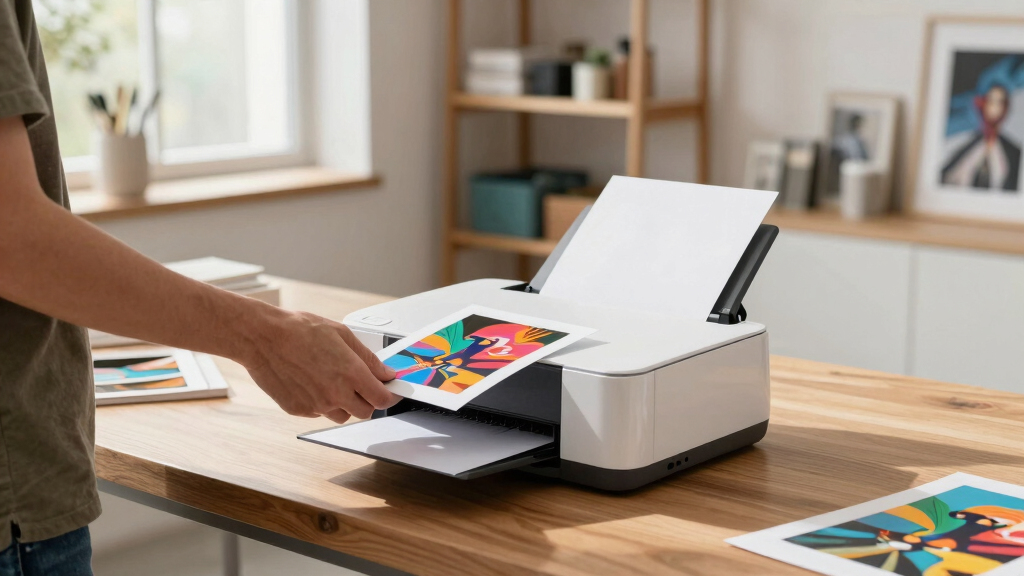
How We Picked
The products in this roundup were evaluated based on performance, print quality, media versatility, ease of use, and value for money. We prioritized printers with proven color accuracy and consistent output, especially for fine art applications. Durability, media handling capabilities, and connectivity options also played a critical role, ensuring these printers meet the needs of professional artists and studios. Our rankings reflect a balance between feature sets and price, highlighting options suitable for different budgets and skill levels. This approach ensures that both emerging artists and established print shops find a relevant recommendation.| inch photo printer for art | Print Speed | Connectivity |
|---|---|---|
| Canon imagePROGRAF TA-20 24-In | — | — |
| Canon imagePROGRAF TC-21M Mult | — | — |
| HP DesignJet T630 Large Format | Up to 30 seconds per page on A1/D size | Gigabit Ethernet, Wi-Fi, USB |
| HP DesignJet T210 Large Format | Up to 45 seconds per page | — |
| HP DesignJet T210 Large Format | Up to 45 seconds per page | Wi-Fi, Ethernet, USB |
| HP DesignJet T210 Large Format | Up to 45 seconds per page on A1/D size | Gigabit Ethernet, Hi-Speed USB 2.0, Wi-Fi 802.11 b/g/n |
| Canon imagePROGRAF TC-21 24-In | — | Wired (USB, Ethernet), Wireless (Wi-Fi) |
| CANON PRO 2100 24 WIDE | — | Not specified but typically includes advanced options |
Factors to Consider When Choosing 24 Inch Photo Printer For Art
Choosing the right 24 inch photo printer for art involves understanding several key factors. Beyond initial cost, consider print quality, media compatibility, and ease of maintenance. A printer that handles a wide variety of fine art papers and offers precise color management will save time and produce better results. Additionally, connectivity options like Wi-Fi or Ethernet can streamline your workflow, especially in busy studio environments. It’s also important to weigh the long-term costs, including ink and replacement parts, against your budget. Being clear on your specific needs—whether for high-volume production or occasional art prints—will help narrow your options effectively.Print Quality and Color Reproduction
For art printing, color accuracy and detail resolution are paramount. Look for printers with high-resolution capabilities—at least 1200 dpi—and advanced color management features. Ink technology, such as pigment-based inks, also impacts longevity and vibrancy, which are critical for fine art. Cheaper models may cut corners here, resulting in less precise color matching or duller outputs. Investing in a model with proven color fidelity ensures your art is reproduced as intended, making this a primary consideration for professionals and serious hobbyists alike.
Media Compatibility and Handling
An essential factor is the range of supported media, including fine art papers, canvas, and specialty stocks. Some printers excel with a variety of textured papers, while others are limited to standard media. Consider how easy it is to load and switch media types—automatic roll feeders and front-loading media bays offer convenience. If your work involves different textures and sizes, prioritizing a printer with versatile media handling will reduce interruptions and expand your creative options. Keep in mind that wider media support often correlates with a higher initial cost.
Ease of Use and Workflow Integration
Ease of operation can make or break your printing experience, especially for artists who need quick turnaround times. Features like touchscreen controls, automated calibration, and Wi-Fi connectivity streamline setup and daily use. If you work in a collaborative environment, network compatibility becomes more important. Conversely, some high-end models require more technical knowledge to operate optimally, which could be a barrier for beginners. Balancing user-friendliness with advanced features ensures you get the right fit for your skill level and workflow demands.
Cost of Ownership and Maintenance
Beyond the initial purchase price, ongoing costs such as ink, paper, and maintenance can add up significantly. Some printers utilize large-capacity ink cartridges that reduce per-print costs, but they may require a larger upfront investment. Regular maintenance, including printhead cleaning and part replacements, can extend the lifespan of your device but may also involve additional expenses. Be sure to consider warranty and support options, especially for high-end models, to avoid unexpected downtime. A good balance between initial cost and long-term expenses is key for sustainable operation.
Size and Space Requirements
At 24 inches, these printers require a dedicated space that accommodates their size and ventilation needs. Measure your workspace carefully and consider ease of access for loading media and performing maintenance. Some models are more compact, fitting into smaller studios, while others may require a dedicated setup. Noise levels during operation can also influence placement decisions, especially in shared or quiet environments. Prioritizing space compatibility prevents future frustrations and ensures smooth operation in your studio setting.
Frequently Asked Questions
Can I print on textured art papers with these printers?
Most of these 24-inch printers support a variety of textured and specialty papers, but it’s essential to check each model’s media specifications. Printers with wider media handling and adjustable printheads are better suited for textured surfaces like canvas or fine art paper. Keep in mind that some models may require manual adjustments or specific settings to achieve optimal results. Testing with your preferred materials is advisable before making a large investment, especially if your work relies heavily on textured media.
How long do the inks last in these printers?
Ink longevity varies based on the type of ink used and storage conditions, but pigment-based inks generally provide longer-lasting results suitable for art prints. Many of these printers are designed with archival quality in mind, offering prints that resist fading over decades when properly stored or displayed. However, higher-quality inks typically come at a higher cost. For artists focused on producing lasting works, investing in printers with proven archival inks ensures your art remains vibrant and durable over time.
Is Wi-Fi connectivity reliable for large format printing?
Wi-Fi connectivity offers convenience but can sometimes introduce stability issues with large files or busy networks. For consistent results, a wired Ethernet connection is often more reliable, especially in professional or high-volume environments. Some printers also support direct USB or SD card printing, which can bypass network issues altogether. If you opt for Wi-Fi, ensure your network is robust and capable of handling large image transfers without interruptions, to prevent print errors or delays.
What is the best way to maintain color accuracy over time?
Regular calibration of your printer and monitor is essential for maintaining color consistency, especially in fine art reproduction. Use manufacturer-recommended calibration tools and software, and periodically check ink levels and printheads for clogging or misalignment. Consistent media usage and proper storage of your papers also play a role. Investing in professional color management solutions can further improve accuracy, ensuring that your prints match your digital files as closely as possible over the long term.
Are these printers suitable for high-volume art printing?
Many of the models listed are capable of handling high-volume workloads, especially those with large-capacity ink cartridges and automatic roll feeders. However, the actual throughput depends on the complexity of your prints and media type. If you plan to produce large quantities regularly, look for models with higher ink capacity, fast print speeds, and reliable support. Keep in mind that high-volume use also increases maintenance needs, so choosing a durable, professional-grade printer will save time and reduce downtime in the long run.
Conclusion
For artists and studios prioritizing overall quality and reliability, the Canon imagePROGRAF TA-20 offers a well-rounded solution with superb color fidelity and durable output, making it the best overall choice. Those on a tighter budget or seeking ease of use may find the HP DesignJet T630 provides excellent automation and straightforward operation at a more accessible price. For professionals requiring the highest level of detail and archival quality, the CANON PRO 2100 stands out as the premium option, though it comes with a higher learning curve and investment. Beginners or hobbyists should consider models with simpler interfaces and lower ongoing costs, while large-scale print shops might need more robust, high-capacity models. Ultimately, your decision should align with your specific needs—whether it’s top-tier art reproduction, ease of workflow, or budget constraints.
Fall Picks
fall essentials
As an affiliate, we earn on qualifying purchases.