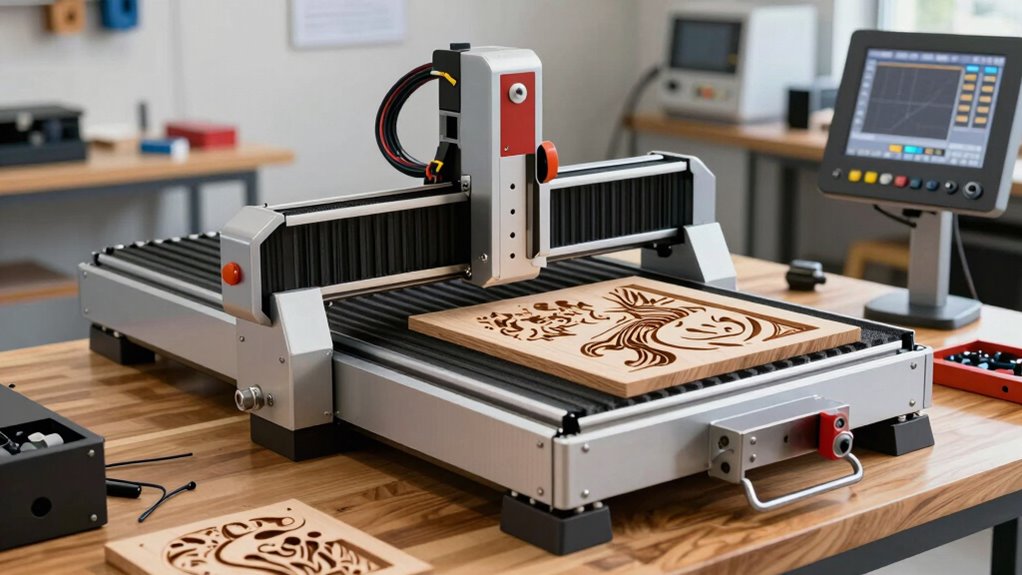

For most small workshops, I’d start with the FoxAlien Masuter 3S: its closed-loop motors and 400W spindle make it a capable step up from entry-level 3018 machines. The Genmitsu Cubiko stands out for buyers who want an enclosure, while the FoxAlien XE-Ultra 8080 is aimed at projects that need a much larger work area. The main tradeoffs are work area, frame rigidity, cutting power, setup demands, and how much room the machine takes on a bench. A compact router may be easier to place, but larger machines offer more room for full-size parts and fixtures. Read on for the full comparison and recommendations by buyer type.

Prime made for students and young adults
- Fast, free delivery for dorm and study essentials
- Prime Video and Amazon Music included
- Member-only deals
Key Takeaways
- The Masuter 3S leads this lineup for balanced capability: closed-loop motors and a 400W spindle give it a stronger feature set than basic 3018 machines without jumping to a much larger format.
- Work area changes the job you can take on: the 8080 XE-Ultra suits oversized stock, while the 3018 and 3020 models fit smaller parts and tighter benches.
- Spindle wattage alone does not tell the whole story: frame stiffness, motion components, tool choice, and material all affect whether a router can cut reliably.
- Enclosure is a practical distinction: the Genmitsu Cubiko offers a more contained setup, while open-frame machines need more attention to chips, noise, and dust control.
- There is a real divide between starter and expansion platforms: compact Genmitsu and LUNYEE models favor accessible small jobs; larger FoxAlien, AnoleX, and PROVerXL machines suit buyers planning bigger work or upgrades.
| SainSmart Genmitsu 3018-PROVer V2 CNC Router Machine |  | Best for Beginners | Model: 3018-PROVer V2 | Machine type: CNC router | Suitable materials: Wood, plastic, acrylic, PVC, PCB, carbon fiber, density board, copper, and aluminum | VIEW ON AMAZON | See Our Full Breakdown |
| FoxAlien Masuter 3S CNC Router with Closed-Loop Motors and 400W Spindle |  | Best for Motion Reliability | Axes: 3 | Motors: NEMA 23-76 closed-loop stepper motors | Motor torque: 2.2 Nm | VIEW ON AMAZON | See Our Full Breakdown |
| 3060-Evo Max CNC Router with 800W Trim Router |  | Best for Long Workpieces | Work area: 300 × 600 × 73 mm | Router power: 800 W | Collet: ER11, 1/8 in | VIEW ON AMAZON | See Our Full Breakdown |
| Twotrees TTC450 Pro All-Metal CNC Router Machine |  | Best for a Large Square Work Area | Work area: 460 × 460 × 80 mm | Touchscreen: 3.5-inch IPS capacitive | Control system: GRBL | VIEW ON AMAZON | See Our Full Breakdown |
| SainSmart Genmitsu 4040-PRO MAX CNC Router with 710W Trimmer |  | Best for Taller Workpieces | Router power: 710 W | Pass height: 100 mm | Guideways: X-axis and Z-axis linear guideways | VIEW ON AMAZON | See Our Full Breakdown |
| TTC3018 Pro Desktop CNC Router and Engraving Machine |  | Best for Compact Learning Projects | Machine type: 3-axis desktop CNC router | Working area: 300 × 180 × 40 mm | Positioning accuracy: 0.1 mm | VIEW ON AMAZON | See Our Full Breakdown |
| FoxAlien Masuter Pro MAX Desktop CNC Router |  | Best for Large Desktop Work | Work area: 600 × 600 mm (23.6 × 23.6 in) | Z-axis pass height: 100 mm (3.94 in) | Spindle: 500W brushless | VIEW ON AMAZON | See Our Full Breakdown |
| FoxAlien XE-Ultra 8080 CNC Router Machine |  | Best for Large-Format Custom Builds | Work area: 33 × 33 × 4.72 in | Pass height: 5.3 in | Frame: Aluminum | VIEW ON AMAZON | See Our Full Breakdown |
| AnoleX 4030-Evo Ultra 2 CNC Router with 800W Trim Router |  | Best for Connected, Precision-Focused Work | Router power: 800 W | Maximum rotational speed: 24,000 RPM | Repeatability accuracy: ±0.005 mm | VIEW ON AMAZON | See Our Full Breakdown |
| LUNYEE 3020 Nova CNC Router with 800W Spindle |  | Best for an Assembled, All-Metal Setup | Spindle power: 800 W | Spindle speed range: 6,000–30,000 rpm | Maximum movement speed: 5,000 mm/min | VIEW ON AMAZON | See Our Full Breakdown |
| 4040-PRO CNC Router Machine with 500W Spindle |  | Best for Straightforward GRBL Setup | Working area: 15.7 × 15.7 × 2.9 in | Spindle power: 500 W | Axes: 3 | VIEW ON AMAZON | See Our Full Breakdown |
| Genmitsu Cubiko Desktop CNC Router with Enclosure |  | Best for Beginners | Power: 96 W | Voltage: 230 V | Maximum rotational speed: 9,000 rpm | VIEW ON AMAZON | See Our Full Breakdown |
| LUNYEE 3018 Pro Max 500W CNC Router Machine |  | Best for Safety and Manual Control | Spindle power: 500 W | Working area: 300 × 180 × 80 mm | Axes: 3 | VIEW ON AMAZON | See Our Full Breakdown |
| Genmitsu PROVerXL 4030S CNC Router Machine with 710W Spindle |  | Best for Taller Workpieces | Spindle power: 710 W | Pass height: 130 mm | Repeatable positioning accuracy: ±0.05 mm | VIEW ON AMAZON | See Our Full Breakdown |
| FoxAlien Masuter Pro 3-Axis CNC Router |  | Best for Spindle Upgrade Flexibility | Axes: 3 | Frame material: Aluminum | Work area: 400 × 400 × 60 mm (15.75 × 15.75 × 2.36 in) | VIEW ON AMAZON | See Our Full Breakdown |
More Details on Our Top Picks
SainSmart Genmitsu 3018-PROVer V2 CNC Router Machine
The 3018-PROVer V2 is the most approachable pick here for a first desktop CNC router: its gantry arrives partly assembled, and its one-piece aluminum spoilboard reduces setup work. It can engrave wood, plastics, acrylic, PCB, and soft metals, giving new users room to learn across different project types. Compared with the larger Twotrees TTC450 Pro, its smaller 3018 format is easier to fit on a bench but offers less room for panels and batch work. The tradeoff is that this is an entry-level machine, not a shortcut around CNC learning: designs still need CAD/CAM software and conversion to G-code. Copper and aluminum are listed as suitable materials, but only as soft-metal work. I’d choose it to learn the workflow, then look to a larger model for bigger jobs.
Pros:- Partly pre-assembled gantry makes initial setup more approachable
- One-piece aluminum spoilboard provides a ready work surface
- Supports a broad range of materials, including wood, plastics, PCB, and soft metals
- Accessory support leaves room to expand the machine
Cons:- Requires CAD/CAM software and G-code preparation for projects
- Small 3018 format limits the size of workpieces
- Metal capability is limited to soft-metal applications
Best for: First-time CNC owners learning CAD/CAM and making small engravings on a compact workbench
Not ideal for: Makers who need to machine large panels or routinely cut harder metals
- Model:3018-PROVer V2
- Machine type:CNC router
- Suitable materials:Wood, plastic, acrylic, PVC, PCB, carbon fiber, density board, copper, and aluminum
- Assembly:Pre-assembled gantry frame and one-piece aluminum spoilboard
- Software compatibility:CAD/CAM software including Carveco, Fusion360, and Easel
- Accessory support:Supports add-on accessories
Our verdict“Choose the 3018-PROVer V2 if you want a compact, beginner-oriented machine for learning CNC on smaller projects.”
FoxAlien Masuter 3S CNC Router with Closed-Loop Motors and 400W Spindle
The Masuter 3S suits buyers who want a larger desktop CNC router with motion feedback built into its closed-loop motors. That design is intended to help prevent step loss, a useful safeguard when running longer jobs across its 15.75-inch-square work area. It also offers more working room than the Genmitsu 3018-PROVer V2 and supports an optional rotary module for cylindrical pieces. Its 400 W spindle and listed material range point toward wood, plastics, and soft-metal projects rather than heavier metal machining. The rotary axis and other expansion options add capability, but they are optional, so the machine’s base configuration does not cover every project out of the box. I’d favor it over a basic entry-level router when reliable motion and a larger work area matter more than minimizing setup cost or complexity.
Pros:- Closed-loop motors are designed to help prevent step loss
- 15.75 × 15.75-inch work area accommodates larger pieces than a 3018 machine
- Optional rotary module supports cylindrical carving
- Expandable with optional router, spindle, and work-area upgrades
Cons:- Rotary module and other upgrades are optional accessories
- 400 W spindle is intended for soft-metal work rather than heavier metal machining
- Larger footprint and 26.5 kg weight call for a sturdy, dedicated bench
Best for: Makers running longer wood or plastic jobs who want closed-loop motion and room for mid-sized workpieces
Not ideal for: Buyers seeking a ready-to-use rotary setup or a router for heavy metal machining
- Axes:3
- Motors:NEMA 23-76 closed-loop stepper motors
- Motor torque:2.2 Nm
- Spindle power:400 W
- Work area:15.75 × 15.75 × 3.74 in
- Maximum moving speed:10,000 mm/min
- Engraving precision:0.05 mm
- Voltage:110 V
- Weight:26.5 kg
Our verdict“Pick the Masuter 3S if motion reliability and a larger work area matter more than having rotary carving included.”
3060-Evo Max CNC Router with 800W Trim Router
The 3060-Evo Max gives desktop CNC buyers a long 600 mm work area, making it a better fit for signs and elongated parts than the square-format Twotrees TTC450 Pro. Its 800 W trim router has six speed settings spanning 8,000 to 24,000 RPM, so it can suit varied routing tasks, though the speed changes use a manual dial. Dual linear guides on all three axes support controlled movement, while Wi-Fi connectivity and GRBL 1.3a provide options for compatible control software. This is a stronger fit for buyers who want a long bed and a trim-router setup than for anyone prioritizing built-in closed-loop motors: those and ball screws are optional upgrades. The 73 mm Z travel also limits how tall a workpiece can be compared with machines built around greater clearance.
Pros:- 300 × 600 mm work area suits long signs and narrow panels
- Dual linear guides on all three axes support stable motion
- 800 W trim router offers six speed settings
- Wi-Fi control and GRBL compatibility support a range of software
Cons:- Router speed must be changed manually at the dial
- Ball screws and closed-loop motors are optional upgrades
- 73 mm Z travel limits workpiece clearance
Best for: Sign makers and hobbyists routing elongated boards who want a long bed and GRBL software compatibility
Not ideal for: Buyers who need closed-loop motors included or frequent automatic spindle-speed changes
- Work area:300 × 600 × 73 mm
- Router power:800 W
- Collet:ER11, 1/8 in
- Speed settings:6
- Rotational speed:8,000–24,000 RPM
- Axis guides:MGN-15 dual linear guides on X, Y, and Z
- Controller firmware:GRBL 1.3a
- Connectivity:Wi-Fi
- Weight:21 kg
Our verdict“Choose the 3060-Evo Max for long workpieces and a substantial trim router, provided manual speed adjustment and optional motion upgrades fit your workflow.”
Twotrees TTC450 Pro All-Metal CNC Router Machine
The TTC450 Pro is the square-bed choice in this group: its 460 × 460 mm work area gives it a clear advantage over the long, narrow 3060-Evo Max for panels, signage, and arranging several smaller pieces on one setup. A touchscreen and expansion ports for a rotary axis, laser module, and spindle speed control give the machine several possible roles as projects change. It runs GRBL and supports Windows, macOS, and Linux, with cutting tools and clamps supplied. That breadth comes with setup work: assembly and driver installation are required, and Windows 11 users need the CH341 driver. Its listed 80-watt figure also calls for realistic expectations about cutting power compared with the 3060-Evo Max’s 800 W trim router. I’d pick this model for its square workspace and expansion paths, not for maximum spindle power.
Pros:- 460 × 460 mm bed suits panels and grouped workpieces
- Expansion ports support a rotary axis, laser module, and spindle speed control
- GRBL support works across Windows, macOS, and Linux
- Includes cutting tools and clamping plates
Cons:- Requires assembly and driver installation before computer connection
- Windows 11 users need to install the CH341 driver
- Listed 80-watt power is far below the 3060-Evo Max’s 800 W router
Best for: Sign makers and small-shop users who need a broad square bed for panels or grouped parts
Not ideal for: Buyers who want minimal assembly or need the higher router power listed for the 3060-Evo Max
- Work area:460 × 460 × 80 mm
- Touchscreen:3.5-inch IPS capacitive
- Control system:GRBL
- Supported operating systems:Windows, macOS, and Linux
- Z-axis motor:NEMA 57 stepper motor
- Positioning accuracy:Up to 0.0025 mm
- Included accessories:10 cutting tools, 6 clamping plates, test engraving materials, and 775 brushed spindle motor
- Weight:20.5 kg
Our verdict“Choose the TTC450 Pro if a large square work area and expansion ports matter more than higher listed router power or a quick setup.”
SainSmart Genmitsu 4040-PRO MAX CNC Router with 710W Trimmer
The Genmitsu 4040-PRO MAX stands out for 100 mm pass height, giving it more headroom for taller stock than the 80 mm listed for the Twotrees TTC450 Pro. Its reinforced MDF spoilboard integrates an aluminum T-track, so clamps can be positioned to suit different workpiece shapes; that is useful for a desktop router used on varied cutting and engraving jobs. X- and Z-axis linear guideways support controlled movement, and the 710 W digital-display trimmer provides more listed router power than the TTC450 Pro’s 80-watt figure. The product data does not specify its full work area, so buyers comparing panel capacity should confirm that before choosing it over the TTC450 Pro’s defined 460 × 460 mm bed. It makes most sense for users whose priority is vertical clearance and flexible workholding.
Pros:- 100 mm pass height accommodates taller materials
- 710 W digital-display router supports engraving and cutting
- X- and Z-axis linear guideways support stable motion
- Integrated aluminum T-track makes clamping positions more flexible
Cons:- Full work-area dimensions are not provided in the supplied product data
- The supplied description does not specify supported materials
- The T-track spoilboard still requires suitable clamps and workholding choices
Best for: Woodworkers routing taller stock who want a T-track spoilboard for adaptable clamping
Not ideal for: Buyers who need a clearly specified large panel work area before choosing a machine
- Router power:710 W
- Pass height:100 mm
- Guideways:X-axis and Z-axis linear guideways
- Spoilboard:Reinforced MDF with integrated aluminum T-track
- Router display:Digital display
- Primary functions:Engraving and cutting
Our verdict“Choose the 4040-PRO MAX when tall stock and adjustable clamping matter more than having the work area specified upfront.”
TTC3018 Pro Desktop CNC Router and Engraving Machine
The TTC3018 Pro suits a desk-based setup for learning CNC basics and making small signs, engravings, or parts. Its 300 × 180 mm work area is much smaller than the FoxAlien Masuter Pro MAX’s 600 × 600 mm bed, so it is easier to fit into a home workspace but rules out larger stock. The all-metal Z-axis and stated 0.1 mm positioning accuracy support controlled engraving, while the included 775 spindle, ER11 collet, cutters, and tools give a new owner a useful starting kit. The tradeoff is a modest 40 mm working height and a wired USB connection, with no wireless control. I’d choose it for compact learning projects; buyers planning larger or more demanding cuts should look to a bigger machine.
Pros:- Compact 300 × 180 mm work area fits small projects and desk setups
- All-metal Z-axis with T8 backlash-eliminating lead screws
- Includes a 775 spindle, ER11 collet, 10 cutters, and assembly tools
- GRBL control and stated Windows and Mac compatibility
Cons:- 40 mm working height limits stock thickness
- Wired USB connection only, with no Bluetooth or Wi-Fi
- Small work area is restrictive compared with larger machines such as the FoxAlien Masuter Pro MAX
Best for: Beginners, students, and hobbyists who want a compact desktop router for small engraving and DIY projects
Not ideal for: Makers who need to process large panels, taller stock, or control the machine wirelessly
- Machine type:3-axis desktop CNC router
- Working area:300 × 180 × 40 mm
- Positioning accuracy:0.1 mm
- Spindle motor:775 motor, 7,000–9,000 rpm
- Collet:ER11, 0.5–7 mm
- Controller:32-bit GRBL control board
- Connection:Wired USB
- Weight:15 lb
Our verdict“Choose the TTC3018 Pro for learning and small desktop engraving when compact size matters more than work area.”
FoxAlien Masuter Pro MAX Desktop CNC Router
The FoxAlien Masuter Pro MAX is the lineup’s large-bed option for makers who need room to machine broad panels or several smaller pieces in one setup. Its 600 × 600 mm work area is four times the nominal bed area of the TTC3018 Pro, and the 100 mm pass height gives it more room for taller stock. A 500W brushless spindle and reinforced X-axis are aimed at steadier, sustained work across wood, acrylic, plastics, and soft metals. That breadth comes with a larger machine footprint, and the supplied information does not say that closed-loop motors are included; they are a compatible upgrade. Compared with the AnoleX 4030-Evo Ultra 2, this model prioritizes workspace over the AnoleX’s specified 800W router and Wi-Fi control. I’d pick it for size-driven projects, not a compact bench.
Pros:- Large 600 × 600 mm work area for oversized desktop projects
- 100 mm Z-axis pass height accommodates taller stock
- 500W brushless spindle is specified for quieter, efficient operation
- Reinforced X-axis and dedicated A-axis port support stability and rotary expansion
Cons:- Large work area requires substantial workspace
- Closed-loop motors are an upgrade rather than a stated included feature
- Specified material range is limited to wood, acrylic, plastics, and soft metals
Best for: Makers who regularly cut broad panels or batch several wood, acrylic, or plastic parts on a desktop machine
Not ideal for: Hobbyists with limited bench space or buyers who require included closed-loop motors
- Work area:600 × 600 mm (23.6 × 23.6 in)
- Z-axis pass height:100 mm (3.94 in)
- Spindle:500W brushless
- X-axis:Reinforced aluminum extrusion
- Control board:FoxAlien Dual-Motion Board
- Rotary engraving:Dedicated A-axis port
- Closed-loop motor upgrade:Plug-and-play compatible
- Supported materials:Wood, acrylic, plastics, and soft metals
Our verdict“Choose the Masuter Pro MAX when a broad work area and rotary expansion matter more than a compact footprint.”
FoxAlien XE-Ultra 8080 CNC Router Machine
The FoxAlien XE-Ultra 8080 is aimed at buyers who need a large, rigid machine platform and want to choose their own cutting setup. Its 33 × 33-inch work area, aluminum frame, HG-15 linear rails, and ball screws across the axes support a substantial build, while closed-loop steppers with step-loss protection help guard against lost motion. Unlike the FoxAlien Masuter Pro MAX, the XE-Ultra is specified with a spindle not included: you must add a compatible 65 mm router, VFD spindle, or engraving module. That flexibility suits a custom workshop setup, but adds selection and installation work before cutting. The stated 5,000 mm/min maximum speed and 40 kg weight also point to a machine that needs dedicated space. Its fourth-axis port is listed for a feature coming soon, so I wouldn’t choose it for rotary work today.
Pros:- 33 × 33-inch work area for large stock and panel work
- Closed-loop stepper motors include step-loss protection
- Ball screws and HG-15 linear rails are specified across all axes
- Supports compatible routers, a VFD spindle, and engraving modules
Cons:- Spindle is not included, so the cutting setup requires a separate compatible unit
- Large 40 kg machine needs dedicated space and setup
- Fourth-axis port is reserved for a feature listed as coming soon
Best for: Experienced makers setting up a large-format CNC who want to select a compatible router, VFD spindle, or engraving module
Not ideal for: First-time buyers seeking a ready-to-cut package or anyone who needs a working fourth axis now
- Work area:33 × 33 × 4.72 in
- Pass height:5.3 in
- Frame:Aluminum
- Motors:60–86 mm closed-loop stepper motors
- Motor torque:2.6 N·m
- Ball screws:16 mm (XY), 12 mm (Z)
- Maximum speed:5,000 mm/min
- Spindle included:No
- Weight:40 kg
Our verdict“Choose the XE-Ultra 8080 for a large custom CNC setup if you are prepared to supply the spindle and wait on rotary capability.”
AnoleX 4030-Evo Ultra 2 CNC Router with 800W Trim Router
The AnoleX 4030-Evo Ultra 2 pairs an included 800W trim router with dual linear rails and ball screws on all three axes, making it a more fully specified cutting setup than the spindle-free FoxAlien XE-Ultra 8080. Its stated ±0.005 mm repeatability and ±0.02 mm aluminum cutting or engraving accuracy are precise claims, though real results also depend on setup, tooling, and material. Wi-Fi control through ESP3D and support for software such as UGS, Fusion 360, and LightBurn give it a more connected workflow than the USB-only TTC3018 Pro. The router’s six speed settings still require manual adjustment, and fourth-axis capability or closed-loop motors may involve optional upgrades. This is a stronger fit for buyers prioritizing motion hardware and connectivity over the XE-Ultra’s much larger work envelope.
Pros:- Dual linear rails and ball screws on all three axes
- 800W trim router with six speed settings and up to 24,000 RPM
- Wi-Fi control and support for several GRBL-compatible software options
- Includes limit switches, emergency stop, and Z probe
Cons:- Router speed must be adjusted manually
- Fourth-axis capability and closed-loop motors may require optional upgrades
- Its specified 38 kg weight calls for a sturdy, dedicated work surface
Best for: Experienced hobbyists who want an included trim router, rigid motion hardware, and Wi-Fi control for varied CNC projects
Not ideal for: Makers who need a large panel-sized work area or expect automatic router speed control and included fourth-axis hardware
- Router power:800 W
- Maximum rotational speed:24,000 RPM
- Repeatability accuracy:±0.005 mm
- Aluminum cutting or engraving accuracy:±0.02 mm (stated)
- Axis guides:HGH-15 dual linear rails on X, Y, and Z
- Ball screws:1204 with dual-bearing design
- Firmware and connectivity:GRBL 1.3a; Wi-Fi via ESP3D Web UI
- Compatible operating systems:Windows, Linux, and macOS
- Weight:38 kg
Our verdict“Choose the AnoleX 4030-Evo Ultra 2 for a connected, precision-focused setup with an included 800W router and a smaller work envelope than the XE-Ultra 8080.”
LUNYEE 3020 Nova CNC Router with 800W Spindle
The LUNYEE 3020 Nova is a compact, more substantial alternative to entry-level machines such as the TTC3018 Pro: it combines an all-metal frame, 1204 ball screws, HG-15 linear guides, and an 800W spindle in a machine that arrives assembled with wiring connected. Its 6,000–30,000 rpm range and stated material support across wood, metals, acrylic, and plastics give buyers more cutting flexibility than the TTC3018’s small 775-motor setup. The main catch is that the Z-axis module still needs installation before use, so “assembled” does not mean ready to cut straight out of the box. At 19.2 kg, it also needs a stable bench. Compared with the AnoleX 4030-Evo Ultra 2, the Nova emphasizes preconnected wiring and a broad speed range, while the AnoleX lists Wi-Fi control and more detailed accuracy figures.
Pros:- All-metal frame with 1204 ball screws and HG-15 guides on all three axes
- 800W spindle offers a 6,000–30,000 rpm range
- Supports wood, metals, acrylic, plastics, and other materials
- Arrives assembled with wiring pre-connected
Cons:- Z-axis module must be installed before use
- ±0.05 mm stated accuracy is less tight than the AnoleX’s stated repeatability
- At 19.2 kg, it needs a stable bench rather than casual desk portability
Best for: Hobbyists who want an assembled, all-metal desktop CNC with a stronger spindle for varied small-part work
Not ideal for: Buyers who need a machine ready to cut without assembly steps or require a stated repeatability figure tighter than ±0.05 mm
- Spindle power:800 W
- Spindle speed range:6,000–30,000 rpm
- Maximum movement speed:5,000 mm/min
- Accuracy:±0.05 mm
- Drive system:1204 ball screws and HG-15 linear guides on X, Y, and Z
- Voltage:48 V
- Power source:AC/DC
- Dimensions:16.1 in W × 20.4 in H
- Weight:19.2 kg
Our verdict“Choose the LUNYEE 3020 Nova if you want a preassembled all-metal router with an 800W spindle and can install its Z-axis module.”
4040-PRO CNC Router Machine with 500W Spindle
The 4040-PRO pairs a 500W spindle with a 15.7-inch square work area, giving hobbyists room for signs and panels without stepping up to a much larger machine. Its GRBL control via USB suits buyers who want to use familiar software such as Candle, and the included Z-probe, clamps, and tools help cover common setup needs. Compared with the Genmitsu Cubiko, it offers a larger stated work area and a more conventional open-frame workflow, but the Cubiko arrives assembled and enclosed for a tidier, simpler start. The belt and V-wheel X/Y drive is a practical tradeoff for this class, while the lead-screw Z axis handles vertical movement. Its 2.9-inch Z working height limits thicker stock, and the laser is optional rather than included.
Pros:- 500W spindle is suited to a range of hobby cutting and carving jobs.
- USB GRBL control works with Candle.
- Z-probe, spindle clamps, and assembly tools are included.
- Pre-wired parts can shorten assembly.
Cons:- The 2.9-inch Z working height restricts stock thickness.
- Laser module is optional and not included.
- X and Y use belt and V-wheel drives rather than linear guides.
Best for: Hobbyists who want a square work area, a 500W spindle, and a USB GRBL setup for wood and similar projects.
Not ideal for: Makers who need to machine tall workpieces or want an included laser module.
- Working area:15.7 × 15.7 × 2.9 in
- Spindle power:500 W
- Axes:3
- Control:GRBL via USB
- X/Y drive:2GT belt and V-wheel
- Z drive:Round linear guide and TR8-2T screw
- Spindle clamps:52 mm and 65 mm
Our verdict“Choose the 4040-PRO if you want a square-format, 500W GRBL router and can work within its low Z clearance.”
Genmitsu Cubiko Desktop CNC Router with Enclosure
The Genmitsu Cubiko is the easiest entry point here for someone who values a prepared workspace over a larger cutting envelope. It arrives pre-assembled, and its enclosure helps contain chips and reduce operating noise, a useful distinction from open machines such as the 4040-PRO CNC Router. Automatic Z-probing and PCB surface mapping can reduce setup friction for repeatable small jobs, while app, Wi-Fi, PC software, and offline controls give buyers several ways to run projects. Its 96W power rating places it in a lighter-duty category than the 500W 4040-PRO or the 710W PROVerXL 4030S, so it is better matched to smaller work in wood, acrylic, PCB, plastics, and suitable soft metals. Opening the cover pauses operation, and soft-metal work depends on the material being appropriate for the machine.
Pros:- Pre-assembled design reduces initial setup work.
- Enclosure helps contain debris and reduce noise.
- Automatic Z-probing and PCB surface mapping simplify setup.
- Supports app, Wi-Fi, PC software, and offline controls.
Cons:- 96W power rating is below the 500W and 710W machines in this group.
- Opening the cover pauses operation.
- Soft-metal machining is limited to suitable materials.
Best for: First-time CNC owners making small projects who want an enclosed, pre-assembled machine with guided probing and flexible controls.
Not ideal for: Buyers cutting dense materials regularly or needing uninterrupted access while a job is running.
- Power:96 W
- Voltage:230 V
- Maximum rotational speed:9,000 rpm
- Positioning accuracy:±0.1 mm
- Dimensions:13 in W × 12.48 in H
- Weight:11.06 kg
- Material:Metal
- Power source:Corded electric
Our verdict“Pick the Cubiko for enclosed, guided small-scale CNC work, but choose a higher-powered router for tougher or larger jobs.”
LUNYEE 3018 Pro Max 500W CNC Router Machine
The LUNYEE 3018 Pro Max suits buyers who want hands-on control and clear safety stops in a compact 300 × 180 mm footprint. Its all-metal reinforced aluminum frame, six limit switches, and emergency stop button give it a more equipment-focused setup than the more beginner-oriented enclosed Genmitsu Cubiko. Manual axis handwheels add a direct way to position the machine, while offline GRBL control supports work without relying on a computer connection throughout operation. The 500W spindle and stated 0–12,000 RPM range offer more headroom than the Cubiko’s 96W unit, but the working area is notably narrower than the 4040-PRO’s square 15.7-inch bed. Installation and wiring require care with the video instructions, and the optional 12 mm axis upgrade adds a separate step for buyers seeking that configuration.
Pros:- Reinforced all-metal frame is designed for stable operation.
- 500W spindle with a stated 0–12,000 RPM range.
- Six limit switches and an emergency stop button are included.
- Manual axis handwheels support direct positioning.
Cons:- Work area is narrower than the 4040-PRO’s square bed.
- Installation and wiring require following video instructions.
- The 12 mm axis upgrade kit is sold separately.
Best for: Makers who want a compact all-metal router with manual axis positioning, offline GRBL control, and built-in stop features.
Not ideal for: Users who want a ready-to-run machine with minimal wiring or need a wide bed for panels and signs.
- Spindle power:500 W
- Working area:300 × 180 × 80 mm
- Axes:3
- Maximum movement speed:5,000 mm/min
- Spindle speed range:0–12,000 RPM
- Frame:Reinforced all-metal aluminum
- Safety features:6 limit switches and emergency stop button
- Control:GRBL offline control
Our verdict“Choose the LUNYEE 3018 Pro Max for a compact, manually adjustable machine with explicit safety controls, provided its narrow work area fits your projects.”
Genmitsu PROVerXL 4030S CNC Router Machine with 710W Spindle
The PROVerXL 4030S is the strongest fit in this batch for buyers whose projects need both a more powerful spindle and generous vertical clearance. Its 710W spindle and 130 mm pass height separate it from the 500W 4040-PRO and LUNYEE 3018 Pro Max, whose stated Z clearances are far shorter. A reinforced Z-axis linear guideway and ±0.05 mm repeatable positioning accuracy are aimed at controlled cutting and engraving, while the modular pre-assembled design can reduce setup effort. The tradeoff is a substantial 33 kg machine with a wide 30.59-inch footprint, so it calls for a stable, dedicated bench. App compatibility is included, but Wi-Fi requires a separately sold module. Buyers with small projects may find the lighter, enclosed Cubiko easier to place and operate.
Pros:- 710W spindle offers more power than the 500W models in this batch.
- 130 mm pass height accommodates taller workpieces.
- Reinforced Z-axis linear guideway and stated ±0.05 mm repeatable positioning accuracy.
- Modular pre-assembled design is intended to reduce setup time.
Cons:- At 33 kg, it is difficult to move frequently.
- Its 30.59-inch width needs a substantial bench footprint.
- Wi-Fi module is sold separately.
Best for: Makers with a fixed workshop space who need a 710W spindle and clearance for taller workpieces.
Not ideal for: Users with limited bench space, frequent relocation needs, or small projects that do not need its extra power and pass height.
- Spindle power:710 W
- Pass height:130 mm
- Repeatable positioning accuracy:±0.05 mm
- Maximum rotational speed:30,000 rpm
- Operating speed:Up to 5,000 mm/min
- Noise level:Under 65 dB
- Controller:32-bit MCU
- Dimensions and weight:30.59 in W × 23 in H; 33 kg
Our verdict“Choose the PROVerXL 4030S if tall stock and a 710W spindle matter more than portability or a compact footprint.”
FoxAlien Masuter Pro 3-Axis CNC Router
The FoxAlien Masuter Pro offers a broad 400 × 400 mm work area in a 13 kg aluminum machine, making it a flexible base for wood, acrylic, MDF, and nylon projects. Its included 52 mm and 65 mm spindle clamps support multiple spindle sizes, so buyers can choose a setup around their work; that modularity is its main distinction from the fixed-spec Genmitsu PROVerXL 4030S, which supplies a 710W spindle and taller 130 mm pass height. The Masuter Pro’s 60W listing is much lower, so it is better suited to lighter engraving and cutting than demanding material removal. Pre-wired parts and a step-by-step manual ease assembly, while an optional Y-axis extension can expand project length. The listed 60 mm work height remains a constraint, and the 69 mm clamp must be purchased separately.
Pros:- 400 × 400 mm work area handles broad panels and signs.
- Aluminum frame and linear rail Z-axis support stable positioning.
- Includes 52 mm and 65 mm spindle clamps.
- Pre-wired components and a step-by-step manual simplify assembly.
Cons:- Listed horsepower is 60 W, below the 500W and 710W machines in this batch.
- 60 mm work height limits stock thickness.
- 69 mm spindle clamp and Y-axis extension are optional purchases.
Best for: Hobbyists who want a sizable square work area, lighter-duty projects, and the option to select or upgrade spindle hardware.
Not ideal for: Buyers who need high spindle power, tall-workpiece clearance, or an included 69 mm spindle clamp.
- Axes:3
- Frame material:Aluminum
- Work area:400 × 400 × 60 mm (15.75 × 15.75 × 2.36 in)
- Spindle clamps included:52 mm and 65 mm
- Voltage:12 V
- Horsepower:60 W
- Maximum rotational speed:10,000 rpm
- Weight:13 kg
Our verdict“Pick the Masuter Pro for a roomy square bed and spindle flexibility on lighter jobs, but choose a more powerful router for tougher cuts.”

How We Picked
I compared these routers around the needs that shape a desktop CNC purchase: usable work area, frame and motion design, spindle capability, control features, setup demands, and room for future upgrades. I also considered how each machine fits a bench, handles dust and noise, and matches common jobs such as engraving, signs, fixtures, and small parts. Product names and stated specifications help identify the intended tier, but they do not guarantee a particular cut quality; material, tooling, feeds, and assembly matter too.
The ranking favors machines that make a convincing balance for their intended buyer. The Masuter 3S ranks first for its blend of closed-loop motors, moderate spindle power, and desktop scale. Specialized picks rank higher for their specific advantage—such as enclosure, larger work envelope, or all-metal construction—while compact and less powerful options remain useful for entry-level work. I place the biggest machines lower for general desktop use because their footprint and setup demands narrow their audience, even when their extra capacity is valuable.
Factors to Consider When Choosing Desktop Cnc Router
Before choosing a router, I’d match the machine to the parts I expect to make, the space I can dedicate to it, and the amount of setup I’m willing to handle. A larger spindle or work area can sound like an easy upgrade, but either can bring added demands on the frame, bench, tooling, and dust collection.
Choose the Work Area Around Real Parts
Measure the largest piece you expect to machine, then leave room for clamps, a spoilboard, and tool movement. The advertised travel is not always the same as the usable area once fixtures and hold-downs are installed. Buying a much larger router “just in case” can consume valuable bench space and still require stronger workholding for large stock. A smaller machine can handle repeated small components efficiently when the work is designed around its limits. If you regularly make signs or panels, prioritize travel in the direction those parts need, not just the largest headline dimension.
Match Spindle Power to the Frame
Spindle power affects how quickly a machine can remove material, but a powerful spindle cannot compensate for a frame that flexes under load. More aggressive cuts can amplify vibration, poor workholding, and tool deflection, leaving rough edges or broken bits. For engraving and light cuts, a modest spindle may be easier to manage and may fit a compact router’s design better. For deeper cuts or tougher stock, look at the whole machine: frame rigidity, gantry support, spindle mount, and motion system. Avoid choosing by wattage alone; plan for the materials and cut depth you can realistically support.
Account for Dust, Noise, and Chip Control
Desktop CNC work creates chips and fine dust, and an open frame sends them across the bench unless you add collection or shielding. An enclosure can help contain debris and reduce exposure, though it does not replace proper extraction or hearing protection. Check whether the machine leaves room for a dust shoe, hose, and tool access before you commit to a compact footprint. Wood, plastics, and metals each create different cleanup and extraction needs, so consider your material mix. A clean, accessible setup makes it easier to use the router regularly and maintain its moving parts.
Look at Motion Control and Recovery
Stepper motors and control electronics shape how a router moves and what happens when a job is interrupted. Closed-loop systems can detect certain motion errors and may offer extra confidence during longer jobs, but they do not make a machine immune to bad feeds, loose workholding, or mechanical issues. Before buying, check how the controller connects to your computer and which sender software and file formats it supports. Think through how you will set work zero, resume a job, and manage limit switches. A straightforward workflow can matter more to a beginner than a long list of advanced features.
Budget for Workholding, Tooling, and Upkeep
The router is only one part of a workable setup. You may need clamps, a spoilboard, collets, bits, a tramming tool, dust collection, and a stable bench before the first useful cut. Small cutters wear or break, and spoilboards need resurfacing or replacement, so leave room for routine upkeep. A machine with an upgrade path can make sense if you know which improvements you will use; buying upgrades without a defined need adds complexity. Compare the included accessories and replacement-part availability, then decide whether a simple starter setup or a more expandable platform suits your plans.
Frequently Asked Questions
Can a desktop CNC router cut aluminum?
Some desktop routers can machine aluminum with suitable tooling, conservative cutting parameters, and secure workholding, but the results depend heavily on rigidity and setup. A light frame may be better suited to shallow passes than fast, deep cuts. Use a cutter designed for aluminum, keep chips clear, and account for lubrication where appropriate. If aluminum is a frequent material, prioritize machine stiffness and spindle control over a compact footprint or a high advertised wattage. Check the manufacturer’s material guidance before planning a job.
Is a 3018 router enough for a first CNC project?
A 3018 can be a reasonable starting point for engraving, small signs, and learning basic CNC workflows. Its limited work area and lighter construction make it less suitable for large panels or demanding cuts. Before choosing one, sketch the size of your likely projects and include room for clamps and a spoilboard. If you expect to outgrow that envelope quickly, a larger 3020 or 4040 format may avoid an early replacement. Beginners should also check what assembly, software setup, and support the specific package requires.
Should I buy a router with an enclosure?
An enclosure can help keep chips contained and make a small workspace tidier, which is why the Cubiko is a distinct option in this group. It also adds bulk and can make access for setup or maintenance less convenient. An enclosure does not eliminate noise or replace dust extraction, so consider where the machine will sit and how you will ventilate and clean it. For an open-frame machine, a separate enclosure or collection setup may work, but it takes space and planning. Choose based on your room, materials, and cleanup tolerance.
Do closed-loop motors matter on a desktop CNC router?
Closed-loop motors can provide feedback about whether the motor followed its commanded movement, which may help identify certain errors during a job. They do not prevent every failure or guarantee better cuts; a loose clamp, dull bit, or flexible frame can still ruin a part. The Masuter 3S is the clearest pick here for buyers drawn to that feature at desktop scale. For short engraving jobs, a simpler motion system may be sufficient. I would weigh the feature against machine size, rigidity, and the kind of work you plan to run unattended.
When is a larger 4040 or 8080 machine worth the extra space?
A larger work area is useful when your parts exceed the envelope of compact routers, or when you want to machine several small pieces in one setup. It also opens room for larger fixtures and more flexible layouts. The tradeoff is a bigger footprint, more demanding workholding, and a need for a stable support surface. The 8080 XE-Ultra is the specialist choice for oversized work in this roundup; a 4040 format is a more moderate jump for many shops. Measure both the machine and the space needed around it before choosing.
Conclusion
For the best overall balance, I’d choose the FoxAlien Masuter 3S, especially if closed-loop motion and a 400W spindle fit the work you expect to do. For best value in a compact starter setup, the SainSmart Genmitsu 3018-PROVer V2 is a sensible entry point for small projects, while buyers who want a contained workspace should look at the Genmitsu Cubiko. My premium-capacity pick is the FoxAlien XE-Ultra 8080 for oversized jobs and buyers with room for a much larger machine. Beginners should favor a manageable work area and a clear setup path over raw spindle power; experienced makers planning larger parts should prioritize frame stiffness, workholding, and support space. Choose the machine whose usable envelope and workflow match your projects, not the one with the longest spec sheet.
Fall Picks
fall essentials
As an affiliate, we earn on qualifying purchases.



![Terence Tao: Math 2.0 [Pdf]](https://kellerkunst.com/wp-content/uploads/2026/10/terence-tao-math-2-0-pdf-featured-260x140.jpg)