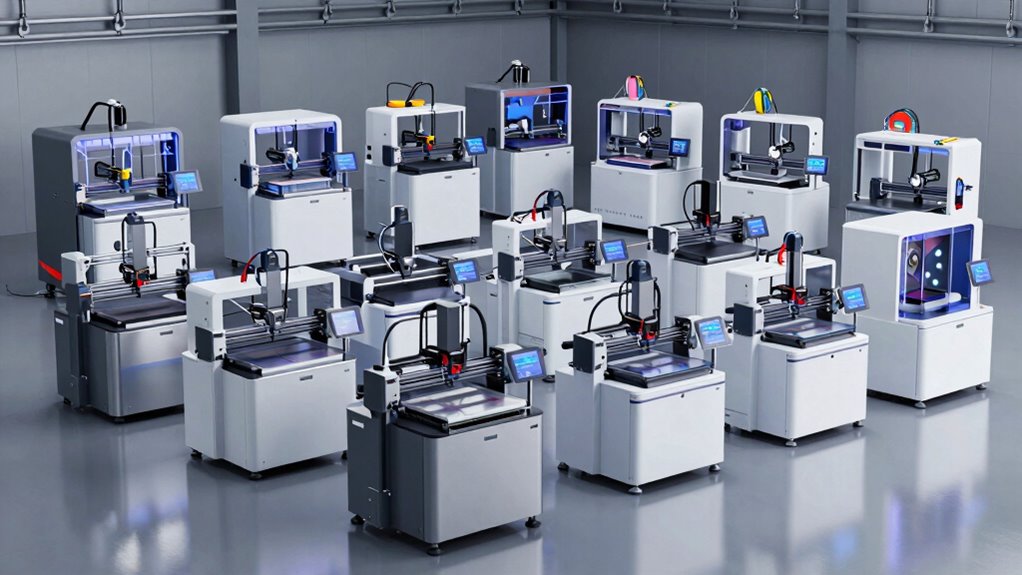

A large format 3D printer changes what you can make in one piece — full-size cosplay helmets, furniture prototypes, production tooling — but the category splits sharply between open-frame speed machines and enclosed chamber workhorses. The Sovol SV08 MAX stands out as my best overall pick for its massive 500×500×500mm volume, CoreXY motion system and Voron-derived hackability. If you print engineering materials, the QIDI Max4 with its 65°C heated chamber is the stronger choice, while the Anycubic Kobra 3 Max is the easiest entry point into big-volume printing. The core tradeoff you’ll face: raw build size and speed versus enclosed temperature control and material versatility. Read on for the full breakdown.

Prime made for students and young adults
- Fast, free delivery for dorm and study essentials
- Prime Video and Amazon Music included
- Member-only deals
Complete the kit


Key Takeaways
- Build volume alone doesn’t separate the field — the Sovol SV08 MAX wins on size plus a CoreXY platform, while the Ender 5 Max offers the same 400mm cube class as the K2 Plus for far less money but without an enclosure or multi-color.
- Enclosed models (QIDI Max4, Anycubic Kobra S1 Max, Creality K2 Plus) dominated for ABS, ASA and nylon; every open-frame pick was limited to PLA, PETG and TPU in practice.
- Multi-color bundles (K2 Plus Combo, Kobra S1 Max Combo, Max4 Combo) trade print time and reliability for color capability — the CFS-style systems ran more consistently than spool-based alternatives in this lineup.
- Speed claims clustered around 600–700mm/s across nearly all nine models, so real differentiators became chamber heating, leveling systems and motion architecture rather than advertised velocity.
- The QIDI Max4 and Creality K2 Plus Combo appear twice in different bundles — buying them without the multi-color system saves meaningful money if single-color printing is your plan.
| Sovol SV08 MAX CoreXY 3D Printer – 500×500×500mm Large Format, 700mm/s High Speed, Voron 2.4 Style |  | Best for Maximum Build Volume | Build volume: 500 × 500 × 500 mm | Motion system: CoreXY, Voron 2.4 style | Maximum print speed: 700 mm/s | VIEW ON AMAZON | See Our Full Breakdown |
| QIDI Max4 Large-Format 3D Printer |  | Best for Heated-Chamber Materials | Build volume: 390 × 390 × 340 mm | Maximum printing speed: 800 mm/s | Maximum acceleration: 30,000 mm/s² | VIEW ON AMAZON | See Our Full Breakdown |
| Anycubic Kobra 3 Max 3D Printer |  | Best for Tall Multicolor Prints | Build volume: 420 × 420 × 500 mm | Maximum printing speed: 600 mm/s | Maximum acceleration: 10,000 mm/s² | VIEW ON AMAZON | See Our Full Breakdown |
| Creality K2 Plus Combo Multi-Color 3D Printer |  | Best for Integrated Multicolor Printing | Build volume: 350 × 350 × 350 mm | Maximum print speed: 600 mm/s | Maximum acceleration: 30,000 mm/s² | VIEW ON AMAZON | See Our Full Breakdown |
| Anycubic Kobra S1 Max Combo Enclosed CoreXY 3D Printer |  | Best Enclosed Combo for Advanced Materials | Build volume: 350 × 350 × 350 mm | Printer structure: Fully enclosed CoreXY | Maximum print speed: 600 mm/s | VIEW ON AMAZON | See Our Full Breakdown |
| Creality Ender 5 Max 3D Printer |  | Best for Print Farms | Build Volume: 400 × 400 × 400 mm | Max Print Speed: 700 mm/s | Motion System: CoreXY | VIEW ON AMAZON | See Our Full Breakdown |
| Creality K2 Plus Combo 3D Printer with CFS Multi-Color System |  | Best Premium Multi-Color Pick | Max Colors: 16 (with four linked CFS units) | Max Speed: 600 mm/s | Acceleration: 30,000 mm/s² | VIEW ON AMAZON | See Our Full Breakdown |
| QIDI Max4 Combo 3D Printer |  | Best for Engineering Materials | Build Volume: 390 × 390 × 340 mm | Max Printing Speed: 800 mm/s | Acceleration: 30,000 mm/s² | VIEW ON AMAZON | See Our Full Breakdown |
| Creality Ender 3 V3 Plus 3D Printer |  | Best Entry-Level Large Format | Build Volume: 300 × 300 × 330 mm | Max Printing Speed: 600 mm/s | Max Acceleration: 20,000 mm/s² | VIEW ON AMAZON | See Our Full Breakdown |
| large format 3d printer | Build volume | Maximum acceleration |
|---|---|---|
| Sovol SV08 MAX CoreXY 3D Print | 500 × 500 × 500 mm | 40,000 mm/s² |
| QIDI Max4 Large-Format 3D Prin | 390 × 390 × 340 mm | 30,000 mm/s² |
| Anycubic Kobra 3 Max 3D Printe | 420 × 420 × 500 mm | 10,000 mm/s² |
| Creality K2 Plus Combo Multi-C | 350 × 350 × 350 mm | 30,000 mm/s² |
| Anycubic Kobra S1 Max Combo En | 350 × 350 × 350 mm | 20,000 mm/s² |
| Creality Ender 5 Max 3D Printe | 400 × 400 × 400 mm | — |
| Creality K2 Plus Combo 3D Prin | — | — |
| QIDI Max4 Combo 3D Printer | 390 × 390 × 340 mm | — |
| Creality Ender 3 V3 Plus 3D Pr | 300 × 300 × 330 mm | — |
More Details on Our Top Picks
Sovol SV08 MAX CoreXY 3D Printer – 500×500×500mm Large Format, 700mm/s High Speed, Voron 2.4 Style
The Sovol SV08 MAX makes the strongest case when the job simply will not fit on a typical desktop printer: its 500 × 500 × 500 mm build volume can handle large prototypes and parts in fewer sections. Its CoreXY motion and high-flow hotend are designed for fast printing, while contactless Eddy Current leveling helps manage a bed this large. Compared with the Anycubic Kobra 3 Max, it offers a larger footprint across the bed and similar height, plus a higher stated maximum speed. The tradeoff is that the SV08 MAX’s chamber upgrade is sold separately, which matters for temperature-sensitive materials such as ABS. Its large frame also calls for substantial workspace, and optional nozzle sizes add extra setup cost.
Pros:- 500 × 500 × 500 mm build volume accommodates large parts in fewer sections.
- CoreXY system and 50 mm³/s hotend flow support fast, high-volume printing.
- Contactless Eddy Current leveling assists with first-layer setup across the large bed.
- Built-in camera supports remote monitoring and time-lapse capture.
Cons:- Heated chamber module is sold separately.
- Large frame requires substantial workspace.
- Additional nozzle sizes are sold separately.
Best for: Makers and small engineering teams who need to print very large prototypes or functional parts in one piece.
Not ideal for: Apartment users or buyers focused on enclosed, temperature-controlled printing, since the printer takes substantial space and its heated chamber module is optional.
- Build volume:500 × 500 × 500 mm
- Motion system:CoreXY, Voron 2.4 style
- Maximum print speed:700 mm/s
- Maximum acceleration:40,000 mm/s²
- Maximum nozzle temperature:300°C
- Hotend flow rate:50 mm³/s
- Bed leveling:Eddy Current contactless scanning with pressure-sensing auto calibration
- Camera:1280 × 720 HD, remote monitoring, time-lapse, and Obico integration
Our verdict“Choose the SV08 MAX when its unusually large build volume matters more than an included heated chamber or a compact footprint.”
QIDI Max4 Large-Format 3D Printer
The QIDI Max4 is a more focused large-format choice for buyers who need an enclosed, actively heated build space. Its 65°C heated chamber can help with materials prone to warping, while the hardened-steel nozzle suits abrasive filaments. At 390 × 390 × 340 mm, its build area is smaller than the Sovol SV08 MAX and the Anycubic Kobra 3 Max, so it is less suited to the largest one-piece prints. In return, the Max4 pairs its chamber with AI camera monitoring and a high-flow hotend, making it a better fit for demanding material work than a large open printer. Multi-color printing needs an optional QIDI BOX, and the Polar Cooler is also sold separately.
Pros:- Actively heated 65°C chamber supports temperature-sensitive materials.
- Hardened-steel nozzle is suited to abrasive filaments.
- AI camera can detect print failures and pause printing.
- Up to 800 mm/s stated maximum speed and 40 mm³/s hotend flow.
Cons:- Build volume is smaller than the Sovol SV08 MAX and Anycubic Kobra 3 Max.
- QIDI BOX is required for multi-color printing.
- Polar Cooler is sold separately.
Best for: Technical users printing larger ABS, ASA, or abrasive-filament parts who want an actively heated chamber.
Not ideal for: Buyers whose priority is the biggest possible single-piece print or who want multi-color printing without buying an add-on.
- Build volume:390 × 390 × 340 mm
- Maximum printing speed:800 mm/s
- Maximum acceleration:30,000 mm/s²
- Hotend flow rate:40 mm³/s
- Nozzle:Hardened steel
- Heated chamber:65°C
- Monitoring:AI camera with print failure detection
- Multi-color capability:Up to 16 colors with optional QIDI BOX
Our verdict“Pick the Max4 if chamber heat and material capability matter more to your work than maximum build size.”
Anycubic Kobra 3 Max 3D Printer
The Anycubic Kobra 3 Max combines a broad 420 × 420 mm bed with a full 500 mm of height, a useful shape for tall props, columns, and large display pieces. Its build volume exceeds the Creality K2 Plus Combo in height and bed area, though it lacks the K2 Plus’s heated chamber. The Kobra 3 Max can print in up to four colors with an ACE Pro, or up to eight with two units, giving color-focused buyers room to expand. That flexibility comes with added hardware, and its stated 600 mm/s speed is paired with lower acceleration than several CoreXY options here. AI monitoring can pause when it detects an issue, but some parts have shorter warranty coverage than the one-year product warranty.
Pros:- 420 × 420 × 500 mm build area combines a wide bed with substantial height.
- Can expand from four-color to eight-color printing with a second ACE Pro.
- AI monitoring can pause printing when abnormalities are detected.
- 600 mm/s stated maximum speed suits buyers balancing scale and throughput.
Cons:- ACE Pro is required for multicolor printing.
- Some parts have only three to six months of warranty coverage.
- No heated chamber is listed, unlike the QIDI Max4 and Creality K2 Plus Combo.
Best for: Cosplay makers and display-printing hobbyists who need tall parts and may want multicolor output.
Not ideal for: Users printing temperature-sensitive engineering materials or buyers who want multicolor capability without an extra ACE Pro unit.
- Build volume:420 × 420 × 500 mm
- Maximum printing speed:600 mm/s
- Maximum acceleration:10,000 mm/s²
- Multicolor printing:Up to 4 colors with one ACE Pro; up to 8 with two
- Product dimensions:29.5 × 32.25 × 7.25 inches
- Item weight:47 pounds
- Warranty:One year; some parts covered for 3–6 months
Our verdict“Choose the Kobra 3 Max for tall, oversized prints and expandable color, provided you do not need an actively heated chamber.”
Creality K2 Plus Combo Multi-Color 3D Printer
The Creality K2 Plus Combo suits buyers who want a capable enclosed printer with a clear path to large multicolor jobs. Its 350 mm cubed build volume is smaller than the Anycubic Kobra 3 Max and the Sovol SV08 MAX, so it gives up room for oversized parts. The payoff is a heated chamber rated to 60°C, a 350°C nozzle, automatic leveling, and two AI cameras in the listed configuration. Four CFS units are needed to reach 16 colors, so that maximum depends on additional equipment. Compared with the Anycubic Kobra S1 Max Combo, the K2 Plus has a similarly sized cube and a higher stated maximum speed, while its 70.4-pound weight makes placement and relocation a real planning factor.
Pros:- Heated chamber and 350°C nozzle support a broad range of material needs.
- Two AI cameras and automatic leveling aid monitoring and setup.
- Can reach 16-color printing with four CFS units.
- 600 mm/s stated maximum speed and 40 mm³/s flow support faster production.
Cons:- 350 × 350 × 350 mm build volume is smaller than the largest printers in this lineup.
- Four CFS units are needed for the full 16-color setup.
- At 70.4 pounds, it is heavy to reposition.
Best for: Enthusiasts and small studios who want an enclosed printer for multicolor projects and varied materials.
Not ideal for: Buyers who need a 400 mm-plus build dimension or want an easy-to-move printer.
- Build volume:350 × 350 × 350 mm
- Maximum print speed:600 mm/s
- Maximum acceleration:30,000 mm/s²
- Maximum chamber temperature:60°C
- Maximum nozzle temperature:350°C
- Maximum flow rate:40 mm³/s
- Multicolor printing:Up to 16 colors with four CFS units
- Cameras:Two AI cameras
Our verdict“Choose the K2 Plus Combo if enclosed multicolor printing matters more than the widest build area.”
Anycubic Kobra S1 Max Combo Enclosed CoreXY 3D Printer
The Anycubic Kobra S1 Max Combo combines a 350 mm cubed build space with an enclosed CoreXY frame, 65°C heated chamber, and 350°C hotend. That makes it a practical middle ground for buyers who want an enclosure and high-temperature capability without stepping down to a small-format machine. Its included ACE 2 Pro enables four-color printing from the start, with expansion to 16 colors through additional units; the Creality K2 Plus Combo offers a similar build cube and expansion ceiling, while listing two AI cameras. The Kobra S1 Max’s 49-point leveling helps with setup, but its 77.8-pound weight and large listed dimensions make it difficult to shift between workspaces. Color expansion also requires more hardware.
Pros:- Enclosed CoreXY design pairs a 350 mm cubed build volume with a 65°C heated chamber.
- 350°C hotend supports higher-temperature material requirements.
- ACE 2 Pro is included for four-color printing.
- 49-point automatic leveling supports bed setup.
Cons:- 77.8-pound weight and large dimensions demand a stable, spacious location.
- Expansion to 16 colors requires additional ACE 2 Pro units.
- Its build volume is substantially smaller than the Sovol SV08 MAX and Anycubic Kobra 3 Max.
Best for: Makers who want an enclosed CoreXY printer for larger advanced-material parts and included four-color printing.
Not ideal for: Users with limited bench space, frequent printer moves, or a need for parts wider than a 350 mm cube.
- Build volume:350 × 350 × 350 mm
- Printer structure:Fully enclosed CoreXY
- Maximum print speed:600 mm/s
- Maximum acceleration:20,000 mm/s²
- Heated chamber:65°C
- Maximum hotend temperature:350°C
- Multicolor printing:4 colors included; expandable to 16 colors
- Auto-leveling:LeviQ 3.0, 49-point
Our verdict“Pick the Kobra S1 Max Combo for an enclosed, heated, multicolor setup in a 350 mm build class.”
Creality Ender 5 Max 3D Printer
Most large-format printers are designed around a single heroic print; the Ender 5 Max is built around running many of them at once. The WLAN multi-printer control with grouped management lets you monitor and command an entire fleet from one interface, which is something the Creality K2 Plus and QIDI Max4 don’t prioritize in the same way. The 400×400×400mm cubic build volume is generous in every axis, and the 1000W rapid-heating bed gets you into ABS and ASA without long wait times between jobs.
The tradeoff is that this is a farm workhorse, not a luxury machine. There’s no heated chamber like the Max4 offers, so engineering filaments are harder to dial in, and pushing 700mm/s CoreXY speeds often requires tuning to keep surface quality where you want it. Compared with the Ender 3 V3 Plus, you get far more capacity and a stiffer frame, but you’ll also need the floor space to match.
Pros:- Cubic 400×400×400mm build volume handles oversized prototypes and dense batch queues
- WLAN multi-printer grouping is genuinely useful for scaled production
- 64-point auto leveling with auto Z-offset cuts setup friction on every restart
- Direct-drive dual-gear extruder with hardened gears copes with abrasive and flexible filaments
Cons:- No heated chamber, limiting reliability with warp-prone engineering materials
- High-speed CoreXY output can need tuning before surface quality is consistent
Best for: Small production shops and print farm operators running multiple machines who need fleet management and consistent batch output
Not ideal for: Hobbyists with limited workspace who mostly print PLA — the large footprint and farm-oriented features go unused
- Build Volume:400 × 400 × 400 mm
- Max Print Speed:700 mm/s
- Motion System:CoreXY
- Auto Leveling:64-point fully automatic with auto Z-offset
- Frame:Reinforced die-cast aluminum, all-metal
- Extruder:Direct-drive dual-gear, hardened gears
- Heated Bed:1000W rapid heating, epoxy build plate
- Connectivity:WLAN multi-printer control, grouped management
Our verdict“Buy this if you’re scaling from one printer to many and need a machine designed for fleet coordination from day one.”
Creality K2 Plus Combo 3D Printer with CFS Multi-Color System
If color is the point of your large prints, the K2 Plus Combo is the most complete package in this lineup. The included Creality Filament System scales to 16 colors when you link four CFS units — the QIDI Max4 needs the separately purchased QIDI BOX to reach the same count. The actively heated chamber is the other headline: unlike the open-frame Ender 5 Max, it keeps ABS, ASA, and carbon fiber-filled filaments dimensionally stable across tall prints. Dual AI cameras add a safety net the Ender line simply doesn’t offer.
Be realistic about the downsides. Multi-material purging wastes filament on every color change, which stings more on big parts. The step-servo motion system is fast at 600mm/s with 30000mm/s² acceleration, but this is a big, complex enclosed machine that rewards users who enjoy tweaking a sophisticated system rather than just pressing print.
Pros:- Up to 16 colors with expandable CFS units, included in the box
- Actively heated chamber stabilizes ABS, ASA, and CF-filled filaments
- Hardened steel high-temp nozzle handles abrasive composites
- Dual AI cameras catch failures, foreign objects, and filament idling before they ruin long prints
Cons:- Multi-color purging wastes filament on every change, especially on large parts
- Complex multi-material system involves more maintenance and learning than single-spool printers
Best for: Designers and serious hobbyists who want big, multi-color or carbon fiber prints from one enclosed, self-monitoring machine
Not ideal for: Set-and-forget users on a tight budget — color-change waste and system complexity add cost and fiddling
- Max Colors:16 (with four linked CFS units)
- Max Speed:600 mm/s
- Acceleration:30,000 mm/s²
- Flow Rate:40 mm³/s
- Heated Chamber:Yes (active heating)
- Nozzle:High-temp with hardened steel tip
- Supported Materials:PLA, ABS, PETG, PA-CF, PLA-CF, PET, ASA, PPA-CF
- Monitoring:Dual AI cameras with failure detection and time-lapse
- Auto Leveling:Strain gauge-based, anti-tilt with dual motorized Z-axes
Our verdict“This makes the most sense for buyers who see multi-color as a core requirement, not an occasional novelty, and are willing to pay in filament waste for it.”
QIDI Max4 Combo 3D Printer
The Max4 Combo is where this roundup tilts from hobby territory toward functional prototyping. Its 65°C actively heated chamber runs hotter than the Creality K2 Plus setup, and combined with a high-flow 40mm³/s hotend it opens the door to PPS-CF and carbon fiber-reinforced nylon — materials that warp or fail outright on the open-frame Ender 5 Max. At 800mm/s with closed-loop motors, it’s also the fastest machine here, and closed-loop control means missed steps get corrected rather than ruining an eight-hour print.
The catch is the add-on economy. The Polar Cooler needed for the highest-temperature materials and the QIDI BOX for 16-color printing are both sold separately, so the true capability costs more than the box suggests. Compared with the K2 Plus, which bundles its color system, the Max4 front-loads less and charges later — a fair arrangement if you only need one of those extras, an annoying one if you want everything.
Pros:- 65°C heated chamber handles high-temperature and fiber-reinforced materials reliably
- 800mm/s print speed with closed-loop X/Y motors holds precision at pace
- Ultra-large 390×390×340mm volume fits industrial parts in a single print
- AI camera pauses failed prints to save material on long jobs
Cons:- Polar Cooler required for the highest-temp materials is a separate purchase
- Multi-color printing requires the separately sold QIDI BOX
- Footprint is substantial and will dominate a small workspace
Best for: Engineers and functional-part makers who need PPS-CF, carbon fiber nylon, and PC parts printed reliably at serious speed
Not ideal for: PLA-focused casual printers — the high-temp capabilities and accessory costs are wasted on decorative models
- Build Volume:390 × 390 × 340 mm
- Max Printing Speed:800 mm/s
- Acceleration:30,000 mm/s²
- Heated Chamber Temperature:65°C
- Hotend Flow Rate:40 mm³/s
- Nozzle:Hardened steel, high-flow
- Motors:Closed-loop on X/Y; 2mm lead screw and anti-backlash nut on Z
- Extras:QIDI BOX compatible for 16-color printing; AI camera monitoring
- Materials Supported:PLA, ABS, ABS-CF, PC, PPS-CF, carbon fiber-reinforced nylon
Our verdict“The strongest choice here if your parts need to survive real-world loads rather than sit on a shelf.”
Creality Ender 3 V3 Plus 3D Printer
Not everyone needs 400mm cubes and heated chambers, and the Ender 3 V3 Plus is the sensible on-ramp in this group. Its 300×300×330mm build volume is large by any standard — taller than the QIDI Max4’s Z-axis — but it asks far less of your wallet, floor space, and patience. Pre-assembled modules and automatic calibration mean you’re printing within an hour of unboxing, whereas the K2 Plus and Max4 demand more setup and know-how. The CoreXZ motion system with dual Y-axis motors keeps the frame rigid enough for consistent results at speed.
Keep expectations calibrated, though. The 600mm/s claim is an advertised maximum, and real-world quality lives at lower speeds. There’s no heated chamber, no AI monitoring, and no multi-color path — this is a single-material machine through and through. Compared with the Ender 5 Max, you give up 100mm on X and Y along with farm-management features, but many buyers will never miss either.
Pros:- 300×300×330mm volume is genuinely large for a beginner-friendly machine
- Pre-assembled modules and auto calibration get you printing quickly
- Direct-drive extruder and tri-metal hardened nozzle handle varied filaments without constant clogs
- Reinforced frame and dual Y-axis motors support stability on tall prints
Cons:- Advertised 600mm/s speed is a peak figure, not a sustained-quality figure
- No heated chamber or monitoring features found on pricier picks here
Best for: First-time large-format buyers who want big-print capability with minimal setup, maintenance, and spending
Not ideal for: Users needing engineering filaments, multi-color output, or verified ultra-high speeds — this machine doesn’t target any of those
- Build Volume:300 × 300 × 330 mm
- Max Printing Speed:600 mm/s
- Max Acceleration:20,000 mm/s²
- Motion System:CoreXZ with dual Y-axis motors
- Extruder:Direct drive
- Nozzle:Tri-metal integrated with hardened steel tip
- Leveling:Automatic calibration and leveling
- Assembly:Pre-assembled modules
Our verdict“The smart pick if you want to step up to large prints without stepping into industrial pricing and complexity.”

How We Picked
I evaluated each printer against four criteria that actually decide whether a large format machine succeeds or collects dust. Build volume and geometry came first — a true large format printer needs at least 350mm on a side, and I flagged how each model’s usable height differed from its marketing footprint. Motion architecture and rigidity mattered second, because big prints magnify every wobble: CoreXY machines like the SV08 MAX and K2 Plus held detail at size better than bedslinger-style designs. Material versatility — specifically whether an enclosure and heated chamber were included — determined whether each printer could handle ABS, ASA and nylon or was effectively a PLA/PETG machine. Finally, I weighed ease of setup and maintenance, since a 500mm printer that needs weekly belt tensioning is a different ownership experience than a self-leveling enclosed unit.
Ranking favors machines that combine a large volume with a stable platform and clear upgrade paths. Enclosed models ranked higher for general audiences because they future-proof material choices; budget open-frame picks earned their spots by delivering exceptional volume-per-dollar for hobbyists who mostly print PLA. Where two listings were the same printer in different bundles, I treated the bundle as a separate buying decision rather than padding the list with filler.
Factors to Consider When Choosing Large Format 3d Printer
Large format printers exaggerate every buying decision. A flaw that’s cosmetic on a 220mm machine becomes a failed 40-hour print at this scale, so the factors below deserve more scrutiny than they would on a standard desktop printer.True Build Volume vs. Usable Volume
Advertised dimensions describe the machine’s physical limits, not what you can reliably print. Tall, thin parts on an open frame can warp or wobble near the top of the Z-axis, and some printers lose millimeters to nozzle wiping, purge towers for multi-color jobs, or bed clips at the edges. Check whether the build plate is genuinely flat across its entire span too — large plates warp more often than small ones, and a 500mm bed with a low spot in the middle ruins prints that a 300mm bed would survive. If your parts genuinely need the full envelope, read owner communities for real-world flatness feedback rather than trusting the spec sheet. For most buyers, a flat, reliable 400mm bed beats a finicky 500mm one.
Enclosure and Heated Chamber: The Material Gatekeeper
The single biggest fork in this category is whether the printer is enclosed, and whether that enclosure is actively heated. Open-frame machines handle PLA, PETG and TPU well but produce warped, splitting parts in ABS and often fail outright with nylon or polycarbonate. A passive enclosure helps somewhat; an actively heated chamber like the QIDI Max4’s 65°C environment is what actually unlocks engineering-grade materials at scale. The mistake I see most often is buyers purchasing an open 500mm printer for functional parts, then discovering mid-project that they needed temperature stability. Decide your material list before your build volume — it will narrow the field faster than any other single factor.
Motion System Rigidity at Scale
CoreXY and similarly rigid architectures move the print head on fixed gantries while the bed only drops vertically, which keeps acceleration crisp even on a 500mm canvas. Traditional bedslinger designs — where the bed itself races back and forth on the Y-axis — gain momentum as bed size grows, and that mass shows up as ringing and layer shifts on large prints. At small sizes the difference is subtle; at large format it decides whether a 30-hour print survives to the end. Heavier glass beds, popular for their flatness, make the mass problem worse on bedslinger machines. If you plan to print fast at full size, weight and rigidity matter as much as raw speed ratings.
Multi-Color Systems: What the Combo Actually Costs You
Multi-material systems like Creality’s CFS add genuine creative capability, but they’re not free beyond the sticker price. Every color change purges filament, which wastes material and can stretch print time dramatically on color-heavy models — a multi-color large print can run two to three times longer than its single-color equivalent. Filament drying also becomes a maintenance concern, since hydrated filament jams multi-color feeders far more often than direct extruders. My advice: buy the combo only if you have specific multi-color projects planned. Buyers who mostly print single-color functional parts should grab the standalone printer and pocket the difference — the combos are add-ons, not upgrades to print quality.
Power, Environment and Running Costs
Large heated beds draw serious current, and a heated chamber adds a continuous load that can approach household circuit limits when combined with an enclosure heater. Before buying, confirm your outlet situation and expect a real increase in electricity use for long ABS prints. Physical placement matters too: an enclosed 500mm printer is a substantial piece of furniture, and open-frame machines in drafty rooms or garages will struggle with anything beyond PLA year-round. Filament consumption scales with volume faster than most buyers expect — a full-plate print can consume multiple spools. Budget for consumables, spare nozzles and possibly a dryer alongside the printer itself.
Support, Firmware and Community
At large format, you will eventually troubleshoot — and the quality of help available varies enormously between brands. Voron-derived machines like the Sovol SV08 MAX benefit from a huge open-source community and accept Klipper-based customization, which matters if you like tuning. Mainstream brands like Creality and Anycubic offer broader official support and abundant tutorials, which matters if you don’t. Firmware openness, spare-parts availability and active owner forums should weigh into your decision as heavily as any hardware spec, because a discontinued or orphaned platform turns a big investment into a paperweight. Check whether replacement beds and hotends for your specific model are actually purchasable, not just listed.
Frequently Asked Questions
Is a 500mm build volume worth it, or should I save money with a 400mm printer?
Only if you regularly print parts that genuinely exceed 400mm in one dimension. Most large parts — helmets, brackets, planters, prop components — fit comfortably in a 400mm cube, and the 400mm class includes cheaper, more refined machines like the Creality K2 Plus and Ender 5 Max. The real case for 500mm platforms like the Sovol SV08 MAX is single-piece printing of oversized objects that would otherwise need splitting, gluing and finishing. That convenience is real, but you pay for it in longer print times, higher filament consumption per failed print and more demanding calibration. If you’re unsure, start at 400mm — you can always section larger designs, but you can’t easily recover an overspend.
Do I need a heated chamber if I only print PLA and PETG?
No — for PLA and PETG, an open-frame or passively enclosed printer performs just as well and usually costs less. Heated chambers exist to control warping and layer adhesion in ABS, ASA, nylon, PC and other high-temperature materials, and they add cost, weight and power draw that pure PLA users never benefit from. That said, plenty of buyers start with PLA and later want functional, heat-resistant parts, and upgrading to an enclosed machine later means buying a whole new printer. If there’s a realistic chance you’ll move to engineering materials within a year, the QIDI Max4 or K2 Plus Combo is the safer purchase. If PLA and PETG genuinely cover your projects, spend the savings on filament and a dryer instead.
Are the multi-color combo bundles worth the extra cost?
It depends entirely on whether you’ll use multi-color regularly. Systems like Creality’s CFS produce genuinely impressive results for signs, figurines and decorative parts, but each color transition purges filament and adds wait time, so color-dense large prints can stretch to double or triple the duration of a single-color equivalent. If your work is functional — brackets, enclosures, tooling — the multi-color hardware sits idle while you paid for it. A reasonable middle path: buy the standalone printer now if you’re on the fence, and choose a model whose combo system can be added later, which the K2 Plus and Max4 both allow. Buyers with a concrete multi-color project list should get the combo upfront to avoid paying shipping twice.
How much does printer speed actually matter at large format?
Less than the marketing suggests, but more than on small printers. Nearly every machine in this class now advertises 600–700mm/s peak speeds, yet large prints run at conservative average speeds anyway because acceleration, cooling and layer adhesion — not top velocity — determine how fast you can actually go without failures. What genuinely separates machines is how well they maintain quality at 300–400mm/s sustained, which is where rigid CoreXY architectures outperform lighter frames. A fast printer with poor motion control produces a failed 40-hour print, which is far more expensive than a slightly slower successful one. Treat speed claims as a tiebreaker, not a primary criterion.
Can a beginner handle a large format printer, or is it too much machine?
Modern large format printers are far more beginner-friendly than the reputation suggests, provided you pick the right one. Machines with automatic bed leveling, flexible build plates and enclosed designs — like the Anycubic Kobra 3 Max or Kobra S1 Max — behave almost like standard desktop printers with a bigger footprint. Where beginners get into trouble is with open-source, kit-adjacent platforms like the Voron-style SV08 MAX, which reward tinkerers but assume you’ll adjust belts, tune input shaping and occasionally edit config files. The other beginner trap is scale itself: failed large prints consume entire spools, so new users should practice on small models first even on a big machine. Choose an enclosed, auto-leveling model and the size becomes a non-issue.
Conclusion
The right pick depends on what you’re actually printing. For the best overall balance of size, rigidity and expandability, the Sovol SV08 MAX takes it — a true 500mm CoreXY platform with a passionate community behind it, best suited to hobbyists comfortable with occasional tuning. Best value goes to the Creality Ender 5 Max, which delivers a 400mm cube and 700mm/s-class motion at a price that leaves room in the budget for filament, though it lacks an enclosure and multi-color. For premium buyers, the Creality K2 Plus Combo is the most complete machine here: enclosed, actively heated, multi-color capable and refined — while the QIDI Max4 Combo is the better premium pick specifically for high-temperature engineering plastics thanks to its 65°C chamber. Beginners should start with the Anycubic Kobra 3 Max for the simplest path into big prints, or the Kobra S1 Max Combo if they want enclosure and multi-color from day one. Whatever you choose, let your material list and part sizes drive the decision — at this scale, the wrong enclosure choice is the mistake you’ll feel longest.
Halloween Picks
halloween
As an affiliate, we earn on qualifying purchases.