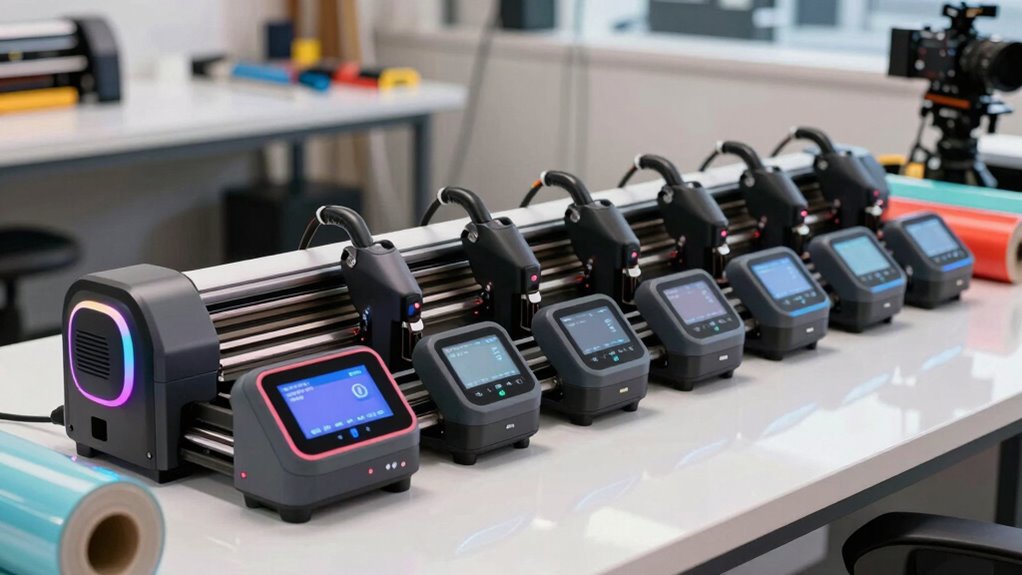

Finding the right vinyl cutter for a small business involves balancing performance, ease of use, and cost. The VEVOR 28-inch Vinyl Cutting Machine stands out as the best overall for its versatile features and reliability. For beginners, the Cricut Maker 4 offers an accessible entry point with excellent software, while the USCutter MH100 provides a more budget-friendly bundle with professional capabilities. Each option involves tradeoffs: higher-end models offer precision and speed but come with a higher price, while entry-level options prioritize simplicity over advanced features. Keep reading for a detailed breakdown to help you choose the best fit for your small business needs.

Prime made for students and young adults
- Fast, free delivery for dorm and study essentials
- Prime Video and Amazon Music included
- Member-only deals
Key Takeaways
- The top models balance cutting width, software compatibility, and ease of setup, with VEVOR leading for overall versatility.
- Budget-friendly options like USCutter provide good value but may lack advanced features and software support.
- Ease of use and quick setup are vital for small businesses, favoring brands like Cricut for simplicity.
- Larger cut widths and dual blade systems are best for high-volume or diverse design needs, primarily found in premium models.
- Compatibility with multiple operating systems and design software remains a key factor in long-term usability.


More Details on Our Top Picks
VEVOR 28-inch Vinyl Cutting Machine with LCD Screen and Dual Spring Rollers
This VEVOR model stands out for its large 28-inch feed width, making it suitable for a wide range of sign and decal projects that smaller cutters can’t handle. Compared with the USCutter MH100, it offers a larger cutting area and more software options, which is beneficial for creative versatility. However, its complexity and need for familiarity with design software can be a hurdle for beginners. The adjustable rollers and high precision ensure clean cuts, but it requires some technical know-how to maximize performance. Its portability with caster wheels adds convenience, yet setup might be more involved than simpler plug-and-play models. Overall, this cutter is a solid choice for small businesses needing flexibility without sacrificing size or precision.
Pros:- Large 28-inch feed width suitable for diverse sign projects
- Precise cutting with adjustable rollers and blades
- Compatibility with multiple design software options
- Portable with caster wheels
Cons:- Requires familiarity with design software for optimal use
- Complex setup may intimidate beginners
Best for: Small business owners comfortable with software and seeking a versatile, large-format cutter
Not ideal for: Beginners or those preferring a plug-and-play device without software setup
- Max feed width:28.3 in / 720 mm
- Max cutting width:24.8 in / 630 mm
- Cutting precision:±0.004 in / ±0.01 mm
- Includes:5 stickers (9.84 ft / 3 m each), crepe paper, soft tape
- Material compatibility:Vinyl, heat transfer film, engraving materials
- Software support:Signmaster, SignCut, Flexi
Our verdict“This cutter best serves small businesses that need a spacious, precise machine and are prepared for a learning curve.”
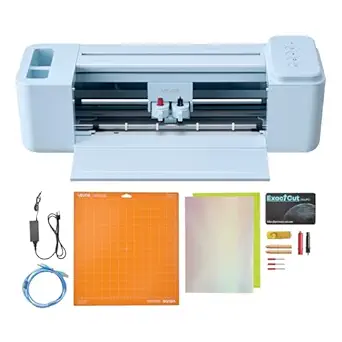
Cricut Maker 4 Cutting Machine Ultimate Beginner Sticker Making Bundle
The Cricut Maker 4 excels as an entry-level option designed specifically for creating custom stickers, labels, and decals, especially with its print then cut functionality. Compared to the Likcut S41, it offers a more comprehensive ecosystem for beginners, including pre-cut materials and project guidance. While it’s user-friendly and perfect for small batches, its reliance on Cricut Design Space and a compatible printer means it’s less flexible for complex or large-scale production. Its waterproof sticker paper and adhesive vinyl make durable products, but the limited maximum cutting width of a standard 8.5 inches could restrict larger projects. This pick makes the most sense for hobbyists and small business owners focusing on personalized sticker products without needing advanced sign-making features.
Pros:- All-in-one bundle with essential materials and tools
- User-friendly for beginners with guided setup
- Water-resistant materials for durable stickers
- Ideal for small batch production
Cons:- Requires Cricut Design Space and compatible printer
- Limited to 8.5-inch maximum width
Best for: Beginners or small business owners focusing on custom stickers and decals
Not ideal for: Sign makers requiring larger formats or advanced software capabilities
- Model:Cricut Maker 4
- Functionality:Print then Cut
- Includes:Waterproof sticker paper, adhesive vinyl, tools
- Color:Seashell
Our verdict“This machine is perfect for small-scale, beginner-friendly sticker creation, but not for larger or sign projects.”
USCutter MH100 34″ Vinyl Cutter Bundle with Stand, Software, and Accessories
The USCutter MH100 offers a substantial 34-inch cutting width, making it ideal for creating larger decals, signs, and apparel graphics. Compared to the VEVOR 28-inch cutter, it provides a broader workspace at a competitive price point, with adjustable speed and force for precise results. However, its weight of 67 pounds and lack of Mac compatibility can complicate setup and use for some small businesses. The included VinylMaster software is functional but basic, making this package better suited for hobbyists or small operations with a Windows PC. If size and affordability are priorities, this bundle performs well, though it lacks advanced features seen in higher-end cutters.
Pros:- Large 34-inch cutting width for bigger projects
- Complete starter kit with stand, software, and vinyl rolls
- Adjustable speed and force for precise cuts
- Affordable entry-level option
Cons:- Heavy and requiring sturdy setup space
- Limited software compatibility (Windows only)
Best for: Small businesses needing a large, affordable cutter with basic features
Not ideal for: Mac users or those seeking highly advanced sign-making capabilities
- Package Dimensions:44 x 15 x 11 inches
- Item Weight:67 pounds
- Cutting Width:34 inches
- Speed:up to 48 in/sec
- Force:up to 350g
- Included Software:VinylMaster Cut (Windows), SCAL Pro (Mac, optional)
Our verdict“This cutter suits small businesses that want a large-format machine on a budget but can accept its hardware limitations.”
VEVOR Vinyl Cutter Machine Upgraded 28-Inch Paper Feed Cutting Plotter Bundle
This VEVOR upgraded cutter emphasizes high precision with a 28-inch maximum feed and adjustable pressure and speed. Compared to the simpler VEVOR 12-inch cutter, it offers a much larger working area and more customizable operation, appealing to hobbyists and small businesses that need detailed control over cuts. Its extensive accessory package, including vinyl rolls and blades, enhances versatility. Nonetheless, it’s not compatible with Mac systems and demands a Windows PC, which could be a drawback for some users. The setup can seem complex, especially for those unfamiliar with professional-grade cutters, but it delivers reliable, high-quality results for a range of DIY projects and small-scale professional jobs.
Pros:- Large cutting area suitable for various projects
- High precision with adjustable pressure and speed
- Includes extensive accessories and software support
- Durable aluminum construction
Cons:- No Mac compatibility
- Requires Windows PC for operation
Best for: Small businesses or hobbyists seeking precise, large-area vinyl cutting with flexible settings
Not ideal for: Mac users or those seeking a simple, plug-and-play device
- Max Paper Feed:28.3 in / 720 mm
- Max Cutter Width:24.8 in / 630 mm
- Cutting Pressure:10 – 500 g
- Cutting Speed:10 – 800 mm / s
- Blade Accuracy:0.0004 in / 0.01 mm
- Product Dimensions:38 x 14 x 12 inches
Our verdict“This cutter is well-suited for precise, larger projects where control and quality are priority, but it’s less accessible for Mac users or beginners.”
Likcut S41 Vinyl Cutter Machine with Print Then Cut – AI Image Generation Sticker Cutter for Room Decor, HTV, Cardstock, and Custom Stickers
The Likcut S41 combines ease of use with innovative AI features, including voice and text commands, making it ideal for crafts and quick custom sticker projects. Its 8.5-inch maximum width is smaller than the others, but the AI-powered workflow simplifies design creation, especially for users who want minimal manual editing. Compared to the Cricut Maker 4, it offers more automation and wireless connectivity, which benefits small businesses aiming for efficiency. However, the limited cutting width and occasional connectivity issues reported by some users indicate it’s best suited for small, detail-oriented projects rather than large-scale sign-making. This cutter offers a modern, intuitive approach for small craft businesses focused on stickers and decor.
Pros:- Intuitive 3-step workflow with AI voice and text commands
- Supports wired and wireless connection options
- High-precision cutting with automatic calibration
- Ideal for small, detailed projects
Cons:- Limited maximum cutting width (8.5 inches)
- Connectivity issues reported by some users
Best for: Small craft businesses and hobbyists needing automated, easy-to-use sticker creation
Not ideal for: Businesses requiring larger formats or complex sign fabrication
- Brand:LIKCUT
- Model:S41
- Maximum Cutting Width:8.5 inches
- Connectivity:Wired and Wireless
- Precision Tolerance:0.2mm
- AI Features:Voice and Text to Design
Our verdict“This machine is perfect for small, automated sticker projects with easy operation, but not for larger or sign-focused tasks.”
VEVOR Vinyl Cutter Machine, 53 inch Max Feed Width, Dual Blades, Adjustable Force and Speed, LED Display, Vinyl Plotter Cutter Printer Bundle with Sticker Sheets, Transfer Film, Signmaster Software
This VEVOR model stands out for its impressive 53-inch maximum feed width, making it suitable for larger projects that other compact cutters like the Likcut S41 can’t handle. Its dual-blade setup accelerates workflows by combining cutting and drawing functions in a single pass, which is a real time-saver. Compared with the smaller 12-inch options, it offers more flexibility for a variety of media types, from vinyl to magnetic sheets. However, the mixed customer satisfaction ratings and somewhat less intuitive software interface highlight some tradeoffs. It’s best suited for small businesses needing a wide-format cutter with professional features, but owners should prepare for possible setup adjustments and additional tools for advanced tasks.
Pros:- Supports multiple media types including vinyl, HTV, and magnetic sheets
- Dual-blade design speeds up production by combining drawing, cutting, and scoring
- Compatible with Windows and macOS with easy setup via SignMaster software
- Precise contour detection with ±0.1 mm accuracy
Cons:- Includes many accessories but may require additional tools for advanced projects
- Software interface can be less intuitive for new users
Best for: Small business owners who require a wide-format cutter capable of handling diverse media types with efficient multi-functionality.
Not ideal for: Beginners or hobbyists with limited space or budget who don’t need such a large cutting width or advanced features.
- Max Feed Width:53 inches
- Blades:Dual Blades
- Force Adjustment:Yes
- Speed Adjustment:Yes
- Display:LED
- Supported OS:Windows 7–11, macOS
- Media Thickness:up to 1 mm
- Force Range:20–500 gf
Our verdict“This cutter suits small businesses that prioritize wide-format versatility and are prepared for a steeper learning curve.”
VEVOR Vinyl Cutting Machine, 12 in, Button and Screen Controlled Vinyl Cutter, 20000+ Built-in Design Resources, Compatible with Mac, Windows, Android, and iOS
Compared to larger or more complex cutters like the VEVOR 53-inch model, this 12-inch machine offers a simplified approach ideal for small-scale projects or beginners. Its extensive library of over 20,000 designs provides instant creative options, and its compatibility across multiple devices—Mac, Windows, Android, iOS—eliminates the need for dedicated software. While its smaller size limits production capacity, it excels in ease of use and versatility for hobbyists or small businesses with modest needs. The learning curve is gentle, but the limited cutting width and reliance on device compatibility could be restrictive for more ambitious projects. Overall, it’s a good choice for those wanting variety without complexity.
Pros:- No recurring software costs with included design software
- Supports detailed and complex designs with multiple file formats
- Flexible connectivity options: USB, Bluetooth, USB drive
- Compatible with various devices and operating systems
Cons:- May have a learning curve for beginners
- Limited to 12-inch cutting width
- Requires compatible devices for full functionality
Best for: Small business owners or hobbyists seeking a budget-friendly, multi-platform cutter with a large design library.
Not ideal for: Businesses needing large-format cuts or advanced automation features, as its 12-inch capacity may constrain larger jobs.
- Size:12 inches
- Design Resources:20000+ built-in designs
- Compatibility:Mac, Windows, Android 5.1+, iOS 11.0+
- File Formats Supported:PNG, JPG, SVG, TIF
- Materials:Vinyl, heat transfer paper, cardstock, foil, specialty paper
Our verdict“This cutter fits small scale, creative projects with its extensive design library and multi-device support, but isn’t suited for large-volume production.”
VEVOR Automatic Edge Detection Vinyl Cutter Machine with Design Software and Accessories
This model emphasizes cutting accuracy and speed, making it a strong contender for small businesses focused on signage or detailed crafts. Its automatic edge detection and ±0.1mm precision outperform many basic cutters like the Likcut S41, especially when dealing with complex or detailed patterns. The modern touchscreen interface simplifies operation, but some users might face a learning curve due to its advanced features. Compatibility with multiple file formats and a versatile material range support a variety of projects, though the price point isn’t specified, which can be a consideration. This cutter makes the most sense for users who need fast, precise cuts with minimal manual adjustment.
Pros:- High precision with ±0.1mm accuracy
- Automatic edge detection for consistent, accurate cuts
- Compatible with multiple file formats and materials
- Modern design with touchscreen interface
Cons:- May require some learning curve for beginners
- Limited to compatible materials and formats
- Price range not specified
Best for: Small business owners who prioritize high precision and speed for signage or intricate craft projects.
Not ideal for: Beginners or those on a tight budget, as advanced features and potentially higher costs may be barriers.
- Max paper feed width:28″ / 720 mm
- Max cut size:23.6″ / 600 mm
- Cutting speed:20 to 400mm/s
- Blade pressure levels:10
- Compatible file formats:SVG, EPS, PLT, AI
- Materials compatible:adhesive vinyl, HTV, cardstock, EVA foam, and more
Our verdict“Ideal for small businesses needing fast, accurate cuts, but may require some technical familiarity to operate fully.”
Likcut S41 Vinyl Cutter Machine, 8.5″ Smart Plotter with Print and Cut
The Likcut S41 is tailored for newcomers or small businesses that want to start with basic print-and-cut projects. Its compact 8.5-inch size makes it ideal for small spaces and simple tasks like stickers, decals, and small crafts. The built-in storage and physical buttons enhance ease of use, and the included tutorials help new users get started quickly. While it supports over 150 materials, its limited width restricts larger projects, and advanced features may require a learning curve. Compared with larger cutters like the VEVOR 12-inch, it’s a straightforward, budget-conscious choice for those focusing on small-scale, print-and-cut applications.
Pros:- User-friendly interface with physical controls and LED screen
- Includes comprehensive beginner sticker printing kit
- Compatible with a wide range of materials and designs
- Ideal for small, quick projects
Cons:- Limited to 8.5-inch vinyl rolls
- Requires device connection for tutorials
- May have a learning curve for advanced features
Best for: Beginners or small-scale craft businesses needing an easy, affordable print-and-cut solution.
Not ideal for: Businesses aiming for larger projects or needing extensive digital design workflows, due to its small size and limited capacity.
- Size:8.5 inches
- Material Compatibility:150+ materials
- Features:Print and cut, built-in storage, LED screen, physical buttons
- Connectivity:Smart connect with video guides
Our verdict“Best suited for beginners focusing on small print-and-cut projects, but not ideal for larger or complex jobs.”
This 12-inch model emphasizes design variety and broad device compatibility, making it appealing for small businesses that value creative freedom. Its extensive library of over 20,000 designs surpasses many competitors, including the Likcut S41, which relies more on user-provided designs. While its 12-inch width is modest, it supports a wide array of materials and offers flexible connectivity options, including Bluetooth and USB. The customer rating below average and limited reviews suggest potential reliability or usability concerns, but the resource library and device versatility make it attractive for diverse projects. It’s best for small businesses that want a balance of design options and multi-device support without the need for large-format cuts.
Pros:- Includes extensive design resources for creative projects
- Supports multiple file formats and materials
- Flexible connectivity options including USB and Bluetooth
- Allows switching between cutting, writing, and scoring
Cons:- Limited user reviews may affect reliability perceptions
- No price information available
Best for: Small business owners seeking a highly resource-rich, flexible cutter that supports various device ecosystems.
Not ideal for: Those needing large-scale production or with limited space, as its 12-inch width may be restrictive for bigger jobs.
- Brand:VEVOR
- Model:smart2
- Cutting Width:12 inches
- Built-in Design Resources:20,000+
- Compatibility:Mac, Windows, Android, iOS
- Supported File Formats:PNG, JPG, SVG, TIF
- Materials Supported:Vinyl, heat transfer paper, cardstock, foil, specialty paper
Our verdict“This cutter suits small-scale, design-rich projects with its vast resource library and device versatility, but reliability concerns warrant consideration.”

How We Picked
The products in this roundup were evaluated based on a combination of performance, build quality, ease of use, software compatibility, and value for small business owners. We prioritized devices that offer reliable cutting precision, user-friendly interfaces, and versatile features suited to a variety of small-scale commercial applications. Cost-effectiveness was also a key consideration, ensuring options range from budget-friendly to premium models. Products were ranked to reflect their overall balance of these factors, with an emphasis on how well they serve small business needs rather than hobbyist or industrial-grade equipment.Factors to Consider When Choosing Vinyl Cutter For Small Business
Selecting the right vinyl cutter for small business requires considering several factors that impact daily operations, scalability, and overall cost. Beyond initial features, understanding how a machine integrates into your workflow and supports your design needs can prevent costly mistakes. Here are the key aspects to evaluate:Cutting Width and Capacity
For small businesses, the size of the materials you plan to cut directly influences your choice. Larger cutting widths, like 28-53 inches, enable you to handle bigger projects without multiple passes, saving time. However, wider machines tend to be more expensive and may take up more space. Consider your typical job size and future growth when selecting a model, aiming for a balance between capacity and practicality.
Software Compatibility and Ease of Use
Intuitive software can dramatically reduce setup and production time. Look for cutters that support popular design programs like CorelDRAW, Adobe Illustrator, or have proprietary software that’s easy to learn. Compatibility across Windows, Mac, and mobile platforms adds flexibility. Avoid overly complex interfaces if you prioritize quick onboarding or have limited technical support, but don’t sacrifice advanced features if your designs require them.
Build Quality and Durability
Since small business equipment often runs daily, durability matters. Machines with sturdy frames and quality components resist wear and tear, reducing downtime. Cheaper models may save money upfront but might require more maintenance or replacements over time. Investing in a well-built cutter ensures consistent performance and a longer lifespan, especially if you plan to scale up operations.
Price and Long-term Value
While budget models can be appealing, they often come with limitations that hinder growth or efficiency. Conversely, premium cutters may offer features that justify their higher cost through faster production and better reliability. Focus on total cost of ownership—factoring in software, accessories, and maintenance—so you select a model that provides lasting value aligned with your business scale.
Additional Features and Accessories
Features like dual blades, automatic edge detection, and integrated rollers streamline workflows and expand creative possibilities. Accessories such as extra blades, software bundles, and cutting mats can boost productivity. However, be cautious of models that include unnecessary add-ons, which can inflate costs without immediate benefit. Prioritize features that directly support your typical projects and growth plans.
Frequently Asked Questions
What size vinyl cutter should I choose for my small business?
The ideal size depends on the scale and scope of your projects. If you mainly produce small decals or stickers, a cutter with a width of 12-15 inches might suffice, offering a compact footprint and lower cost. For larger signs or apparel designs, consider models with 24-53 inch capabilities to handle wider materials efficiently. Think about your current needs and future growth to avoid outgrowing your machine too quickly.
Is it better to buy a cutter with dedicated software or support for third-party programs?
Using dedicated software designed for your specific cutter can simplify setup and improve reliability, especially for beginners. However, support for popular third-party programs like CorelDRAW or Adobe Illustrator offers flexibility for advanced design work. Consider your familiarity with design software and whether you prefer a seamless, all-in-one solution or the versatility to incorporate other tools as your skills grow.
How important is build quality versus features when selecting a vinyl cutter?
Build quality directly impacts the machine’s longevity and consistency, which are crucial for a small business that depends on reliable output. Features like dual blades or automatic detection are beneficial, but they’re less valuable if the machine isn’t durable enough for daily use. Investing in a well-constructed cutter reduces downtime and maintenance costs, making it a wiser choice in the long run.
Should I prioritize a cutter with higher speed or higher precision?
For most small business applications, a balance between speed and precision is ideal. High speed can increase productivity for bulk orders, but if accuracy suffers, the quality of finished products may decline. Conversely, ultra-precise cutters might slow down production. Consider your typical workload—if you produce detailed designs, prioritize accuracy; for volume work, look for models that offer both adequate speed and precision.
Are bundled accessories worth considering in my purchase?
Bundles that include extra blades, software, or cutting mats can offer good value, especially for new users who need to set up quickly. However, evaluate whether these accessories meet your specific needs. Sometimes, bundled items are generic or subpar, so it’s better to invest in quality tools separately if you require specialized features or higher durability. Focus on what will genuinely enhance your workflow and output.
Conclusion
For small business owners seeking an all-around reliable machine, the VEVOR 28-inch Vinyl Cutting Machine offers a robust combination of features and durability. Beginners or those on a tighter budget might find the Cricut Maker 4 more accessible, while larger-scale or high-volume operations may lean toward premium options like the VEVOR 53-inch cutter. Ultimately, the best choice depends on your specific project size, design complexity, and growth plans. Carefully weigh the features against your business needs to select the most fitting vinyl cutter in 2026.Halloween Picks
halloween
As an affiliate, we earn on qualifying purchases.