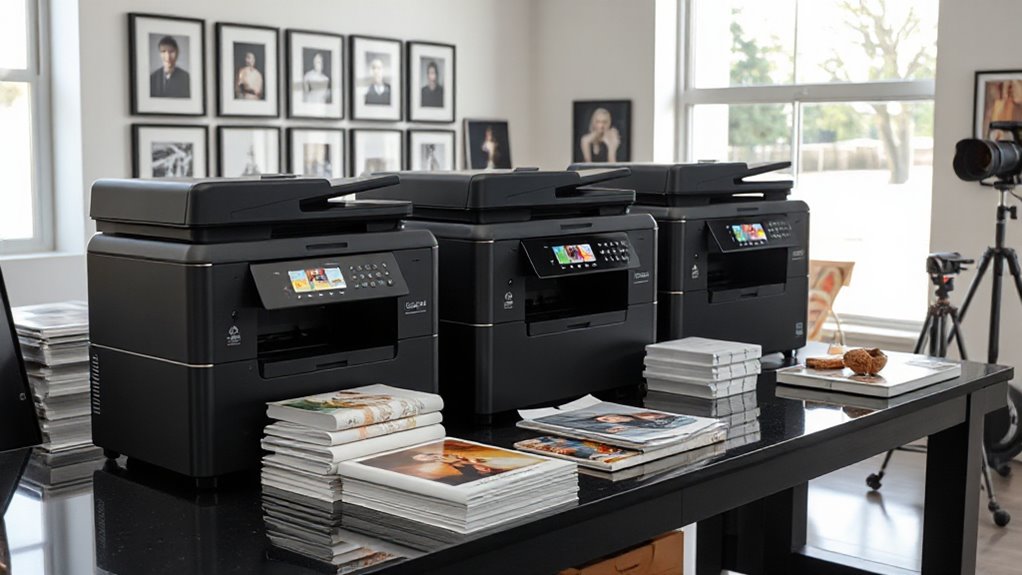
Choosing a giclée printer for photographers comes down to print size, ink type, and how much space and workflow complexity you can take on. I rank the Canon imagePROGRAF PRO-2600 first for photographers who want a large-format pigment printer with durable LUCIA PRO II ink and an on-site warranty. The PRO-310 is my compact fine-art pick for prints up to 13 inches wide, while the PRO-4600 suits studios that need 44-inch output and a broad pigment ink set.

Prime made for students and young adults
- Fast, free delivery for dorm and study essentials
- Prime Video and Amazon Music included
- Member-only deals
Those choices involve real tradeoffs: compact printers are easier to place but cap print width, while the large-format models need substantial room and handle a more involved media and ink workflow. The PIXMA PRO-200S offers vivid dye-based color and flexible borderless sizes, but it is less aligned with long-term fine-art preservation than the pigment models. I compare them by how well their print width, ink system, handling features, and stated durability serve photographers making display prints.
Key Takeaways
- The PRO-2600 is my leading large-format choice for photographers prioritizing LUCIA PRO II scratch and light resistance, black density, and an included one-year on-site warranty.
- The PRO-310 offers pigment ink and Chroma Optimizer in a 13-inch format, making it the most space-conscious fine-art choice in this lineup.
- The PRO-4600 and PRO-4100 both print up to 44 inches, but the PRO-4600 lists 11 LUCIA PRO II colors plus Chroma Optimizer, while the PRO-4100 uses 12 LUCIA PRO tanks.
- The PIXMA PRO-200S uses dye ink for vibrant color and supports borderless printing up to 13 × 19 inches; it is a different fit from pigment models aimed at preservation.
- Before choosing a printer, match its maximum print width to your intended work and account for the space, media handling, and ink management its format requires.
| Canon imagePROGRAF PRO-2600 |  | Best Overall for Large-Format Fine Art | Ink: LUCIA PRO II | Ink features: High scratch and light resistance; improved black density; wider dark-color gamut | Included: Printhead and ink | VIEW ON AMAZON | See Our Full Breakdown |
| Canon imagePROGRAF PRO-4600 44-Inch Professional Large-Format Printer |  | Best for 44-Inch Studio Output | Printer type: Inkjet | Maximum print width: 44 inches | Ink system: 11 colors plus Chroma Optimizer; LUCIA PRO II | VIEW ON AMAZON | See Our Full Breakdown |
| Canon imagePROGRAF PRO-4100 44-Inch Large-Format Inkjet Printer |  | Best for Roll-Media Workflow Control | Maximum print width: 44 inches | Maximum resolution: 2400 × 1200 dpi | Print head: 1.28-inch, 12-channel integrated print head | VIEW ON AMAZON | See Our Full Breakdown |
| Canon imagePROGRAF PRO-310 Professional 13-Inch Wireless Inkjet Photo Printer |  | Best Compact Fine-Art Printer | Printer type: Inkjet, print only | Maximum print width: 13 inches | Ink system: Nine-color pigment ink plus Chroma Optimizer | VIEW ON AMAZON | See Our Full Breakdown |
| Canon PIXMA PRO-200S Wireless Professional Inkjet Photo Printer |  | Best for Vivid Color and Borderless Sizes | Printer type: Inkjet, print only | Ink system: Eight-color dye-based | Borderless print size: 3.5 × 3.5 inches to 13 × 19 inches | VIEW ON AMAZON | See Our Full Breakdown |
| gicl%c3%a9e printer for photographer | Maximum print width | Ink system | Resolution | Printer type |
|---|---|---|---|---|
| Canon imagePROGRAF PRO-2600 | Not specified in supplied details | — | Not specified in supplied details | — |
| Canon imagePROGRAF PRO-4600 44 | 44 inches | 11 colors plus Chroma Optimizer; LUCIA PRO II | 4800 × 1200 | Inkjet |
| Canon imagePROGRAF PRO-4100 44 | 44 inches | 12 individual pigment-based LUCIA PRO ink tanks | — | — |
| Canon imagePROGRAF PRO-310 Pro | 13 inches | Nine-color pigment ink plus Chroma Optimizer | — | Inkjet, print only |
| Canon PIXMA PRO-200S Wireless | — | Eight-color dye-based | 4800 × 2400 dpi | Inkjet, print only |
More Details on Our Top Picks
Canon imagePROGRAF PRO-2600
I put the PRO-2600 first because its stated LUCIA PRO II ink qualities address a central concern for photographers selling or displaying prints: resistance to scratches and light exposure. Canon also lists improved black density and a wider dark-color gamut, details that matter for shadow-rich work and prints expected to hold their appearance over time. The printhead and ink are included, and the one-year on-site warranty gives this option a clearly stated support package.
Compared with the 13-inch PRO-310, this model is better suited to photographers who need larger output and can accommodate a more substantial printer setup. The supplied details do not state its maximum print width, resolution, or connectivity, so I would verify those against the exact configuration before choosing it for a specific studio workflow. The PRO-4600 is the more explicit 44-inch choice in this group and lists its 11-color system and Chroma Optimizer; the PRO-2600’s strongest case is its ink formulation and included warranty rather than a fully detailed spec sheet.
That makes the PRO-2600 my best all-around recommendation for a photographer whose priority is a pigment-based preservation workflow and who wants warranty coverage spelled out. Its listing leaves important operational details unanswered, and buyers should confirm format and features before committing to a space or media plan.
Pros:- LUCIA PRO II is specified for high scratch and light resistance.
- Improved black density and a wider dark-color gamut are stated ink benefits.
- Printhead and ink are included.
- One-year on-site warranty is listed.
Cons:- The supplied details do not specify maximum print width or resolution.
- Connectivity and other workflow specifications are not provided.
Best for: Photographers seeking a pigment-ink fine-art workflow with stated scratch and light resistance and one-year on-site warranty coverage.
Not ideal for: Buyers who need confirmed maximum print width, resolution, or connectivity from the listed specifications before deciding.
- Ink:LUCIA PRO II
- Ink features:High scratch and light resistance; improved black density; wider dark-color gamut
- Included:Printhead and ink
- Warranty:One year, on-site
- Maximum print width:Not specified in supplied details
- Resolution:Not specified in supplied details
Our verdict“I rank the PRO-2600 first for its stated durable pigment ink and included on-site warranty, provided you confirm its format and workflow details.”
Canon imagePROGRAF PRO-4600 44-Inch Professional Large-Format Printer
When a photographer needs prints wider than a desktop model can handle, the PRO-4600’s 44-inch maximum width makes it the clearest fit in this comparison. It combines 11 LUCIA PRO II colors with Chroma Optimizer, color calibration, and stated improvements to scratch resistance and lightfastness. That package points toward studio production of detailed photo and fine-art work, especially when broad tonal control and large presentation pieces matter more than a compact footprint.
Against the PRO-4100, the PRO-4600 lists a 4800 × 1200 resolution and the newer LUCIA PRO II ink features, while the PRO-4100 provides more specifics about ink tank capacities and automatic roll estimation. The PRO-4600 is also far heavier than the desktop PRO-310: at 274 pounds, it calls for a planned location and careful setup. The listed speed of three pages per minute may also be limiting for a studio with a high volume of jobs.
I rank it below the PRO-2600 because the latter’s supplied details make its warranty and ink-preservation claims easier to assess, while the PRO-4600’s main advantage is explicit 44-inch capability. Its stated limited warranty includes a one-year on-site warranty, but the listing does not spell out broader workflow details such as connectivity. For photographers who genuinely need this width, the PRO-4600 is the lineup’s most clearly documented wide-format fine-art workhorse.
Pros:- 44-inch maximum print width supports oversized photographic work.
- 11-color LUCIA PRO II system includes Chroma Optimizer.
- Color calibration and improved scratch resistance and lightfastness are stated.
- EPEAT Gold and ENERGY STAR certifications are listed.
Cons:- At 274 pounds, it requires a dedicated, carefully planned space.
- Listed print speed is three pages per minute for color and black-and-white.
- The supplied details do not provide connectivity specifications.
Best for: Photographers and print studios that need 44-inch output, pigment colors, and Chroma Optimizer for large display prints.
Not ideal for: Photographers with limited room, a low-volume workflow, or no need for prints wider than desktop formats.
- Printer type:Inkjet
- Maximum print width:44 inches
- Ink system:11 colors plus Chroma Optimizer; LUCIA PRO II
- Resolution:4800 × 1200
- Listed speed:3 pages per minute, color and black-and-white
- Weight:274 pounds
- Warranty:Limited warranty; one-year on-site warranty stated in listing
- Certifications:EPEAT Gold and ENERGY STAR
Our verdict“I recommend the PRO-4600 when 44-inch pigment prints are a firm requirement and the studio can accommodate its size and workflow.”
Canon imagePROGRAF PRO-4100 44-Inch Large-Format Inkjet Printer
The PRO-4100 is another 44-inch option, but its strongest distinction from the PRO-4600 is the depth of its listed media and ink-management features. Automatic media recognition and remaining-roll estimation can help a photographer keep track of loaded paper and remaining stock across long print jobs. Its 12-channel print head and 12 individual pigment LUCIA PRO tanks are aimed at detailed, consistent color output, and automatic color calibration supports repeatability when producing a series.
Compared with the PRO-4600, the PRO-4100 lists larger choices of ink tank capacity—160 ml, 330 ml, and 700 ml—plus USB, Gigabit Ethernet, and Wi-Fi. Those details make its workflow easier to map before purchase. The PRO-4600, however, specifies LUCIA PRO II, Chroma Optimizer, and improved scratch and lightfastness claims, so photographers putting those stated ink characteristics first may prefer it. Both are large, heavy studio machines; the PRO-4100’s 44-inch chassis also needs substantial space, and managing a 12-tank system adds operational complexity.
I place the PRO-4100 just after the PRO-4600 because its strongest advantages are practical handling and connectivity rather than the newer ink formulation described for its sibling. It is a considered choice for photographers with a roll-based large-format workflow who value media tracking and multiple ways to connect. Those who print only up to 13 inches would find the PRO-310 far easier to place.
Pros:- 44-inch maximum width supports large-format prints.
- Automatic media recognition and remaining-roll estimation aid roll workflows.
- Automatic color calibration supports consistent reproduction.
- USB, Gigabit Ethernet, and Wi-Fi connectivity are listed.
Cons:- Large-format design requires substantial space.
- Twelve ink tanks and a 12-channel print head add complexity to manage.
- The supplied details do not state scratch or lightfastness claims comparable to the PRO-4600 listing.
Best for: Studio photographers printing large work from rolls who value media recognition, roll estimates, calibration, and flexible connectivity.
Not ideal for: Photographers who lack room for a 44-inch printer or prefer fewer ink tanks and a simpler setup.
- Maximum print width:44 inches
- Maximum resolution:2400 × 1200 dpi
- Print head:1.28-inch, 12-channel integrated print head
- Ink system:12 individual pigment-based LUCIA PRO ink tanks
- Ink tank capacities:160 ml, 330 ml, and 700 ml
- Connectivity:USB 2.0 High Speed, Gigabit Ethernet, Wi-Fi
- Display:4.3-inch LCD operation panel
- Image processing engine:L-COA PRO
Our verdict“I favor the PRO-4100 for roll-based studios that value media tracking and connectivity, while the PRO-4600 has the clearer stated durability case.”
Canon imagePROGRAF PRO-310 Professional 13-Inch Wireless Inkjet Photo Printer
The PRO-310 is my choice for photographers who want pigment ink and fine-art features without moving into a 44-inch studio printer. Its nine-color pigment system and Chroma Optimizer are suited to detailed color and black-and-white prints, and Matte Black ink is specified for deeper blacks. At a maximum width of 13 inches, it can handle compact exhibition work and portfolio prints while remaining far more approachable in scale than the PRO-4100 or PRO-4600.
It also includes practical features absent from the supplied PRO-2600 details: a color LCD, anti-clogging system, and skew correction. These help with routine operation and paper feeding, though they do not make the printer fast. The listed rate is two pages per minute, and printing is simplex only. The PIXMA PRO-200S shares the 13-inch class and offers broad borderless sizes, but its dye ink targets vivid color rather than the PRO-310’s pigment-centered fine-art positioning.
I rank the PRO-310 below the large-format models because its 13-inch ceiling rules out oversized prints. For a photographer whose work fits that width, however, it makes a stronger preservation-oriented fit than the dye-based PRO-200S and avoids the space demands of the wide-format machines. The listed 1200 × 1200 dpi resolution is lower than the 4800 × 1200 listed for the PRO-4600, so I would compare output needs and media compatibility before selecting it for demanding large prints.
Pros:- Nine-color pigment ink system with Chroma Optimizer.
- Matte Black ink supports deeper black output.
- Anti-clogging system and skew correction are listed.
- Smaller maximum width makes it more suitable for a desktop studio than 44-inch models.
Cons:- Maximum print width is 13 inches.
- Listed print speed is two pages per minute.
- Simplex printing only.
Best for: Photographers making fine-art and portfolio prints up to 13 inches wide who want a pigment ink system in a more compact format.
Not ideal for: Photographers who need prints wider than 13 inches, high-volume throughput, or automatic duplex printing.
- Printer type:Inkjet, print only
- Maximum print width:13 inches
- Ink system:Nine-color pigment ink plus Chroma Optimizer
- Maximum resolution:1200 × 1200 dpi
- Display:3-inch color LCD
- Listed speed:2 pages per minute, color and black-and-white
- Weight:31.6 pounds
- Dimensions:28.7 × 18.6 × 14.04 inches (D × W × H)
Our verdict“I recommend the PRO-310 for compact pigment-based fine-art printing, as long as 13-inch-wide output covers your work.”
Canon PIXMA PRO-200S Wireless Professional Inkjet Photo Printer
The PIXMA PRO-200S occupies a distinct place in this group: it uses an eight-color dye ink system for vibrant photographic color and prints borderless from 3.5 × 3.5 inches through 13 × 19 inches. The range gives photographers room to make small square prints as well as larger borderless portfolio pieces. Wi-Fi, Ethernet, USB, two trays, and a 3-inch color LCD give it a flexible desktop workflow, and Canon lists a 90-second time for bordered A3+ pages.
Compared with the PRO-310, the PRO-200S trades pigment ink and Chroma Optimizer for dye-based color and more explicit borderless size options. That makes it appealing for vivid display prints and varied small formats, while the PRO-310 is the more direct match for photographers prioritizing a pigment fine-art workflow. The PRO-200S is print-only, as are the other listed desktop photo options, and its 32-pound weight is still substantial for a device in this category. The supplied details do not state longevity or lightfastness claims for its dye inks, so buyers focused on long-term preservation should favor the pigment options or verify the intended media and display conditions.
I rank it fifth because the title’s giclée intent favors pigment systems and preservation claims, not because the PRO-200S lacks useful photographic features. For color-forward work and borderless formats up to 13 × 19 inches, it is the most flexible size choice among the desktop models. For black-and-white fine-art prints or longevity-led output, the PRO-310 is a better fit.
Pros:- Eight-color dye ink system is designed for vibrant prints.
- Borderless sizes range from 3.5 × 3.5 inches to 13 × 19 inches.
- Wi-Fi, Ethernet, USB, and color LCD are listed.
- Two trays and up to 100-sheet capacity support varied media handling.
Cons:- Dye-based ink is a less direct fit for preservation-focused giclée work than the pigment models.
- Print-only device with no copying or scanning.
- At 32 pounds, it is not especially light for a desktop printer.
Best for: Photographers who prioritize vivid color and want borderless printing across small square sizes through 13 × 19 inches.
Not ideal for: Photographers prioritizing pigment-based ink and stated scratch or light resistance for preservation-oriented fine-art prints.
- Printer type:Inkjet, print only
- Ink system:Eight-color dye-based
- Borderless print size:3.5 × 3.5 inches to 13 × 19 inches
- Resolution:4800 × 2400 dpi
- Connectivity:Wi-Fi, Ethernet, USB
- Trays and sheet capacity:Two trays; maximum 100 sheets
- Weight:32 pounds
- Dimensions:28.7 × 18.6 × 14.04 inches (D × W × H)
Our verdict“I recommend the PRO-200S for vivid, varied borderless photo prints, while photographers focused on pigment-based fine art should choose the PRO-310.”

How We Picked
I ranked these printers around the needs behind the phrase giclée printer for photographers: controlled color, fine detail, suitable media handling, and the ability to make prints intended for display. I gave particular weight to the ink system and the maker’s stated scratch or light resistance because those affect how well a print suits a preservation-minded workflow. Where product details did not specify a feature, I have not assumed it.
Print width separates the lineup most clearly. The PRO-2600 is my first pick for a photographer seeking a large-format pigment workflow, while the PRO-4600 and PRO-4100 serve those who need 44-inch output. The PRO-310 brings pigment ink to a 13-inch desktop format. The PIXMA PRO-200S fills a different role with dye ink and flexible borderless sizes. I also considered practical details such as included printhead and ink, warranty information, connectivity, calibration, and listed weight. This is a comparison based on the supplied product details, not a claim of hands-on print testing.
| gicl%c3%a9e printer for photographer | Printer type |
|---|---|
| Canon imagePROGRAF PRO-2600 | — |
| Canon imagePROGRAF PRO-4600 44 | Inkjet |
| Canon imagePROGRAF PRO-4100 44 | — |
| Canon imagePROGRAF PRO-310 Pro | Inkjet, print only |
| Canon PIXMA PRO-200S Wireless | Inkjet, print only |
Factors to Consider When Choosing Gicl%c3%a9e Printer For Photographers
I would start with the print you want to make, then work backward to the printer. Width and ink system shape the decision more than the model name: a 44-inch machine serves a different studio than a 13-inch desktop printer.Match maximum width to your finished prints
The desktop models top out at 13 inches wide, though the PRO-200S lists borderless output up to 13 × 19 inches. That covers many portfolio and small exhibition prints. The PRO-4100 and PRO-4600 both reach 44 inches wide, which opens up panoramic and oversized work but requires substantial space. The PRO-2600 could suit a large-format workflow, but the supplied details do not state its width; confirm it before planning around specific print dimensions.
Choose ink for the way you display and sell prints
The PRO-310, PRO-4100, PRO-4600, and PRO-2600 use pigment ink systems. The PRO-2600 and PRO-4600 specifically list scratch and light resistance claims for LUCIA PRO II. The PRO-200S uses dye ink and is positioned around vibrant color. I would put a pigment model higher on the shortlist for preservation-minded fine-art work, then verify printer and paper compatibility and follow the maker’s recommendations for display and storage.
Compare ink sets and print character
More channels do not by themselves settle which printer is right, but the listed systems show how differently these options are configured. The PRO-4100 has 12 pigment tanks; the PRO-4600 uses 11 LUCIA PRO II colors plus Chroma Optimizer; the PRO-310 has nine pigment colors plus Chroma Optimizer; and the PRO-200S uses eight dye colors. The PRO-2600’s supplied details emphasize its ink characteristics rather than a channel count. Consider the kinds of images you print, especially dark tones and black-and-white work, and check sample output on your intended paper where possible.
Plan for space, media, and routine operation
A 44-inch printer changes the studio layout and may call for a dedicated support surface and clear access for paper handling. The PRO-4100 adds automatic media recognition and remaining-roll estimation, useful when tracking roll stock. The PRO-310 lists anti-clogging and skew correction for a more compact sheet-fed workflow. The PRO-200S has two trays and listed support for up to 100 sheets. These features serve different routines, so match them to how you load paper and organize jobs.
Check the complete ownership details
Before choosing, confirm the exact printer dimensions, supported media, connection options, included supplies, and warranty terms for the configuration you plan to buy. The supplied PRO-2600 information confirms a printhead, ink, and one-year on-site warranty but leaves width and resolution unspecified. The PRO-4100 provides extensive connectivity and ink capacity details, while the desktop options list weights and dimensions. For any large-format installation, verify the space and handling requirements before arranging delivery.
Frequently Asked Questions
What makes a printer suitable for giclée-style photography prints?
I look for a pigment ink system, the ability to reproduce fine detail and tonal variation, and support for the paper sizes and surfaces the photographer plans to use. Stated scratch or light resistance can also help assess a preservation-oriented choice, though actual longevity depends on the ink, paper, display, and storage conditions together. In this lineup, the PRO-2600, PRO-4600, PRO-4100, and PRO-310 use pigment inks; the PRO-200S uses dye ink for vivid color.
Which printer here is best for large photographic prints?
The PRO-4600 and PRO-4100 both list a 44-inch maximum print width. The PRO-4600 has an 11-color LUCIA PRO II system with Chroma Optimizer and stated scratch and lightfastness improvements, while the PRO-4100 adds details such as roll estimation, automatic media recognition, and multiple connections. The PRO-2600 may also suit a large-format workflow, but its supplied specifications do not list a maximum width, so I would confirm that before comparing it for oversized work.
Is the PRO-310 or PRO-200S a better desktop choice for fine art?
I would choose the PRO-310 when pigment ink, Chroma Optimizer, and deeper Matte Black output matter most, since it is explicitly described for photo and fine-art printing. The PRO-200S is a better fit for vivid color and flexible borderless formats from 3.5 × 3.5 inches to 13 × 19 inches, but it uses dye ink. Both are print-only models and list modest print speeds, so consider intended print character and volume along with their shared desktop class.
Does a higher listed resolution alone identify the best printer?
No. Resolution is one specification among several, and the listed figures across these products do not describe the whole print result. Ink system, paper compatibility, color management, image preparation, and maximum print width also shape whether a printer suits a photographer’s work. For example, the PRO-4600 lists 4800 × 1200 resolution, while the PRO-310 lists 1200 × 1200; I would compare the complete workflow and intended print size rather than choose by that number alone.
What should I check before buying a large-format printer?
I would confirm that the intended print dimensions fit the machine, then check its physical footprint, installation requirements, paper handling, connectivity, and warranty. The PRO-4600 weighs 274 pounds and prints up to 44 inches wide, while the PRO-4100 also has a 44-inch width and lists roll-management features. For the PRO-2600, the supplied information names an on-site warranty and included printhead and ink but does not state maximum width, so verify its full specification sheet for the exact configuration.
Conclusion
For a preservation-minded large-format workflow, I would start with the PRO-2600, while confirming its print width and other missing specifications before purchase. Choose the PRO-4600 if you need a documented 44-inch format and value its LUCIA PRO II and Chroma Optimizer combination; pick the PRO-4100 when media tracking, ink capacity choices, and broad connectivity matter most. Photographers working at desktop scale should look to the PRO-310 for pigment-based fine art, or the PIXMA PRO-200S for vivid dye color and varied borderless sizes. The right choice is the one that fits your print dimensions, preferred ink approach, and available studio space.
Halloween Picks
halloween
As an affiliate, we earn on qualifying purchases.