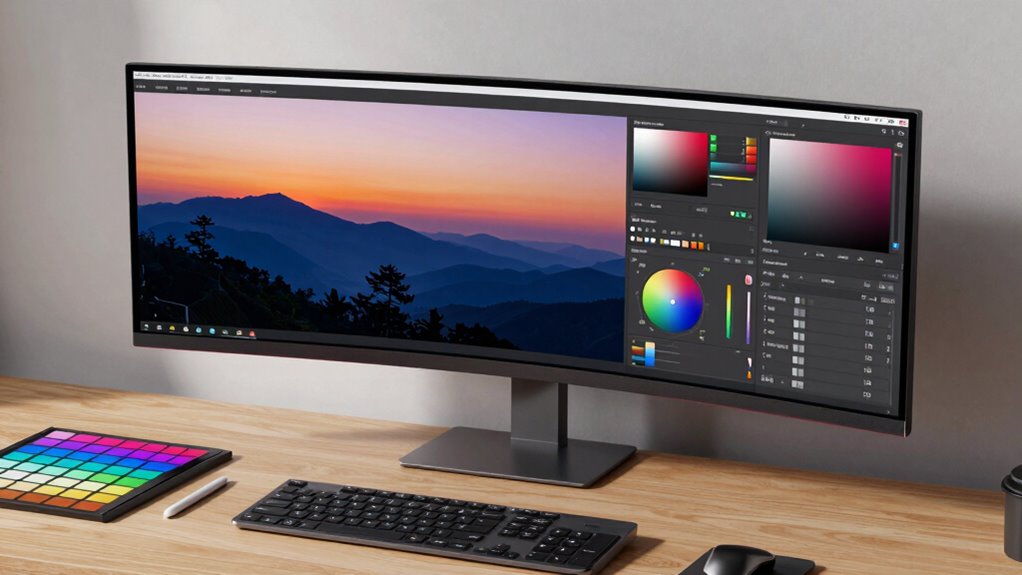

A professional photo editing monitor needs enough resolution for detailed work and dependable color coverage for editing decisions. My best overall pick is the ASUS ProArt PA279CRV, which pairs 27-inch 4K detail with a creator-focused feature set. The BenQ PD2706U is a strong alternative for buyers who want a 27-inch 4K display, while the ASUS ProArt PA278CV suits editors who prefer QHD and USB-C connectivity. The main tradeoffs are screen resolution, workspace, color workflow, and the cost of moving to a larger or more capable display. Read on for the full comparison and recommendations by editing setup.

Prime made for students and young adults
- Fast, free delivery for dorm and study essentials
- Prime Video and Amazon Music included
- Member-only deals
Key Takeaways
- ASUS ProArt PA279CRV leads this group for a balanced 27-inch 4K editing setup; the PA279CV is another 4K option, while the PA278CV trades pixel density for QHD.
- The BenQ PD2706U and ASUS ProArt PA279CRV are the most direct 27-inch 4K creator-focused choices; buyers should compare their workflow features and connectivity before choosing.
- The BenQ PD3205U and KTC H32U6 provide 32-inch-class 4K workspaces, but their larger panels need more desk space and may call for greater viewing distance.
- The two CUNPU 27-inch 4K IPS models bring 4K resolution at different listed refresh rates, but buyers should check color specifications, calibration support, and connection needs rather than treating resolution as proof of editing accuracy.
- The Sceptre 24-inch 1080p is the simplest, least specialized fit here; the ProArt QHD and WUXGA models offer a more editing-oriented path for buyers who do not need 4K.
| Sceptre 24-Inch 1080p LED Monitor with Built-In Speakers |  | Best Entry-Level sRGB Pick | Screen size: 24 inches | Resolution: 1080p | Display type: LED | VIEW ON AMAZON | See Our Full Breakdown |
| ASUS ProArt PA279CRV 27-Inch 4K UHD HDR Professional Monitor |  | Best Overall for Color-Critical Editing | Screen size: 27 inches | Resolution: 4K UHD (3840 × 2160) | Panel: IPS LCD with LED backlight | VIEW ON AMAZON | See Our Full Breakdown |
| CUNPU 27-Inch 4K UHD IPS Monitor with USB-C |  | Best for Wide-Gamut 4K on a Single Cable | Screen size: 27 inches | Resolution: 3840 × 2160 (4K UHD) | Panel type: IPS | VIEW ON AMAZON | See Our Full Breakdown |
| ASUS ProArt PA278CV 27-Inch QHD USB-C Professional Monitor |  | Best for Laptop-Based sRGB Workflows | Screen size: 27 inches | Resolution: 2560 × 1440 (QHD) | Panel type: IPS | VIEW ON AMAZON | See Our Full Breakdown |
| ASUS ProArt PA278QV 27-Inch QHD Professional Monitor |  | Best Value for Calibrated sRGB Editing | Screen size: 27 inches | Resolution: 2560 × 1440 (WQHD) | Panel type: IPS | VIEW ON AMAZON | See Our Full Breakdown |
| ASUS ProArt PA248QV 24-Inch WUXGA 16:10 Professional Monitor |  | Best for a Color-Accurate Budget Workspace | Screen size: 24 inches | Resolution: 1920 × 1200 WUXGA | Aspect ratio: 16:10 | VIEW ON AMAZON | See Our Full Breakdown |
| CUNPU 27-Inch 4K UHD IPS Monitor, 70 Hz |  | Best for Wide-Gamut 4K Detail | Screen size: 27 inches | Resolution: 3840 × 2160 (4K UHD) | Panel: IPS | VIEW ON AMAZON | See Our Full Breakdown |
| ASUS ProArt PA247CV 23.8-Inch Full HD USB-C Professional Monitor |  | Best for Laptop-Based Editing | Screen size: 23.8 inches | Resolution: 1920 × 1080 (Full HD) | Panel: IPS LED | VIEW ON AMAZON | See Our Full Breakdown |
| ASUS ProArt PA279CV 27-Inch 4K UHD USB-C Professional Monitor |  | Best for Buyers Who Can Verify the Listing | Model: PA279CV | Display size: Conflicting details: 27 inches and 23.8 inches | Resolution: Conflicting details: 4K UHD and Full HD (1920 × 1080) | VIEW ON AMAZON | See Our Full Breakdown |
| KTC 32 Inch 4K UHD Monitor H32U6 (3840×2160, 60Hz, HDR, 125% sRGB, White) |  | Best Large-Screen Workspace | Screen size: 31.5 inches | Resolution: 3840 × 2160 (4K UHD) | Refresh rate: 60 Hz | VIEW ON AMAZON | See Our Full Breakdown |
| BenQ PD2706U 27-inch 4K UHD Monitor |  | Best for Color-Critical Desk Setups | Screen size: 27 inches | Resolution: 4K UHD | Panel type: IPS | VIEW ON AMAZON | See Our Full Breakdown |
| BenQ PD3205U 31.5-inch 4K UHD IPS Monitor |  | Best for a Spacious Editing Workspace | Screen size: 31.5 inches | Resolution: 3840 × 2160 (4K UHD) | Panel type: IPS | VIEW ON AMAZON | See Our Full Breakdown |
| professional photo editing monitor | Resolution | Screen size | Color gamut | Color accuracy |
|---|---|---|---|---|
| Sceptre 24-Inch 1080p LED Moni | 1080p | 24 inches | — | — |
| ASUS ProArt PA279CRV 27-Inch 4 | 4K UHD (3840 × 2160) | 27 inches | 99% DCI-P3 and 99% Adobe RGB | Factory calibrated to Delta E < 2; Calman Verified |
| CUNPU 27-Inch 4K UHD IPS Monit | 3840 × 2160 (4K UHD) | 27 inches | 100% DCI-P3 | — |
| ASUS ProArt PA278CV 27-Inch QH | 2560 × 1440 (QHD) | 27 inches | 100% sRGB, 100% Rec. 709 | Delta E < 2; Calman Verified |
| ASUS ProArt PA278QV 27-Inch QH | 2560 × 1440 (WQHD) | 27 inches | 100% sRGB, 100% Rec. 709 | Calman Verified, Delta E < 2 |
| ASUS ProArt PA248QV 24-Inch WU | 1920 × 1200 WUXGA | 24 inches | — | Delta E < 2; Calman Verified |
| CUNPU 27-Inch 4K UHD IPS Monit | 3840 × 2160 (4K UHD) | 27 inches | 100% DCI-P3 | — |
| ASUS ProArt PA247CV 23.8-Inch | 1920 × 1080 (Full HD) | 23.8 inches | 100% sRGB and 100% Rec.709 | Calman Verified; Delta E < 2 |
| ASUS ProArt PA279CV 27-Inch 4K | Conflicting details: 4K UHD and Full HD (1920 × 1080) | — | 100% sRGB and 100% Rec.709 | Calman Verified; Delta E < 2 |
| KTC 32 Inch 4K UHD Monitor H32 | 3840 × 2160 (4K UHD) | 31.5 inches | 125% sRGB | — |
| BenQ PD2706U 27-inch 4K UHD Mo | 4K UHD | 27 inches | — | Delta E ≤ 3 |
| BenQ PD3205U 31.5-inch 4K UHD | 3840 × 2160 (4K UHD) | 31.5 inches | — | — |
More Details on Our Top Picks
Sceptre 24-Inch 1080p LED Monitor with Built-In Speakers
The Sceptre is the simplest fit here for a buyer who needs a compact screen for sRGB editing and wants to keep a familiar, lower-resolution setup. Its stated 99% sRGB coverage is relevant for web images, while two HDMI ports and VGA make it easy to connect older and newer devices. Compared with the ASUS ProArt PA278QV, though, its 1080p resolution gives you less room to inspect fine detail or arrange editing panels on screen. The PA278QV also lists factory-verified color accuracy and a more adjustable stand, while those details are not provided for the Sceptre. Its built-in speakers can save desk space, and 100Hz support makes motion feel smoother, but neither offsets the limited resolution for demanding print or retouching work.
Pros:- 99% stated sRGB color coverage suits common web-photo workflows
- Two HDMI ports plus VGA support a mix of newer and older devices
- Built-in speakers reduce the need for separate desktop speakers
- Up to 100Hz refresh rate supports smoother general use
Cons:- 1080p provides less detail and workspace than the 27-inch QHD and 4K options
- No factory calibration or color-accuracy figure is provided
- Stand adjustment details are not provided
Best for: Beginners editing web photos in sRGB who want a 24-inch monitor with built-in speakers and straightforward connections.
Not ideal for: Retouchers and print-focused photographers who need more workspace, higher resolution, or documented color calibration.
- Screen size:24 inches
- Resolution:1080p
- Display type:LED
- Color coverage:99% sRGB
- Refresh rate:Up to 100Hz
- Ports:2 HDMI, 1 VGA
- Audio:Built-in speakers, audio-in, headphone jack
- Mounting pattern:100 × 100 mm
Our verdict“Choose the Sceptre for basic sRGB photo work and convenient connections; step up to a ProArt model for more precise or detailed editing.”
ASUS ProArt PA279CRV 27-Inch 4K UHD HDR Professional Monitor
The PA279CRV earns my top spot for photographers who need both 4K detail and broad color coverage. Its stated 99% DCI-P3 and 99% Adobe RGB coverage reach beyond the sRGB focus of the ASUS ProArt PA278QV, making this a stronger fit for work that moves between web, print, and wide-gamut creative applications. Factory calibration to Delta E < 2, with Calman verification, gives buyers a concrete accuracy claim to work from. The 96W USB-C connection can carry video and data while charging a compatible laptop, which helps simplify a desk setup. The tradeoff is a 60Hz refresh rate, and the wider gamut is useful only if your workflow and color-managed software can take advantage of it. For general sRGB edits, the less costly-in-features QHD ProArt models may be enough.
Pros:- 4K resolution provides detailed image inspection and ample workspace
- 99% DCI-P3 and 99% Adobe RGB coverage support wide-gamut workflows
- Factory calibrated to Delta E < 2 and Calman Verified
- USB-C supports video, data, and up to 96W laptop charging
Cons:- 60Hz refresh rate is less suited to users who prioritize high-refresh motion
- Wide-gamut coverage may add little for workflows limited to sRGB
- A 27-inch 4K desktop setup may require scaling preferences to keep interface text comfortable
Best for: Photographers editing high-resolution images for both print and wide-gamut digital delivery, especially those connecting a USB-C laptop.
Not ideal for: Budget-focused sRGB editors who do not need 4K, Adobe RGB, or DCI-P3 coverage and would rather prioritize a higher refresh rate.
- Screen size:27 inches
- Resolution:4K UHD (3840 × 2160)
- Panel:IPS LCD with LED backlight
- Refresh rate:60Hz
- Color gamut:99% DCI-P3 and 99% Adobe RGB
- Color accuracy:Factory calibrated to Delta E < 2; Calman Verified
- Brightness:400 cd/m²
- USB-C power delivery:Up to 96W
- Warranty:5 years with online registration
Our verdict“Pick the PA279CRV when color accuracy, 4K detail, and wide-gamut coverage matter more than refresh rate or a simpler sRGB setup.”
CUNPU 27-Inch 4K UHD IPS Monitor with USB-C
CUNPU pairs 27-inch 4K resolution with stated 100% DCI-P3 coverage, giving photo editors a detailed canvas and a wide-gamut claim at a less elaborate feature level than the ASUS ProArt PA279CRV. Its USB-C port carries video and data and supplies up to 65W to a compatible laptop, so it can suit a one-cable desk without the ProArt’s higher 96W charging capacity. The 70Hz refresh rate is a small step above the PA279CRV’s 60Hz, but color-critical buyers should weigh the available data: the CUNPU listing does not provide a factory calibration or Delta E figure. Its 300-nit brightness and 1000:1 contrast are also more modest on paper than the PA279CRV’s listed brightness and contrast. Check that your laptop supports DP Alt Mode before relying on USB-C video.
Pros:- 4K UHD resolution gives room for detailed image review and editing tools
- Stated 100% DCI-P3 coverage supports wide-gamut creative work
- USB-C provides video, data, and up to 65W laptop charging
- Includes DisplayPort, HDMI, and headphone jack
Cons:- No factory calibration or Delta E accuracy figure is provided
- 300-nit brightness and 1000:1 contrast are modest on paper beside the PA279CRV
- USB-C video depends on laptop support for DP Alt Mode
Best for: Laptop-based creators seeking a 27-inch 4K display with stated DCI-P3 coverage and USB-C charging for compatible devices.
Not ideal for: Color-critical print professionals who require documented factory calibration or users whose laptops lack USB-C DisplayPort Alt Mode.
- Screen size:27 inches
- Resolution:3840 × 2160 (4K UHD)
- Panel type:IPS
- Refresh rate:70Hz
- Color gamut:100% DCI-P3
- Brightness:300 nits
- Contrast ratio:1000:1
- USB-C power delivery:Up to 65W
- Ports:USB-C, DisplayPort 1.4, HDMI 2.0, headphone jack
Our verdict“Choose CUNPU for 4K detail, wide-gamut coverage, and convenient USB-C charging when documented calibration is not a requirement.”
ASUS ProArt PA278CV 27-Inch QHD USB-C Professional Monitor
The PA278CV is a practical middle ground for editors who want a calibrated QHD workspace and a clean laptop connection without paying for 4K or wider-gamut coverage. Its 100% sRGB and Rec. 709 coverage with Delta E < 2 and Calman verification gives web and video creators a clear color target. Compared with the 4K ASUS ProArt PA279CRV, this model offers less pixel detail and no listed Adobe RGB or DCI-P3 coverage, but the QHD resolution can be easier to run at comfortable interface scaling. USB-C supplies up to 65W, and the stand adjusts for height, tilt, swivel, and portrait orientation. DisplayPort daisy chaining can simplify a multi-monitor setup. Buyers should note that the warranty extension requires online registration, and its color range is aimed at sRGB and Rec. 709 work.
Pros:- 100% sRGB and Rec. 709 coverage with Delta E < 2 and Calman verification
- USB-C carries video and data with up to 65W laptop charging
- Stand supports height, tilt, swivel, and pivot adjustments
- DisplayPort daisy chaining supports multi-display arrangements
Cons:- QHD resolution shows less fine detail than the 4K PA279CRV
- Listed color coverage focuses on sRGB and Rec. 709 rather than Adobe RGB or DCI-P3
- Five-year warranty coverage requires online registration
Best for: Photographers and content creators editing mostly for web or Rec. 709 who want a calibrated display and USB-C laptop docking.
Not ideal for: Print specialists needing broad Adobe RGB coverage or editors who want 4K detail for close inspection of high-resolution files.
- Screen size:27 inches
- Resolution:2560 × 1440 (QHD)
- Panel type:IPS
- Color gamut:100% sRGB, 100% Rec. 709
- Color accuracy:Delta E < 2; Calman Verified
- USB-C power delivery:Up to 65W
- Stand adjustments:Tilt, swivel, pivot, and height
- Connectivity:USB-C, HDMI, DisplayPort
Our verdict“Pick the PA278CV for calibrated sRGB or Rec. 709 work and laptop convenience; choose the PA279CRV when wide-gamut 4K editing is a priority.”
ASUS ProArt PA278QV 27-Inch QHD Professional Monitor
The PA278QV suits photographers who want a 27-inch QHD canvas with verified sRGB accuracy and do not need USB-C laptop docking. Its 100% sRGB and Rec. 709 coverage, Calman verification, and Delta E < 2 place it on firmer color footing than the Sceptre, whose 99% sRGB figure comes without a stated calibration result. Against the closely related PA278CV, the PA278QV trades USB-C and DisplayPort daisy chaining for a broader set of legacy inputs, including DVI-D and Mini DisplayPort, plus a USB hub. Its adjustable stand and anti-glare, flicker-free, and blue-light features suit long editing sessions. The limit is the QHD sRGB focus: photographers who need Adobe RGB coverage or 4K detail should look to the PA279CRV instead.
Pros:- 100% sRGB and Rec. 709 coverage with Delta E < 2 and Calman verification
- QHD resolution offers more editing workspace than 1080p displays
- Stand adjusts for height, tilt, swivel, and pivot
- USB hub and multiple legacy video inputs support varied desk setups
Cons:- No USB-C connection is listed for laptop video and charging
- QHD resolution is less detailed than 4K alternatives
- Listed color coverage does not include Adobe RGB or DCI-P3
Best for: Web-focused photographers who want verified sRGB color, a flexible stand, and support for older peripherals or video connections.
Not ideal for: Wide-gamut print editors who need Adobe RGB or DCI-P3 coverage, or laptop users who want USB-C video and charging.
- Screen size:27 inches
- Resolution:2560 × 1440 (WQHD)
- Panel type:IPS
- Color gamut:100% sRGB, 100% Rec. 709
- Color accuracy:Calman Verified, Delta E < 2
- Connectivity:DisplayPort, HDMI, DVI-D, Mini DisplayPort, USB hub
- Stand adjustments:Tilt, pivot, swivel, height
- Eye-care features:Flicker-free backlighting, blue light filter, anti-glare coating
- Warranty:3 years standard; 2-year extension available with online registration
Our verdict“Choose the PA278QV for calibrated sRGB editing and flexible connections, while wide-gamut or USB-C workflows point to other ProArt models.”
ASUS ProArt PA248QV 24-Inch WUXGA 16:10 Professional Monitor
The PA248QV suits photographers who edit for web or Rec. 709 delivery and want color accuracy in a compact workspace. Its 100% sRGB/Rec.709 coverage and Delta E < 2 target reliable color, while the 16:10 WUXGA panel gives a little more vertical room than a standard Full HD display. Compared with the ASUS ProArt PA279CV, it is smaller and lacks USB-C convenience, but its resolution is also much lower than the PA279CV’s advertised 4K configuration. The broad stand adjustments and anti-glare surface make long editing sessions easier to position. Skip it if you need to inspect high-resolution images at native detail: 1920 × 1200 leaves less workspace than the roundup’s 27-inch 4K options. The five-year warranty also requires online registration.
Pros:- 100% sRGB and Rec.709 coverage with Delta E < 2
- 16:10 aspect ratio provides more vertical workspace than 16:9 Full HD
- Stand supports height, tilt, swivel, and pivot adjustments
- Anti-glare screen and DisplayPort, HDMI, and D-Sub connections
Cons:- WUXGA resolution provides less detail and workspace than the roundup’s 4K monitors
- No USB-C connection or power delivery
- Five-year warranty requires online registration
Best for: Web and Rec. 709 photographers who need factory-verified color in a compact, adjustable setup
Not ideal for: Photographers who routinely inspect 4K images at native resolution or need a large editing canvas
- Screen size:24 inches
- Resolution:1920 × 1200 WUXGA
- Aspect ratio:16:10
- Panel:IPS
- Color coverage:100% sRGB/Rec.709
- Color accuracy:Delta E < 2; Calman Verified
- Stand adjustments:Tilt, pivot, swivel, and height
- Ports:DisplayPort, HDMI, D-Sub
Our verdict“Choose the PA248QV for accurate sRGB editing and ergonomic flexibility when compact size matters more than 4K detail.”
CUNPU 27-Inch 4K UHD IPS Monitor, 70 Hz
The CUNPU combines 27-inch 4K resolution with stated 100% DCI-P3 coverage, giving photographers room to inspect fine detail and work with a wider color range than the ASUS ProArt PA248QV’s sRGB-focused WUXGA panel. Its 1.07 billion color support and 178-degree viewing angles add flexibility for image work and shared viewing. Picture-in-Picture and Picture-by-Picture can keep a second source visible alongside an edit, a practical extra for reference-heavy workflows. The tradeoff is that the listed specs do not give the same factory calibration or Delta E claim supplied for several ProArt models, so wide gamut alone is not proof of color accuracy. At 300 nits and with just one DisplayPort and one HDMI port, it is a more basic connectivity choice than USB-C-equipped alternatives.
Pros:- 3840 × 2160 resolution gives a detailed 27-inch editing canvas
- Stated 100% DCI-P3 color coverage
- Supports 1.07 billion colors and 178-degree viewing angles
- PIP and PBP modes can keep references or another source on screen
Cons:- No factory calibration or Delta E figure is listed
- Only one DisplayPort and one HDMI connection
- 300-nit brightness and 70 Hz refresh rate limit its appeal for some demanding workflows
Best for: Photographers seeking a 27-inch 4K workspace and broad DCI-P3 coverage for wide-gamut projects
Not ideal for: Color-critical buyers who require stated factory calibration or a documented Delta E figure
- Screen size:27 inches
- Resolution:3840 × 2160 (4K UHD)
- Panel:IPS
- Refresh rate:70 Hz
- Color gamut:100% DCI-P3
- Color support:1.07 billion colors
- Brightness:300 nits
- Ports:1 × DisplayPort 1.4, 1 × HDMI 2.0, headphone jack
Our verdict“Pick the CUNPU for 4K detail and stated DCI-P3 coverage if you can verify color performance for your workflow.”
ASUS ProArt PA247CV 23.8-Inch Full HD USB-C Professional Monitor
The PA247CV is the practical choice for a photographer who edits from a laptop and wants a single USB-C cable for video and up to 65 W of power. Its Calman Verified, Delta E < 2 color and full sRGB/Rec.709 coverage are well suited to web and video work, while DisplayPort daisy-chain support can simplify a multi-monitor desk. Against the ASUS ProArt PA248QV, it trades the taller 16:10 canvas for USB-C and a 75 Hz refresh rate. Its Full HD resolution, however, offers less room for detailed retouching than the PA248QV’s WUXGA or the 4K choices in this roundup. The listed glossy finish may also reflect bright windows or task lights, so placement matters during color work.
Pros:- USB-C carries video and provides up to 65 W power delivery
- Calman Verified color with Delta E < 2
- 100% sRGB and Rec.709 coverage
- DisplayPort daisy-chain support and USB hub for desk setups
Cons:- Full HD resolution limits workspace for detailed photo editing
- Listed glossy finish may show reflections
- Five-year warranty requires online registration
Best for: Laptop-owning photographers who edit for sRGB or Rec.709 and want a tidy USB-C workstation
Not ideal for: Retouchers who need a high-resolution canvas or photographers working beside bright windows
- Screen size:23.8 inches
- Resolution:1920 × 1080 (Full HD)
- Panel:IPS LED
- Refresh rate:75 Hz
- Color gamut:100% sRGB and 100% Rec.709
- Color accuracy:Calman Verified; Delta E < 2
- USB-C power delivery:65 W
- Connectivity:USB-C, DisplayPort, HDMI, USB 3.1 hub
Our verdict“Choose the PA247CV if USB-C laptop convenience and accurate sRGB color matter more than pixel density.”
ASUS ProArt PA279CV 27-Inch 4K UHD USB-C Professional Monitor
The PA279CV’s stated Calman Verified color, Delta E < 2, full sRGB/Rec.709 coverage, and 65 W USB-C power delivery would make it a capable fit for a color-conscious laptop workstation. It also looks more compelling for detailed editing than the ASUS ProArt PA247CV if the title’s 27-inch 4K description is accurate. The problem is that the supplied product details conflict: the title and description say 27-inch 4K, while the specifications list 23.8-inch Full HD. That difference changes both workspace and image detail, so I cannot rank it as a dependable 4K pick from this data. Buyers should confirm the exact display configuration before choosing it; without that confirmation, the clearer PA247CV listing is the safer ProArt option.
Pros:- Listed Calman Verified color accuracy with Delta E < 2
- Stated 100% sRGB and Rec.709 coverage
- USB-C provides up to 65 W power delivery
- Includes DisplayPort, HDMI, and a USB 3.1 hub
Cons:- Product details conflict on screen size and resolution
- The supplied information does not establish whether it is 4K or Full HD
- No refresh rate is provided in the listed specifications
Best for: Photographers who can confirm the exact model configuration before purchase and want USB-C with calibrated sRGB color
Not ideal for: Buyers who need verified 27-inch 4K specifications before choosing a monitor
- Model:PA279CV
- Display size:Conflicting details: 27 inches and 23.8 inches
- Resolution:Conflicting details: 4K UHD and Full HD (1920 × 1080)
- Panel:IPS, 178-degree viewing angle
- Response time:5 ms
- Color gamut:100% sRGB and 100% Rec.709
- Color accuracy:Calman Verified; Delta E < 2
- Connectivity:USB-C with 65 W power delivery, DisplayPort, HDMI, USB 3.1 hub
Our verdict“Consider the PA279CV only after confirming whether the specific listing is 27-inch 4K or 23.8-inch Full HD.”
KTC 32 Inch 4K UHD Monitor H32U6 (3840×2160, 60Hz, HDR, 125% sRGB, White)
The KTC H32U6 gives photographers a 31.5-inch 4K canvas for large previews, side-by-side panels, and detailed image review. Its stated 125% sRGB gamut and 3000:1 contrast ratio point toward punchier color and darker-looking images than the CUNPU 27-Inch 4K, whose listed contrast ratio is 1200:1. That broad gamut is not the same as documented color accuracy, though: the supplied specs do not include a Delta E result or factory calibration claim. The 60 Hz refresh rate is adequate for still editing, but this is a large, heavy display that asks for substantial desk space. Its adjustable stand and dual HDMI ports help with placement and multiple sources, while the three-year warranty is shorter than the five-year coverage listed for the ProArt models.
Pros:- 31.5-inch 4K panel offers room for image previews and editing tools
- Stated 125% sRGB gamut and 3000:1 contrast ratio
- Stand adjusts for height, tilt, swivel, and pivot, with VESA mounting support
- Two HDMI 2.0 ports plus DisplayPort 1.4
Cons:- No factory calibration or Delta E figure is listed
- Large 7.2 kg display takes substantial desk space
- 60 Hz refresh rate and three-year warranty trail some alternatives
Best for: Photographers who want a large 4K workspace for viewing images alongside editing panels
Not ideal for: Color-managed print professionals who need documented calibration accuracy or a compact desk setup
- Screen size:31.5 inches
- Resolution:3840 × 2160 (4K UHD)
- Refresh rate:60 Hz
- Contrast ratio:3000:1
- Color gamut:125% sRGB
- HDR:HDR10
- Brightness:300 cd/m²
- Connectivity:2 × HDMI 2.0, 1 × DisplayPort 1.4, 3.5 mm audio jack
Our verdict“Pick the KTC for a spacious 4K editing surface if you value screen size over documented color accuracy.”
BenQ PD2706U 27-inch 4K UHD Monitor
The PD2706U pairs 4K detail with broad P3 coverage, making it a strong fit for photographers who edit high-resolution images and work across sRGB, Rec.709, and P3 content. Its stated Delta E ≤ 3 accuracy gives color-conscious users a useful starting point, while 90W USB-C can connect and charge a compatible laptop over one cable. Compared with the larger BenQ PD3205U, this 27-inch model takes up less desk space and adds specified P3 coverage; the tradeoff is a smaller canvas for palettes and side-by-side image views. The PD2706U also includes a KVM switch and ergonomic adjustments, but DisplayHDR 400 is a modest HDR tier, so I would choose it for SDR-focused photo work rather than demanding HDR grading.
Pros:- 4K UHD resolution provides detailed image previews and room for editing tools.
- 95% P3 and 99% sRGB/Rec.709 coverage suit work across common photo and video color spaces.
- 90W USB-C carries video and data while charging a compatible laptop.
- KVM, USB hub, and ergonomic adjustment support a tidy multi-device desk.
Cons:- The 27-inch screen offers less workspace than the 31.5-inch BenQ PD3205U.
- DisplayHDR 400 is a limited basis for judging demanding HDR output.
Best for: Photographers with a compact desk who edit across sRGB, Rec.709, and P3 and want a single-cable laptop setup.
Not ideal for: Editors who need a large workspace for full-size images and tool panels, or who prioritize advanced HDR grading.
- Screen size:27 inches
- Resolution:4K UHD
- Panel type:IPS
- Color coverage:95% P3; 99% sRGB/Rec.709
- Color accuracy:Delta E ≤ 3
- USB-C power delivery:90W
- HDR:DisplayHDR 400
- Key features:KVM switch, USB hub, ergonomic adjustment, flicker-free, anti-glare, low blue light
Our verdict“Choose the PD2706U for color-conscious 4K editing in a smaller workspace, especially if P3 coverage and USB-C laptop charging matter.”
BenQ PD3205U 31.5-inch 4K UHD IPS Monitor
The PD3205U puts 4K across a 31.5-inch screen, giving photographers more room to keep an image, palettes, and editing controls visible together. Its 99% sRGB and Rec.709 coverage targets standard color workflows, while USB-C with up to 90W power delivery can simplify a laptop-based desk. Compared with the 27-inch BenQ PD2706U, the larger panel favors workspace over the PD2706U’s specified P3 coverage and Delta E accuracy figure; the supplied PD3205U details don’t state either of those specifications. KVM, DualView, and the Hotkey Puck G2 add useful control for people switching between devices or viewing modes. The tradeoff is its larger footprint, and its stated color coverage is centered on sRGB and Rec.709 rather than broader P3 work.
Pros:- 31.5-inch 4K UHD screen provides substantial space for images and editing controls.
- 99% sRGB and Rec.709 coverage suits standard photo and video workflows.
- USB-C delivers video and up to 90W power to a compatible laptop.
- KVM, DualView, Hotkey Puck G2, and a fully adjustable stand add workflow flexibility.
Cons:- The larger display needs more desk space than the 27-inch BenQ PD2706U.
- The supplied specifications list sRGB and Rec.709 coverage but do not state P3 coverage or a color-accuracy figure.
Best for: Photo editors who want a large 4K canvas for images and tool panels, work mainly in sRGB or Rec.709, and connect a laptop by USB-C.
Not ideal for: P3-focused photographers with limited desk space, or buyers who require stated P3 coverage and a specified color-accuracy figure.
- Screen size:31.5 inches
- Resolution:3840 × 2160 (4K UHD)
- Panel type:IPS
- Color coverage:99% sRGB and 99% Rec.709
- USB-C power delivery:Up to 90W
- Video ports:HDMI 2.0, DisplayPort 1.4, USB-C with DisplayPort Alt Mode
- Workflow features:KVM switch, DualView, Hotkey Puck G2
- Stand adjustments:Tilt, swivel, pivot, and height
- Screen coating:Anti-glare
Our verdict“Pick the PD3205U if screen workspace is your priority and your editing work centers on sRGB or Rec.709.”

How We Picked
I compared these monitors on the factors that shape a photo editing workflow: resolution and usable workspace, stated color coverage and color-oriented features, panel size, stand and connection practicality, and how well each model fits a particular desk and computer setup. A high pixel count can help with fine detail and image review, but it does not by itself establish color accuracy; buyers should look for credible color specifications and a calibration plan. I also considered the practical difference between 24-inch, 27-inch, and 32-inch-class screens, since larger displays can make room for palettes while demanding more desk space.
The ranking favors displays that combine a useful editing size, high resolution, and creator-focused features without forcing a narrow use case. The ASUS ProArt PA279CRV takes the lead as the balanced 27-inch 4K pick. BenQ’s 27-inch and 32-inch 4K models stand out for buyers prioritizing workspace and creator workflows, while the ProArt QHD and WUXGA choices rank as sensible fits for tighter budgets or specific connectivity needs. The basic 1080p Sceptre ranks lower because its resolution and positioning make it a less complete match for professional photo work.
| professional photo editing monitor | Color accuracy |
|---|---|
| Sceptre 24-Inch 1080p LED Moni | — |
| ASUS ProArt PA279CRV 27-Inch 4 | Factory calibrated to Delta E < 2; Calman Verified |
| CUNPU 27-Inch 4K UHD IPS Monit | — |
| ASUS ProArt PA278CV 27-Inch QH | Delta E < 2; Calman Verified |
| ASUS ProArt PA278QV 27-Inch QH | Calman Verified, Delta E < 2 |
| ASUS ProArt PA248QV 24-Inch WU | Delta E < 2; Calman Verified |
| CUNPU 27-Inch 4K UHD IPS Monit | — |
| ASUS ProArt PA247CV 23.8-Inch | Calman Verified; Delta E < 2 |
| ASUS ProArt PA279CV 27-Inch 4K | Calman Verified; Delta E < 2 |
| KTC 32 Inch 4K UHD Monitor H32 | — |
| BenQ PD2706U 27-inch 4K UHD Mo | Delta E ≤ 3 |
| BenQ PD3205U 31.5-inch 4K UHD | — |
Factors to Consider When Choosing Professional Photo Editing Monitor
Choosing a display for editing is a workflow decision: the right screen depends on the files you handle, how you judge color, and how much room your desk and computer provide. These factors can prevent a costly mismatch between a monitor’s headline resolution and the work you actually do.
Match Resolution to Your Image Work
4K on a 27-inch screen gives fine detail a crisp appearance and leaves room to inspect high-resolution images at useful magnifications. QHD can still suit editing, especially when your files are smaller or your computer struggles with a high-resolution external display. A common mistake is choosing 4K without checking whether your laptop can drive it at the desired scaling and refresh settings. Operating-system scaling affects how much workspace you really gain, so pixel count alone does not tell the whole story. If you often review images at full resolution, favor more pixels; if you mostly edit web and social images, a good QHD display may be the more practical fit.
Treat Color Accuracy as a Workflow, Not a Label
Color coverage describes which colors a monitor can show, while accuracy describes how closely its output matches a reference. Those are related but different questions, and a wide-gamut claim does not guarantee that a screen is calibrated well. Check which color spaces matter to your work, such as sRGB for many web images or wider spaces for print-oriented workflows. Plan to calibrate with a compatible colorimeter when consistent color matters across devices or print output. Also review how the monitor handles color modes, since an appropriate sRGB mode can help prevent oversaturated web content. Do not choose solely by a broad color percentage without checking what space it refers to and how the display can be calibrated.
Choose a Screen Size Your Desk Can Support
A 27-inch monitor is a flexible middle ground for most editing desks: it provides room for an image and tool panels without taking the footprint of a 32-inch screen. Larger displays can reduce the need to hide palettes or switch windows, but they require a deeper desk or a suitable monitor arm and a comfortable viewing distance. Smaller 24-inch models can fit compact workspaces and may pair well with a laptop, though their lower-resolution versions provide less room for fine image review. Measure your desk and account for the stand depth, not just the panel diagonal. If you work with multiple windows, consider whether a larger screen genuinely helps your workflow or whether a second display would be more useful.
Check Ports Against Your Computer and Peripherals
USB-C can simplify a desk by carrying video and, on supported monitors, power and data through one cable. The details matter: confirm the monitor’s power delivery is enough for your laptop and that its USB hub includes the connections you need. A USB-C port does not guarantee every one-cable feature, and older computers may need HDMI or DisplayPort instead. Check your computer’s supported resolution and output limits before selecting a 4K screen. If you connect storage, a keyboard, or a calibration device through the display, map the full cable path before buying. This avoids discovering that a convenient connection still leaves your desk full of adapters.
Budget for Calibration and a Stable Setup
For color-critical work, the display is only one part of the setup: calibration hardware, suitable lighting, and a stable viewing position also affect what you see. A monitor with a height-adjustable stand can help keep the screen square to your eyes, while a VESA mount can solve ergonomic or desk-space limits. Ambient light that changes through the day can make edits look different even when the monitor is unchanged. Set a consistent brightness and avoid judging color beside a bright window or under strongly colored room lighting. When comparing models, account for these workflow needs instead of spending the whole budget on panel resolution. A less expensive display paired with a sound calibration routine may serve some editors better than a higher-resolution screen without one.
Frequently Asked Questions
Is 4K necessary for professional photo editing?
No. 4K makes fine detail easier to inspect and gives a 27-inch display a sharp image, but it is not a substitute for sound color handling or calibration. A QHD screen can be enough for many editing workflows, particularly when the computer or budget favors a lower resolution. Think about your image files, how often you inspect fine detail, and whether your computer supports the display comfortably. In this lineup, the ProArt PA278CV and PA278QV offer QHD alternatives to the 4K models.
Can I edit print photos on a monitor with an sRGB-focused workflow?
You can prepare images for print on many monitors, but the result depends on the print process, the color space involved, and your soft-proofing workflow. sRGB is common for web delivery, while print providers may use other profiles and wider color spaces. Ask your print lab for its file and profile requirements, then check whether the monitor can show the colors relevant to that workflow. A colorimeter and soft-proofing in your editing software can help you make more informed adjustments. Do not assume that a monitor’s broad gamut claim alone will predict the final print.
Should I choose a 32-inch 4K monitor over a 27-inch 4K model?
Choose 32 inches when extra physical workspace helps you keep images, palettes, and reference material visible together. A 27-inch 4K screen has a higher pixel density, so interface scaling may be more comfortable for some users, while the 32-inch panel offers a larger view of the same resolution. Measure your desk depth and plan how far you will sit from the display. Larger is not automatically better if you have to turn your head often or place the screen too close. The BenQ PD3205U and KTC H32U6 are the larger choices in this roundup.
Does USB-C matter if I already use a desktop computer?
USB-C is useful when your computer supports display output over USB-C and you want to connect peripherals through the monitor. For a desktop with dependable DisplayPort or HDMI connections, it may offer little benefit unless you also connect a laptop or want a cleaner cable setup. Check whether the monitor supports the power delivery and USB hub features your devices need; the connector alone does not promise them. Also confirm that the computer can output the monitor’s resolution at the settings you plan to use. Choose based on your actual cable path rather than treating USB-C as a requirement for editing.
Is a 24-inch monitor too small for editing photos professionally?
Not necessarily. A 24-inch monitor can work in a compact studio or as a secondary display, particularly when desk space is limited. The tradeoff is less room for the image and editing panels, and 1080p offers less detail for close inspection than the 4K options here. The ASUS ProArt PA248QV adds a 16:10 shape and WUXGA resolution, while the PA247CV provides USB-C in a compact Full HD format. If photo editing is your main job and space allows, a 27-inch screen is often easier to work across for long sessions.
Conclusion
For most editors seeking one dependable 27-inch 4K workstation display, I would start with the ASUS ProArt PA279CRV as the best overall pick. The ASUS ProArt PA278CV is my value-minded choice for buyers who can work comfortably at QHD, and the BenQ PD2706U is the premium alternative for a creator-focused 27-inch 4K setup. Beginners with limited desk space can start with the ASUS ProArt PA248QV, while the BenQ PD3205U fits editors who want a larger 4K workspace. Choose the ASUS ProArt PA247CV for compact USB-C use, or compare the CUNPU and KTC models carefully against your color and connection requirements. The Sceptre 24-inch 1080p makes the most sense for basic, non-critical work rather than as the primary screen for a professional color workflow.